lunar-app
 Mahendra Prajapati
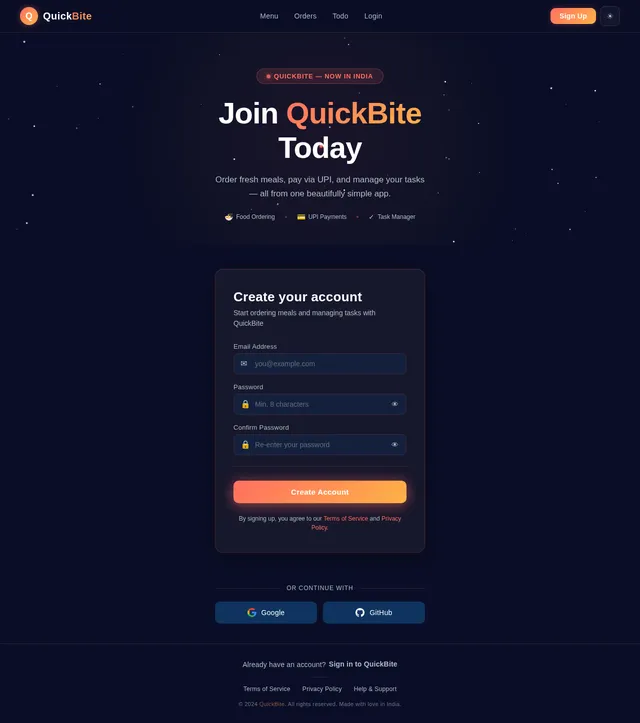
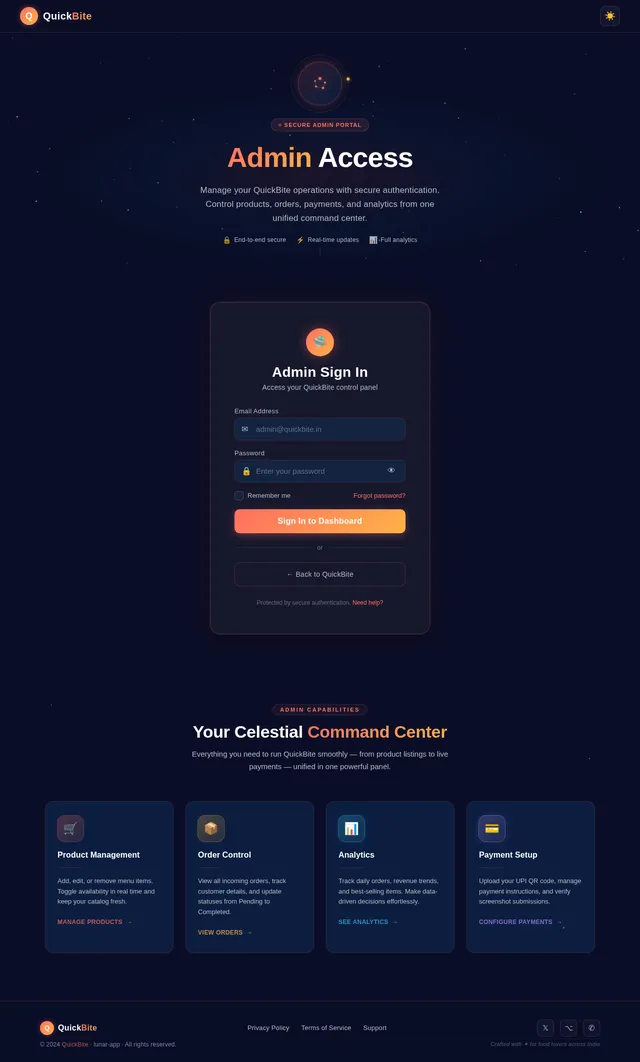
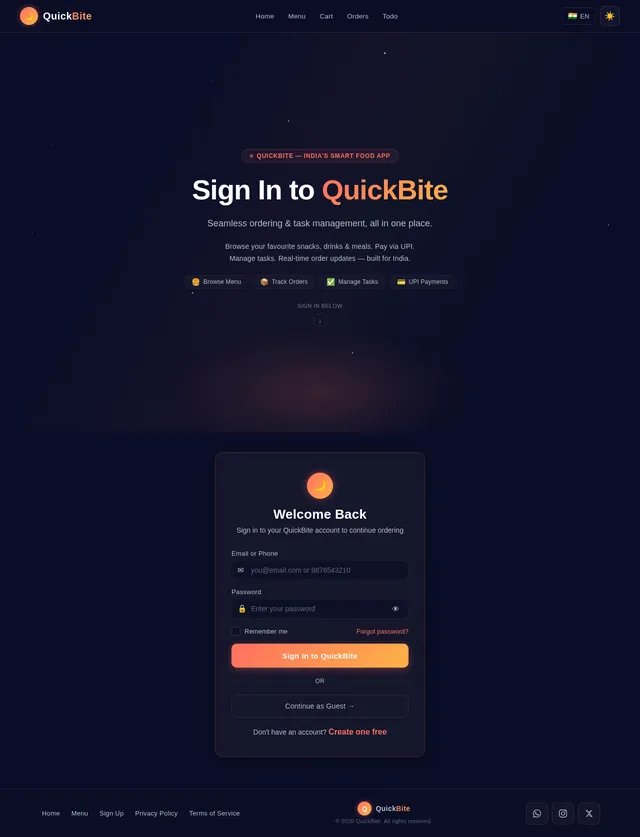
Create a modern mobile-friendly Food Ordering App with an Admin Panel. App Name: QuickBite (you can change name dynamically) User Side Features: - Show all products from a single shop (no multi-vendor) - Clean UI with categories (Snacks, Drinks, Meals, etc.) - Product cards with image, name, price, rating, and availability - Search bar to quickly find items - Add to Cart functionality - Cart page with quantity control (increase/decrease items) - Order summary with total price calculation - "Place Order" button Booking / Order System: - User can place order without login (guest checkout optional) - Capture basic details: Name, Phone Number, Address - Show order confirmation screen Payment System: - Show QR Code for payment (UPI-based) - User can upload payment screenshot (optional) - Show payment instructions clearly Admin Panel Features: - Secure Admin Login - Dashboard with total orders, revenue, and products count Product Management: - Add new food items (name, price, image, category, description) - Edit/Delete products - Toggle product availability (in stock / out of stock) Order Management: - View all orders with details (customer name, items, total, status) - Update order status (Pending, Confirmed, Completed) QR Payment Management: - Admin can upload/change QR Code image anytime - Option to add UPI ID and payment instructions text Advanced Features: - Mobile responsive design - Smooth animations and modern UI (use soft colors, rounded cards) - Dark/light mode toggle - Notifications for order placed (basic alert system) - Basic analytics (daily orders, best-selling items) Tech Requirements: - Use React or Flutter for frontend - Use Firebase / Supabase for backend (authentication, database, storage) - Store product images in cloud storage - Real-time order updates UI Style: - Clean, minimal, modern - Use card-based layout - Attractive food images - Smooth transitions and loading animations Extra Smart Features: - Auto-generate invoice after order - WhatsApp order confirmation integration (optional) - Discount coupon system (basic)Log in and sign up page bhi add karo aur ye mere customer ke liye hai to ishme ek qr add karne ka option dedo jo lock ho password se aur jisme monthy 99 inr ka payment karna pade aisa bana do aur ek qr pahle jo bola th

Comments (0)
Sign in to leave a comment
System Requirements
System Requirements Document (SRD)
Project Name: lunar-app
1. Introduction
The lunar-app is a modern, mobile-friendly food ordering application designed to provide a seamless experience for users and administrators. The app, tentatively named QuickBite, allows users to browse products, place orders, and make payments via UPI QR codes. Additionally, the app includes an admin panel for managing products, orders, and payments.
This document outlines the system requirements for the lunar-app, incorporating a newly requested feature: a to-do application for task management. The app will cater to users in India (IN), with locale-specific considerations such as INR currency, UPI-based payments, and WhatsApp integration.
2. System Overview
The lunar-app is a single-vendor food ordering platform with a clean, minimal, and modern user interface. It supports both guest and registered user checkouts, QR-based payments, and real-time order updates. The admin panel provides tools for managing products, orders, and analytics.
The newly added to-do application feature will allow users to manage personal tasks efficiently. This feature will include task creation, categorization, prioritization, and reminders.
The system is designed to be mobile-responsive, with smooth animations, dark/light mode toggles, and a subscription-based QR system for premium features.
3. Functional Requirements
User Side Features
- As a User, I should be able to view all products from a single shop.
- As a User, I should see products organized into categories (e.g., Snacks, Drinks, Meals).
- As a User, I should see product cards with an image, name, price, rating, and availability.
- As a User, I should be able to search for items using a search bar.
- As a User, I should be able to add items to my cart.
- As a User, I should be able to view and manage my cart, including increasing or decreasing item quantities.
- As a User, I should see an order summary with total price calculation.
- As a User, I should be able to place an order without logging in (guest checkout).
- As a User, I should be able to enter my name, phone number, and address during checkout.
- As a User, I should see an order confirmation screen after placing an order.
- As a User, I should see a QR code for payment and have the option to upload a payment screenshot.
- As a User, I should see clear payment instructions.
- As a User, I should be able to manage personal tasks using a to-do application.
- Add tasks with a title and description.
- Categorize tasks (e.g., Personal, Work, Shopping).
- Set task priorities (e.g., High, Medium, Low).
- Mark tasks as completed.
- Receive reminders for pending tasks.
Admin Panel Features
- As an Admin, I should be able to log in securely.
- As an Admin, I should see a dashboard with total orders, revenue, and product count.
- As an Admin, I should be able to add new food items with details (name, price, image, category, description).
- As an Admin, I should be able to edit or delete products.
- As an Admin, I should be able to toggle product availability (in stock/out of stock).
- As an Admin, I should be able to view all orders with customer details (name, items, total, status).
- As an Admin, I should be able to update order statuses (Pending, Confirmed, Completed).
- As an Admin, I should be able to upload or change the QR code for payment.
- As an Admin, I should be able to add UPI IDs and payment instructions.
- As an Admin, I should be able to view basic analytics (e.g., daily orders, best-selling items).
4. User Personas
1. User
- Primary user of the app.
- Can browse products, add items to the cart, place orders, and manage tasks.
2. Admin
- Responsible for managing products, orders, and payments.
- Uses the admin panel for operational tasks and analytics.
5. Visuals Colors and Theme
Color Palette
- Background: #F5F5F5 (soft white)
- Surface: #FFFFFF (pure white)
- Text: #333333 (dark gray)
- Accent: #FF6F61 (vibrant coral)
- Muted: #B0BEC5 (light gray-blue)
6. Signature Design Concept
The lunar-app will feature an interactive galaxy-themed homepage. The landing page will resemble a starry night sky, with constellations representing different app features (e.g., "Order Food," "Manage Tasks," "Admin Panel").
- Animations: Stars will twinkle subtly, and constellations will glow when hovered over.
- Transitions: Clicking on a constellation will zoom into a specific feature, creating a seamless transition.
- Micro-interactions: Icons and buttons will have soft, pulsating effects to mimic celestial movements.
- Dark/Light Mode: The galaxy theme will adapt to the selected mode, with a bright daytime sky for light mode and a deep, starry night for dark mode.
This design will create an unforgettable first impression, aligning with the app's modern and innovative identity.
7. Non-Functional Requirements
- The app must be mobile-responsive and load within 3 seconds on standard 4G networks.
- The system should support at least 10,000 concurrent users.
- Data storage must comply with local regulations (e.g., GDPR, if applicable).
- Notifications should be delivered within 2 seconds of an event.
8. Tech Stack
Frontend
- React for Web
- React Native for Mobile
Backend
- Python
- FastAPI
Database
- MySQL (with Alembic for migrations)
AI Models
- GPT 5.4 for user-friendly responses
AI Tools
- LangChain
Orchestration
- Docker
- Kubernetes
9. Assumptions and Constraints
- The app will initially target users in India, with INR as the default currency.
- UPI-based payments will be the primary payment method.
- The to-do application will not include advanced features like collaboration or file attachments in the initial release.
10. Glossary
- UPI: Unified Payments Interface, a real-time payment system in India.
- QR Code: A machine-readable code used for payments.
- To-Do Application: A feature for managing personal tasks.
- Admin Panel: A backend interface for managing the app's operations.

Welcome to Lunar
Order delicious food, manage your daily tasks, and run your business — all under one constellation. A seamless experience crafted for modern life.
Explore the Lunar Universe
Three powerful tools, one constellation. Discover everything Lunar has to offer.
Order Food
Browse menus, customize orders, and get fresh meals delivered right to your doorstep with our seamless ordering experience.
Explore feature→Manage Tasks
Stay organized with a powerful to-do app. Create, categorize, and prioritize tasks to never miss a deadline again.
Explore feature→Admin Panel
Powerful dashboard for managing products, tracking orders, viewing analytics, and updating payment configurations.
Explore feature→Browse Our Menu
Fresh, delicious food delivered fast.
Never Miss a Task
Stay on top of everything with Lunar's built-in to-do app. Create, organize, and prioritize your tasks alongside your food orders — all in one place.
Powerful Admin Tools
Take full control of your QuickBite storefront. Manage every product, track every order, and uncover insights that help you grow — all from one intuitive dashboard.
- Manage ProductsAdd, edit, and toggle availability for food items with images, prices, and categories.
- View AnalyticsTrack daily orders, revenue trends, and discover your best-selling items at a glance.
- Update OrdersMonitor incoming orders in real-time and update statuses from Pending to Completed.
- Secure AccessRole-based admin login keeps your dashboard and customer data protected.
Why Choose Lunar?
Everything you need to order food, manage tasks, and run your business — all in one beautifully crafted platform.
Fast Ordering
Browse, customize, and place your food order in under a minute. Our streamlined interface means less tapping and more eating.
Seamless Payments
Pay instantly via UPI QR codes with clear instructions. No fumbling with cash or complicated payment flows.
Task Management
Built-in to-do app lets you organize tasks by category and priority. Stay on top of work, shopping, and personal goals.
Real-time Updates
Track your order status from confirmed to completed. Get notified at every step so you always know what is happening.
Secure Admin Panel
Manage products, orders, and analytics from a powerful dashboard with secure login and role-based access.
What Users Say
Trusted by thousands of users across India for food ordering, task management, and business operations.
Lunar has completely changed how I order food. The interface is so clean and intuitive — I can browse the menu, place my order, and pay via UPI in under two minutes. The real-time order updates keep me informed every step of the way.
I started using Lunar for food ordering but fell in love with the to-do feature. Being able to categorize and prioritize my daily tasks alongside managing lunch orders is incredibly convenient. One app, two problems solved.
The admin panel gives me everything I need at a glance — daily orders, revenue analytics, and product management all in one dashboard. Updating my menu and tracking best-selling items has never been this effortless.
Simple, Transparent Pricing
Start ordering for free. Upgrade to Premium for advanced task management and exclusive perks.
Free
Perfect for everyday food ordering and basic task management.
- Browse full menu & place orders
- Guest checkout without sign-up
- UPI QR code payments
- Basic to-do task management
- Order tracking & confirmation
- Dark & light mode support
Premium
Unlock advanced features, priority support, and exclusive offers.
- Everything in Free plan
- Advanced task categories & priorities
- Smart task reminders & notifications
- Priority order processing
- Exclusive discount coupons
- WhatsApp order confirmations
- Priority customer support
No hidden fees. Cancel anytime. All prices in INR.
Ready to Order or Organize?
Join thousands of users across India who are already ordering food and managing tasks with QuickBite. No credit card required.
No comments yet. Be the first!