loco-app
 Aman Bhati
Create an application of Finding a device via mobile number in SpringBoot Thymleaf


Comments (0)
Sign in to leave a comment
System Requirements
System Requirements Document for loco-app
1. Introduction
The loco-app is designed to locate a device using a mobile number. It is built using Spring Boot and Thymeleaf, targeting tech-savvy users who appreciate futuristic and sophisticated interfaces. The application provides a seamless experience for users to input a mobile number and receive the location of the device associated with that number.
2. System Overview
The loco-app is a web application that allows users to find a device by entering a mobile number. The application is built using Spring Boot and Thymeleaf, ensuring a robust and scalable backend with a dynamic and responsive frontend. The primary user of the application is the "Device finder," who interacts with the system to locate devices.
2a. Product Interpretation and Delivery Boundary
The application is delivered as a web-based solution accessible via a browser. It does not require user authentication, allowing anonymous access to its features. The application consists of three main pages: Landing, Find Device, and Device Result. Each page serves a specific purpose in the user journey, from introducing the application to displaying the device location results.
2b. Source Content Inventory
Not applicable as no content source directive was provided.
2c. Page Content and Component Coverage
Landing
- Information/State: Introduction to the application and its purpose.
- Primary Actions: Direct users to the Find Device page.
- Components:
- Welcome message explaining the application's functionality.
- Navigation button to proceed to the Find Device page.
- States:
- Loading: Initial page load with introductory content.
- Success: Page displays correctly with navigation options.
Find Device
- Information/State: Input form for entering a mobile number.
- Primary Actions: Submit the mobile number for processing.
- Components:
- Input field for mobile number.
- Submit button to initiate the device-finding process.
- States:
- Loading: Page loads with an empty input form.
- Success: Mobile number submitted successfully.
- Error: Invalid mobile number format or submission failure.
Device Result
- Information/State: Display the result of the device-finding process.
- Primary Actions: View device location results.
- Components:
- Display area for device location information.
- Option to return to the Find Device page or start a new search.
- States:
- Loading: Awaiting results after submission.
- Success: Device location displayed.
- Error: Unable to locate device or processing error.
3. Functional Requirements
- As a Device finder, I should be able to access the Landing page anonymously to understand the application's purpose and begin the device-finding process. (required_inference)
- As a Device finder, I should be able to enter a mobile number on the Find Device page and submit it to locate the associated device. (required_inference)
- As a Device finder, I should be able to view the results on the Device Result page after submitting a mobile number, showing the location of the device. (required_inference)
4. User Personas
- Device finder: The primary user who interacts with the application to locate devices by entering mobile numbers. Responsibilities include submitting mobile numbers and interpreting the location results.
5. Core User Flows
-
Landing Page Access
- The Device finder accesses the Landing page.
- The page displays an introduction to the application.
- The user clicks a button to proceed to the Find Device page.
-
Find Device Process
- The Device finder enters a mobile number into the input field on the Find Device page.
- The user submits the number by clicking the submit button.
- The system processes the request and redirects to the Device Result page.
-
Device Result Display
- The Device Result page loads, displaying the location of the device.
- The Device finder views the results.
- The user can choose to return to the Find Device page or start a new search.
6. Visuals Colors and Theme
- Muse: Gleb Kuznetsov
- Palette:
- Background: #0A0A0A
- Surface: #1E1E1E
- Text: #FFFFFF
- Primary: #00FFFF
- Accent: #FF00FF
- Muted: #3B3B3B
- Typography:
- Headings: Space Grotesk, uppercase, tight tracking
- Body: Orbitron
- Scale: 72/48/32/24/16
- Shape Language: Floating glass panels and radial layouts with thin luminous strokes.
- Layout: Full-bleed 3D scene with floating panels for input and results.
7. Signature Design Concept
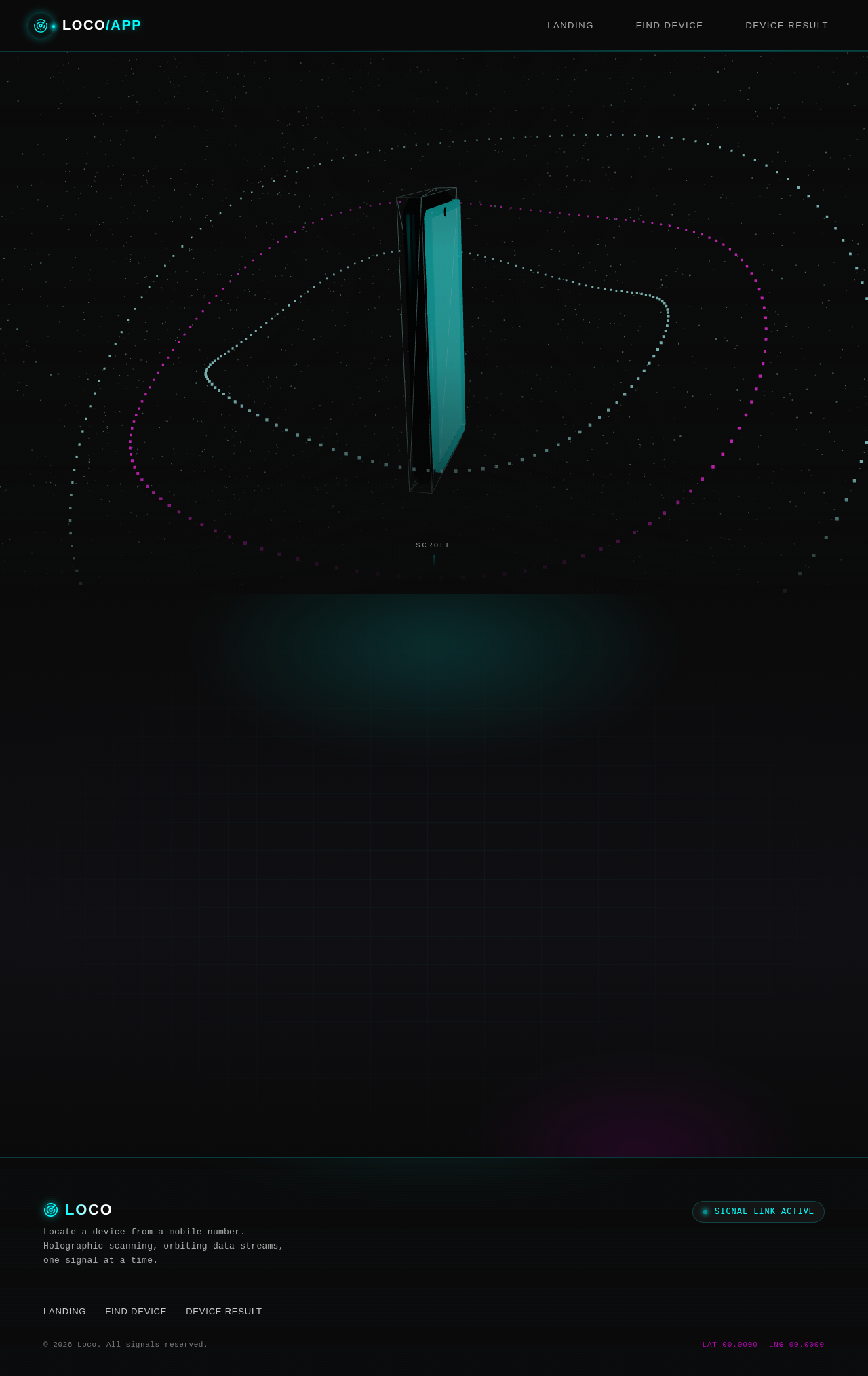
The public entry features a full-bleed 3D scene with a floating holographic device and orbiting data streams. The design uses deep black as the ground with electric cyan glows as accents, creating an immersive and futuristic experience. The mobile number input is presented on a floating glass panel with luminous edges, enhancing the high-tech aesthetic.
8. Interaction Model & Motion Direction
- Interaction Model: Animated
- Motion Tempo: Cinematic
- Hero Dimensionality: WebGL
- Landing Hero Motion Brief:
- Focal Subject: A holographic mobile device with orbiting data streams.
- Input→Transformation→Outcome: User inputs a mobile number, triggering a visual data stream effect leading to the display of the device location.
- Motion Vocabulary: Slow orbiting motion, parallax scrolling with data stream effects.
- Composed First Frame: A static view of the holographic device with initial data streams.
- Reduced-Motion State: Simplified static view without motion effects.
9. Non-Functional Requirements
- Performance: The application should load pages within 2 seconds under normal network conditions.
- Scalability: The system should handle up to 10,000 requests per day.
- Security: Ensure data privacy and secure handling of mobile numbers.
10. Tech Stack
- Backend: Spring Boot
- Frontend: Thymeleaf
- WebGL/R3F: For 3D rendering and interactive elements
11. Assumptions and Constraints
- Assumptions:
- Users have access to a modern web browser.
- The application will be hosted on a server capable of handling the expected load.
- Constraints:
- Must use Spring Boot and Thymeleaf as specified.
- The application must remain accessible without user authentication.
12. Glossary
- Device finder: The user persona who interacts with the application to locate devices.
- Spring Boot: A framework for building Java-based applications.
- Thymeleaf: A Java template engine for rendering web pages.
- WebGL/R3F: Technologies used for rendering 3D graphics in web applications.
Find Any Device By Number
loco-app locates a device the moment you provide its mobile number. Enter the number, and our scanning interface traces the associated signal to pinpoint where that device currently sits — no accounts, no setup, just a number and a result.
Find Any Device By Number
loco-app locates a device the moment you provide its mobile number. Enter the number, and our scanning interface traces the associated signal to pinpoint where that device currently sits — no accounts, no setup, just a number and a result.
No comments yet. Be the first!