lime-generate
 victor magaji
Generate a Brazil investment Brooker

Comments (0)
Sign in to leave a comment
System Requirements
System Requirements Document for lime-generate
1. Introduction
The lime-generate project aims to create a Brazil-focused investment broker product. It is designed to guide investors on how to get started with a minimum investment amount. The product targets first-time investors in Brazil, providing them with the necessary information and guidance to begin their investment journey confidently.
2. System Overview
The lime-generate system is a web-based platform that offers guidance to Brazilian investors on how to start investing with a minimum amount. The system is designed to be accessible without requiring user accounts, focusing on delivering clear and concise information to help investors make informed decisions. The system comprises three main pages: Landing, Investment Guide, and Start Investing. These pages provide a structured flow from initial engagement to actionable investment steps.
2a. Product Interpretation and Delivery Boundary
The product is delivered as a web application with a custom user interface. It is designed to be accessed anonymously, focusing on providing information and guidance without requiring user registration or login. The scope is strictly limited to guiding investors on starting with a minimum investment amount in Brazil, without delving into specific investment products or account management features.
2b. Source Content Inventory
Not applicable as no content source directive was provided.
2c. Page Content and Component Coverage
Landing
- Purpose: Introduce the Brazil-focused investment broker, target investors, and explain how to get started with a minimum investment amount.
- Components:
- Introduction Section: Overview of the investment broker and its focus on Brazilian investors.
- Getting Started Guide: Brief explanation of the steps to begin investing with a minimum amount.
- Call to Action (CTA): Encourages users to proceed to the Investment Guide.
- Visual Elements: Bold headlines, thick-line vector icons, and a primary orange accent block for the CTA.
Investment Guide
- Purpose: Provide detailed information on how investors can start with a minimum investment amount.
- Components:
- Information Sections: Detailed guidance on investment basics, minimum amount requirements, and steps to begin investing.
- Visual Aids: Thick-line vector icons and halftone photos to enhance understanding.
- Navigation: Clear links to proceed to the Start Investing page.
Start Investing
- Purpose: Facilitate the transition from guidance to actual investment actions.
- Components:
- Actionable Steps: Clear instructions on how to start investing based on the guidance provided.
- Supportive Information: Recap of key points from the Investment Guide.
- CTA: Encourages users to take the first step in their investment journey.
3. Functional Requirements
-
As an Investor, I should be able to access the Landing page to understand the focus of the investment broker and how to get started with a minimum investment amount.
Provenance: explicit
Observable Acceptance: Investor accesses the Landing page and reads the introductory content. -
As an Investor, I should be able to access the Investment Guide to receive detailed information on starting with a minimum investment amount.
Provenance: explicit
Observable Acceptance: Investor navigates to the Investment Guide and reviews the provided information. -
As an Investor, I should be able to proceed to the Start Investing page to take actionable steps based on the guidance received.
Provenance: explicit
Observable Acceptance: Investor moves from the Investment Guide to the Start Investing page and follows the steps outlined.
4. User Personas
- Investor: The primary user of the system, seeking guidance on how to start investing with a minimum amount in Brazil. The Investor accesses all three pages to gain information and take actionable steps.
5. Core User Flows
-
Investor Accesses Landing Page:
- Trigger: Investor visits the lime-generate platform.
- Steps:
- Investor reads the introductory content about the Brazil-focused broker.
- Investor understands the focus on minimum investment guidance.
- Investor clicks on the CTA to proceed to the Investment Guide.
- Outcome: Investor is informed about the broker's focus and encouraged to learn more.
-
Investor Reviews Investment Guide:
- Trigger: Investor clicks the CTA on the Landing page.
- Steps:
- Investor reads detailed guidance on starting with a minimum investment.
- Investor views visual aids to enhance understanding.
- Investor clicks on the link to proceed to the Start Investing page.
- Outcome: Investor gains a comprehensive understanding of how to start investing.
-
Investor Proceeds to Start Investing:
- Trigger: Investor clicks the link on the Investment Guide page.
- Steps:
- Investor reviews actionable steps for starting an investment.
- Investor recaps key points from the Investment Guide.
- Investor takes the first step in their investment journey.
- Outcome: Investor is ready to begin investing with confidence.
6. Visuals Colors and Theme
- Muse: Aaron Draplin
- Palette:
- Background: #F5F5DC
- Surface: #FFFFFF
- Text: #333333
- Primary: #FF8C00
- Accent: #2E8B57
- Muted: #708090
- Typography:
- Headings: Oswald — Bold, all-caps, tight tracking
- Body: Source Sans Pro
- Scale: 1.25 modular, 48/32/24/18/16
- Shape Language: Bold badges and chunky borders with ruled panels.
- Layout: Structured with badge-like sections, clear hierarchies, and generous margins.
- Imagery: Thick-line vector icons and halftone photos.
7. Signature Design Concept
The public entry page features a bold, oversized headline in Oswald on a kraft background. A large vector icon representing investment is prominently displayed. The primary orange accent is used as a block beneath the headline, with the CTA integrated directly into it, encouraging users to explore the Investment Guide.
8. Interaction Model & Motion Direction
- Interaction Model: Static
- Motion Tempo: Restrained
- Hero Dimensionality: Flat
- Landing Hero Motion Brief: A bold headline in Oswald appears on a kraft background with a large vector icon. The primary orange accent block integrates the CTA, creating a straightforward and confident entry point for users.
9. Non-Functional Requirements
- Performance: The platform should load quickly and efficiently to ensure a smooth user experience.
- Accessibility: The design should be accessible to users with disabilities, adhering to WCAG 2.1 guidelines.
- Scalability: The system should be able to handle a growing number of users without performance degradation.
10. Tech Stack
- Frontend: React
- Backend: Python/FastAPI
- Storage: Appropriate storage solution for content delivery
- Deployment: Docker/docker-compose
11. Assumptions and Constraints
- Assumption: Users will access the platform anonymously without requiring account creation.
- Constraint: The scope is limited to guiding investors on starting with a minimum investment amount in Brazil.
12. Glossary
- Investor: A user seeking guidance on how to start investing with a minimum amount in Brazil.
- CTA: Call to Action, a prompt for users to take the next step in their journey.
- WCAG: Web Content Accessibility Guidelines, a set of recommendations for making web content more accessible.
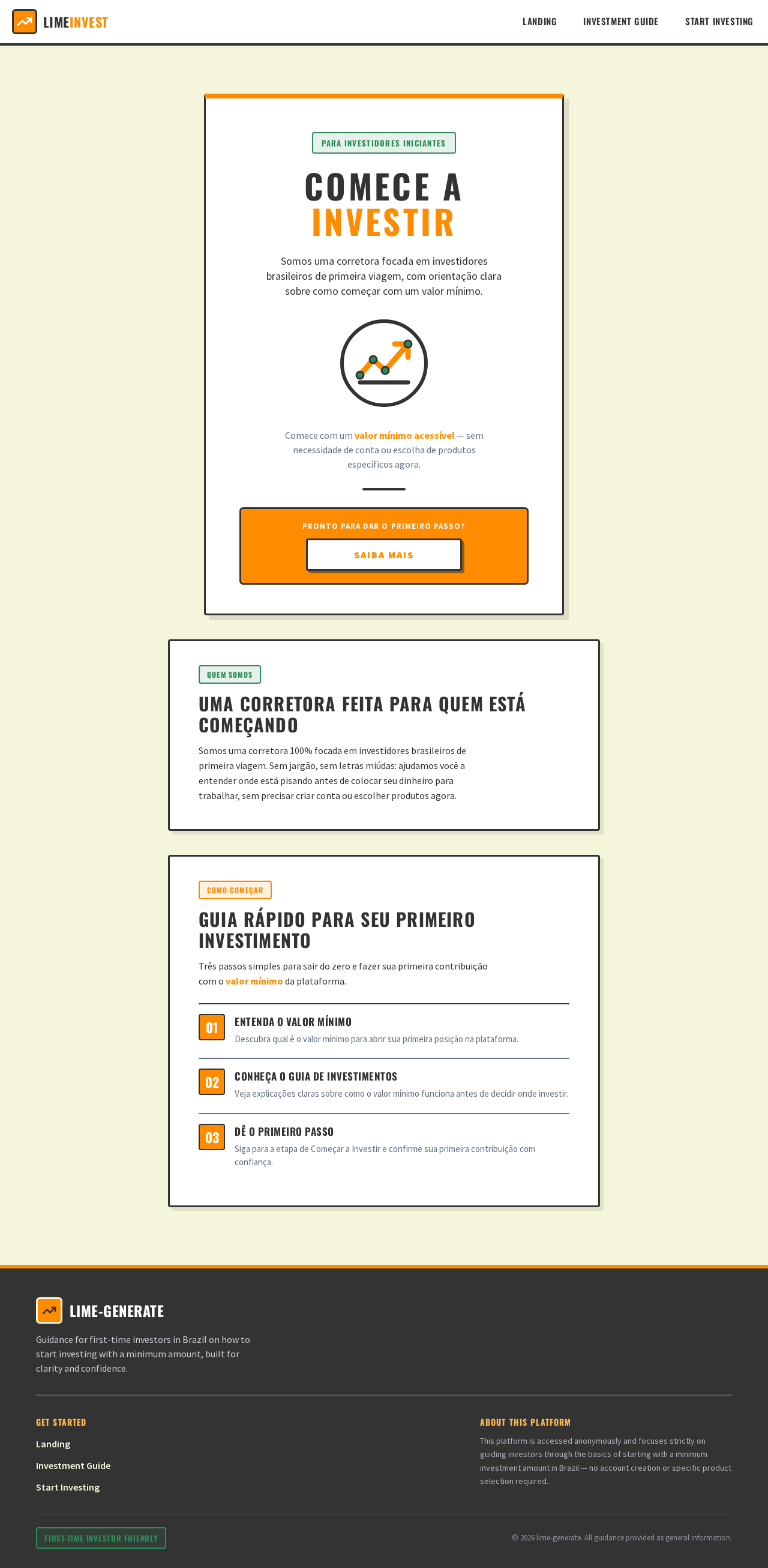
COMECE A INVESTIR
Somos uma corretora focada em investidores brasileiros de primeira viagem, com orientação clara sobre como começar com um valor mínimo.
Comece com um valor mínimo acessível — sem necessidade de conta ou escolha de produtos específicos agora.
Pronto para dar o primeiro passo?
Saiba MaisUma Corretora Feita Para Quem Está Começando
Somos uma corretora 100% focada em investidores brasileiros de primeira viagem. Sem jargão, sem letras miúdas: ajudamos você a entender onde está pisando antes de colocar seu dinheiro para trabalhar, sem precisar criar conta ou escolher produtos agora.
Guia Rápido Para Seu Primeiro Investimento
Três passos simples para sair do zero e fazer sua primeira contribuição com o valor mínimo da plataforma.
Entenda o valor mínimo
Descubra qual é o valor mínimo para abrir sua primeira posição na plataforma.
Conheça o Guia de Investimentos
Veja explicações claras sobre como o valor mínimo funciona antes de decidir onde investir.
Dê o primeiro passo
Siga para a etapa de Começar a Investir e confirme sua primeira contribuição com confiança.
COMECE A INVESTIR
Somos uma corretora focada em investidores brasileiros de primeira viagem, com orientação clara sobre como começar com um valor mínimo.
Comece com um valor mínimo acessível — sem necessidade de conta ou escolha de produtos específicos agora.
Pronto para dar o primeiro passo?
Saiba MaisUma Corretora Feita Para Quem Está Começando
Somos uma corretora 100% focada em investidores brasileiros de primeira viagem. Sem jargão, sem letras miúdas: ajudamos você a entender onde está pisando antes de colocar seu dinheiro para trabalhar, sem precisar criar conta ou escolher produtos agora.
Guia Rápido Para Seu Primeiro Investimento
Três passos simples para sair do zero e fazer sua primeira contribuição com o valor mínimo da plataforma.
Entenda o valor mínimo
Descubra qual é o valor mínimo para abrir sua primeira posição na plataforma.
Conheça o Guia de Investimentos
Veja explicações claras sobre como o valor mínimo funciona antes de decidir onde investir.
Dê o primeiro passo
Siga para a etapa de Começar a Investir e confirme sua primeira contribuição com confiança.
No comments yet. Be the first!