
lemon-project

byShashikant Tiwari

## ๐Ÿ“ Oneโ€‘Shot Prompt **Prompt:** Create a fully functional **RetailPOS ERP software** named **GaurangERP** with the following specifications: ### ๐Ÿ“‚ Project Structure - **pom.xml** โ€“ Complete with all dependencies - **README.md** โ€“ Full documentation - **build-installer.bat** โ€“ Windows installer script - **src/main/java/com/retailpos/** - **RetailPOSApp.java** โ€“ Main entry point - **model/** โ€“ 17 model classes: `User, Product, Customer, Invoice, InvoiceItem, Supplier, PurchaseOrder, POItem, Category, License, StockTransaction, CashRegister, Discount, Return, ReturnItem, Expense, Batch, Store` - **dao/** โ€“ 17 DAO classes: `DatabaseManager, UserDAO, ProductDAO, CustomerDAO, InvoiceDAO, SupplierDAO, PurchaseOrderDAO, SettingsDAO, LicenseDAO, StockTransactionDAO, CashRegisterDAO, DiscountDAO, ReturnDAO, ExpenseDAO, BatchDAO, StoreDAO` - **service/** โ€“ 13 services: `AuthService, BillingService, LicenseManager, LowStockAlertService, DiscountService, ProfitLossService, BatchService, ConcurrentBillingService, EinvoiceService, EcommerceSyncService, StoreService, PredictiveAnalyticsService (placeholder), WhatsAppService` - **ui/** โ€“ 14 controllers with FXML: `LoginScreen, MainDashboard, BillingScreen, ProductsScreen, CustomersScreen, ReportsScreen, StockManagementScreen, SettingsScreen, GstReportScreen, SuppliersScreen, PurchaseOrderScreen, BackupScreen, LoyaltyScreen, BatchManagementScreen, EnhancedDashboardController` - **util/** โ€“ 11 utilities: `SecurityUtil, PdfGenerator, ExcelExporter, CsvExporter, ThermalPrinterUtil, FirmLogoManager, NumberToWordsConverter, BarcodeScannerService, KeyboardShortcutService, ThemeManager, WhatsAppService` - **resources/** - **css/styles.css** - **fxml/** โ€“ 14 FXML files - **db/** โ€“ schema.sql + seed.sql ### โš™๏ธ Core Features - User Authentication โ€“ BCrypt passwords, role-based access - Billing โ€“ GST (CGST/SGST), auto-calculation - Inventory Management โ€“ Products, categories, stock tracking - Customer & Supplier Management โ€“ GSTIN support - Purchase Orders โ€“ Create, receive, track - Reports โ€“ Sales, Stock, GST, GSTR1, Profit & Loss - Printing โ€“ Auto-detect Windows printer, print preview - WhatsApp Integration โ€“ Send invoices via WhatsApp - Low Stock Alerts โ€“ Auto-alert manager - Keyboard Shortcuts โ€“ F1โ€“F10, Ctrl+T, etc. - Dark/Light Theme โ€“ Toggle with Ctrl+T - Enhanced Dashboard โ€“ Charts, widgets, real-time insights - Cash Register โ€“ Theft prevention - License Management โ€“ Generate, validate, expire - Backup/Restore โ€“ Auto-backup support - Discount System โ€“ Item-level, bill-level, happy hours - Returns & Refunds โ€“ Legal compliance in India - Batch/Expiry Tracking โ€“ FMCG/Pharmacy - Concurrent Billing โ€“ Multi-user support - E-Invoicing & E-Way Bill โ€“ Legal for โ‚น10Cr+ turnover - E-Commerce Sync โ€“ Shopify/WooCommerce - Mobile App โ€“ Android/iOS - Multi-Store Support - AI Features โ€“ Predictive analytics ### ๐Ÿ”— Integrations 1. Connect **DiscountService โ†’ BillingScreen** 2. Connect **ReturnDAO โ†’ BillingScreen (return button)** 3. Connect **ProfitLossService โ†’ ReportsScreen** 4. Connect **BatchService โ†’ ProductsScreen + BillingScreen** 5. Connect **ConcurrentBillingService โ†’ BillingScreen** ### ๐Ÿงช Testing & Deployment ```bash cd /path/to/RetailPOS mvn clean package mvn javafx:run build-installer.bat installer/output/RetailPOS_Setup_1.0.0.exe ``` **Demo Checklist:** - Run billing process - Show keyboard shortcuts - Explain returns process - Show reports - Install on all billing counters - Configure thermal printer - Configure WhatsApp alerts - Start billing! ### ๐Ÿš€ Installation Steps 1. Download **RetailPOS.zip** 2. Build: `mvn clean package` 3. Run: `mvn javafx:run` 4. Configure settings 5. Start billing! ### ๐Ÿ“… Future Enhancements (Estimated Hours) - E-Invoicing & E-Way Bill โ€“ 8โ€“10 hrs - Multi-Store Support โ€“ 10โ€“12 hrs - Mobile App โ€“ 40โ€“50 hrs - AI Features โ€“ 20โ€“30 hrs ### ๐ŸŽจ Branding - Splash Screen โ€“ **โ€œGaurangERPโ€** with animated module loading - Firm Logo โ€“ Applied after activation - Logo on Printouts โ€“ A4/A5 invoices --- โšก **Instruction:** Generate the complete **RetailPOS ERP software** exactly as specified above in one go, with all modules, integrations, UI, services, and installer ready, including the professional splash screen and branding. Do not ask for clarifications or confirmationsโ€”just produce the full solution.

LoginSuppliersCustomersInventoryStores
Login

Comments (0)

No comments yet. Be the first!

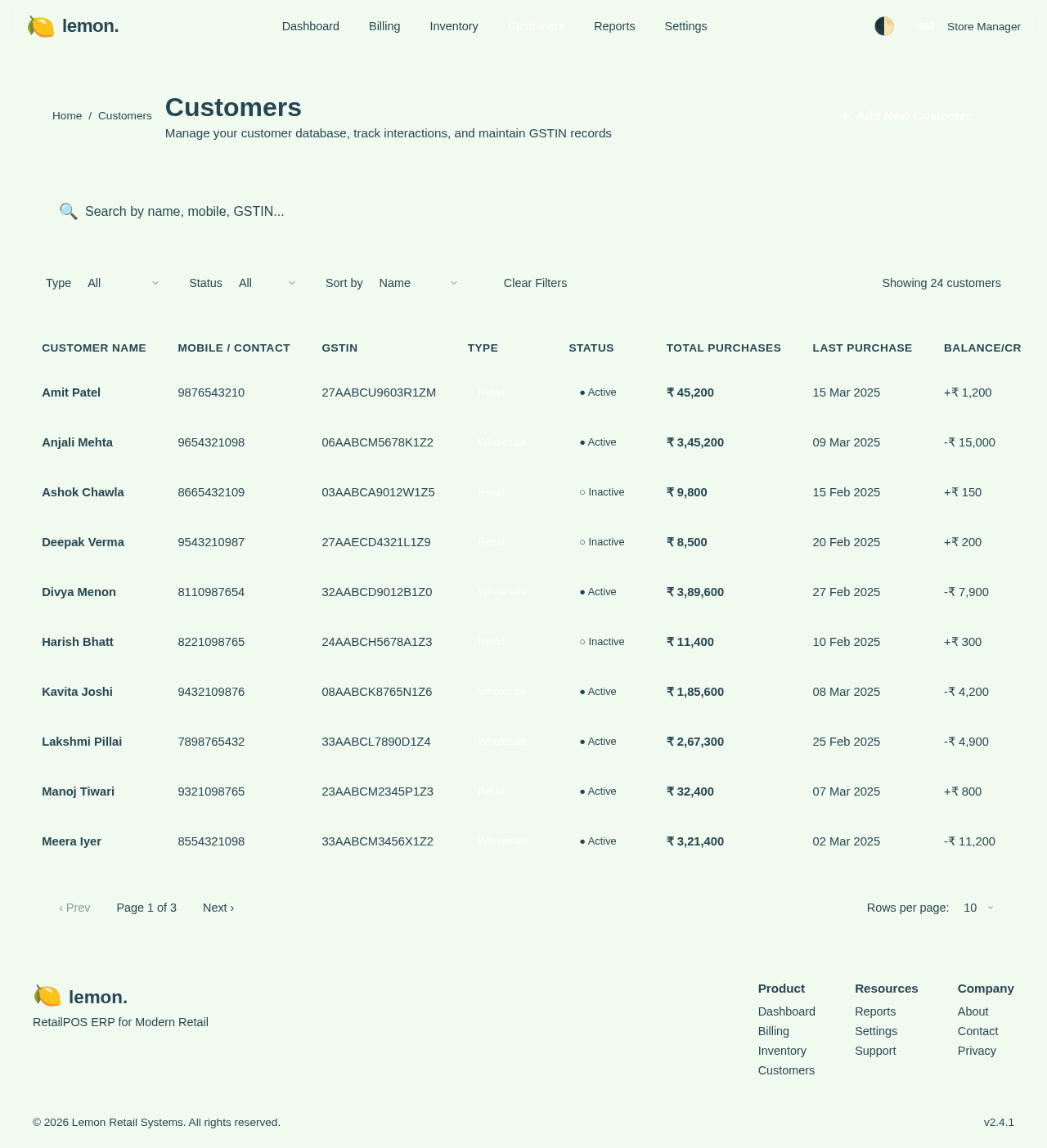
Customers design preview
Login: Sign In
Dashboard: View Insights
Billing: Process Sale
Billing: Apply Discount
Billing: Print Invoice
Billing: Send WhatsApp
Customers: Manage Customers
Suppliers: Manage GSTIN
Returns: Process Return
Batch: Track Expiry
Reports: View Reports
Reports: View GST
License: Validate License