lemon-freefire
 Henry Purkinje
create an app for freefire sensitivity generator for all devices based on the device specification and compatibility with the game using MVP terms


Comments (0)
Sign in to leave a comment
System Requirements
System Requirements Document for lemon-freefire
1. Introduction
The lemon-freefire project aims to develop a mobile application that generates sensitivity settings for the game Free Fire. This app will cater to all devices by considering device specifications and ensuring compatibility with the game. The intent is to provide Free Fire players with personalized sensitivity settings to enhance their gaming experience.
2. System Overview
The lemon-freefire app is designed to generate Free Fire sensitivity settings based on device specifications and game compatibility. It targets all devices within the MVP's supported compatibility scope. The app will guide users through providing their device specifications, assess compatibility with Free Fire, and generate tailored sensitivity settings. The primary audience is Free Fire players seeking optimized game settings.
2a. Product Interpretation and Delivery Boundary
The app will be delivered as a mobile application with a custom UI, focusing on device-specific sensitivity generation for Free Fire. It will operate within the MVP scope, supporting all devices compatible with Free Fire. The app does not include account management or differentiated permissions, as it operates anonymously without requiring user identity continuity.
2b. Source Content Inventory
Not applicable as no content source directive was provided.
2c. Page Content and Component Coverage
Landing
- Purpose: Introduce the app and its functionality.
- Components:
- Introduction to the sensitivity generator.
- Explanation of device-specific generation.
- Call-to-action to proceed to device setup.
Device Setup
- Purpose: Collect device specifications from the player.
- Components:
- Form fields for device specifications (e.g., model, OS version).
- Submission button to proceed to compatibility check.
Compatibility
- Purpose: Assess device compatibility with Free Fire.
- Components:
- Display compatibility status.
- Option to proceed if compatible or retry with different specifications.
Generate
- Purpose: Execute the sensitivity generation process.
- Components:
- Display of generation progress.
- Notification of successful generation or errors.
Sensitivity
- Purpose: Display the generated sensitivity settings.
- Components:
- List of sensitivity settings.
- Option to save or apply settings in Free Fire.
3. Functional Requirements
- As a Free Fire player, I should be able to provide my device specifications to generate sensitivity settings. (Provenance: explicit)
- As a Free Fire player, I should be able to see if my device is compatible with Free Fire before generating settings. (Provenance: explicit)
- As a Free Fire player, I should be able to generate sensitivity settings based on my device specifications and compatibility. (Provenance: explicit)
- As a Free Fire player, I should be able to view the generated sensitivity settings for use in Free Fire. (Provenance: explicit)
4. User Personas
- Free Fire player: The primary user who provides device details and receives generated sensitivity settings for Free Fire.
5. Core User Flows
-
Landing to Device Setup:
- The player lands on the app's introduction page.
- The player reads about the app and proceeds to the device setup.
-
Device Setup to Compatibility:
- The player enters device specifications.
- The player submits the specifications to check compatibility.
-
Compatibility to Generate:
- The app checks compatibility and displays the result.
- If compatible, the player proceeds to generate sensitivity settings.
-
Generate to Sensitivity:
- The app generates sensitivity settings.
- The player views the generated settings.
6. Visuals Colors and Theme
- Muse: Gleb Kuznetsov
- Palette:
- Background: #000000
- Surface: #141414
- Text: #FFFFFF
- Primary: #00FFFF
- Accent: #FF00FF
- Muted: #333333
- Typography:
- Headings: Orbitron — Uppercase, wide tracking, bold weights
- Body: Space Grotesk
- Scale: 1.5 modular, 64/48/32/24/16
- Shape Language: Floating glass panels, thin luminous strokes, radial layouts
- Layout: Full-bleed hero with a HUD-like overlay
- Motion: Continuous slow orbit/parallax, with light sweeps and scroll-scrubbed camera moves
7. Signature Design Concept
The landing page will feature a full-bleed 3D scene with floating glass panels and luminous strokes, dominated by electric cyan glows on a deep black ground. This design will create an immersive and high-tech atmosphere, aligning with the cinematic future tech theme.
8. Interaction Model & Motion Direction
- Interaction Model: Animated
- Motion Tempo: Cinematic
- Hero Dimensionality: WebGL
- Landing Hero Motion Brief:
- Focal Subject: Abstract 3D objects and particle fields
- Input→Transformation→Outcome: User input of device specs leads to a visual transformation of compatibility assessment, culminating in the display of generated settings.
- Motion Vocabulary: Orbiting animations, light sweeps, and scroll-scrubbed camera moves
- Composed First Frame: A dynamic 3D scene with floating elements
- Reduced-Motion State: Simplified transitions with static overlays
9. Non-Functional Requirements
- The app must operate efficiently on all supported devices. (Provenance: required_inference)
- The app should provide a seamless user experience with minimal load times. (Provenance: required_inference)
10. Tech Stack
- Frontend: React Native
- Backend: Python/FastAPI
- Storage: Appropriate mobile storage solutions
- Deployment: Docker/docker-compose
11. Assumptions and Constraints
- The app will only support devices that are compatible with Free Fire.
- The app will not require user accounts or identity continuity.
12. Glossary
- MVP: Minimum Viable Product
- Free Fire: A popular battle royale game
- Sensitivity Settings: Configurations that adjust the responsiveness of controls in the game
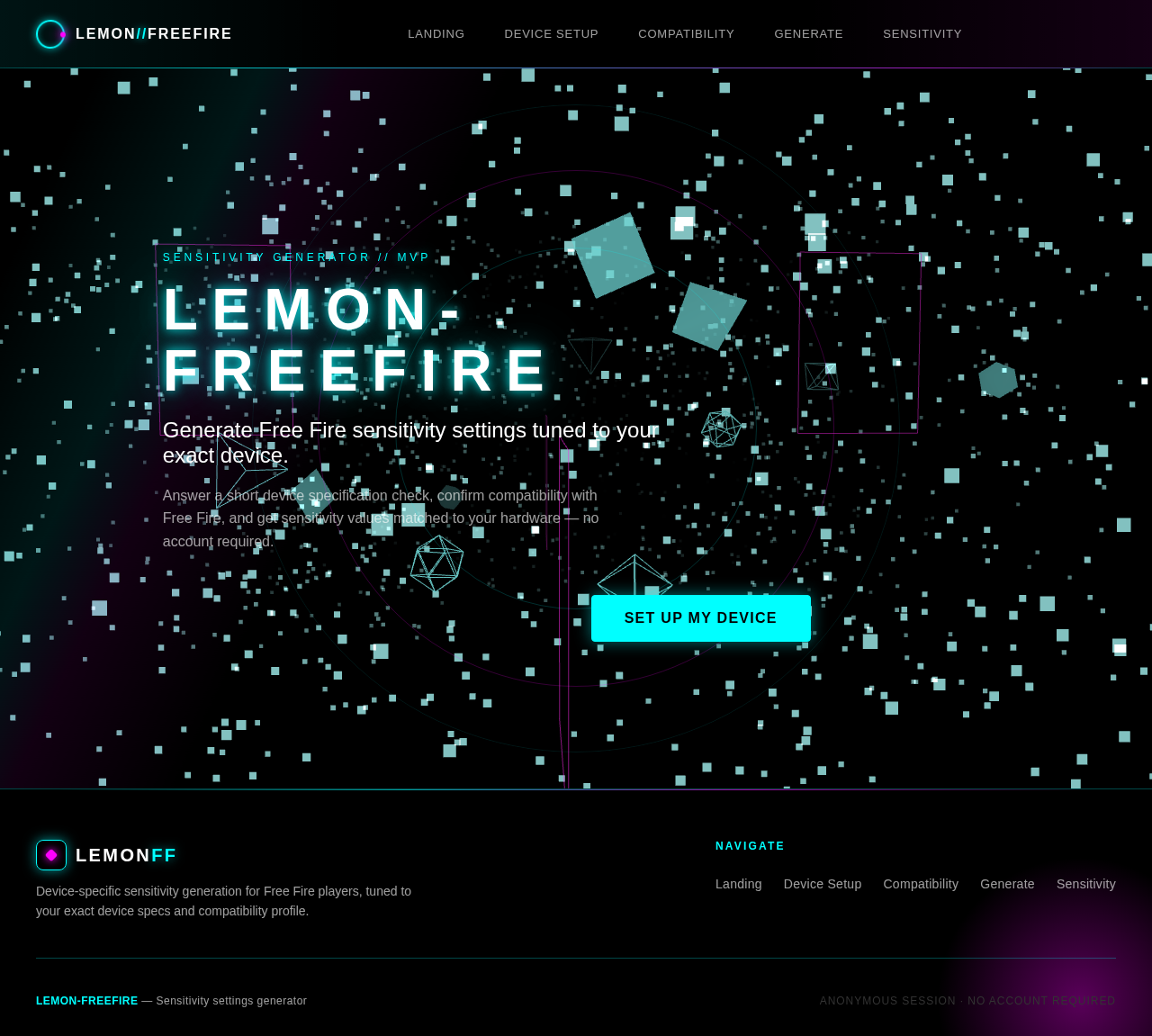
Sensitivity Generator // MVP
LEMON-FREEFIRE
Generate Free Fire sensitivity settings tuned to your exact device.
Answer a short device specification check, confirm compatibility with Free Fire, and get sensitivity values matched to your hardware — no account required.
Sensitivity Generator // MVP
LEMON-FREEFIRE
Generate Free Fire sensitivity settings tuned to your exact device.
Answer a short device specification check, confirm compatibility with Free Fire, and get sensitivity values matched to your hardware — no account required.
No comments yet. Be the first!