learnlens
 Nandini Bhavsar
hy i want website names as learnlens in which it will have student and teacher log in and create account after that it will show teacher page if click on log in as teacher then teacher can enter marks see student details and can give concept on which he or she want to provide notes to students . then for student they can see their details marks(with using graph or chart) then it will categoriz student on basis of marks and will provide student link of 3 video to each category and notes also. but this videos will different for each category and it will not include attendence


Comments (0)
Sign in to leave a comment
System Requirements
System Requirements Document for learnlens
1. Introduction
LearnLens is an educational platform designed to facilitate interaction between students and teachers. It provides a digital environment where teachers can manage student performance data and provide educational resources, while students can access personalized learning materials based on their performance. The platform aims to create a nurturing and intuitive experience for both teachers and students.
2. System Overview
LearnLens is a web-based application that supports separate login and account creation for students and teachers. Teachers can enter marks, view student details, and provide notes on specific concepts. Students can view their performance details, represented graphically, and access learning resources tailored to their performance category. The system explicitly excludes attendance tracking.
2a. Product Interpretation and Delivery Boundary
LearnLens is delivered as a web application with custom UI, supporting separate login paths for students and teachers. The application maintains user identity for session continuity and role-specific access to features. The platform does not track attendance and ensures that each student category receives distinct video resources. The design is guided by a humane technology approach, emphasizing accessibility and warmth.
2b. Source Content Inventory
Not applicable as no content source directive was provided.
2c. Page Content and Component Coverage
Landing
- Purpose: Introduce LearnLens to new users, explaining its purpose and features.
- Components:
- Overview of LearnLens for students and teachers.
- Links to sign up and login pages for both students and teachers.
Student Sign Up
- Purpose: Allow students to create an account.
- Components:
- Form for entering student details.
- Submission button to create an account.
Student Login
- Purpose: Allow students to log in to their accounts.
- Components:
- Login form with fields for username and password.
- Submission button to access the student dashboard.
Teacher Sign Up
- Purpose: Allow teachers to create an account.
- Components:
- Form for entering teacher details.
- Submission button to create an account.
Teacher Login
- Purpose: Allow teachers to log in to their accounts.
- Components:
- Login form with fields for username and password.
- Submission button to access the teacher dashboard.
Teacher Dashboard
- Purpose: Central hub for teachers to manage student data and resources.
- Components:
- Navigation to student management and instructional resources.
- Overview of recent activities and notifications.
Students
- Purpose: Provide an overview of all students for teachers.
- Components:
- List of students with basic details.
- Links to individual student details pages.
Student Details
- Purpose: Detailed view of a student's performance and information.
- Components:
- Student's personal information and performance data.
- Options to enter or update marks.
Mark Entry
- Purpose: Workspace for teachers to enter and update student marks.
- Components:
- Form for entering marks.
- Submission button to save changes.
Notes
- Purpose: Allow teachers to provide concept-specific notes.
- Components:
- Text editor for creating notes.
- Submission button to distribute notes to students.
Student Dashboard
- Purpose: Central hub for students to access their performance data and resources.
- Components:
- Overview of personal performance.
- Links to progress and learning resources pages.
Progress
- Purpose: Display student's performance data using graphs or charts.
- Components:
- Graphical representation of marks.
- Summary of performance trends.
Learning Resources
- Purpose: Provide students with access to category-specific videos and notes.
- Components:
- List of three videos tailored to the student's performance category.
- Access to teacher-provided notes.
3. Functional Requirements
- As a Teacher, I should be able to create an account and log in to manage student data and provide educational resources. (explicit)
- As a Teacher, I should be able to enter and update student marks to maintain accurate performance records. (explicit)
- As a Teacher, I should be able to view student details to assess individual performance and needs. (explicit)
- As a Teacher, I should be able to provide notes on specific concepts to enhance student learning. (explicit)
- As a Student, I should be able to create an account and log in to access personalized learning resources. (explicit)
- As a Student, I should be able to view my performance details and marks using graphs or charts for better understanding. (explicit)
- As a Student, I should be categorized based on my marks to receive tailored learning resources. (explicit)
- As a Student, I should receive three videos and notes specific to my category to support my learning. (explicit)
4. User Personas
Teacher
Teachers are responsible for managing student performance data and providing educational resources. They log in to the platform to enter marks, view student details, and create notes on specific concepts. Their primary goal is to facilitate student learning by providing accurate performance assessments and relevant instructional materials.
Student
Students use the platform to access personalized learning resources based on their performance. They log in to view their performance data, represented graphically, and receive videos and notes tailored to their performance category. Their primary goal is to enhance their learning through resources that match their academic needs.
5. Core User Flows
Teacher Account Creation and Login
- Landing Page: Teacher selects "Sign Up" for teachers.
- Teacher Sign Up Page: Teacher enters details and submits the form.
- Teacher Login Page: Teacher enters credentials and logs in.
- Teacher Dashboard: Teacher accesses the dashboard to manage student data.
Student Account Creation and Login
- Landing Page: Student selects "Sign Up" for students.
- Student Sign Up Page: Student enters details and submits the form.
- Student Login Page: Student enters credentials and logs in.
- Student Dashboard: Student accesses the dashboard to view performance and resources.
Entering and Updating Marks
- Teacher Dashboard: Teacher navigates to "Mark Entry".
- Mark Entry Page: Teacher enters or updates student marks.
- Submission: Teacher saves changes, updating the student record.
Viewing Student Details
- Teacher Dashboard: Teacher selects a student from the "Students" list.
- Student Details Page: Teacher views detailed performance data.
Providing Notes
- Teacher Dashboard: Teacher navigates to "Notes".
- Notes Page: Teacher creates and submits notes for students.
Accessing Learning Resources
- Student Dashboard: Student navigates to "Learning Resources".
- Learning Resources Page: Student views and accesses videos and notes specific to their category.
6. Visuals Colors and Theme
- Muse: Yves Béhar
- Palette:
- Background: #FAF9F6
- Surface: #FFFFFF
- Text: #333333
- Primary: #FF7043
- Accent: #8E44AD
- Muted: #B0BEC5
- Typography:
- Headings: Work Sans — Bold
- Body: Karla
- Scale: 1.25 modular
- Shape Language: Rounded cards and soft forms
- Layout: Centered layouts with a grid system
- Motion: Breathing, slow easing transitions
- Imagery: Real-life photography of students and teachers
7. Signature Design Concept
The landing page features a large, welcoming hero image of a teacher and student interacting in a learning environment. The headline is large and friendly, set in coral, with a call-to-action button in violet. The background is a soft warm white, creating an inviting atmosphere.
8. Interaction Model & Motion Direction
- Interaction Model: Static
- Motion Tempo: Restrained
- Hero Dimensionality: Layered_2d
- Landing Hero Motion Brief: The hero image features a teacher and student in a learning environment. The transition involves a slow fade-in of the headline and call-to-action button, enhancing the sense of calm and approachability.
9. Non-Functional Requirements
- Performance: The application should load within 3 seconds on standard broadband connections.
- Accessibility: The platform must comply with WCAG 2.1 AA standards to ensure accessibility for all users.
- Security: User data must be protected using industry-standard encryption methods.
10. Tech Stack
- Frontend: HTML, CSS, JavaScript
- Backend: Python/FastAPI
- Database: MySQL
- Containerization: Docker
- Deployment: Kubernetes (if required)
11. Assumptions and Constraints
- Assumption: Users have access to the internet and a modern web browser.
- Constraint: The application must not include attendance tracking.
12. Glossary
- LearnLens: The name of the educational platform.
- Teacher Dashboard: The interface where teachers manage student data and resources.
- Student Dashboard: The interface where students access their performance data and learning resources.
- Marks: The scores or grades entered by teachers to evaluate student performance.
- Notes: Educational content provided by teachers to support student learning.
- Learning Resources: Videos and notes provided to students based on their performance category.
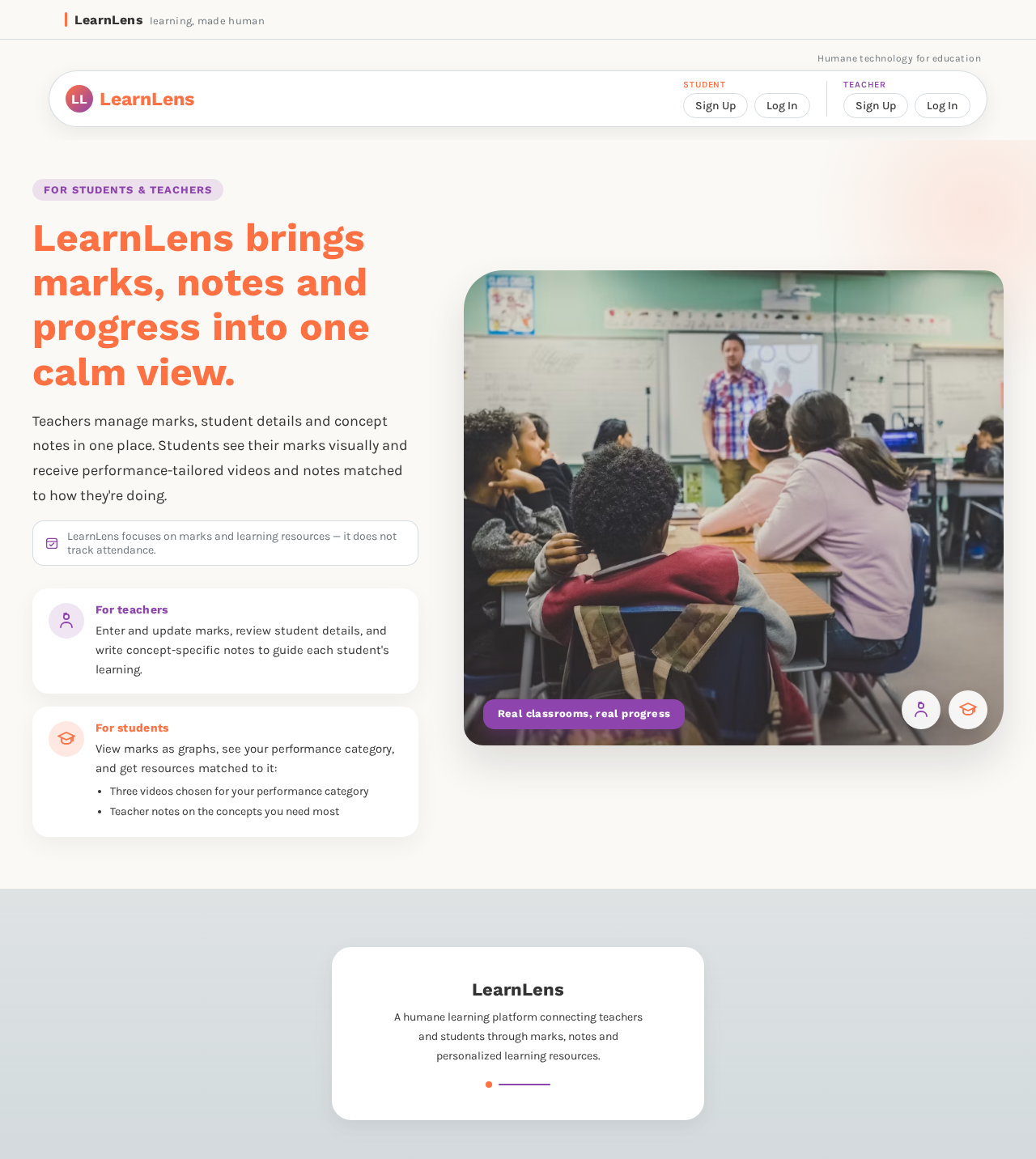
LearnLens brings marks, notes and progress into one calm view.
Teachers manage marks, student details and concept notes in one place. Students see their marks visually and receive performance-tailored videos and notes matched to how they're doing.
Enter and update marks, review student details, and write concept-specific notes to guide each student's learning.
View marks as graphs, see your performance category, and get resources matched to it:
- Three videos chosen for your performance category
- Teacher notes on the concepts you need most
 Real classrooms, real progress
LearnLens brings marks, notes and progress into one calm view.
Teachers manage marks, student details and concept notes in one place. Students see their marks visually and receive performance-tailored videos and notes matched to how they're doing.
Enter and update marks, review student details, and write concept-specific notes to guide each student's learning.
View marks as graphs, see your performance category, and get resources matched to it:
- Three videos chosen for your performance category
- Teacher notes on the concepts you need most
Real classrooms, real progress
No comments yet. Be the first!