Lightning Fast
Once your funding request is approved, your money is credited to your linked Canadian bank account within three hours — no waiting days for a wire or e-transfer to clear.
 Dalton Ladd
Money website were you ask for an amount like lets say 50k and you fill out your info bank info amd the funds will be available in your bank account in 3 hrs 50k is the max and there's no limit to how much you can have transferred to your bank account canada only linke any bank account to get the funds


Sign in to leave a comment
The laser-money project aims to create a website that allows Canadian users to request funds and have them credited to their bank accounts within three hours. The service is designed to be fast, secure, and user-friendly, catering to individuals who need quick access to funds. The maximum amount per request is $50,000, with no limit on the total amount transferred over time.
The laser-money system provides a platform for users to request funds by entering an amount and their bank information. The funds are then transferred to the user's linked Canadian bank account within three hours. The system supports unlimited total transfers, although each individual request is capped at $50,000. The service is available only to Canadian residents, and users can link any Canadian bank account to receive funds.
The laser-money service is delivered through a custom website interface, requiring users to create an account and log in to request funds. The service is limited to Canadian users, and all transactions are processed within the country. The system includes backend integration to facilitate fund transfers, ensuring that funds are credited to the user's bank account within the specified time frame.
Not applicable as there is no explicit content_source directive.
Sign Up Flow
Login Flow
Funding Request Flow
Bank Account Management Flow
Transfer Status Flow
The Landing page features a full-width gradient background with a central frosted glass card. The card includes a bold headline and a CTA button, using primary and accent colors for emphasis. Interactive hover elements with lift and shadow effects enhance user engagement.
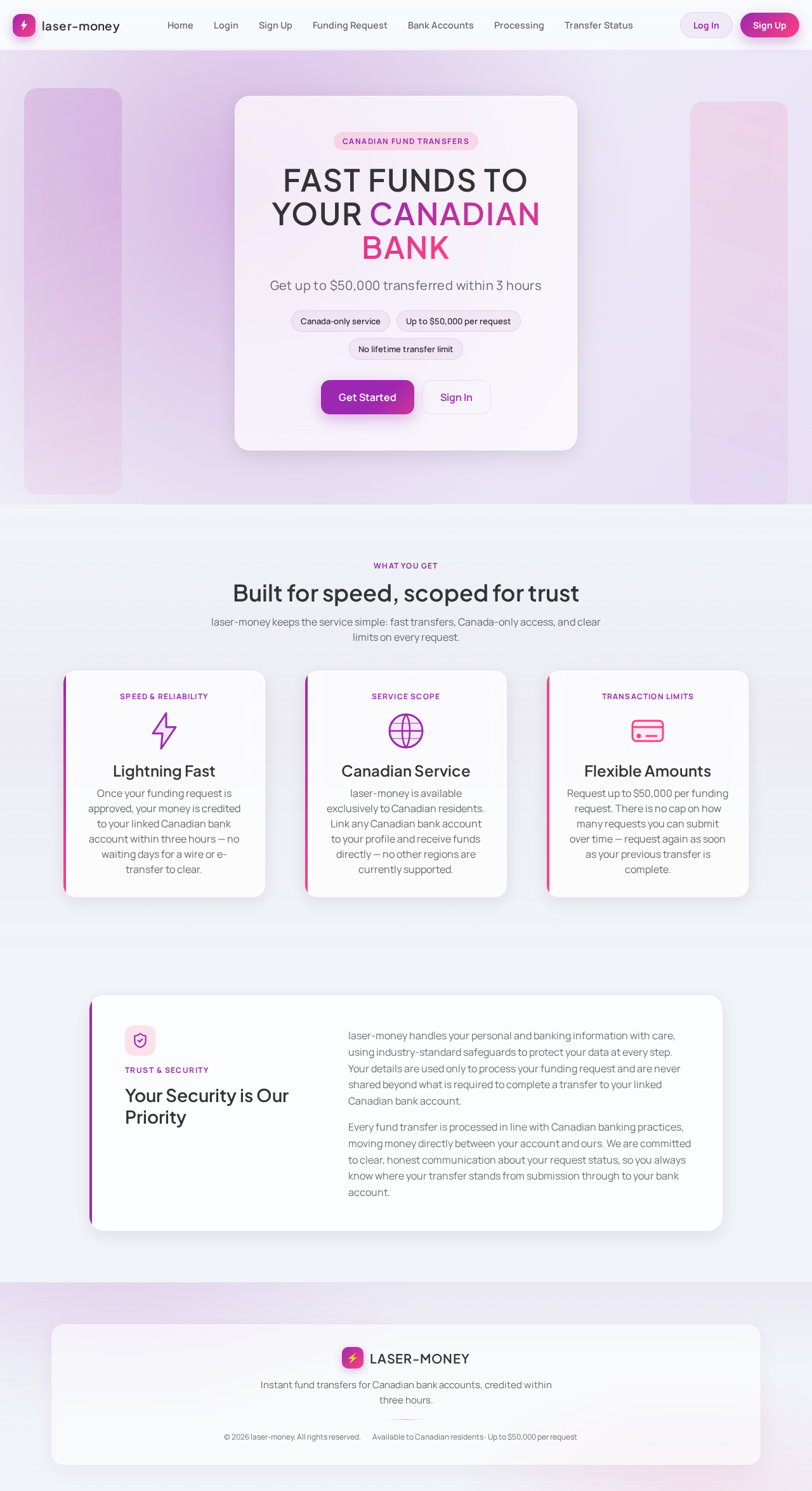
Get up to $50,000 transferred within 3 hours
laser-money keeps the service simple: fast transfers, Canada-only access, and clear limits on every request.
Once your funding request is approved, your money is credited to your linked Canadian bank account within three hours — no waiting days for a wire or e-transfer to clear.
laser-money is available exclusively to Canadian residents. Link any Canadian bank account to your profile and receive funds directly — no other regions are currently supported.
Request up to $50,000 per funding request. There is no cap on how many requests you can submit over time — request again as soon as your previous transfer is complete.
laser-money handles your personal and banking information with care, using industry-standard safeguards to protect your data at every step. Your details are used only to process your funding request and are never shared beyond what is required to complete a transfer to your linked Canadian bank account.
Every fund transfer is processed in line with Canadian banking practices, moving money directly between your account and ours. We are committed to clear, honest communication about your request status, so you always know where your transfer stands from submission through to your bank account.
Get up to $50,000 transferred within 3 hours
laser-money keeps the service simple: fast transfers, Canada-only access, and clear limits on every request.
Once your funding request is approved, your money is credited to your linked Canadian bank account within three hours — no waiting days for a wire or e-transfer to clear.
laser-money is available exclusively to Canadian residents. Link any Canadian bank account to your profile and receive funds directly — no other regions are currently supported.
Request up to $50,000 per funding request. There is no cap on how many requests you can submit over time — request again as soon as your previous transfer is complete.
laser-money handles your personal and banking information with care, using industry-standard safeguards to protect your data at every step. Your details are used only to process your funding request and are never shared beyond what is required to complete a transfer to your linked Canadian bank account.
Every fund transfer is processed in line with Canadian banking practices, moving money directly between your account and ours. We are committed to clear, honest communication about your request status, so you always know where your transfer stands from submission through to your bank account.
No comments yet. Be the first!