laser-list
 Hemen Ashodia
make a to do list app


Comments (0)
Sign in to leave a comment
System Requirements
System Requirements Document (SRD)
Project Name: laser-list
1. Introduction
The laser-list project is a collaborative to-do list and note-taking application inspired by the flexibility of Obsidian but designed for shared use among multiple users. This tool aims to combine the simplicity of task management with the power of real-time collaboration, version history, customizable templates, and role-based permissions.
The project is tailored for users in India, with a focus on providing a seamless and visually appealing experience that blends nature-inspired aesthetics with a hacker-themed design. This document outlines the functional and non-functional requirements, user personas, design concepts, and technical specifications for the laser-list application.
2. System Overview
The laser-list application will serve as a versatile productivity tool for individuals and teams. Its core functionalities will include:
- Real-time collaborative note-taking and task management.
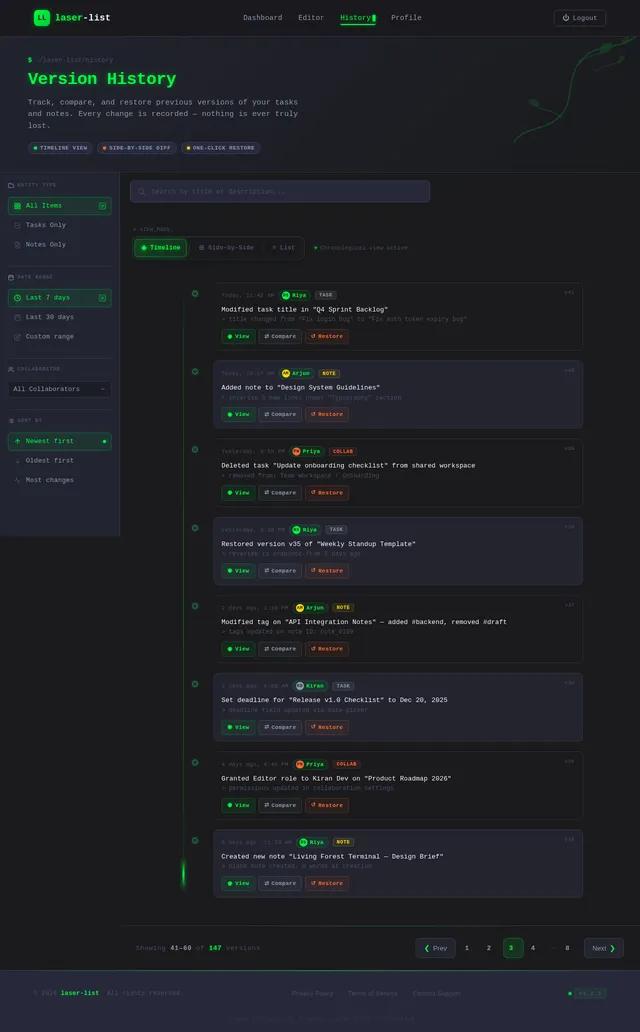
- Version history for tracking changes and restoring previous states.
- Customizable templates for recurring tasks and notes.
- Role-based permissions to manage user access and actions.
The system will be accessible via web and mobile platforms, ensuring cross-device compatibility. The design will incorporate a unique blend of nature-inspired elements and hacker aesthetics to create an engaging and visually striking user experience.
3. Functional Requirements
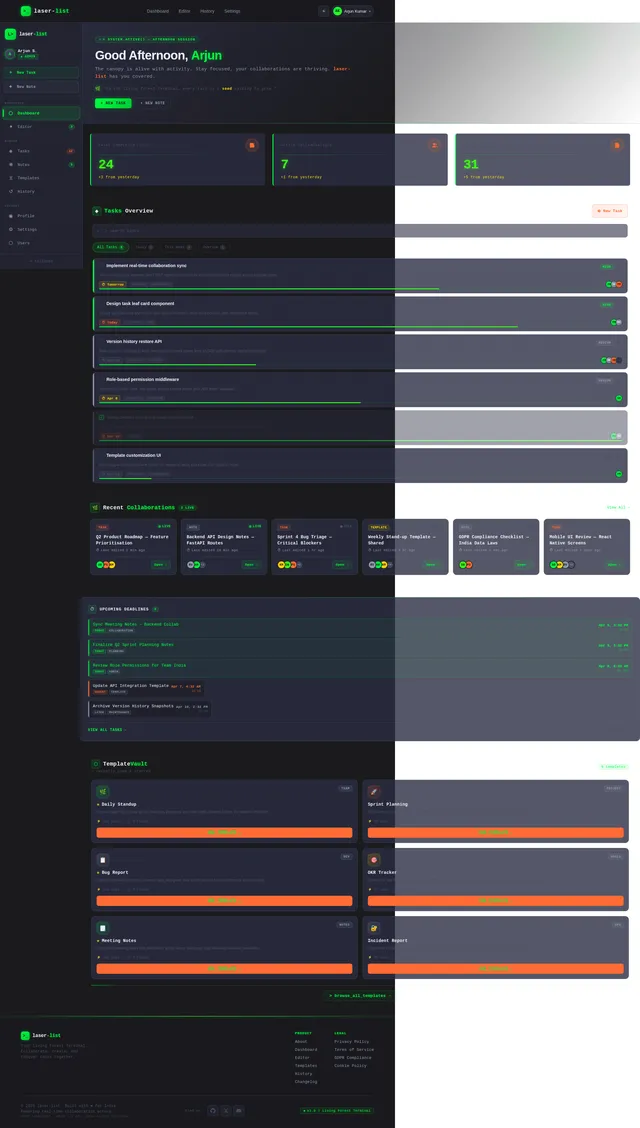
- As a User, I should be able to create, edit, and delete tasks and notes.
- As a User, I should be able to collaborate on tasks and notes in real-time with other users.
- As a User, I should be able to view version history and restore previous versions of tasks and notes.
- As a User, I should be able to use and customize templates for tasks and notes.
- As an Admin, I should be able to manage user roles and permissions.
- As a User, I should be able to search and filter tasks and notes efficiently.
- As a User, I should be able to tag tasks and notes for better organization.
- As a User, I should be able to set deadlines and reminders for tasks.
- As a User, I should be able to sync my data across devices.
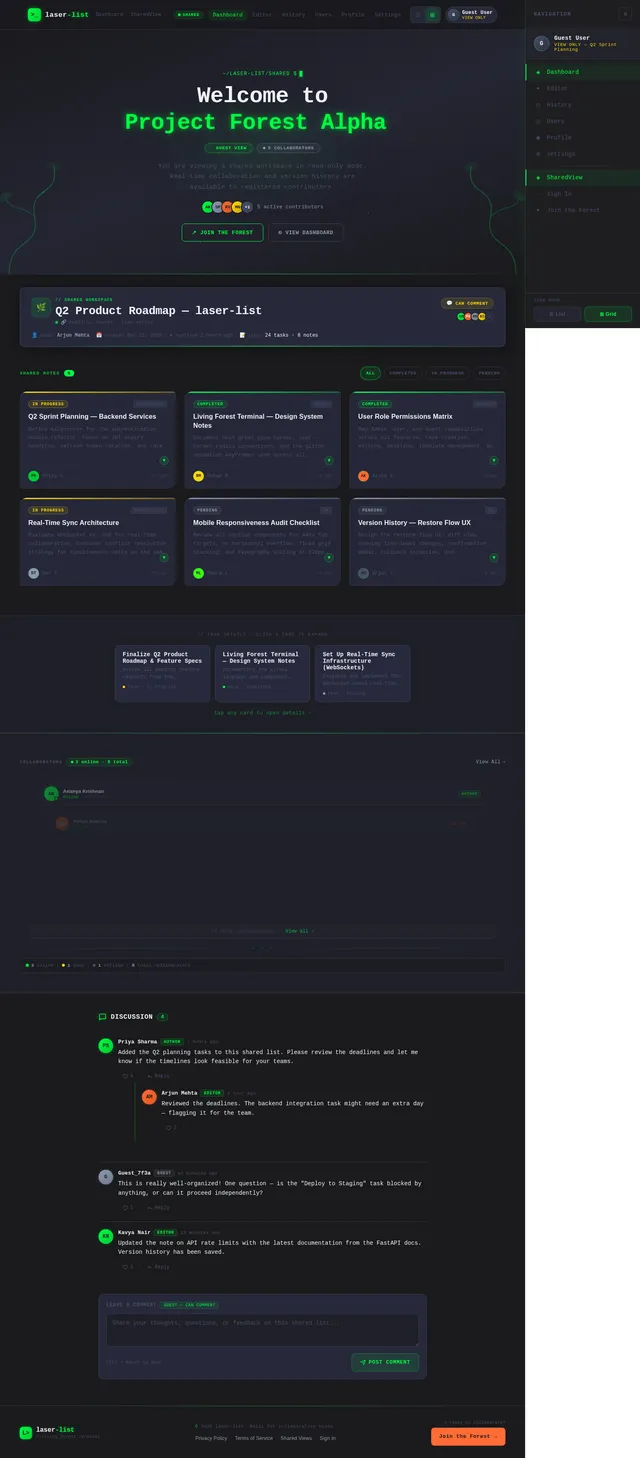
- As a Guest, I should be able to view shared tasks and notes with limited permissions.
4. User Personas
4.1 Admin
- Description: Responsible for managing user roles, permissions, and overall system settings.
- Key Actions: Assign roles, manage user access, monitor system activity.
4.2 User
- Description: Regular user who creates, edits, and collaborates on tasks and notes.
- Key Actions: Create and manage tasks/notes, collaborate with others, customize templates, and manage personal settings.
4.3 Guest
- Description: Temporary user with limited access to shared tasks and notes.
- Key Actions: View shared tasks and notes, leave comments (if permitted).
5. Visuals Colors and Theme
The laser-list application will feature a unique color palette that blends nature-inspired tones with hacker-themed accents.
Color Palette:
- Background: #1A1A1D (Deep Charcoal)
- Surface: #2B2D42 (Slate Gray)
- Text: #EDF2F4 (Soft White)
- Accent: #8D99AE (Muted Sky Blue)
- Muted Tones: #4A4E69 (Dusky Purple)
Nature-Inspired Elements:
- Organic, flowing shapes resembling leaves or vines in the UI.
- Subtle gradients inspired by sunrise and sunset hues.
Hacker-Themed Elements:
- Neon green (#00FF41) highlights for interactive elements.
- Terminal-style animations for loading screens and transitions.
- Subtle glitch effects on hover interactions.
6. Signature Design Concept
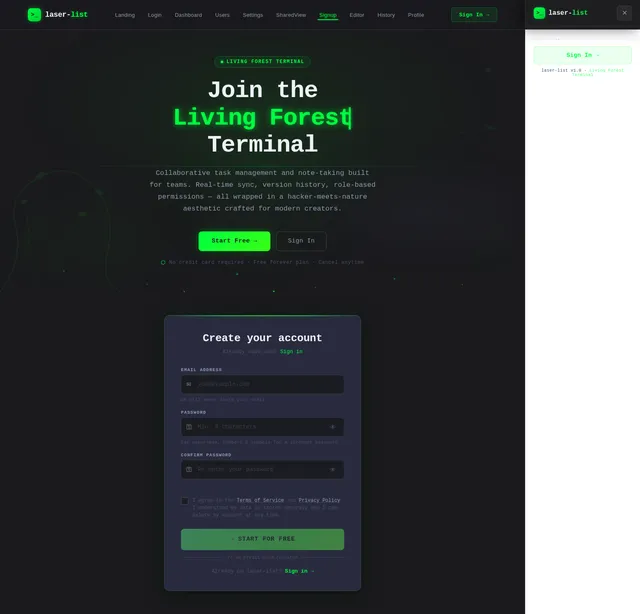
"The Living Forest Terminal"
The laser-list homepage will immerse users in a visually stunning, interactive experience that combines the serenity of nature with the edgy feel of a hacker terminal.
Key Features:
-
Dynamic Background:
- A living forest scene with gently swaying trees and glowing neon vines.
- The background shifts subtly between day and night themes based on the user's local time.
-
Interactive Terminal Interface:
- The main interface resembles a hacker terminal, with a sleek, dark aesthetic.
- As users type or interact, glowing green text appears in a typewriter animation, mimicking a terminal.
-
Hover Animations:
- Icons and buttons emit a soft neon glow when hovered over, with a ripple effect resembling water droplets.
-
Task Cards:
- Tasks and notes are displayed as "leaves" on a digital tree.
- Clicking a leaf expands it into a detailed view, with smooth animations resembling the unfurling of a leaf.
-
Micro-Interactions:
- Subtle sound effects, like the rustling of leaves or a soft "beep," accompany user actions.
- Progress bars for tasks resemble vines growing across the screen.
This design concept ensures that the laser-list application is not only functional but also a joy to use, leaving a lasting impression on its users.
7. Non-Functional Requirements
- The system should support at least 10,000 concurrent users.
- The application should load within 2 seconds on a standard 4G connection.
- Data synchronization across devices should occur in real-time with minimal latency.
- The system should comply with GDPR and local data protection regulations in India.
- The application should be accessible, meeting WCAG 2.1 Level AA standards.
8. Tech Stack
Frontend:
- React for Web
- React Native for Mobile App
Backend:
- Python
- FastAPI
Database:
- MySQL (with Alembic for migrations)
AI Models:
- GPT 5.4 for user-friendly responses
- Google Nano Banana for image generation
AI Tools:
- Litellm for LLM Routing
- Langchain
Local Orchestration:
- Docker
- docker-compose
Server-Side Orchestration:
- Kubernetes
9. Assumptions and Constraints
- The application will primarily target users in India, with support for local languages and time zones.
- The system will require an active internet connection for real-time collaboration.
- The initial release will focus on core functionalities, with advanced features like AI-assisted task suggestions planned for future updates.
- The design must balance artistic appeal with usability, ensuring that the interface remains intuitive.
10. Glossary
- Task: A unit of work or activity to be completed.
- Note: A piece of information or text created by a user.
- Version History: A record of changes made to a task or note.
- Template: A pre-defined structure for tasks or notes that can be reused.
- Role-Based Permissions: A system of access control based on user roles (e.g., Admin, User, Guest).
- Real-Time Collaboration: The ability for multiple users to work on the same task or note simultaneously.
- WCAG: Web Content Accessibility Guidelines, a set of standards for making web content accessible.

laser-list: Your Collaborative Terminal for Tasks & Notes
Real-time collaboration meets nature-inspired design. Create, share, and manage tasks with the power of a terminal and the beauty of a living forest.
Everything You Need to Stay Focused
Eight powerful capabilities built for individuals and teams who demand speed, clarity, and real-time collaboration.
Create
Spin up tasks and notes instantly with terminal-speed shortcuts and intuitive controls.
Edit
Rich inline editing with markdown support, code blocks, and real-time preview.
Delete
Clean removal with soft-delete protection. Restore anything within 30 days.
Search
Blazing fast full-text search across all tasks, notes, and shared workspaces.
Tag
Organize with nested tags, color coding, and auto-suggested labels for quick filtering.
Deadline
Set deadlines with smart reminders. Visual vine-growth progress bars track completion.
Sync
Seamless cross-device sync ensures your data is always current, online or offline.
Real-Time Collab
Work together live with presence indicators, cursor tracking, and conflict-free merging.
Collaborate in Real-Time
Multiple users edit the same tasks and notes simultaneously. Changes merge automatically with zero conflicts — see every keystroke as it happens.
Pre-Built Templates, Customized for You
Start fast with ready-made structures for standups, planning, bug reports, and more. Every template is fully customizable to fit your workflow.
Daily Standup
Quick status updates for agile teams
Weekly Review
Summarize wins, challenges, and goals
Project Planning
Structure milestones and deliverables
Bug Report
Structured bug tracking with severity
Meeting Notes
Capture decisions and action items
Retrospective
Reflect on what worked and what to improve
Never Lose Work: Complete Version History
Every change is tracked. Browse, compare, and restore any previous version of your tasks and notes with a single click.
v5.0
Current Version
Added real-time collaboration cursors and inline comments. Task priority system with deadline reminders.
v4.2
Template Integration
Applied "Weekly Review" template. Restructured subtasks and added completion tags.
v3.7
Collaborative Edits
Merged changes from 3 team members. Resolved conflicting deadline updates automatically.
v2.1
Bulk Reorganization
Moved 12 tasks across categories. Updated tag hierarchy and reassigned owners.
v1.0
Initial Draft
Original task list created with 8 items. Basic descriptions and due dates assigned.
Powerful Role-Based Permissions
Granular access control for every team member. Assign Admin, User, or Guest roles to keep your workspace secure and organized.
Admin
Full system control & management
User
Create, collaborate & customize
Guest
View shared content & comment
Built for Trust, Engineered for Performance
laser-list meets the highest standards of security, accessibility, and performance so your team can focus on what matters.
GDPR Compliant
Full compliance with the General Data Protection Regulation. Your data is encrypted, portable, and deletable on request.
WCAG 2.1 Level AA
Accessible to all users including those with disabilities. Screen reader support, keyboard navigation, and high-contrast modes built in.
End-to-End Encryption
All data in transit and at rest is encrypted with industry-standard protocols. Your notes and tasks stay private.
Real-Time Sync
Sub-100ms latency for collaborative editing. Changes propagate instantly across all connected devices and users.
Cross-Device Compatible
Seamless experience across web and mobile platforms. Your workspace follows you everywhere, always in sync.
99.9% Uptime SLA
Enterprise-grade infrastructure with redundant systems ensures laser-list is always available when you need it.
<2s
Load Time
10K+
Concurrent Users
99.9%
Uptime
<100ms
Sync Latency
Ready to Master Your Workflow?
Join thousands collaborating on laser-list today. Real-time task management, version history, and templates — all in one beautiful terminal.
No comments yet. Be the first!