Capture Every Lead
Add a new inquiry in seconds and keep every potential client's details in one tidy record instead of scattered notebooks.
 Kusum Sengar
ok Here’s a simple **clinic/salon CRM micro SaaS** you can build. ## Idea A small CRM for local businesses that helps them manage leads, appointments, follow-ups, and payment reminders in one place. ## Core features - Lead capture form. - Call and inquiry tracking. - Appointment booking and rescheduling. - WhatsApp/email reminder automation. - Unpaid payment reminder. - Basic dashboard with leads, bookings, and revenue. ## MVP version Start with only 4 things: - Add lead. - Mark follow-up date. - Send reminder. - Track appointment status. That’s enough to test if people will pay. ## Pricing - Starter: ₹499/month. - Pro: ₹999/month. - Agency/team plan: ₹1,999/month. ## Revenue example - 25 customers × ₹999 = about ₹25,000/month. - 100 customers × ₹999 = about ₹1,00,000/month. - 250 customers × ₹999 = about ₹2,50,000/month. ## Best niche Start with **salons** or **clinics** because they have: - repeated appointments, - missed call problems, - and clear follow-up needs. ## How to sell - Visit local businesses. - Show them how many leads they miss. - Offer a 7-day free trial. - Close them on monthly payment. ## Best way to build Use a very simple web app first: - login, - customer list, - reminder system, - dashboard. After that, add WhatsApp automation and payment tracking. If you want, I can make the **exact feature list + database structure + app screens** for this CRM.

Sign in to leave a comment
The keen-ok project is a simple clinic/salon CRM micro SaaS designed to help local businesses manage leads, appointments, follow-ups, and payment reminders efficiently. The target audience includes small business owners, particularly those operating salons or clinics, who require a user-friendly and approachable CRM solution.
The keen-ok CRM is a web application that provides local businesses with tools to capture leads, track inquiries, manage appointments, automate reminders, and monitor unpaid payments. The system is designed to be simple and intuitive, catering to the specific needs of salons and clinics. The MVP version focuses on adding leads, marking follow-up dates, sending reminders, and tracking appointment status. The application offers a 7-day free trial and three pricing tiers: Starter, Pro, and Agency/team plans.
The CRM is delivered as a simple web app with custom UI, supporting background automation and external messaging through WhatsApp and email. It requires login for access to protected CRM functionalities, with identity management handled by the application. The initial delivery focuses on the MVP scope, with future enhancements planned for WhatsApp automation and payment tracking. The target market is salons and clinics, with shared workflows across these segments.
Not applicable as no content source directive was provided.
Adding a Lead:
Marking a Follow-up Date:
Sending a Reminder:
Tracking Appointment Status:
Viewing the Dashboard:
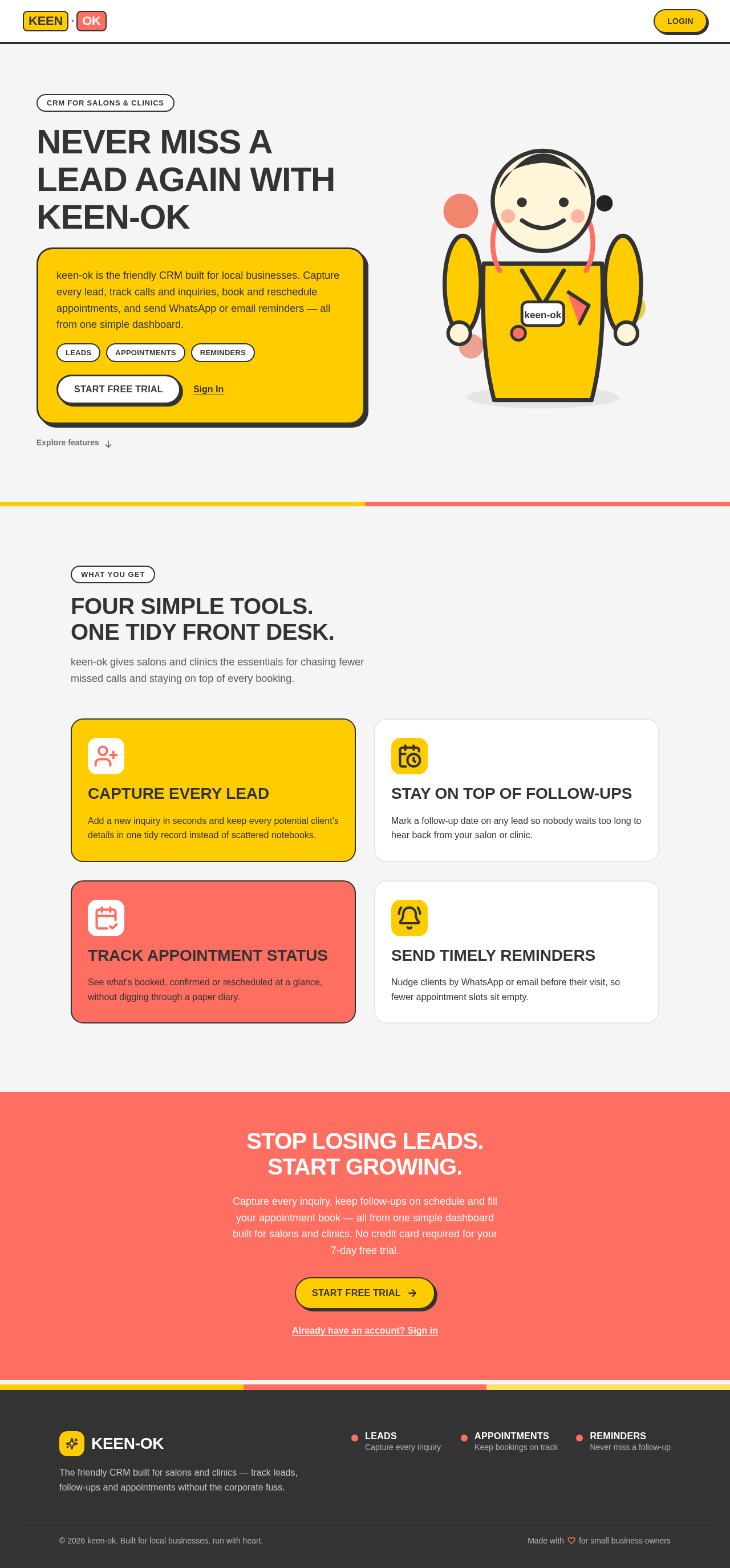
The public entry page features a bold color-blocked hero with oversized type on a cream background. A playful character illustration represents a clinic or salon owner, using primary and accent colors to create a vibrant and inviting first impression. The design includes oversized headlines, color-blocked sections, and chunky rounded cards for lead and appointment tracking.
This document outlines the system requirements for the keen-ok CRM, ensuring a clear understanding of the product's scope, features, and delivery.
CRM for salons & clinics
keen-ok is the friendly CRM built for local businesses. Capture every lead, track calls and inquiries, book and reschedule appointments, and send WhatsApp or email reminders — all from one simple dashboard.
keen-ok gives salons and clinics the essentials for chasing fewer missed calls and staying on top of every booking.
Add a new inquiry in seconds and keep every potential client's details in one tidy record instead of scattered notebooks.
Mark a follow-up date on any lead so nobody waits too long to hear back from your salon or clinic.
See what's booked, confirmed or rescheduled at a glance, without digging through a paper diary.
Nudge clients by WhatsApp or email before their visit, so fewer appointment slots sit empty.
Capture every inquiry, keep follow-ups on schedule and fill your appointment book — all from one simple dashboard built for salons and clinics. No credit card required for your 7-day free trial.
CRM for salons & clinics
keen-ok is the friendly CRM built for local businesses. Capture every lead, track calls and inquiries, book and reschedule appointments, and send WhatsApp or email reminders — all from one simple dashboard.
keen-ok gives salons and clinics the essentials for chasing fewer missed calls and staying on top of every booking.
Add a new inquiry in seconds and keep every potential client's details in one tidy record instead of scattered notebooks.
Mark a follow-up date on any lead so nobody waits too long to hear back from your salon or clinic.
See what's booked, confirmed or rescheduled at a glance, without digging through a paper diary.
Nudge clients by WhatsApp or email before their visit, so fewer appointment slots sit empty.
Capture every inquiry, keep follow-ups on schedule and fill your appointment book — all from one simple dashboard built for salons and clinics. No credit card required for your 7-day free trial.
No comments yet. Be the first!