jungle-students
 Manjot kaur
Act as a senior full-stack mobile app developer and UI/UX designer. I want to build a secure, modern, and scalable mobile application (Android/iOS or Flutter-based) designed for students to manage their academic workflow. The app should include the following core features: 1. Project Management: - Create, edit, and organize multiple projects - Add descriptions, deadlines, tasks, and progress tracking - Upload and store files (PDFs, PPTs, images, documents) 2. Presentation Hub: - Store and view presentation files (PPT/PDF) - Option to preview slides inside the app - Add notes for each presentation 3. Research Assistant: - Built-in browser or API integration for online research - Save links, articles, and notes - Categorize research by project 4. Notes & Task Manager: - Create quick notes - To-do lists with reminders and deadlines - Tagging and search functionality 5. Cloud Storage Integration: - Use Firebase Storage for file uploads - Real-time sync across devices using Firebase Firestore 6. Authentication & Security: - Firebase Authentication (Email/Password, Google Sign-In) - Implement HTTPS (SSL/TLS encryption) - Role-based access (optional) - Secure data handling and encryption for sensitive info 7. User Interface: - Clean, modern UI (Material Design or minimal theme) - Dashboard showing all projects and recent activity - Dark mode support 8. Notifications: - Push notifications for deadlines and reminders using Firebase Cloud Messaging 9. Offline Support: - Local caching using SQLite or Firebase offline persistence 10. Extra Features (Optional but recommended): - AI-based suggestions for project ideas - Voice notes support - Collaboration (share projects with friends) Tech Stack Requirements: - Frontend: Flutter (preferred) or React Native - Backend: Firebase (Firestore, Auth, Storage, FCM) - APIs: REST APIs for research integration - Security: HTTPS, Firebase rules, authentication tokens Deliverables: - Complete app architecture - Folder structure - Sample UI screens (code) - Firebase setup guide - Step-by-step implementation plan - Clean, well-commented code Ensure the app is beginner-friendly but scalable for future upgrades.

Comments (0)
Sign in to leave a comment
System Requirements
System Requirements Document (SRD)
Project Name: Jungle-Students
1. Introduction
The Jungle-Students project is a mobile application designed to empower students in India and beyond to manage their academic workflows efficiently. This app provides a secure, modern, and scalable platform for students to organize projects, conduct research, manage tasks, and collaborate with peers. With a focus on usability and scalability, Jungle-Students combines advanced features like AI-based suggestions, offline support, and real-time collaboration to meet the diverse needs of students.
This document outlines the system requirements for the Jungle-Students project, ensuring clarity and alignment with the project's goals.
2. System Overview
The Jungle-Students app is a cross-platform mobile application (Android/iOS) built using Flutter for the frontend and Firebase for the backend. The app is designed to provide students with a centralized hub for managing their academic activities, including project management, research, presentations, and task tracking.
Key features include:
- Project Management: Organize academic projects with deadlines, tasks, and file uploads.
- Collaboration: Share projects and collaborate with peers in real-time.
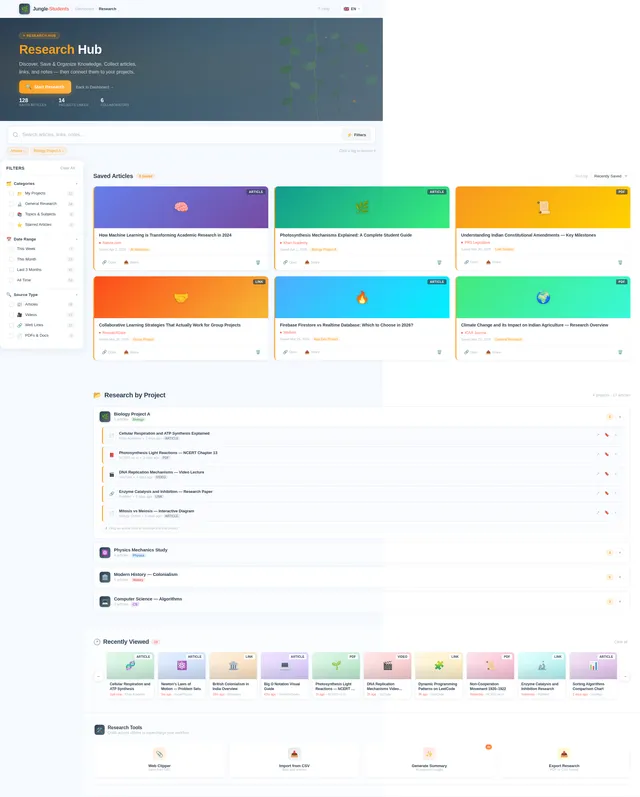
- Research Assistant: Save and categorize research materials.
- Notes & Task Manager: Create notes, to-do lists, and set reminders.
- Cloud Integration: Real-time sync and secure file storage.
- Offline Support: Access critical data without an internet connection.
The app is designed with scalability in mind, allowing for future enhancements such as AI-based project suggestions and voice note support.
3. Functional Requirements
Core Features
- As a User, I should be able to create, edit, and organize multiple projects.
- As a User, I should be able to add descriptions, deadlines, tasks, and track progress for each project.
- As a User, I should be able to upload and store files (PDFs, PPTs, images, documents).
- As a User, I should be able to store and view presentation files (PPT/PDF).
- As a User, I should be able to preview slides inside the app.
- As a User, I should be able to add notes for each presentation.
- As a User, I should be able to conduct online research using a built-in browser or API integration.
- As a User, I should be able to save links, articles, and notes.
- As a User, I should be able to categorize research by project.
- As a User, I should be able to create quick notes and to-do lists with reminders and deadlines.
- As a User, I should be able to tag and search notes and tasks.
- As a User, I should be able to sync files in real-time across devices using Firebase Firestore.
- As a User, I should be able to authenticate securely using Firebase Authentication (Email/Password, Google Sign-In).
- As a User, I should be able to enable dark mode for the app interface.
- As a User, I should be able to receive push notifications for deadlines and reminders.
- As a User, I should be able to access critical data offline using local caching.
- As a User, I should be able to share projects with friends for collaboration.
Optional Features
- As a User, I should be able to receive AI-based suggestions for project ideas.
- As a User, I should be able to record and store voice notes.
4. User Personas
1. Individual Student
- Description: A student managing their personal academic workflow.
- Needs: Project organization, task tracking, research tools, and offline access.
2. Collaborative Group Member
- Description: A student working with peers on group projects.
- Needs: Real-time collaboration, shared project access, and communication tools.
5. Visuals Colors and Theme
Color Palette
The Jungle-Students app will use a vibrant yet professional color palette to resonate with students while maintaining a clean and modern look.
- Background: #F5F9FF (Soft Sky Blue)
- Surface: #FFFFFF (Pure White)
- Text: #2C3E50 (Deep Navy Blue)
- Accent: #FF6F61 (Coral Red)
- Muted Tones: #B0BEC5 (Steel Gray)
6. Signature Design Concept
The Jungle-Students app will feature an interactive jungle-themed dashboard as its signature design concept.
Home Page Design
- Visuals: The homepage will resemble a vibrant jungle landscape, with trees and vines representing different sections of the app (e.g., Projects, Research, Notes).
- Interaction: Users can "swipe" through the jungle, where each tree or vine expands into a feature when tapped.
- Animations: Subtle animations will bring the jungle to life—leaves rustling, birds flying, and vines swaying.
- Transitions: Smooth transitions will guide users between sections, with a "zoom-in" effect when entering a feature.
- Micro-interactions: Icons will respond with playful animations when tapped, such as a monkey swinging across the screen when accessing the collaboration feature.
This design will create an engaging, memorable experience while maintaining usability and functionality.
7. Non-Functional Requirements
- Performance: The app should load within 2 seconds on a standard 4G connection.
- Scalability: The system should support up to 1 million users with minimal latency.
- Security: All sensitive data must be encrypted using HTTPS and Firebase rules.
- Usability: The app should adhere to Material Design guidelines for a seamless user experience.
- Availability: The app should maintain 99.9% uptime.
8. Tech Stack
- Frontend: Flutter
- Backend: Firebase (Firestore, Auth, Storage, FCM)
- Database: Firebase Firestore (NoSQL)
- APIs: REST APIs for research integration
- Security: HTTPS, Firebase rules, authentication tokens
9. Assumptions and Constraints
Assumptions
- Users will have access to a smartphone with Android or iOS.
- Users will have a basic understanding of mobile apps.
Constraints
- The app must comply with Indian data protection laws.
- The app must support both English and Hindi languages.
10. Glossary
- Firebase: A platform developed by Google for creating mobile and web applications.
- Firestore: A NoSQL database provided by Firebase for real-time data synchronization.
- Flutter: An open-source UI software development kit created by Google.
- HTTPS: Hypertext Transfer Protocol Secure, used for secure communication over a computer network.
- Material Design: A design language developed by Google.
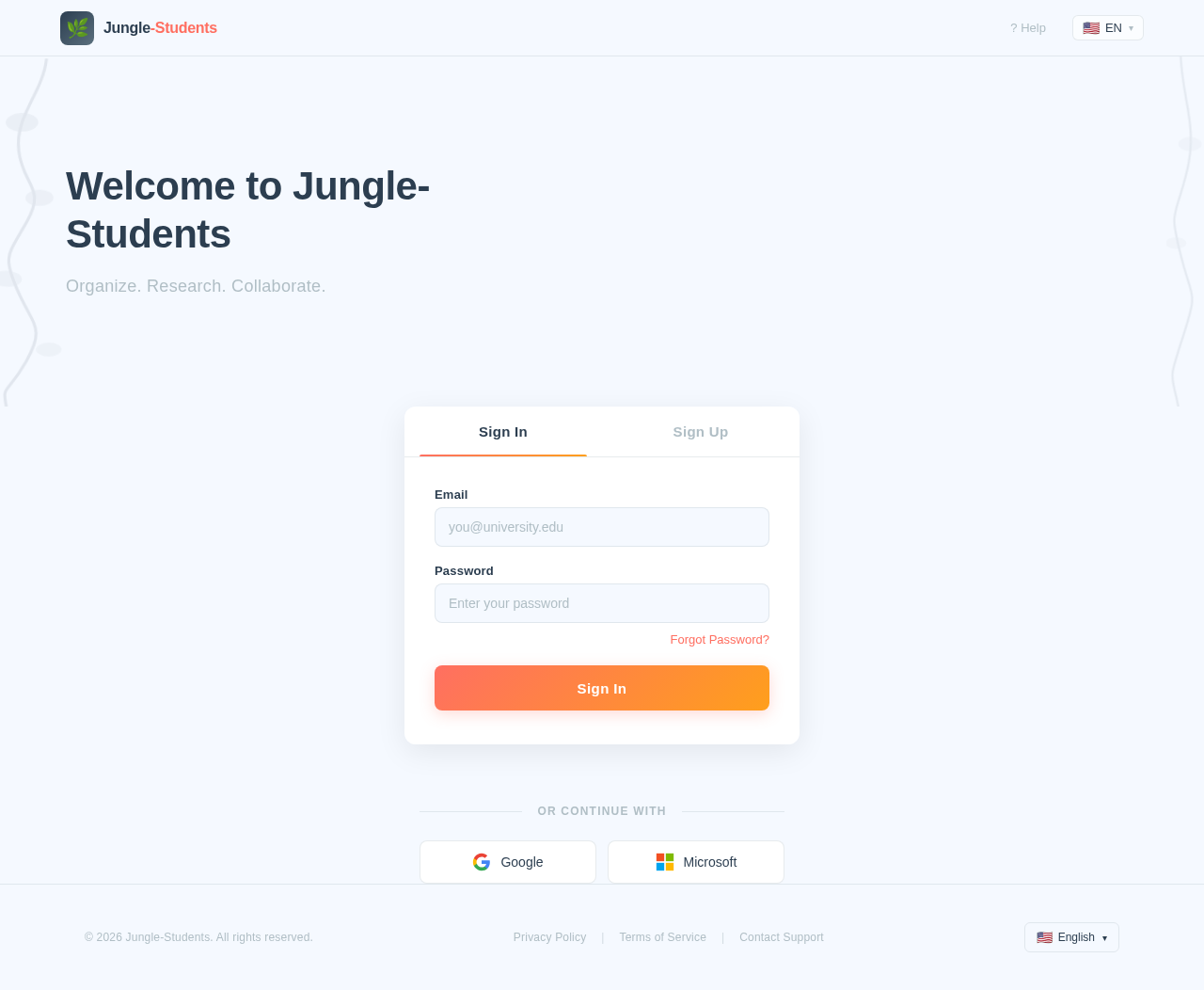
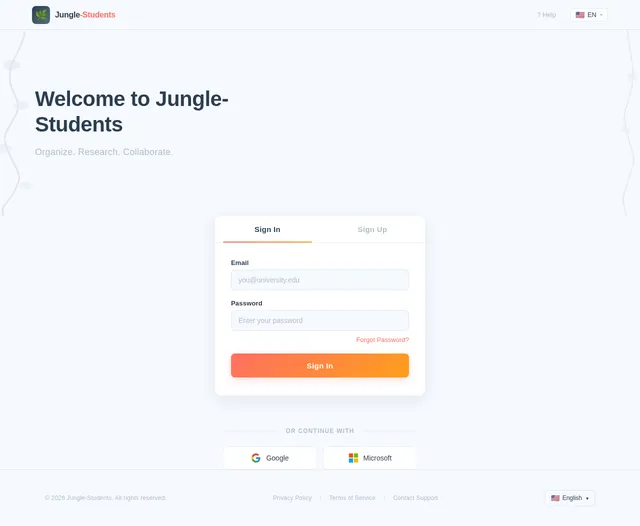
Welcome to Jungle-Students
Organize. Research. Collaborate.
No comments yet. Be the first!