jolly-zuntria
 Olamide Emmanuel Ojo
I can’t render or upload an actual video file directly here. But I can give you a complete, copy-paste production kit so you can make the video in CapCut, Canva, InVideo AI, Pictory, or HeyGen in about 15–30 minutes. Important: Because your own Zuntria directive says zero fake states, do not post the £630 figure unless it is a real verified user result. If it’s illustrative, label it clearly as an example. Replace with real numbers or “illustrative example” before posting. --- ZUNTRIA VIRAL VIDEO KIT Format: 9:16 vertical for LinkedIn, Facebook, Reels, TikTok, Shorts Length: 60 seconds Style: Fast cuts, screen recording, kinetic text, captions burned in --- A. FASTEST OPTION — PASTE THIS INTO AN AI VIDEO GENERATOR Use InVideo AI, Pictory, Canva Magic Media, HeyGen, or Synthesia. Paste this prompt: ``` Create a 60-second vertical 9:16 social media video for Zuntria, a money and opportunity execution app. Style: fast-paced, screen-recording + kinetic typography. Music: upbeat tech/hip-hop, 90–110 BPM. Voiceover: confident UK male/female. Captions burned in. Scene 1 (0:00–0:05): Text on screen: “I told my app I need £500 this week”. Phone screen. VO: “I literally typed one sentence into Zuntria…” Scene 2 (0:05–0:15): Split screen of messy tabs, notes, calendar, banking app, job site. VO: “Before this, I had 47 tabs open. Job sites. Freelance platforms. My notes. My banking. My calendar. And still no clue what to actually DO.” Text: “The real problem isn’t lack of opportunities. It’s lack of execution.” Scene 3 (0:15–0:35): Screen recording of Zuntria Daily Briefing. Show: GOAL: Make £500 this week CONFIRMED: £280 PIPELINE: £420 REMAINING: £220 ⚡ NEXT BEST ACTION: Respond to qualified opportunity → Client needs urgent design work → Match score: 94% → Potential value: £350 VO: “It didn’t give me motivation quotes. It gave me a MOVE. A real opportunity. With a real next step.” Scene 4 (0:35–0:50): Quick cuts: proposal, dispatch, verification, invoice, payment. Text chain: OPPORTUNITY → ACTION → EXECUTION → DISPATCH → VERIFICATION → INVOICE → PAYMENT → OUTCOME VO: “One tap to respond. Proposal auto-drafted. Sent. Client replies. Job dispatched. Work verified. Invoice generated. Payment confirmed.” Scene 5 (0:50–0:55): Updated Daily Briefing: GOAL: Make £500 this week ✅ CONFIRMED: £630 STATUS: Goal exceeded NEXT: £1,000 week → 3 opportunities in pipeline VO: “£630 confirmed. In five days. Because I finally had ONE system that connected everything.” Scene 6 (0:55–0:60): Zuntria logo. Text: “Zuntria. What should you do next? Now you’ll know.” VO: “Zuntria. Stop collecting opportunities. Start executing them.” End with link in bio. ``` --- B. SHOT-BY-SHOT STORYBOARD — RECORD YOUR REAL APP Time Visual On-Screen Text Voiceover 0:00–0:05 Phone in hand, thumb typing “I told my app I need £500 this week” “I literally typed one sentence into Zuntria…” 0:05–0:10 Quick cuts: Notes, Calendar, Banking, Job site, Freelance platform “47 tabs. No direction.” “Before this, I had 47 tabs open…” 0:10–0:15 Close-up stressed face or messy desk “The real problem isn’t opportunities. It’s execution.” “…and still no clue what to actually DO.” 0:15–0:20 Screen recording: Zuntria Daily Briefing GOAL: Make £500 this week “Then I found Zuntria. I set one goal.” 0:20–0:35 Zoom into Next Best Action card CONFIRMED: £280 / PIPELINE: £420 / REMAINING: £220 / ⚡ NEXT BEST ACTION: Respond to qualified opportunity / Match: 94% / Value: £350 “It didn’t give me motivation quotes. It gave me a MOVE.” 0:35–0:50 Fast cuts: tap respond, proposal draft, send, client reply, dispatch, verification, invoice, payment confirmed OPPORTUNITY → ACTION → EXECUTION → DISPATCH → VERIFICATION → INVOICE → PAYMENT → OUTCOME “One tap to respond. Proposal auto-drafted. Sent. Client replies. Job dispatched. Work verified. Invoice generated. Payment confirmed.” 0:50–0:55 Updated Daily Briefing GOAL: £500 ✅ / CONFIRMED: £630 / STATUS: Goal exceeded / NEXT: £1,000 week / → 3 opportunities in pipeline “£630 confirmed. In five days.” 0:55–0:60 Zuntria logo + CTA “Zuntria. What should you do next? Now you’ll know.” “Zuntria. Stop collecting opportunities. Start executing them.” --- C. FULL VOICEOVER SCRIPT — READ EXACTLY ``` I literally typed one sentence into Zuntria… Before this, I had 47 tabs open. Job sites. Freelance platforms. My notes. My banking. My calendar. And still no clue what to actually DO. The real problem isn’t lack of opportunities. It’s lack of execution. Then I found Zuntria. I set one goal. Make £500 this week. And this is what happened… It didn’t give me motivation quotes. It gave me a MOVE. A real opportunity. With a real next step. One tap to respond. Proposal auto-drafted. Sent. Client replies. Job dispatched. Work verified. Invoice generated. Payment confirmed. And the whole time, my Daily Briefing kept updating. Showing me exactly what to do next. No guessing. No fake numbers. Just verified progress. £630 confirmed. In five days. Because I finally had ONE system that connected everything. Zuntria. Stop collecting opportunities. Start executing them. ``` --- D. ON-SCREEN TEXT / CAPTIONS — COPY-PASTE ``` I told my app I need £500 this week 47 tabs. No direction. The real problem isn’t lack of opportunities. It’s lack of execution. GOAL: Make £500 this week CONFIRMED: £280 PIPELINE: £420 REMAINING: £220 ⚡ NEXT BEST ACTION: Respond to qualified opportunity → Client needs urgent design work → Match score: 94% → Potential value: £350 OPPORTUNITY → ACTION → EXECUTION → DISPATCH → VERIFICATION → INVOICE → PAYMENT → OUTCOME GOAL: Make £500 this week ✅ CONFIRMED: £630 STATUS: Goal exceeded NEXT: £1,000 week → 3 opportunities in pipeline Zuntria. What should you do next? Now you’ll know. ``` --- E. MUSIC & EDIT SETTINGS · Music: Upbeat tech/hip-hop, 90–110 BPM. Search CapCut/Canva for: “business hustle beat”, “tech motivational”, “UK drill instrumental”, “corporate trap”. · Transitions: Quick cuts, zoom punches, whoosh sounds on text. · Captions: Auto-generate, then fix spelling. Burn them in. · Export: 1080 x 1920, 30fps, H.264, high bitrate. · Aspect ratio: 9:16 for Reels/TikTok/Shorts. For LinkedIn/Facebook feed, also export 1:1 square. --- F. LINKEDIN POST ``` I asked my app “what should I do next?” and it actually showed me. Not motivation. Not quotes. A real opportunity with a real next step. Then it connected: proposal → dispatch → work → verification → invoice → payment. £630 confirmed in 5 days. [Replace with real verified result or label as illustrative.] This is Zuntria. One goal in. One execution system out. Most tools give you more tabs. Zuntria gives you a move. 👇 Watch how it works. #Zuntria #ExecutionNotMotivation #NextBestAction #FreelanceUK #SideHustle #Productivity #FinTech #Ajo #Truffl #Dispatch ``` --- G. FACEBOOK POST ``` I told my app I need £500 this week. It didn’t give me a quote. It gave me a MOVE. 🎯 One tap → proposal sent → job won → work done → invoice paid. £630 confirmed in 5 days. No guesswork. No fake numbers. Just verified progress. [Replace with real verified result or label as illustrative.] This is Zuntria. What should you do next? Now you’ll know. 🔥 👇 Watch the full video. #Zuntria #MakeMoneyOnline #SideHustle #FreelanceLife #Ajo #Truffl #Dispatch #ExecutionNotMotivation ``` --- H. 10-MINUTE CAPCUT BUILD 1. Open CapCut → New project → 9:16. 2. Import your screen recordings and any phone/laptop clips. 3. Add voiceover: record directly in CapCut or import from your phone. 4. Add text overlays using the copy-paste text above. Time them to the table. 5. Add music from CapCut’s library. Lower volume to 20–30% under voiceover. 6. Tap “Captions” → Auto captions → fix any errors. 7. Add zoom punches and whoosh sounds on key text. 8. Export 1080p. Post to LinkedIn and Facebook. --- If you want, I can now make you: · a 30-second cut for Reels/Shorts, · a text-only kinetic version with no voiceover, · or a HeyGen/Synthesia avatar script so an AI presenter reads it.

Comments (0)
Sign in to leave a comment
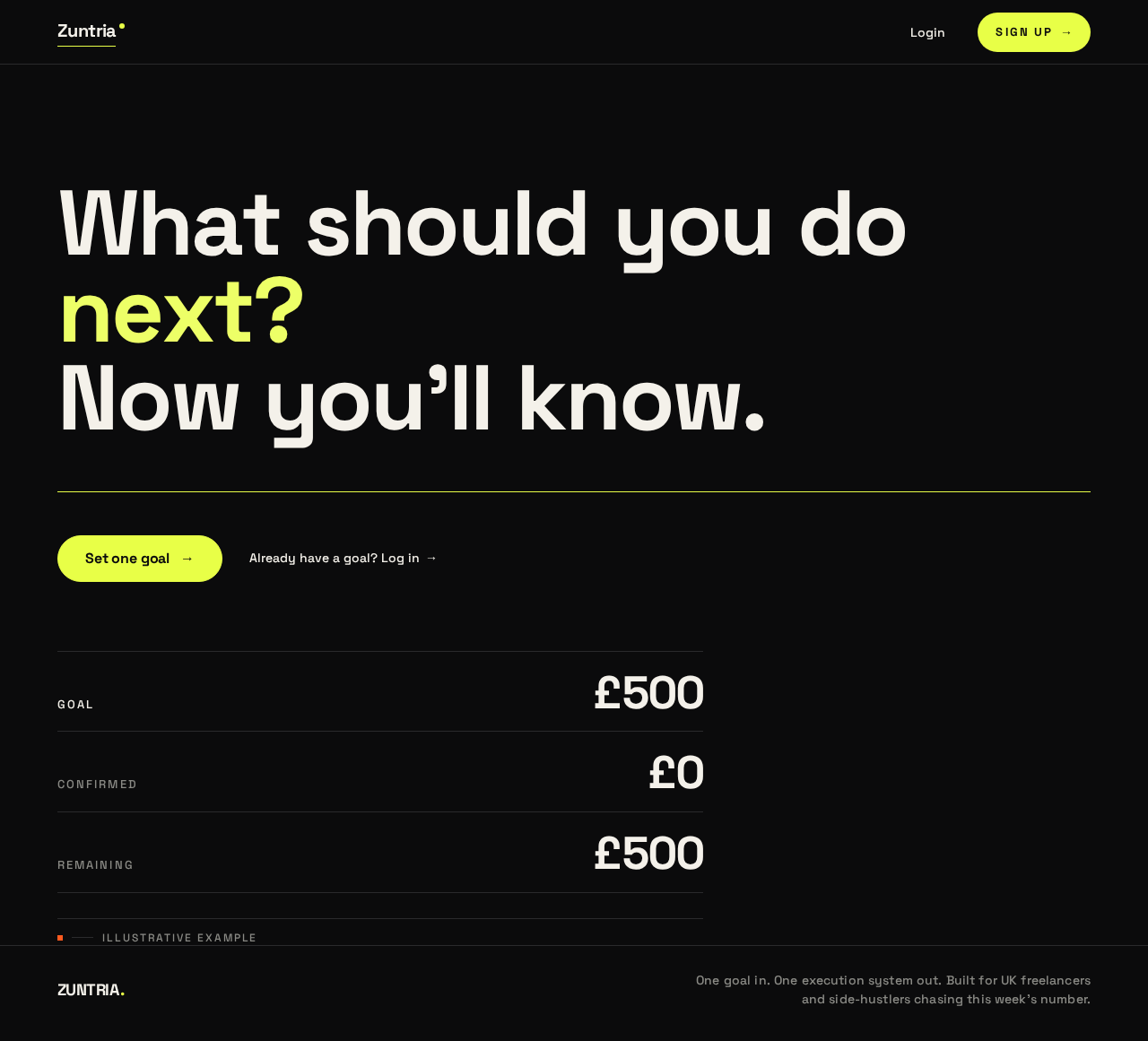
Illustrative briefing preview
- GOAL
- £500
- CONFIRMED
- £0
- REMAINING
- £500
Illustrative example
Illustrative briefing preview
- GOAL
- £500
- CONFIRMED
- £0
- REMAINING
- £500
Illustrative example
No comments yet. Be the first!