jassinta-test-project
 Ai Haibara
Kamu adalah Senior Creative Frontend Engineer + Art Director. Bangun website portfolio one-page production-ready untuk Jassinta Roid Triniti — Social Media Specialist, Content Creator, Videographer, Graphic Designer — siap deploy ke Vercel. ATURAN UTAMA * UI website berbahasa Inggris; judul karya asli boleh Indonesia dan gunakan lang="id". * Modular React: data/content dipisah ke src/data/*.ts. Jangan hardcode konten besar di component. * Semua gambar/video/PDF lewat helper mediaUrl() + optional VITE_MEDIA_BASE_URL. Jika aset belum ada, gunakan fallback visual yang rapi, bukan broken image. * Tidak boleh memakai API, Gemini, @google/genai, process.env, Three.js atau GSAP. * Jika ada ambiguitas, pilih solusi terbaik sesuai tema dan catat di DECISIONS.md. * Jangan menghapus fitur; jika ada fitur sulit, implementasi terbaik + TODO jelas. * Hasil akhir harus npm run build sukses dan siap static deploy Vercel. STACK React 18, Vite 5, TypeScript 5, Tailwind CSS 3.4, Framer Motion 11, Lenis, CSS 3D, page-flip + pdfjs-dist. Gunakan page-flip hanya untuk PDF; Magazine Art memakai custom CSS 3D flip. Output dist/ untuk Vercel. KONSEP VISUAL Playful, girly, textured, editorial, scrapbook, school locker, paper, sticker, fashion magazine. Elegan tetapi fun. Gunakan grain/noise ringan dan torn-paper edges berbasis SVG/CSS, tajam di semua resolusi. Palet utama: ink gelap, white/milk-white, powder/blush pink, hot/barbie/bubblegum pink, cherry red, lilac, vanilla, plum-night (#2A0F2E→#4B1D4F→#7A2E5C), steel-lilac, candy-pink, berry, walnut. Jaga WCAG AA. Font: Sentient untuk display serif, Anton untuk giant sans, Caveat untuk handwriting, Pinyon Script + Bodoni Moda + Bebas Neue untuk magazine, DM Mono untuk label. JANGAN gunakan Poppins atau Sentinet. Gunakan system sans sebagai fallback UI/body. RESPONSIVE + ACCESSIBILITY Wajib sempurna di HP 360/480, tablet 768/1024, desktop 1440/1920/2560 dan 4K: tidak ada horizontal overflow, crop/stretch yang tidak perlu, atau konten hilang. Gunakan fluid sizing clamp(), svh/dvh/lvh, safe-area, touch target ≥44px. Semua interaksi mendukung mouse/touch/keyboard; focus/ARIA baik; prefers-reduced-motion; lazy-load media; pause video offscreen; hindari layout shift; target performa halus. STRUKTUR Urutan one-page: 1 OPENING 2 PERSONAL BRAND 3 WRITING PORTFOLIO 4 CONTENT MARKETING SPECIALIST 5 EXAMPLE STRATEGY 6 PROJECT CAMPUS 7 PODCAST 8 ARCHIVE 9 CONTACT Navigasi: smooth scroll + satu Contents button global yang mengikuti section aktif; ToC aktif setelah Opening dibuka. Gunakan IntersectionObserver. Overlay item loker memakai hash: #/participation, #/achievement, #/my-message, #/magazine-art, #/photography, #/my-strategy, #/notes #/content/hard-selling, #/content/entertainment, #/content/education, #/content/fun Open menambah history; Close/Esc/Back menutup dengan history.back(); fokus kembali ke pemicu. Deep-link hash valid harus langsung membuka overlay. Opening tertutup wajib scroll-lock. OPENING — SCHOOL LOCKER Buat full-screen 3D school locker dengan CSS 3D, nomor 131–135, ventilasi cekung, handle/lock timbul. State tertutup dan terbuka berbeda. Headline/quote: “Content that is Felt, Shared, Remembered” * tombol OPEN. Saat tertutup: locker scene terkunci dan halaman tidak dapat scroll. Setelah OPEN: animasi/confetti/glitter wipe, locker terbuka dan ToC aktif. Scene terbuka: * locker 2 & 4 terbuka tanpa pintu; * 1, 3, 5 tetap berpintu dan memiliki kartu; * tampilkan objek interaktif sesuai data; * buat 7 overlay: Participation, Achievement, My Message, Magazine Art, Photography, My Strategy, Notes; * tombol objek mengikuti siluet/objek dan mudah diklik; * gunakan torn edge realistis antara Opening dan section berikutnya. PERSONAL BRAND White background. Giant Anton typography + cutout/photo composition. Tampilkan 10 document sheets sebagai stack dengan rotasi, staple merah, nomor 01/10; desktop layered, mobile 2-column dan parallax nonaktif pada touch. Isi dari documents.ts. WRITING PORTFOLIO Hero editorial + cassette/disc 3D interaction. Tampilkan 11 karya dari data, media utuh tanpa crop, link/lightbox bila relevan. Sediakan 6 image reveals dan torn edge. Gunakan editorial/fashion visual language. CONTENT MARKETING SPECIALIST Dark plum-night cinematic background + film grain/glow. Hero lalu pinned horizontal runway/strip. Tampilkan 15 karya dan 6 video utama; kategori beauty, travel, culinary. Ada Info/Credit. Horizontal interaction harus usable di touch dan keyboard. EXAMPLE STRATEGY Hero + 4 strategy categories: Hard Selling, Entertainment, Education, Fun. Tampilkan video/footage, info dan credit. Visual berupa curved wall + floor dengan cinematic plum/pink atmosphere. PROJECT CAMPUS Hero tanpa media + bookshelf. Dua project PDF: * RUSH 07: comic_rush.pdf, 89 pages. * PANDORA: pandora_surat_kabar.pdf, 8 pages. Gunakan page-flip/pdfjs-dist; desktop landscape dapat 2 halaman, mobile 1 halaman; controls Prev/Next, keyboard, touch. PODCAST Tampilkan 2 Spotify embeds: 5v0J711J5xyWvYZn8JWC76 4dfqcKbGRCaxuoztDsqu0d Credit: Script Jassinta Roid Triniti Hosts Tataq, Aqilah Spotify Kartini Podcast. ARCHIVE 34 karya. Kategori/filter sesuai data. Preview dinamis, urutan boleh diacak tiap load. Semua media wajib no-crop; gunakan contain/tiling/background hanya bila diperlukan untuk rasio berbeda. Resize harus stabil. CONTACT Full-screen cinematic ending, 3-column responsive layout. Email: [jassintaroidt@gmail.com](mailto:jassintaroidt@gmail.com) Instagram: @jassinta.roid / https://www.instagram.com/jassinta.roid Sediakan mailto, Instagram dan WhatsApp jika nomor tersedia di data. MAGAZINE ART Judul: “Let's put together a fashion magazine!” Buat editor majalah 3D custom: * cover + back cover + spine; * 4 blank sheets = 8 page sides; * desktop 2-page spread, mobile 1 page; * flip via Prev/Next, edge click, keyboard; * JANGAN drag-to-flip. Tray desktop di kanan, mobile di bawah: 1. Photos: vintage_cindy_1..17.jpg, portrait ±3:4, tanpa crop. 2. Text: VOGUE, Fashion, OOTD. 3. Elements: 13 elegant/girly SVG elements. Klik item menambahkan objek ke halaman aktif. Objek dapat drag, resize, rotate, delete, bring/send front, keyboard move; touch/pointer supported; clamp agar tidak hilang seluruhnya. Setiap halaman mempertahankan state. Undo/Redo, Clear page; Save as PNG opsional. REUSABLE COMPONENTS Buat komponen reusable: SafeImage, SafeVideo, Overlay, ContentsButton/ToC, TornEdge, PinboardCarousel, PDFFlipbook, MediaCard, ErrorBoundary. Gunakan ResizeObserver bila layout/interaksi bergantung ukuran. MEDIA/DATA Simpan seluruh data di src/data/*.ts: ui, toc, lockerItems, achievements, message, strategySteps, notes, documents, writing, contentMarketing, strategyTypes, campus, podcast, archive, magazineAssets. Gunakan asset filenames dari data/spec; jangan mengganti nama aset tanpa alasan. Semua media harus memiliki fallback elegan. FOOTER Footer layar penuh: © 2026 | Jassinta Roid Triniti | label section/Contents Gunakan DM Mono. DEPLOY + QA Siapkan README, .gitignore, vercel.json, DECISIONS.md. Jalankan: npm install npm run build Pastikan dist/ dapat dijalankan dengan npm run preview. SEBELUM SELESAI WAJIB CEK: * semua 9 section muncul dan urut; * Opening lock/unlock dan semua 7 overlay bekerja; * hash/deep-link/Esc/Back/focus bekerja; * ToC hanya satu dan active state benar; * tidak ada horizontal scrollbar pada 360–2560px; * media tidak crop/stretch dan fallback bekerja; * video/PDF/Spotify berfungsi; * touch + keyboard + reduced motion; * tidak ada API/Gemini/GSAP/Three.js/Poppins/Sentinet; * build TypeScript/Vite bersih tanpa error.

Comments (0)
Sign in to leave a comment
System Requirements
System Requirements Document for jassinta-test-project
1. Introduction
This document specifies the production-ready, one-page portfolio website for Jassinta Roid Triniti — Social Media Specialist, Content Creator, Videographer, and Graphic Designer. The site presents her work across writing, content marketing, strategy, campus editorial, podcast, and a broad archive, wrapped in a playful, girly, textured, editorial scrapbook aesthetic with a school-locker opening scene and a custom 3D fashion-magazine editor.
The product intent is a single, self-contained static site that a brand-side marketer, creative recruiter, or collaborator can scroll in seconds and immediately judge craft: a handmade-feeling portfolio that is elegant but fun, built from paper, stickers, torn edges, staples, and real materials rather than a templated SaaS layout. The site must build cleanly (npm run build), run from dist/ via npm run preview, and deploy statically to Vercel.
The audience is:
- Portfolio Visitor — recruiters, clients, and collaborators evaluating Jassinta's work.
- Magazine Art Player — a visitor who composes a fashion magazine in the custom 3D editor.
- Portfolio Owner — Jassinta herself, who maintains content and media data and relies on the site staying live and accurate.
Website UI copy is in English; original Indonesian work titles are allowed and are marked with lang="id".
2. System Overview
The product is a one-page React 18 + Vite 5 + TypeScript 5 application styled with Tailwind CSS 3.4, animated with Framer Motion 11, smooth-scrolled with Lenis, and using CSS 3D for the locker and magazine. PDFs use page-flip + pdfjs-dist; the Magazine Art editor uses a custom CSS 3D flip. Output is a static dist/ bundle for Vercel.
The page is organized into nine ordered sections:
- OPENING
- PERSONAL BRAND
- WRITING PORTFOLIO
- CONTENT MARKETING SPECIALIST
- EXAMPLE STRATEGY
- PROJECT CAMPUS
- PODCAST
- ARCHIVE
- CONTACT
A single global Contents button / ToC follows the active section via IntersectionObserver and becomes active only after the Opening locker is opened. Locker items and strategy categories open as hash-routed overlays (#/participation, #/achievement, #/my-message, #/magazine-art, #/photography, #/my-strategy, #/notes, #/content/hard-selling, #/content/entertainment, #/content/education, #/content/fun). Opening an overlay pushes history; Close/Esc/Back closes via history.back() and returns focus to the trigger. Valid deep-link hashes open the overlay directly. While the Opening is closed, the locker scene is locked and the page cannot scroll.
All content lives in src/data/*.ts modules (ui, toc, lockerItems, achievements, message, strategySteps, notes, documents, writing, contentMarketing, strategyTypes, campus, podcast, archive, magazineAssets, credentials). All images, videos, and PDFs are resolved through a mediaUrl() helper with an optional VITE_MEDIA_BASE_URL; missing assets render a tidy fallback rather than a broken image.
Narrow exclusions (binding):
- No API, Gemini,
@google/genai,process.env, Three.js, or GSAP. - No Poppins or Sentinet fonts.
page-flipis used only for PDFs; Magazine Art uses custom CSS 3D flip.- Magazine Art must not use drag-to-flip.
- No horizontal overflow from 360px to 2560px; no unnecessary crop/stretch; no lost content.
- All media must be no-crop;
contain/tiling/background only when needed for differing ratios. - Features must not be removed; difficult features get a best implementation plus a clear TODO.
2a. Product Interpretation and Delivery Boundary
The site is a first-party, statically delivered, publicly reachable portfolio. There is no application-owned account, login, or private state: every section and every overlay is anonymously reachable, and the only durable state is the visitor's own in-session magazine composition (kept locally for the active session). External work is delegated to its accepted owners: Spotify hosts the two podcast embeds, and outbound contact actions hand off to the visitor's mail client, Instagram, and — only if a number exists in data — WhatsApp. The site itself owns the locker opening, the nine sections, the seven locker overlays, the four strategy overlays, the PDF flipbooks, the archive, and the magazine editor.
Current delivery is the full nine-section one-page site plus its overlays and editor. No future-horizon features are specified in the authoritative thread; anything not listed here is out of scope.
2b. Source Content Inventory
The following authoritative content assets are referenced by the accepted requirements and are resolved through mediaUrl() with an elegant fallback when absent.
Locker 3 intro video
intro_video.mp4— 1080×1920, shown uncropped inside the locker 3 door card.
Project Campus PDFs
comic_rush.pdf— RUSH 07, 89 pages.pandora_surat_kabar.pdf— PANDORA, 8 pages.
Magazine Art / Photography photos
Vintage Cindy 1.jpgthroughVintage Cindy 17.jpg— 17 photos, portrait ±3:4, shown uncropped in the Magazine Art tray and the Photography carousel.
Participation certificates (src/data/credentials.ts, category participation)
| # | Title | Year | Size | File |
|---|---|---|---|---|
| 1 | Participation as an Intern — Indonesia Mengudara | 2025 | 1949×1276 | participation_1_indonesia_mengudara.jpg |
| 2 | Participation as an Intern — Ministry of Religious Affairs of the Republic of Indonesia | 2023–2024 | 1500×1097 | participation_2_kemenag_intern.jpg |
| 3 | Participation as a Trainee — Cyber News Writing Training | 2024 | 1500×1092 | participation_3_cyber_news_training.jpg |
| 4 | Participation as a Participant — Y20 Indonesia | 2022 | 1003×1500 | participation_4_y20_indonesia.jpg |
| 5 | Participation as General Treasurer Staff — Comic Club | 2021–2022 | 1512×1115 | participation_5_comic_club_treasurer.jpg |
Achievement awards (src/data/credentials.ts, category achievement)
| # | Title | Year | Size | File |
|---|---|---|---|---|
| 1 | ISTC Indonesia Award | 2018 | 1500×1105 | achievement_1_istc_indonesia.jpg |
| 2 | Best Kartini Radio Producer Award | 2025 | 717×892 | achievement_2_kartini_radio_producer.jpg |
| 3 | Best Kartini Radio Broadcast Team Award | 2025 | 1949×1276 | achievement_3_kartini_radio_team.jpg |
Podcast embeds and credit
- Spotify episode
5v0J711J5xyWvYZn8JWC76 - Spotify episode
4dfqcKbGRCaxuoztDsqu0d - Script: Jassinta Roid Triniti · Hosts: Tataq, Aqilah · Spotify Kartini Podcast
Contact details
- Email:
jassintaroidt@gmail.com - Instagram:
@jassinta.roid—https://www.instagram.com/jassinta.roid - WhatsApp: shown only if a number is available in data.
My Message text — preserved verbatim in the My Message overlay, including the italic *content*, the large editorial-serif bold-italic hot-pink line "Let's create something worth remembering", and the intentional short line breaks such as "Perhaps…" and "Behind every…".
2c. Page Content and Component Coverage
OPENING
- Information/state: Full-screen 100svh scene with five CSS-3D school lockers numbered 131–135, recessed louvre vents, raised handle/lock, number plates, semi-gloss metal with grain and scratches. Locker 3 is the focus and carries the quote "Content that is Felt, Shared, Remembered" in editorial serif with regular / bold-italic / bold / italic variation; per-word highlights Content
#FF8DC7, that#BFE3F5, is#FFF1A8, Felt#D4C1F5, Shared#A8E6CF, Remembered#FFB38A. Container query /cqwsizing keeps "Remembered" always fitting. Door size 1090 × 2500 px;transform-style: preserve-3dwith perspective ~1800px. Closed palette: steel-lilac#B9B8CC, milk-white, hot-pink/blush. Footer: 2026 / Jassinta Roid Triniti / Creative Portfolio. - Primary actions: Press the hot-pink glitter OPEN sticker (white text, wiggle and hover shadow, ≥44px). After opening, click interactive objects in lockers 2 and 4 and the full-door cards on lockers 1, 3, 5 to open overlays.
- Supporting actions: Keyboard activation of OPEN and object buttons; desktop mouse parallax max ±3°; mobile very light idle sway; Esc/Back to close overlays.
- Domain entities:
lockerItems,toc,ui. - Component responsibilities:
TornEdge(realistic torn edge between Opening and the next section),Overlay(host for the seven locker overlays),ContentsButton/ToC(activates after OPEN),SafeImage/SafeVideofor object media,ErrorBoundary. - States:
- Loading: locker scene renders immediately; media objects lazy-load.
- Empty: if a locker object's media is missing, a paper-textured fallback card with a DM Mono filename label, pink staple, and Caveat note.
- Success: on OPEN press there is no swinging door animation — a full scene swap with confetti of max 24 elements plus a pink glitter/paper wipe of 500–700ms, then the open locker appears with staggered pop-in; afterwards scrolling unlocks and focus moves.
- Error: missing media falls back; an invalid hash does not open an overlay.
- Recovery: while closed, scroll-lock holds; OPEN is always reachable and focusable. Reduced motion uses a ~250ms crossfade.
PERSONAL BRAND
- Information/state: White background; giant Anton typography plus cutout/photo composition; 10 document sheets as a stack with rotation, red staple, numbers 01/10; content from
documents.ts. - Primary actions: Browse the sheet stack; open a sheet for detail where relevant.
- Supporting actions: Keyboard traversal of sheets; touch tap.
- Domain entities:
documents. - Component responsibilities:
SafeImage(cutout/photo),TornEdge,MediaCard,ErrorBoundary. - States:
- Loading: sheets fade in as paper-drop reveals.
- Empty: missing sheet media shows the paper fallback card.
- Success: desktop layered fan; mobile 2-column sheet grid with parallax disabled on touch.
- Error: missing media falls back; layout remains stable.
- Recovery: sheets remain reachable by keyboard and touch.
WRITING PORTFOLIO
- Information/state: Editorial hero plus cassette/disc 3D interaction; 11 works from data; media shown uncropped; link/lightbox where relevant; 6 image reveals; torn edge; editorial/fashion visual language.
- Primary actions: Open a work's link or lightbox; interact with the cassette/disc 3D object.
- Supporting actions: Keyboard activation of work items; touch tap; lightbox close via Esc/Back.
- Domain entities:
writing. - Component responsibilities:
SafeImage,MediaCard,Overlay(lightbox),TornEdge,ErrorBoundary. - States:
- Loading: hero and reveals stagger in.
- Empty: missing work media shows the paper fallback card.
- Success: 11 works visible; 6 reveals play; lightbox opens where relevant.
- Error: broken link/media falls back gracefully.
- Recovery: lightbox closes and returns focus to the trigger.
CONTENT MARKETING SPECIALIST
- Information/state: Dark plum-night cinematic background with film grain/glow; hero then pinned horizontal runway/strip; 15 works and 6 main videos; categories beauty, travel, culinary; Info/Credit present.
- Primary actions: Scroll/drag/keyboard through the horizontal runway; open Info/Credit; play videos.
- Supporting actions: Arrow-key navigation of the strip; touch drag; video pause when offscreen.
- Domain entities:
contentMarketing. - Component responsibilities:
SafeVideo,SafeImage,MediaCard,PinboardCarousel,ErrorBoundary. - States:
- Loading: hero then strip; videos lazy-load.
- Empty: missing video/image shows the paper fallback card.
- Success: 15 works and 6 videos reachable; Info/Credit readable.
- Error: provider/media failure falls back; strip remains navigable.
- Recovery: keyboard and touch both reach every item.
EXAMPLE STRATEGY
- Information/state: Hero plus 4 strategy categories — Hard Selling, Entertainment, Education, Fun; video/footage, info, and credit; visual is a curved wall + floor with cinematic plum/pink atmosphere.
- Primary actions: Open a strategy category overlay (
#/content/hard-selling,#/content/entertainment,#/content/education,#/content/fun); play footage; read info/credit. - Supporting actions: Keyboard activation; Esc/Back to close.
- Domain entities:
strategyTypes,strategySteps. - Component responsibilities:
Overlay,SafeVideo,MediaCard,ErrorBoundary. - States:
- Loading: hero and category cards stagger in.
- Empty: missing footage shows the paper fallback card.
- Success: each category overlay opens with footage, info, and credit.
- Error: missing media falls back; overlay still opens.
- Recovery: closing returns focus to the category trigger.
PROJECT CAMPUS
- Information/state: Hero without media plus bookshelf; two project PDFs — RUSH 07 (
comic_rush.pdf, 89 pages) and PANDORA (pandora_surat_kabar.pdf, 8 pages). - Primary actions: Prev/Next page controls; keyboard page navigation; touch swipe/controls.
- Supporting actions: Desktop landscape shows 2 pages; mobile shows 1 page.
- Domain entities:
campus. - Component responsibilities:
PDFFlipbook(page-flip + pdfjs-dist),ErrorBoundary. - States:
- Loading: PDF pages render progressively.
- Empty: missing PDF shows the paper fallback card with filename label.
- Success: both PDFs flip with Prev/Next, keyboard, and touch.
- Error: PDF load failure falls back without breaking the section.
- Recovery: controls remain usable; page position is preserved.
PODCAST
- Information/state: Two Spotify embeds — 5v0J711J5xyWvYZn8JWC76 and 4dfqcKbGRCaxuoztDsqu0d; credit: Script Jassinta Roid Triniti, Hosts Tataq, Aqilah, Spotify Kartini Podcast.
- Primary actions: Play each embed via Spotify's own player.
- Supporting actions: Keyboard focus into the embed; scroll past.
- Domain entities:
podcast. - Component responsibilities: Spotify embed surfaces (provider-owned),
ErrorBoundary. - States:
- Loading: embeds lazy-load.
- Empty: if an embed is unavailable, a paper fallback card with the episode ID and credit.
- Success: both embeds playable.
- Error: provider failure falls back; credit remains readable.
- Recovery: embeds can be retried by reloading the section.
ARCHIVE
- Information/state: 34 works; categories/filters per data; dynamic preview; order may be shuffled each load; all media no-crop using contain/tiling/background only when needed for differing ratios; resize must be stable.
- Primary actions: Filter by category; open a dynamic preview.
- Supporting actions: Keyboard filter selection; touch tap; preview close via Esc/Back.
- Domain entities:
archive. - Component responsibilities:
PinboardCarousel,MediaCard,SafeImage,SafeVideo,Overlay(preview),ErrorBoundary. - States:
- Loading: masonry pinboard fills in.
- Empty: a filter with no matches shows an empty-state note.
- Success: 34 works filterable; preview opens; order may shuffle per load.
- Error: missing media falls back; layout stays stable on resize.
- Recovery: clearing the filter restores the full set.
CONTACT
- Information/state: Full-screen cinematic ending; 3-column responsive layout; email jassintaroidt@gmail.com; Instagram @jassinta.roid / https://www.instagram.com/jassinta.roid; mailto, Instagram, and WhatsApp if a number is available in data.
- Primary actions: Open mailto; open Instagram; open WhatsApp if a number exists.
- Supporting actions: Keyboard activation; focus states.
- Domain entities:
ui. - Component responsibilities:
ErrorBoundary; outbound links. - States:
- Loading: cinematic ending reveals.
- Empty: if no WhatsApp number exists in data, the WhatsApp action is not shown.
- Success: mailto and Instagram actions work; WhatsApp shown only when data provides a number.
- Error: unavailable outbound target does not break the section.
- Recovery: actions remain reachable by keyboard and touch.
Participation
- Information/state: Full-screen overlay opened via
#/participation. Large title Participation in Sentient Bold Italic. Main area is a scrapbook carousel: each item is a certificate photo in a white shadow frame on--aged-paper(grain, lifted corners) with a<Pushpin>at the paper's end. Below the carousel: the active participation title and its small year. Data fromsrc/data/credentials.ts(fieldsid, category, title, year, file, width, height, alt), categoryparticipation, in the order listed in §2b. - Primary actions: Move through the carousel with arrow buttons, drag/swipe, keyboard ← →, or dot indicators; close via the Close sticker ("\xe2\x9c\x95"), Esc, or Back.
- Supporting actions: Keyboard focus into the overlay; focus returns to the trigger on close.
- Domain entities:
credentials,lockerItems. - Component responsibilities:
Overlay,SafeImage,ErrorBoundary. - States:
- Loading: overlay content fades in; certificate images lazy-load.
- Empty: a missing certificate image renders the paper fallback card with its DM Mono filename label.
- Success: frames follow each photo's native ratio (landscape ±1500×1097, portrait 1003×1500 and 717×892) with no cropping; the active title and year update as the carousel moves.
- Error: missing media falls back; the carousel stays navigable.
- Recovery: closing returns focus to the trigger; the carousel can be reopened at any index.
Achievement
- Information/state: Full-screen overlay opened via
#/achievement, with the same layout and interaction as Participation and the large title Achievement. Data fromsrc/data/credentials.ts, categoryachievement, in the order listed in §2b. - Primary actions: Move through the carousel with arrows, drag/swipe, keyboard ← →, or dots; close via Close/Esc/Back.
- Supporting actions: Keyboard focus; focus return on close.
- Domain entities:
credentials,achievements. - Component responsibilities:
Overlay,SafeImage,ErrorBoundary. - States: Loading (content fades in), Empty (fallback card if media missing), Success (uncropped frames at native ratios; active title and year shown), Error (missing media falls back), Recovery (close returns focus).
My Message
- Information/state: Full-screen overlay opened via
#/my-message. Clicking the lavender envelope opens the flap, the paper slides out and grows into the page. Notebook background: white paper, blue lines, pink margin, binder holes, paper grain. Title My Message. The message text is preserved exactly as supplied, with*content*italic, "Let's create something worth remembering" large editorial-serif bold italic in hot-pink, and short lines such as "Perhaps…" and "Behind every…" kept as intentional line breaks. - Primary actions: Read the message; scroll inside the paper; close via Close/Esc/Back.
- Supporting actions: Keyboard focus; focus return on close.
- Domain entities:
message. - Component responsibilities:
Overlay,ErrorBoundary. - States:
- Loading: envelope and paper animation plays; text renders.
- Empty: if the message data is unavailable, the paper shows the fallback card.
- Success: handwriting font stays highly readable at ≥22px desktop and ≥19px mobile, high contrast, line-height following the paper lines; content scrolls inside the paper.
- Error: missing data falls back without breaking the overlay.
- Recovery: close returns focus to the envelope trigger.
Magazine Art
- Information/state: Full-screen overlay opened via
#/magazine-art, titled "Let's put together a fashion magazine!". Custom 3D magazine collage editor with cover + back cover + spine, 4 blank sheets = 8 page sides, cream textured paper, pink cover and thick spine; desktop 2-page spread, mobile 1 page with Prev/Next; each page keeps its own collage state. Tray on desktop right, mobile bottom: PhotosVintage Cindy 1.jpg…Vintage Cindy 17.jpgshown uncropped; Text VOGUE (Bodoni Moda), Fashion (Pinyon Script), OOTD (Bebas Neue) with changeable text color; Elements 13 elegant/girly SVG elements including ribbon/bow, pastel camera, sparkle star, butterfly, red lips, perfume bottle, high heel, pearl strand, rose, washi tape, cherry pair, tiara/crown, and one additional elegant/girly element. - Primary actions: Flip pages via Prev/Next, edge click, or keyboard — never drag-to-flip; click/tap a tray item to add it to the active page; drag with mouse/touch/pen; scale, rotate, delete, bring front/send back; keyboard move; optional Undo/Redo/Clear/Save image.
- Supporting actions: z-index rises while dragging; mobile pinch zoom/rotate where possible; clamp so objects cannot fully leave the page; text can scale and change color.
- Domain entities:
magazineAssets. - Component responsibilities:
Overlay,SafeImage,ErrorBoundary; custom CSS 3D flip (not page-flip). - States:
- Loading: magazine and tray render.
- Empty: a page with no objects shows a blank sheet.
- Success: objects added, manipulated, and retained per page; Undo/Redo and Clear page work; photos are never cropped.
- Error: missing photo falls back to the paper card; object state remains.
- Recovery: Undo restores prior state; Clear page resets the active page.
Photography
- Information/state: Full-screen overlay opened via
#/photography, titled Photography. Horizontal scrapbook carousel of the 17 Vintage Cindy photos in white frames with shadow on an aged-paper background with pins. Desktop shows 3–4 photos, tablet 2–3, mobile 1.2–1.5. Credits: Model Chindy, Photograph Jassinta Roid Triniti, Editing Jassinta Roid Triniti. - Primary actions: Move through the carousel with arrows, drag/swipe, or keyboard; close via Close/Esc/Back.
- Supporting actions: Keyboard focus; focus return on close.
- Domain entities:
lockerItems,magazineAssets. - Component responsibilities:
Overlay,SafeImage,MediaCard,ErrorBoundary. - States: Loading (photos lazy-load), Empty (fallback card if a photo is missing), Success (uncropped photos in frames; credits readable), Error (missing media falls back), Recovery (close returns focus).
My Strategy
- Information/state: Full-screen overlay opened via
#/my-strategy. Scrapbook cycle flow diagram with a pink dotted curved path, textured sticky-note cards, pastel SVG icons, and large numbers; an arrow runs from the last step back to the first. Intro line: "My strategy for managing social media content usually consists of several stages." Seven steps: 1 Define the Target Market (audience, needs, habits, platforms); 2 Define the Style Guide (fonts, tone, HEX color palette); 3 Build the Content Plan (content pillars, references, scripts, schedule); 4 Shoot & Record (filming/photography according to script); 5 Edit to the Style Guide (editing, color, typography, sound stay on-brand); 6 Post on Schedule (publish planned time slots); 7 Analyze & Optimize (review engagement, awareness, conversion, feed insights back to step 1). Step 7 chips: Engagement, Awareness, Conversion. - Primary actions: Read the cycle; hover/tap a step to show its detail; close via Close/Esc/Back.
- Supporting actions: Micro-animation on scroll; keyboard focus; focus return on close.
- Domain entities:
strategySteps. - Component responsibilities:
Overlay,ErrorBoundary. - States: Loading (steps stagger in), Empty (fallback card if step data is missing), Success (all seven steps and the return arrow render; step detail shows on hover/tap), Error (missing data falls back), Recovery (close returns focus).
Notes
- Information/state: Full-screen overlay opened via
#/notes. Clicking notes opens a spiral notebook with lined paper. Title Notes. Text: "The 3 Keys to Marketing & Content Success:" with Awareness, Engagement, Conversion. Doodles, highlights, stars, and pastel accents are added. - Primary actions: Read the notes; close via Close/Esc/Back.
- Supporting actions: Keyboard focus; focus return on close.
- Domain entities:
notes. - Component responsibilities:
Overlay,ErrorBoundary. - States: Loading (notebook opens), Empty (fallback card if notes data is missing), Success (title and three keys readable with doodles and accents), Error (missing data falls back), Recovery (close returns focus).
Hard Selling
- Information/state: Strategy content overlay for the Hard Selling category, opened via
#/content/hard-selling. - Primary actions: Play footage; read info/credit; close via Close/Esc/Back.
- Supporting actions: Keyboard focus; focus return on close.
- Domain entities:
strategyTypes. - Component responsibilities:
Overlay,SafeVideo,ErrorBoundary. - States: Loading, Empty (fallback card), Success, Error (fallback), Recovery (focus return).
Entertainment
- Information/state: Strategy content overlay for the Entertainment category, opened via
#/content/entertainment. - Primary actions: Play footage; read info/credit; close via Close/Esc/Back.
- Supporting actions: Keyboard focus; focus return on close.
- Domain entities:
strategyTypes. - Component responsibilities:
Overlay,SafeVideo,ErrorBoundary. - States: Loading, Empty (fallback card), Success, Error (fallback), Recovery (focus return).
Education
- Information/state: Strategy content overlay for the Education category, opened via
#/content/education. - Primary actions: Play footage; read info/credit; close via Close/Esc/Back.
- Supporting actions: Keyboard focus; focus return on close.
- Domain entities:
strategyTypes. - Component responsibilities:
Overlay,SafeVideo,ErrorBoundary. - States: Loading, Empty (fallback card), Success, Error (fallback), Recovery (focus return).
Fun
- Information/state: Strategy content overlay for the Fun category, opened via
#/content/fun. - Primary actions: Play footage; read info/credit; close via Close/Esc/Back.
- Supporting actions: Keyboard focus; focus return on close.
- Domain entities:
strategyTypes. - Component responsibilities:
Overlay,SafeVideo,ErrorBoundary. - States: Loading, Empty (fallback card), Success, Error (fallback), Recovery (focus return).
3. Functional Requirements
Each requirement is a distinct story point with provenance, lifecycle facts, and observable acceptance.
FR-01 — One-page portfolio delivery (explicit) As a Portfolio Owner, I should have a production-ready one-page portfolio website for Jassinta Roid Triniti (Social Media Specialist, Content Creator, Videographer, Graphic Designer) that is ready to deploy to Vercel, so that her work is publicly available.
- Trigger/input: build and deploy.
- Observable result:
npm run buildsucceeds;dist/runs withnpm run preview; static Vercel deploy works. - Failure/recovery: build errors block release; fix and rebuild.
- Continuation: site is live and scrollable.
FR-02 — English UI with Indonesian titles (explicit)
As a Portfolio Visitor, I should read all UI copy in English while original Indonesian work titles remain in their original language marked lang="id", so that the site reads naturally and titles stay authentic.
- Observable result: UI strings are English; Indonesian titles carry
lang="id".
FR-03 — Modular data separation (explicit)
As a Portfolio Owner, I should have all content/data separated into src/data/*.ts with no large hardcoded content in components, so that I can maintain content without touching components.
- Observable result:
ui,toc,lockerItems,achievements,message,strategySteps,notes,documents,writing,contentMarketing,strategyTypes,campus,podcast,archive,magazineAssets,credentialsexist as data modules.
FR-04 — mediaUrl() helper with fallback (explicit)
As a Portfolio Visitor, I should have all images/videos/PDFs resolved through a mediaUrl() helper with optional VITE_MEDIA_BASE_URL, and missing assets replaced by a tidy fallback visual, so that I never see a broken image.
- Observable result: every media reference goes through
mediaUrl(); missing assets render the paper fallback card.
FR-05 — Prohibited technologies (explicit)
As a Portfolio Owner, I should have no API, Gemini, @google/genai, process.env, Three.js, or GSAP in the project, so that the site stays static and dependency-light.
- Observable result: none of these appear in the codebase.
FR-06 — Ambiguity resolution log (explicit)
As a Portfolio Owner, I should have ambiguities resolved with the best theme-appropriate solution and recorded in DECISIONS.md, so that decisions are traceable.
- Observable result:
DECISIONS.mdexists with recorded decisions.
FR-07 — No feature removal (explicit) As a Portfolio Owner, I should have every feature retained, with difficult features given a best implementation plus a clear TODO, so that nothing is silently dropped.
- Observable result: all specified features exist; TODOs are explicit where needed.
FR-08 — Stack (explicit)
As a Portfolio Owner, I should have the site built on React 18, Vite 5, TypeScript 5, Tailwind CSS 3.4, Framer Motion 11, Lenis, CSS 3D, and page-flip + pdfjs-dist, with page-flip only for PDFs and Magazine Art using custom CSS 3D flip, outputting dist/ for Vercel.
- Observable result: stack matches;
dist/is produced.
FR-09 — Visual concept (explicit) As a Portfolio Visitor, I should experience a playful, girly, textured, editorial, scrapbook, school-locker, paper, sticker, fashion-magazine aesthetic that is elegant but fun, with light grain/noise and SVG/CSS torn-paper edges sharp at all resolutions.
- Observable result: grain/noise and torn edges render sharply at all viewports.
FR-10 — Palette and WCAG AA (explicit) As a Portfolio Visitor, I should see the specified palette — dark ink, white/milk-white, powder/blush pink, hot/barbie/bubblegum pink, cherry red, lilac, vanilla, plum-night (#2A0F2E→#4B1D4F→#7A2E5C), steel-lilac, candy-pink, berry, walnut — with WCAG AA contrast maintained.
- Observable result: contrast meets WCAG AA.
FR-11 — Fonts (explicit) As a Portfolio Visitor, I should see Sentient for display serif, Anton for giant sans, Caveat for handwriting, Pinyon Script + Bodoni Moda + Bebas Neue for magazine surfaces, and DM Mono for labels, with system sans as UI/body fallback, and never Poppins or Sentinet.
- Observable result: fonts load as specified; Poppins and Sentinet are absent.
FR-12 — Responsive perfection (explicit)
As a Portfolio Visitor, I should have the site render perfectly at phone 360/480, tablet 768/1024, desktop 1440/1920/2560, and 4K, with no horizontal overflow, no unnecessary crop/stretch, and no lost content, using fluid clamp(), svh/dvh/lvh, safe-area, and touch targets ≥44px.
- Observable result: no horizontal scrollbar from 360–2560px; content intact.
FR-13 — Accessibility and performance (explicit)
As a Portfolio Visitor, I should have all interactions support mouse/touch/keyboard, good focus/ARIA, prefers-reduced-motion, lazy-loaded media, offscreen video pause, no layout shift, and smooth performance.
- Observable result: keyboard and touch both work; reduced-motion respected; media lazy-loads.
FR-14 — Section order (explicit) As a Portfolio Visitor, I should see the nine sections in order: 1 OPENING, 2 PERSONAL BRAND, 3 WRITING PORTFOLIO, 4 CONTENT MARKETING SPECIALIST, 5 EXAMPLE STRATEGY, 6 PROJECT CAMPUS, 7 PODCAST, 8 ARCHIVE, 9 CONTACT.
- Observable result: all nine sections appear in order.
FR-15 — Navigation and ToC (explicit)
As a Portfolio Visitor, I should have smooth scroll plus a single global Contents button that follows the active section, with the ToC active only after Opening is opened, using IntersectionObserver.
- Observable result: exactly one ToC; active state tracks the section.
FR-16 — Overlay hashes (explicit)
As a Portfolio Visitor, I should have locker item overlays addressed by hashes #/participation, #/achievement, #/my-message, #/magazine-art, #/photography, #/my-strategy, #/notes, #/content/hard-selling, #/content/entertainment, #/content/education, #/content/fun.
- Observable result: each hash opens its overlay.
FR-17 — History, close, focus, deep-link, scroll-lock (explicit)
As a Portfolio Visitor, I should have Open add history; Close/Esc/Back close with history.back(); focus return to the trigger; valid deep-link hashes open the overlay directly; and the Opening closed state enforce scroll-lock.
- Observable result: history and focus behave as specified; deep links open overlays; scroll is locked while closed.
FR-18 — Opening closed scene (explicit)
As a Portfolio Visitor, I should see a full-screen 100svh scene with five CSS-3D school lockers numbered 131–135, locker 3 as the focus carrying the quote "Content that is Felt, Shared, Remembered" in editorial serif with regular/bold-italic/bold/italic variation, per-word highlights Content #FF8DC7, that #BFE3F5, is #FFF1A8, Felt #D4C1F5, Shared #A8E6CF, Remembered #FFB38A, container query/cqw sizing so "Remembered" always fits, and a hot-pink glitter OPEN sticker with white text, wiggle, and hover shadow.
- Observable result: locker bank renders with the specified details; the quote fits at every viewport.
FR-19 — Locker 3D realism and parallax (explicit)
As a Portfolio Visitor, I should have the locker feel genuinely 3D — ceiling, side walls, shelves, frame, thick door, inset vents, handle, keyhole/latch, number plate, semi-gloss metal, grain, scratches, highlight and contact shadow — using CSS 3D transform-style: preserve-3d with perspective around 1800px and a door size of 1090 × 2500 px; desktop mouse parallax max ±3°, mobile very light idle sway, prefers-reduced-motion respected.
- Observable result: depth details render; parallax stays within ±3° on desktop.
FR-20 — Closed palette and footer (explicit)
As a Portfolio Visitor, I should see the closed palette steel-lilac #B9B8CC, milk-white, and hot-pink/blush, with the footer reading 2026 / Jassinta Roid Triniti / Creative Portfolio.
- Observable result: closed scene colors and footer match.
FR-21 — OPEN press transition (explicit) As a Portfolio Visitor, I should have no swinging door animation on OPEN press; instead a full scene swap with confetti of max 24 elements plus a pink glitter/paper wipe of 500–700ms, then the open locker with staggered pop-in; afterwards scrolling unlocks and focus moves; reduced motion uses a ~250ms crossfade.
- Observable result: scene swap plays as specified; scroll unlocks; focus moves.
FR-22 — Open locker scene structure (explicit) As a Portfolio Visitor, I should see lockers 2 and 4 always open with no doors at all, and lockers 1, 3, 5 staying closed with full-door cards; door size 1090 × 2500 px.
- Observable result: scene matches the specified door states.
FR-23 — Locker 1 card (explicit) As a Portfolio Visitor, I should see locker 1's card reading exactly "I Can Help You With:" followed by Social Media Manager, Social Media Strategy, SEO Writing, Video Content, Graphic Designer, Editorial Planning, Copywriting, etc.
- Observable result: card text matches exactly.
FR-24 — Locker 5 card (explicit) As a Portfolio Visitor, I should see locker 5's card reading exactly "Platform I Am Proficient in:" followed by Instagram, TikTok, Facebook, Google Business Profile, Canva, CapCut, Adobe Suites.
- Observable result: card text matches exactly.
FR-25 — Locker 3 intro video card (explicit)
As a Portfolio Visitor, I should see intro_video.mp4 (1080×1920) filling locker 3's card at its native ratio, never cropped, letterboxed in the card color if needed, with the component working for portrait or landscape by measuring videoWidth/videoHeight; sticker-style Mute/Unmute and Pause/Play controls; start muted + autoplay + loop (or paused with poster) with a clear "Tap for sound" hint; audio only after user interaction; and the video pausing automatically when the scene leaves the viewport.
- Observable result: video renders uncropped; controls work; audio waits for interaction; offscreen pause works.
FR-26 — Locker 2 contents (explicit) As a Portfolio Visitor, I should see locker 2's contents top to bottom: certificate on the top shelf, trophy to the right below it, magazine stack, camera on top of the magazine stack, and shoes on the bottom shelf.
- Observable result: items appear in the specified positions.
FR-27 — Locker 4 contents (explicit) As a Portfolio Visitor, I should see locker 4's contents: polaroid/photo top-left, letter/envelope top-right, notes below the letter on the right, books left-middle on a shelf, umbrella leaning bottom-right, and bag on the bottom shelf.
- Observable result: items appear in the specified positions.
FR-28 — Objects rest on shelves (explicit) As a Portfolio Visitor, I should have objects read as resting on shelves — contact shadows, leaning against the back wall, natural overlap; the umbrella leans on the wall; the bag and shoes stand on the bottom shelf.
- Observable result: contact shadows and resting poses render.
FR-29 — Open scene colors (explicit)
As a Portfolio Visitor, I should see lockers 2 & 4 with --candy-pink exterior, --berry interior gradient to --aubergine in the corners, thick --blush shelves, and soft inner shadow; lockers 1/3/5 doors in --lilac / --candy-pink / --pastel-mint respectively with cream-white cards; room wall --powder-pink with grain; floor --rose-quartz with soft reflection; static light paper confetti and small stickers scattered on the wall; footer © 2026 · Jassinta Roid Triniti · TocInline; and the section bottom using TornEdge.
- Observable result: open scene colors and footer match.
FR-30 — Door cards on lockers 1, 3, 5 (explicit) As a Portfolio Visitor, I should have each door card fill the entire door surface with nothing spilling outside; long text wraps; fluid text sizing via container query; paper texture, pin/washi tape, and thin shadow; card titles in Sentient Bold, lists in Poppins, and each bullet prefixed with a small pastel heart/star icon.
- Observable result: cards fill the door; text wraps; icons render.
FR-31 — Object depth rules (explicit)
As a Portfolio Visitor, I should have flat objects (framed certificate, notes, envelope, magazines, polaroid) extruded with 4–10 stacked thin translateZ layers progressively darkened plus textured side edges, with magazines showing page-stack thickness and notes showing a protruding wire spiral; and volumetric objects (trophy, camera, bag, shoes, umbrella, books) with realistic contact shadow, rim-light, small mouse-tilt parallax, and reflected shadow on the shelf.
- Observable result: depth layers and shadows render per object type.
FR-32 — Silhouette hit-testing (explicit)
As a Portfolio Visitor, I should have the button shape equal the object shape: hit-testing follows the silhouette via an offscreen canvas alpha (>20) check or a clip-path/SVG silhouette path; click, hover, and focus outline follow the silhouette; and the keyboard focus outline is a glowing pink silhouette contour.
- Observable result: pointer and focus areas follow the object silhouette.
FR-33 — Hover and tap behavior (explicit)
As a Portfolio Visitor, I should have desktop hover on objects lift them 6–10px, scale 3%, add a soft pink rim-glow, and show a HoverLabel naming the destination page; on mobile, the first tap shows the label and highlight and the second tap opens the page.
- Observable result: hover and two-tap behavior work as specified.
FR-34 — Decorative-only objects (explicit) As a Portfolio Visitor, I should have the photo/polaroid, umbrella, bag, and shoes behave as light interactive decoration (wobble/sway on hover) with no button label and no destination.
- Observable result: decorative objects animate but do not open pages.
FR-35 — Object-to-page mapping (explicit) As a Portfolio Visitor, I should have certificate → Participation, trophy → Achievement, magazine stack → Magazine Art, camera → Photography, letter/envelope → My Message, books → My Strategy, and notes → Notes.
- Observable result: each mapped object opens its page.
FR-36 — Overlay shell (explicit) As a Portfolio Visitor, I should have all overlay pages be full-screen overlays with a Close sticker ("\xe2\x9c\x95"), Esc, hash route/deep-link, browser back, and focus management.
- Observable result: every overlay supports all close and entry paths.
FR-37 — Participation page (explicit) As a Portfolio Visitor, I should see a large title "Participation" in Sentient Bold Italic and a scrapbook carousel of certificate photos in white shadow frames on aged-yellow paper with a pushpin; navigation via arrows, drag/swipe, keyboard ← →, and dot indicators; images never cropped with frames following each photo's native ratio; and the active participation title and small year shown below the carousel.
- Observable result: carousel renders and navigates as specified.
FR-38 — Participation data (explicit)
As a Portfolio Visitor, I should have Participation data in src/data/credentials.ts with fields id, category, title, year, file, width, height, alt: 1 Participation as an Intern — Indonesia Mengudara (2025, 1949×1276, participation_1_indonesia_mengudara.jpg); 2 Participation as an Intern — Ministry of Religious Affairs of the Republic of Indonesia (2023–2024, 1500×1097, participation_2_kemenag_intern.jpg); 3 Participation as a Trainee — Cyber News Writing Training (2024, 1500×1092, participation_3_cyber_news_training.jpg); 4 Participation as a Participant — Y20 Indonesia (2022, 1003×1500, participation_4_y20_indonesia.jpg); 5 Participation as General Treasurer Staff — Comic Club (2021–2022, 1512×1115, participation_5_comic_club_treasurer.jpg).
- Observable result: all five entries render in order with their titles and years.
FR-39 — Achievement page (explicit)
As a Portfolio Visitor, I should see an Achievement page identical in layout and interaction to Participation with the large title "Achievement", and data: 1 ISTC Indonesia Award (2018, 1500×1105, achievement_1_istc_indonesia.jpg); 2 Best Kartini Radio Producer Award (2025, 717×892, achievement_2_kartini_radio_producer.jpg); 3 Best Kartini Radio Broadcast Team Award (2025, 1949×1276, achievement_3_kartini_radio_team.jpg).
- Observable result: all three entries render in order with their titles and years.
FR-40 — My Message page (explicit)
As a Portfolio Visitor, I should have clicking the lavender envelope open the flap, slide the paper out, and grow it into the page; a notebook background with white paper, blue lines, pink margin, binder holes, and paper grain; a handwriting font kept highly legible at ≥22px desktop and ≥19px mobile with high contrast and line-height following the paper lines; content scrolling inside the paper; the title "My Message"; and the full message text preserved verbatim including the italic *content* formatting, the large editorial-serif bold-italic hot-pink line "Let's create something worth remembering", and the intentional short line breaks.
- Observable result: the message renders exactly as supplied and remains readable.
FR-41 — Magazine Art editor (explicit) As a Magazine Art Player, I should have a custom 3D magazine collage editor titled "Let's put together a fashion magazine!" with 4 blank sheets = 8 sides, cream textured paper, pink cover and thick spine; desktop 2-page spread, mobile 1 page with Prev/Next; and each page keeping its own collage state.
- Observable result: editor renders and flips as specified.
FR-42 — Magazine tray (explicit)
As a Magazine Art Player, I should have a tray with 17 photos Vintage Cindy 1.jpg through Vintage Cindy 17.jpg shown uncropped; text elements VOGUE (Bodoni Moda), Fashion (Pinyon Script), OOTD (Bebas Neue) with changeable text color; and 13 SVG decorative elements including ribbon/bow, pastel camera, sparkle star, butterfly, red lips, perfume bottle, high heel, pearl strand, rose, washi tape, cherry pair, tiara/crown, and one additional elegant/girly element.
- Observable result: tray renders with all items.
FR-43 — Magazine interaction (explicit) As a Magazine Art Player, I should be able to click/tap a tray item to add it to the active page; drag with mouse/touch/pen; scale, rotate, delete, bring front/send back; have z-index rise while dragging; use mobile pinch zoom/rotate where possible; have objects clamped so they cannot be fully lost off the page; use keyboard support; and optionally Undo/Redo/Clear/Save image; text can scale and change color; photos are never cropped.
- Observable result: objects manipulate as specified; state retained per page.
FR-44 — Photography page (explicit) As a Portfolio Visitor, I should see a page titled "Photography" with a horizontal scrapbook carousel of the 17 Vintage Cindy photos in white frames with shadow on an aged-paper background with pins; arrows, drag/swipe, and keyboard navigation; desktop showing 3–4 photos, tablet 2–3, mobile 1.2–1.5; and credits Model Chindy, Photograph Jassinta Roid Triniti, Editing Jassinta Roid Triniti.
- Observable result: carousel renders with the specified visible counts and credits.
FR-45 — My Strategy page (explicit) As a Portfolio Visitor, I should see a scrapbook cycle flow diagram with a pink dotted curved path, textured sticky-note cards, pastel SVG icons, and large numbers; micro-animation on scroll; an arrow from the last step back to the first; hover/tap showing detail; the intro line "My strategy for managing social media content usually consists of several stages."; and 7 steps: 1 Define the Target Market (audience, needs, habits, platforms); 2 Define the Style Guide (fonts, tone, HEX color palette); 3 Build the Content Plan (content pillars, references, scripts, schedule); 4 Shoot & Record (filming/photography according to script); 5 Edit to the Style Guide (editing, color, typography, sound stay on-brand); 6 Post on Schedule (publish planned time slots); 7 Analyze & Optimize (review engagement, awareness, conversion, feed insights back to step 1); with step 7 chips Engagement, Awareness, Conversion.
- Observable result: all seven steps and the return arrow render; step detail shows on hover/tap.
FR-46 — Notes page (explicit) As a Portfolio Visitor, I should have clicking notes open a spiral notebook with lined paper, titled "Notes", containing "The 3 Keys to Marketing & Content Success:" with Awareness, Engagement, Conversion, plus doodles, highlights, stars, and pastel accents.
- Observable result: notebook renders with the title and three keys.
FR-47 — Personal Brand (explicit)
As a Portfolio Visitor, I should see a white background with giant Anton typography and cutout/photo composition, and 10 document sheets as a stack with rotation, red staple, numbers 01/10; layered on desktop, 2-column on mobile with parallax disabled on touch; content from documents.ts.
- Observable result: sheet stack renders as specified.
FR-48 — Writing Portfolio (explicit) As a Portfolio Visitor, I should see an editorial hero plus cassette/disc 3D interaction, 11 works from data, media shown uncropped, link/lightbox where relevant, 6 image reveals, and a torn edge, in an editorial/fashion visual language.
- Observable result: 11 works and 6 reveals render; lightbox works.
FR-49 — Content Marketing Specialist (explicit) As a Portfolio Visitor, I should see a dark plum-night cinematic background with film grain/glow, a hero then a pinned horizontal runway/strip, 15 works and 6 main videos, categories beauty/travel/culinary, and Info/Credit, with horizontal interaction usable on touch and keyboard.
- Observable result: 15 works and 6 videos reachable; Info/Credit present.
FR-50 — Example Strategy (explicit) As a Portfolio Visitor, I should see a hero plus 4 strategy categories (Hard Selling, Entertainment, Education, Fun), with video/footage, info, and credit, and a visual of a curved wall + floor with cinematic plum/pink atmosphere.
- Observable result: 4 categories render; overlays open.
FR-51 — Project Campus (explicit)
As a Portfolio Visitor, I should see a hero without media plus a bookshelf, and two project PDFs — RUSH 07 (comic_rush.pdf, 89 pages) and PANDORA (pandora_surat_kabar.pdf, 8 pages) — using page-flip/pdfjs-dist, with desktop landscape showing 2 pages and mobile 1 page, and Prev/Next, keyboard, and touch controls.
- Observable result: both PDFs flip with the specified controls.
FR-52 — Podcast (explicit) As a Portfolio Visitor, I should see two Spotify embeds (5v0J711J5xyWvYZn8JWC76 and 4dfqcKbGRCaxuoztDsqu0d) and the credit: Script Jassinta Roid Triniti, Hosts Tataq and Aqilah, Spotify Kartini Podcast.
- Observable result: both embeds render; credit is readable.
FR-53 — Archive (explicit) As a Portfolio Visitor, I should see 34 works with categories/filters per data, a dynamic preview, order that may be shuffled each load, all media no-crop using contain/tiling/background only when needed for differing ratios, and stable resize.
- Observable result: 34 works filterable; preview opens; layout stable on resize.
FR-54 — Contact (explicit) As a Portfolio Visitor, I should see a full-screen cinematic ending with a 3-column responsive layout, email jassintaroidt@gmail.com, Instagram @jassinta.roid / https://www.instagram.com/jassinta.roid, and mailto, Instagram, and WhatsApp actions if a number is available in data.
- Observable result: mailto and Instagram work; WhatsApp shown only when data provides a number.
FR-55 — Reusable components (explicit) As a Portfolio Owner, I should have reusable components SafeImage, SafeVideo, Overlay, ContentsButton/ToC, TornEdge, PinboardCarousel, PDFFlipbook, MediaCard, and ErrorBoundary.
- Observable result: components exist and are reused.
FR-56 — ResizeObserver (explicit)
As a Portfolio Owner, I should have ResizeObserver used where layout/interaction depends on size.
- Observable result: size-dependent layout reacts to resize.
FR-57 — Data modules (explicit)
As a Portfolio Owner, I should have all data stored in src/data/*.ts as ui, toc, lockerItems, achievements, message, strategySteps, notes, documents, writing, contentMarketing, strategyTypes, campus, podcast, archive, magazineAssets, credentials.
- Observable result: all modules exist.
FR-58 — Asset filenames and fallbacks (explicit) As a Portfolio Owner, I should have asset filenames from data/spec used without renaming, and all media have an elegant fallback.
- Observable result: filenames match; fallbacks render.
FR-59 — Footer (explicit) As a Portfolio Visitor, I should see a full-screen footer reading © 2026 | Jassinta Roid Triniti | section label/Contents in DM Mono.
- Observable result: footer renders as specified.
FR-60 — Deploy and QA artifacts (explicit)
As a Portfolio Owner, I should have README, .gitignore, vercel.json, and DECISIONS.md prepared; npm install and npm run build run; and dist/ run with npm run preview.
- Observable result: artifacts exist; commands succeed.
FR-61 — Pre-completion checks (explicit) As a Portfolio Owner, I should have the pre-completion checklist verified: all 9 sections present and ordered; Opening lock/unlock and all 7 overlays work; hash/deep-link/Esc/Back/focus work; only one ToC with correct active state; no horizontal scrollbar from 360–2560px; media not cropped/stretched and fallbacks work; video/PDF/Spotify work; touch + keyboard + reduced motion; no API/Gemini/GSAP/Three.js/Poppins/Sentinet; clean TypeScript/Vite build.
- Observable result: all checks pass.
FR-62 — Opening gate (required_inference) As a Portfolio Visitor, I should have the Opening locker opened before page scrolling and the Contents navigation become active, so that the accepted opening journey is executable.
- Observable result: scroll and ToC are gated until OPEN.
FR-63 — Overlay navigation integrity (required_inference) As a Portfolio Visitor, I should have valid overlay hashes support direct entry, browser history, Escape/back closure, and focus restoration, so that overlay journeys are executable.
- Observable result: deep links, history, Esc/Back, and focus return all work.
FR-64 — Media/PDF/embed fallback continuity (required_inference) As a Portfolio Visitor, I should have media, PDF, and external embed fallbacks preserve browsing when assets or providers are unavailable.
- Observable result: fallbacks render without breaking the section.
FR-65 — Magazine session state (required_inference) As a Magazine Art Player, I should have my magazine composition state remain available across its eight page sides during the active local-device session.
- Observable result: per-page object state persists during the session.
4. User Personas
Portfolio Visitor
A recruiter, client, or collaborator who lands on the one-page portfolio, presses the OPEN sticker to unlock the locker scene, and browses the nine sections to evaluate Jassinta's work. They move between sections with the global Contents button and smooth scroll, open the seven locker overlays and four strategy overlays via hash deep-links, and read credits, info, and media previews. Their primary goal is to judge craft quickly and reach contact details. Their distinct responsibilities are opening the locker, navigating sections, opening overlays, moving through the Participation and Achievement certificate carousels, playing videos and flipping PDFs, filtering the archive, and using contact actions. Their inputs are the OPEN sticker, the ToC, silhouette-shaped locker objects, carousel arrows and dots, filters, and outbound links. They interact with the Portfolio Owner only indirectly (through the presented work) and with provider surfaces (Spotify, Instagram, mail client). Success means every work item, video, PDF flipbook, and Spotify embed is reachable without broken media and the contact details are reached.
Magazine Art Player
A visitor who opens the #/magazine-art overlay to compose a fashion magazine in the custom CSS 3D editor. Their primary goal is to assemble a magazine spread from the tray. Their distinct responsibilities are flipping pages via Prev/Next, edge click, or keyboard (never drag-to-flip); adding photos, text, and SVG elements from the tray to the active page; dragging, resizing, rotating, deleting, and reordering objects with mouse, touch, or pen; and using undo/redo and clear-page controls. Their inputs are tray items and object manipulation gestures. They interact with the Portfolio Visitor role only in that both are anonymous visitors; they interact with no other persona. Success means each of the 8 page sides retains its own collage state during the session, with Undo/Redo and Clear page available and Save as PNG optional.
Portfolio Owner
Jassinta Roid Triniti, the Social Media Specialist, Content Creator, Videographer, and Graphic Designer whose work the site presents. Her primary goal is to keep her portfolio live and accurate. Her distinct responsibilities are maintaining the content and media data in src/data/*.ts (ui, toc, lockerItems, achievements, message, strategySteps, notes, documents, writing, contentMarketing, strategyTypes, campus, podcast, archive, magazineAssets, credentials) and the asset filenames, and relying on the site building cleanly and deploying statically to Vercel. Her inputs are the data modules and asset files. She interacts with visitors only through the presented work; she does not interact with them in-app. Success means npm run build succeeds, dist/ runs with npm run preview, and the live site reflects her current work.
5. Core User Flows
Flow 1 — Portfolio Visitor opens the locker and browses the portfolio
- The Portfolio Visitor lands on the site. The OPENING section fills the viewport (100svh) with the CSS-3D locker bank (131–135), locker 3 carrying the quote "Content that is Felt, Shared, Remembered" with its per-word highlights, and the hot-pink glitter OPEN sticker. The page is scroll-locked.
- The visitor activates OPEN (mouse, touch, or keyboard). There is no swinging door animation: a full scene swap plays with confetti of max 24 elements plus a 500–700ms pink glitter/paper wipe, then the open locker appears with staggered pop-in. Scrolling unlocks, focus moves, and the ToC becomes active. Under reduced motion a ~250ms crossfade replaces the wipe.
- The visitor uses the global Contents button to smooth-scroll to PERSONAL BRAND, where the 10 document sheets render as a rotated stack with red staples and numbers 01/10 (layered on desktop; 2-column on mobile with parallax off on touch).
- The visitor continues to WRITING PORTFOLIO, sees the editorial hero and cassette/disc 3D interaction, browses 11 works with uncropped media, and opens a lightbox where relevant. Closing the lightbox returns focus to the trigger.
- The visitor scrolls to CONTENT MARKETING SPECIALIST, sees the plum-night cinematic hero, then the pinned horizontal runway with 15 works and 6 videos across beauty/travel/culinary, and reads Info/Credit. The strip is navigable by touch and keyboard.
- The visitor reaches EXAMPLE STRATEGY, sees the curved wall + floor visual and the 4 categories, and opens a category overlay (e.g.
#/content/hard-selling) to view footage, info, and credit. Closing returns focus to the category trigger. - The visitor reaches PROJECT CAMPUS, sees the hero without media and the bookshelf, and flips RUSH 07 (89 pages) and PANDORA (8 pages) with Prev/Next, keyboard, and touch; desktop landscape shows 2 pages, mobile 1 page.
- The visitor reaches PODCAST, plays the two Spotify embeds, and reads the credit (Script Jassinta Roid Triniti; Hosts Tataq, Aqilah; Spotify Kartini Podcast).
- The visitor reaches ARCHIVE, filters the 34 works by category, opens a dynamic preview, and confirms media are uncropped and the layout is stable on resize. Order may shuffle each load.
- The visitor reaches CONTACT, sees the full-screen cinematic ending in a 3-column layout, and uses mailto or Instagram (and WhatsApp if a number exists in data).
- Failure/recovery: if any media is missing, a paper-textured fallback card with a DM Mono filename label, pink staple, and Caveat note renders instead of a broken image. If a PDF or Spotify embed fails, the section falls back without breaking. Continuation: the visitor can keep scrolling or reopen any overlay via its hash.
Flow 2 — Portfolio Visitor explores the open locker and opens an item page
- With the locker open, the visitor sees lockers 2 and 4 doorless with objects resting on their shelves, and lockers 1, 3, 5 closed with full-door cards. Locker 1's card reads "I Can Help You With:" with its service list; locker 5's card reads "Platform I Am Proficient in:" with its platform list; locker 3's card plays
intro_video.mp4uncropped with sticker Mute/Unmute and Pause/Play controls and a "Tap for sound" hint. - On desktop, hovering an object lifts it 6–10px, scales it 3%, adds a soft pink rim-glow, and shows a
HoverLabelnaming the destination page. On mobile, the first tap shows the label and highlight. - The visitor activates the object (second tap on mobile). The hit area follows the object's silhouette, and the keyboard focus outline is a glowing pink silhouette contour. The mapped page opens: certificate → Participation, trophy → Achievement, magazine stack → Magazine Art, camera → Photography, letter/envelope → My Message, books → My Strategy, notes → Notes.
- The photo/polaroid, umbrella, bag, and shoes wobble or sway on hover but carry no label and open nothing.
- Failure/recovery: if an object's PNG asset is missing, an SVG/CSS fallback with the same shape and color renders and remains clickable. Continuation: the visitor closes the page and returns to the open locker to open another object.
Flow 3 — Portfolio Visitor reads the Participation and Achievement carousels
- The Portfolio Visitor opens
#/participation(from the certificate object or a deep link). The overlay shows the large title Participation in Sentient Bold Italic and a scrapbook carousel of certificate photos in white shadow frames on aged-yellow paper with a pushpin. - The visitor moves through the five certificates using the arrow buttons, drag/swipe, keyboard ← →, or the dot indicators. Frames follow each photo's native ratio (1949×1276, 1500×1097, 1500×1092, 1003×1500, 1512×1115) and are never cropped.
- Below the carousel, the active participation title and its small year update as the visitor moves — for example "Participation as an Intern — Indonesia Mengudara" (2025) or "Participation as General Treasurer Staff — Comic Club" (2021–2022).
- The visitor closes via the Close sticker ("\xe2\x9c\x95"), Esc, or Back;
history.back()runs and focus returns to the certificate object. - The visitor opens
#/achievementand repeats the same interaction across the three awards: ISTC Indonesia Award (2018), Best Kartini Radio Producer Award (2025), Best Kartini Radio Broadcast Team Award (2025). - Failure/recovery: a missing certificate image renders the paper fallback card with its DM Mono filename label; the carousel stays navigable. Continuation: the visitor can reopen either carousel at any index or continue scrolling.
Flow 4 — Portfolio Visitor opens a locker overlay via deep link
- The Portfolio Visitor opens a URL containing a valid overlay hash (e.g.
#/participationor#/magazine-art). - The overlay opens directly. History reflects the open state.
- The visitor reads the overlay content (or, for Magazine Art, proceeds to Flow 5).
- The visitor closes via Close, Esc, or Back;
history.back()runs and focus returns to the trigger. - Failure/recovery: an invalid hash does not open an overlay. Continuation: the visitor can open another overlay or continue scrolling.
Flow 5 — Magazine Art Player composes a magazine
- The Magazine Art Player opens
#/magazine-art. The custom 3D magazine renders with cover + back cover + spine and 4 blank sheets = 8 page sides (desktop 2-page spread; mobile 1 page). - The player flips pages via Prev/Next, edge click, or keyboard. Drag-to-flip is not used.
- The player clicks a tray item — a photo from
Vintage Cindy 1.jpgthroughVintage Cindy 17.jpg(uncropped), a text item (VOGUE in Bodoni Moda, Fashion in Pinyon Script, OOTD in Bebas Neue), or one of the 13 SVG elements — to add it to the active page. - The player drags with mouse/touch/pen, scales, rotates, deletes, brings front/sends back, and keyboard-moves objects; z-index rises while dragging and mobile pinch zoom/rotate is supported where possible. Objects are clamped so they cannot be fully lost off the page, and photos are never cropped.
- Each page retains its own state. The player uses Undo/Redo and Clear page as needed, and may optionally Save as PNG. Text can scale and change color.
- Failure/recovery: a missing photo falls back to the paper card; object state remains. Continuation: the player flips to another page and continues composing; state persists for the session.
Flow 6 — Portfolio Visitor reads My Message, My Strategy, and Notes
- The visitor opens
#/my-messageby clicking the lavender envelope. The flap opens, the paper slides out and grows into the page over a notebook background with white paper, blue lines, pink margin, binder holes, and paper grain. - The visitor reads the message under the title My Message. The handwriting stays highly legible at ≥22px desktop and ≥19px mobile with high contrast and line-height following the paper lines; the text scrolls inside the paper. The italic
*content*, the large editorial-serif bold-italic hot-pink line "Let's create something worth remembering", and the intentional short line breaks are preserved exactly. - The visitor opens
#/my-strategyby clicking the books. The scrapbook cycle flow diagram shows the intro line "My strategy for managing social media content usually consists of several stages." and seven sticky-note steps on a pink dotted curved path, with an arrow from step 7 back to step 1. Hovering or tapping a step reveals its detail; step 7 shows the chips Engagement, Awareness, Conversion. - The visitor opens
#/notesby clicking the notes. A spiral notebook with lined paper opens, titled Notes, showing "The 3 Keys to Marketing & Content Success:" with Awareness, Engagement, Conversion, plus doodles, highlights, stars, and pastel accents. - The visitor closes each overlay via Close, Esc, or Back; focus returns to the object that opened it.
- Failure/recovery: if the message, strategy, or notes data is unavailable, the overlay shows the fallback card without breaking. Continuation: the visitor returns to the open locker and opens another object.
Flow 7 — Portfolio Owner maintains and deploys the site
- The Portfolio Owner edits content and media data in
src/data/*.ts— includingcredentials.tsfor the Participation and Achievement entries — and adds asset files using the filenames from data/spec. - She runs
npm installandnpm run build; the TypeScript/Vite build completes cleanly. - She verifies
dist/withnpm run preview. - She deploys
dist/statically to Vercel. - Failure/recovery: build errors are fixed and rebuilt; missing assets fall back gracefully in the running site. Continuation: the updated portfolio is live.
6. Visuals Colors and Theme
The authoritative creative direction is Handmade provocation in hot pink, after Stefan Sagmeister. The muse is Stefan Sagmeister; the headline idea is that type and objects are built from physical stuff — imperfection on purpose, wit with edge — so torn paper, staples, tape, and the 3D locker read as authored art direction rather than decoration.
Color tokens (light mode):
- Background (milk-white paper):
#FBF6EF— default ground, ~55% of the page. - Surface (pure white):
#FFFFFF— reserved for sheets, cards, and magazine pages. - Text (ink):
#1A1014— body copy and giant Anton headlines. - Primary (hot bubblegum pink):
#E62A6B— staples, OPEN button, active ToC dot, sticker fills, hover states; never more than ~8% of any viewport. - Accent (plum-berry):
#8E2A5C— deep secondary for the cinematic Content Marketing and Example Strategy sections. - Muted:
#7A6B72. - Plum-night ramp:
#2A0F2E → #4B1D4F → #7A2E5Cwith#FBF6EFtext at 12:1 contrast. - Material accents: powder blush
#F6D9E4, lilac#C9A7E0, vanilla#F2E4B8, cherry#C81E3C, walnut#6B4A3A— tape, thread, sticker borders, torn-edge shadow only.
Closed-locker and open-locker scene tokens:
- Closed scene: steel-lilac
#B9B8CC, milk-white, hot-pink/blush. - Quote word highlights: Content
#FF8DC7, that#BFE3F5, is#FFF1A8, Felt#D4C1F5, Shared#A8E6CF, Remembered#FFB38A. - Open scene: lockers 2 & 4 exterior
--candy-pink, interior--berrygradient to--auberginein the corners, thick--blushshelves; lockers 1/3/5 doors--lilac/--candy-pink/--pastel-mintwith cream-white cards; room wall--powder-pinkwith grain; floor--rose-quartzwith soft reflection. - Certificate carousel paper:
--aged-paperwith grain and lifted corners.
Body text is always ink on milk-white or milk-white on plum-night, both above 7:1. Pink is never used as a text color on white at body size — only for display type ≥32px or as a background behind ink text.
Typography:
- Headings: Anton at weight 400, all-caps, tracking -0.01em to -0.02em, line-height 0.86 for giant display.
- Editorial subheads and pull-quotes: Sentient (serif) at 400/500, tight 1.1 leading; Sentient Bold for locker card titles and Sentient Bold Italic for the Participation and Achievement page titles.
- Handwritten annotations and sticky-note copy: Caveat at 1.15 leading.
- Labels, numbers, credits, section markers: DM Mono 400/500 uppercase with 0.14em tracking.
- Magazine Art surfaces only: Pinyon Script, Bodoni Moda, Bebas Neue.
- Locker card lists: Poppins, each bullet prefixed with a small pastel heart/star icon.
- Body: Sentient.
- Scale (1.333 modular with fluid
clamp()): display-1 Antonclamp(56px, 13vw, 190px); display-2 Antonclamp(40px, 8vw, 112px); h2 Sentientclamp(28px, 4.2vw, 56px); h3 Sentientclamp(20px, 2.4vw, 30px); body Sentientclamp(1.0625rem, 1.05vw, 1.1875rem); label DM Mono 11px → 12px; handwriting Caveatclamp(20px, 2.6vw, 34px).
Shape language: Torn paper, tape, and staples. Hard-edged rectangles with irregular SVG-torn top and bottom edges (a real per-section path, not a repeated mask), rotated stickers and labels between -6° and +6°, kraft tape strips at 90° to the page flow, red staple marks pinning document sheets, thin 1px ink rules, and 2px die-cut sticker borders. Corners are sharp everywhere except stickers and tape, which get 2–4px radii. The locker is genuinely 3D: recessed louvre vents, raised handle, hinge shadow, painted steel panel with subtle brushed texture. Nothing is soft-rounded; nothing is glassy.
Layout: Asymmetric scrapbook grid on a 12-column bed with a deliberate 1-column bleed on the left for torn-paper and tape overlaps. Sections alternate physical grounds — milk-white paper, plum-night cinematic, white sheet — with a torn edge as the only transition, never a straight line or a gradient fade. Personal Brand stacks ten document sheets in a rotated fan on desktop and collapses to a 2-column sheet grid on touch with parallax off. Writing Portfolio runs an editorial two-column spread with a cassette/disc 3D object breaking the right gutter. Content Marketing pins a horizontal runway strip that scrolls on drag, wheel, and arrow keys. Archive is a masonry pinboard with a sticky filter rail. Contact is a full-bleed three-column ending on plum-night with the footer as a full-screen DM Mono plate. The open locker scene keeps the five-unit bank with lockers 2 and 4 doorless and 1, 3, 5 doored, and the section closes on a TornEdge.
Imagery: Photographed and collaged real materials — scanned paper, torn kraft, staples, thread, tape, magazine tears, film-grain photography of Jassinta's actual work. Portrait and 3:4 media is always shown whole with object-fit: contain on a paper mat — never cropped, never stretched. Missing assets fall back to a paper-textured card with a DM Mono filename label, a pink staple, and a hand-drawn Caveat note. The plum-night sections use high-contrast footage with a 6% grain overlay and a soft pink rim glow, never gradient blobs. Locker objects are transparent PNGs with depth layers; when a PNG is absent, an SVG/CSS fallback with the same shape and color is used.
Avoid: gradient-blob heroes and soft glassy panels; blue–indigo for any primary or accent; Inter, Roboto, Arial, Helvetica, Open Sans, Lato, Poppins, or system-ui for headings or body (system sans is fallback only, and Poppins is permitted only for the locker card lists as explicitly specified); a grid of identical hover-lift cards; cropping or stretching any work media; confetti or particle systems beyond a single paper-shard burst on the OPEN action; symmetrical, centered, template-shaped heroes; any motion that continues under prefers-reduced-motion; any drag-to-flip on the magazine.
7. Signature Design Concept
The public entry is a full-viewport school locker bank occupying the entire first screen edge to edge, bleeding past the top and bottom on mobile so only three lockers are visible at once. Five units are numbered 131–135 in DM Mono on brushed steel. The dominant element is locker 133, dead center, one third of the viewport width, with a deep recessed louvre vent, a raised handle, and a padlock in hot pink #E62A6B.
Above the locker bank, Anton all-caps "Content that is Felt, Shared, Remembered" is set in three stacked lines at clamp(56px, 13vw, 190px), with the words FELT, SHARED, and REMEMBERED each punched onto its own torn paper strip that overlaps the lockers and shifts at different parallax rates. A pink OPEN button sits as a die-cut sticker taped to the lower-left corner of locker 133, rotated -4°, 56px tall.
The whole scene is locked (no scroll) until OPEN is pressed. There is no swinging door animation: the scene swaps fully with a confetti of at most 24 paper shards and a 500–700ms pink glitter/paper wipe, then the open locker appears with staggered pop-in — lockers 2 and 4 doorless with objects resting on their shelves, lockers 1, 3, 5 doored with full-door cards — and the milk-white paper ground of the next section tears in from the bottom edge. This concept only recomposes accepted content, states, and controls — it introduces no new behavior, page, or destination.
8. Interaction Model & Motion Direction
Interaction Model: Animated Motion Tempo: expressive Hero Dimensionality: layered_2d
Landing Hero Motion Brief
- Focal subject: the CSS-3D school locker bank (131–135) with locker 133 dominant, its pink padlock, and the three torn-paper headline strips overlapping the scene.
- Input → transformation → outcome thesis: the visitor presses the pink OPEN sticker → the scene swaps fully with a confetti of at most 24 paper shards and a 500–700ms pink glitter/paper wipe, then the open locker appears with staggered pop-in → the locker stands open with lockers 2 and 4 doorless and 1, 3, 5 doored, the ToC becomes active, and the page unlocks for scrolling.
- Motion vocabulary: tactile and physical, never bouncy for its own sake — 220–420ms with
cubic-bezier(0.22, 0.61, 0.36, 1); no swinging door animation on OPEN; the confetti/glitter wipe is a 500–700ms frame-staggered burst of paper shards, not a particle system; section entrances are staggered paper-drop reveals (translateY 18px + rotate -1.5° → 0°) at 60ms intervals; hover on work items lifts the sheet 6px and deepens its shadow; locker objects lift 6–10px, scale 3%, and gain a pink rim-glow on hover; magazine page flips are a single 700ms CSS 3D rotateY on the spine; marquees and the runway strip move continuously and stop entirely underprefers-reduced-motion, wrapping to readable rows. - Composed first frame: the locker bank fills the viewport, locker 133 centered with its recessed vent, raised handle, and pink padlock; the three torn-paper headline strips overlap the lockers at different depths; the pink OPEN sticker sits taped and rotated at the lower-left of locker 133; the scene is still and scroll-locked.
- Reduced-motion state: the scene swap and confetti burst are replaced by a ~250ms crossfade to the open locker; the headline strips hold their composed positions; the ToC activates immediately; marquees and the runway strip stop and wrap to readable rows.
9. Non-Functional Requirements
- NFR-01 — Responsive range (explicit): perfect rendering at 360/480, 768/1024, 1440/1920/2560, and 4K; no horizontal overflow, no unnecessary crop/stretch, no lost content. Rationale: the brief demands flawless behavior across the full device range.
- NFR-02 — Fluid sizing (explicit): use
clamp(),svh/dvh/lvh, and safe-area insets. Rationale: fluid layout is required for the responsive range. - NFR-03 — Touch targets (explicit): ≥44px. Rationale: accessibility and touch usability.
- NFR-04 — Input parity (explicit): all interactions support mouse, touch, and keyboard. Rationale: the brief requires full input parity.
- NFR-05 — Focus and ARIA (explicit): good focus management and ARIA; focus returns to the trigger on overlay close; the keyboard focus outline on locker objects is a glowing pink silhouette contour. Rationale: accessibility and the overlay lifecycle.
- NFR-06 — Reduced motion (explicit): respect
prefers-reduced-motion; no motion continues under it; the OPEN transition becomes a ~250ms crossfade. Rationale: accessibility and the creative direction. - NFR-07 — Media performance (explicit): lazy-load media; pause video offscreen; avoid layout shift; target smooth performance. Rationale: the brief requires smooth performance.
- NFR-08 — No-crop media (explicit): all media no-crop; use contain/tiling/background only when needed for differing ratios; certificate and award frames follow each image's native aspect ratio; magazine photos are never cropped. Rationale: the brief forbids cropping/stretching work media.
- NFR-09 — WCAG AA (explicit): maintain WCAG AA contrast. Rationale: the brief requires it.
- NFR-10 — Build integrity (explicit): clean TypeScript/Vite build;
npm run buildsucceeds;dist/runs withnpm run preview. Rationale: the brief requires a clean build and static deploy. - NFR-11 — Static deploy (explicit): output
dist/for static Vercel deploy. Rationale: the brief requires Vercel deployment. - NFR-12 — No prohibited tech (explicit): no API, Gemini,
@google/genai,process.env, Three.js, or GSAP. Rationale: the brief forbids these. - NFR-13 — Font restrictions (explicit): no Poppins or Sentinet, except that Poppins is used for the locker 1 and locker 5 card lists as explicitly specified. Rationale: the brief forbids these fonts while explicitly naming Poppins for the card lists.
- NFR-14 — Resize stability (explicit): archive resize must be stable; use
ResizeObserverwhere layout/interaction depends on size. Rationale: the brief requires stable resize behavior. - NFR-15 — Fallback continuity (required_inference): media, PDF, and external embed fallbacks must preserve browsing when assets or providers are unavailable. Rationale: required to keep accepted journeys executable without adding capability.
- NFR-16 — Silhouette hit-testing integrity (explicit): hit-testing follows the object silhouette via an offscreen canvas alpha (>20) check or a
clip-path/SVG silhouette path, with a shape-and-color SVG/CSS fallback when the PNG is absent. Rationale: the brief requires the button shape to equal the object shape. - NFR-17 — Video audio policy (explicit): locker 3's
intro_video.mp4starts muted with autoplay and loop (or paused with a poster), shows a clear "Tap for sound" hint, and only plays audio after user interaction; it pauses automatically when the scene leaves the viewport. Rationale: browser autoplay policy and the brief's explicit audio rule.
10. Tech Stack
- React 18 — UI framework (explicit).
- Vite 5 — build tool; output
dist/for Vercel (explicit). - TypeScript 5 — typed source (explicit).
- Tailwind CSS 3.4 — styling (explicit).
- Framer Motion 11 — animation (explicit).
- Lenis — smooth scroll (explicit).
- CSS 3D — locker scene and Magazine Art flip (explicit).
- page-flip + pdfjs-dist — PDF flipbooks only (Project Campus) (explicit).
- Static storage — content in
src/data/*.ts; no backend or database (explicit). - Vercel — static deployment target;
vercel.jsonprovided (explicit). - Docker/docker-compose/Kubernetes — not required; the product is a static site (Default — not specified by user).
11. Assumptions and Constraints
Assumptions
- A-01: The site is a static, publicly reachable one-page application with no application-owned account, login, or private state; all sections and overlays are anonymously reachable. (required_inference — grounded in the absence of any account requirement and the public portfolio intent.)
- A-02: The only durable state is the visitor's in-session magazine composition, kept locally for the active session. (required_inference — grounded in the per-page state retention requirement.)
- A-03: Asset filenames follow data/spec; missing assets render the paper fallback card. (explicit)
- A-04: WhatsApp is shown only if a number exists in data. (explicit)
- A-05: Ambiguities are resolved with the best theme-appropriate solution and recorded in
DECISIONS.md. (explicit) - A-06: Locker object PNGs are transparent; when a PNG is absent, an SVG/CSS fallback with the same shape and color is used. (explicit)
- A-07: The intro video's orientation is unknown, so the component measures
videoWidth/videoHeightand works for portrait or landscape. (explicit)
Constraints
- C-01: UI copy in English; original Indonesian work titles allowed with
lang="id". (explicit) - C-02: No API, Gemini,
@google/genai,process.env, Three.js, or GSAP. (explicit) - C-03: Do not use Poppins or Sentinet fonts, except Poppins for the locker 1 and locker 5 card lists as explicitly specified. (explicit)
- C-04:
page-flipis used only for PDFs; Magazine Art uses custom CSS 3D flip. (explicit) - C-05: Magazine Art must NOT use drag-to-flip. (explicit)
- C-06: Opening closed state locks the locker scene and prevents page scroll. (explicit)
- C-07: ToC becomes active only after Opening is opened; only one ToC exists. (explicit)
- C-08: No horizontal overflow from 360px to 2560px; no unnecessary crop/stretch; no lost content. (explicit)
- C-09: All media must be no-crop; use contain/tiling/background only when needed for differing ratios. (explicit)
- C-10: Touch targets ≥44px; all interactions support mouse/touch/keyboard;
prefers-reduced-motionrespected. (explicit) - C-11: Do not rename assets from data/spec without reason. (explicit)
- C-12: Do not remove features; difficult features get best implementation plus a clear TODO. (explicit)
- C-13: Output
dist/for static Vercel deploy;npm run buildmust succeed anddist/must run withnpm run preview. (explicit) - C-14: Maintain WCAG AA contrast. (explicit)
- C-15: Parallax disabled on touch devices for Personal Brand sheets. (explicit)
- C-16: On OPEN press, do not use a swinging door animation; use a full scene swap with confetti of max 24 elements plus a 500–700ms pink glitter/paper wipe, then staggered pop-in; reduced motion uses a ~250ms crossfade. (explicit)
- C-17: Locker 3
intro_video.mp4(1080×1920) must never be cropped; audio plays only after user interaction; the video pauses when offscreen. (explicit) - C-18: Photo/polaroid, umbrella, bag, and shoes in the open locker scene are decorative only — no destination label, no page. (explicit)
- C-19: Desktop mouse parallax on the closed locker scene is limited to ±3°; mobile uses very light idle sway. (explicit)
- C-20: Locker door size is 1090 × 2500 px; the closed Opening scene uses CSS 3D
transform-style: preserve-3dwith perspective around 1800px. (explicit) - C-21: The closed Opening scene uses container query/
cqwso "Remembered" always fits. (explicit) - C-22: My Message content must be preserved exactly as supplied, with
*content*italic, "Let's create something worth remembering" large editorial-serif bold italic in hot-pink, and short lines such as "Perhaps…" and "Behind every…" kept as intentional line breaks. (explicit) - C-23: My Message handwriting font must stay highly readable: ≥22px desktop, ≥19px mobile, high contrast, line-height following the paper lines. (explicit)
- C-24: Magazine Art photos must not be cropped; objects are clamped so they cannot fully leave the page. (explicit)
- C-25: Certificate and award images must never be cropped; frames follow each image's native aspect ratio. (explicit)
- C-26: Locker object hit areas, hover, and focus outlines follow the object silhouette; the keyboard focus outline is a glowing pink silhouette contour. (explicit)
- C-27: Door cards on lockers 1, 3, 5 fill the entire door surface with nothing spilling outside; long text wraps; text sizing is fluid via container query. (explicit)
- C-28: No motion may continue under
prefers-reduced-motion. (explicit)
12. Glossary
- Opening — The full-screen CSS-3D school locker scene that gates scrolling and ToC activation until OPEN is pressed.
- Open locker scene — The post-OPEN state where lockers 2 and 4 are doorless with objects on their shelves and lockers 1, 3, 5 stay doored with full-door cards.
- ToC / Contents button — The single global navigation control that follows the active section via
IntersectionObserverand becomes active after Opening is opened. - TocInline — The inline table-of-contents control shown in the open locker scene footer.
- Locker overlay — One of the seven hash-routed overlays opened from locker objects: Participation, Achievement, My Message, Magazine Art, Photography, My Strategy, Notes.
- Strategy overlay — One of the four hash-routed overlays for strategy categories: Hard Selling, Entertainment, Education, Fun.
- HoverLabel — The label naming a locker object's destination page, shown on desktop hover and on the first mobile tap.
- Silhouette hit-testing — The technique that makes a locker object's clickable, hover, and focus area follow its actual shape via an offscreen canvas alpha check or a
clip-path/SVG path. - credentials.ts — The data module holding Participation and Achievement entries with fields
id, category, title, year, file, width, height, alt. - mediaUrl() — The helper that resolves all image/video/PDF references, with optional
VITE_MEDIA_BASE_URLand a tidy fallback for missing assets. - Fallback card — The paper-textured card with a DM Mono filename label, pink staple, and Caveat note shown when an asset is missing.
- Torn edge — The SVG/CSS irregular paper edge used as the only transition between sections.
- PDFFlipbook — The page-flip + pdfjs-dist component used for the two Project Campus PDFs.
- Magazine Art editor — The custom CSS 3D magazine editor with cover, back cover, spine, and 4 blank sheets (8 page sides).
- Tray — The Magazine Art item source (Photos, Text, Elements), on desktop right and mobile bottom.
- Plum-night — The cinematic dark ramp
#2A0F2E → #4B1D4F → #7A2E5Cused for Content Marketing and Example Strategy. - Paper-shard burst — The single confetti/glitter wipe played on the OPEN action, capped at 24 elements and 500–700ms.
- No-crop — The rule that all work media is shown whole with
object-fit: containon a paper mat, never cropped or stretched. - Aged paper — The grainy, lifted-corner paper ground used behind the Participation and Achievement certificate frames.
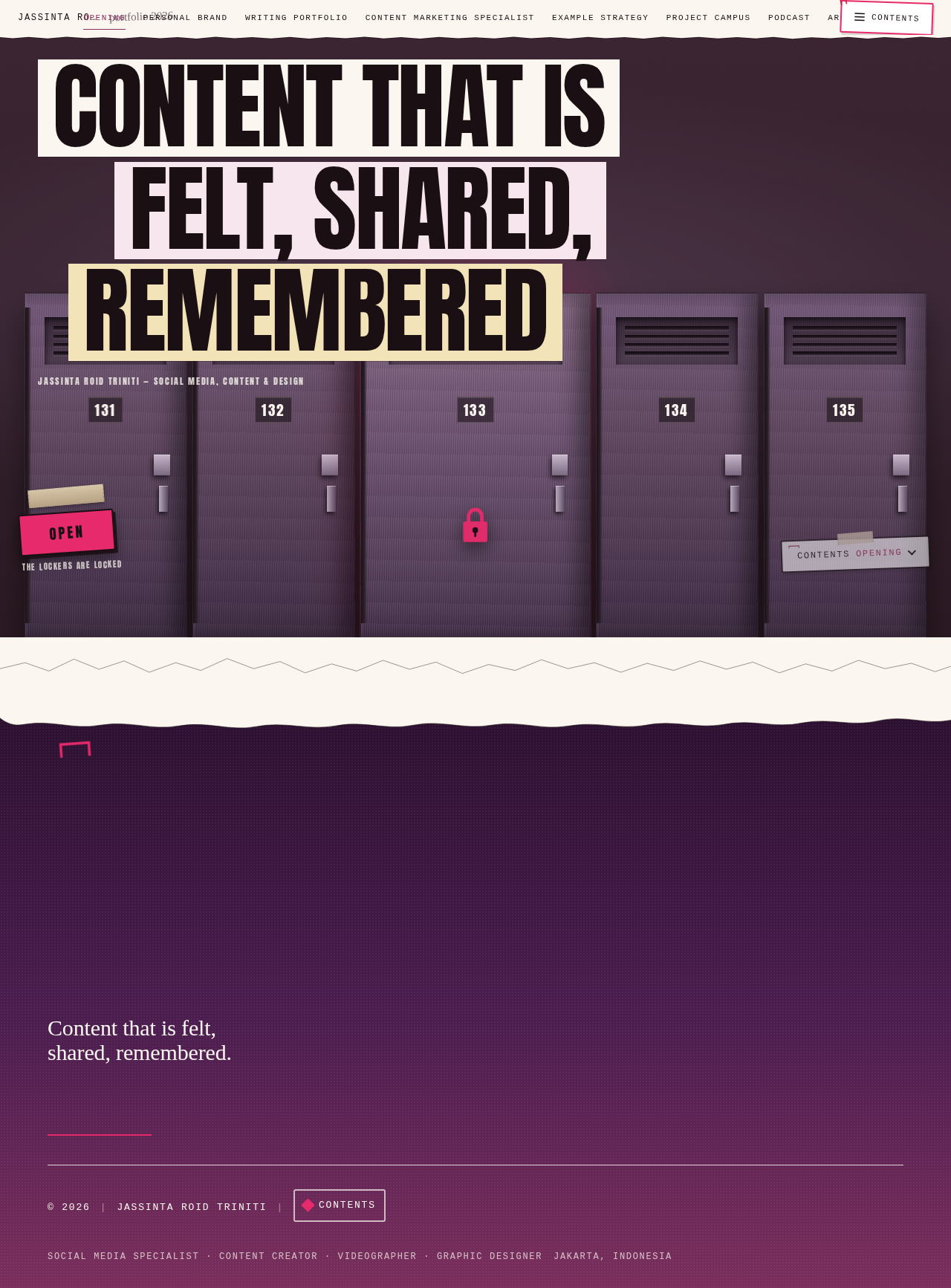
No comments yet. Be the first!