incremental-idle

byTA-Tom

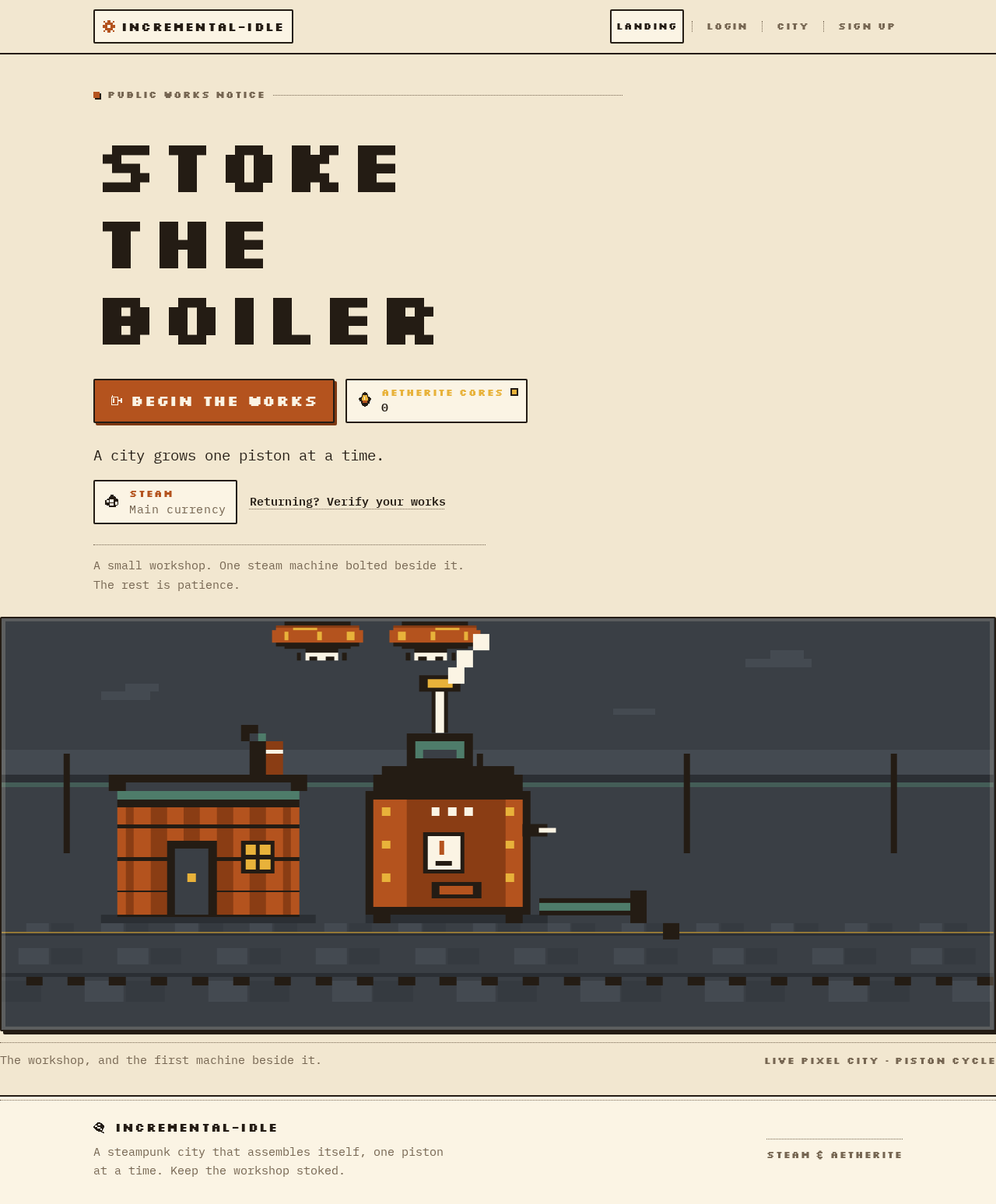
I want to make an incremental idle pixel game with a steam punk setting. The main currency is "Steam" and the prestige currency is "Aetherite Cores". It should have a visual overview of your growing city, started with a small workshop. The first generator is supposed to be a simple steam machine besides your workshop.

Landing
Landing

Comments (0)

No comments yet. Be the first!

Project Tasks

17 planning tasks
#1

Generate system requirement document

0m 50s0.05 cr used
Done
#2

Generate personas & user flows

0m 5s0.05 cr used
Done
#7

Create flow for Idle City Builder Player

0m 3sCredits in parent
Done
#8

Landing

6m 16sCredits in subtasks
Done
#18

Landing / Navigation

0m 0s0.85 cr used
Done
#12

Landing / Hero

0m 28s0.85 cr used
Done
#13

Landing / City Vignette

0m 28s0.85 cr used
Done
#14

Landing / Access Strip

0m 23s0.85 cr used
Done
#15

Landing / Footer

3m 6s0.85 cr used
Done
#16

Footer

0m 21sCredits in parent
Done
#17

Accept Landing as it is

1m 57s0.02 cr used
Done
#19

Navigation

0m 25sCredits in parent
Done
#9

Login

Credits in subtasks
Backlog
#10

City

Credits in subtasks
Backlog
#11

Sign Up

Credits in subtasks
Backlog
#5

Architecture

0.05 cr needed
Backlog
#6

Workspace task plan

0.05 cr needed
Backlog
Landing design preview
Landing: Read hero and currency chips
Sign Up: Begin the works
Sign Up: 1. Complete enrollment form
Sign Up: 2. Correct enrollment errors
Login: 3. Switch to returning verification
City: View fresh city and Steam
City: Read Steam and Steam/sec
City: Read Aetherite Cores balance
City: 1. Purchase first steam machine
City: 1. Watch sprite loops and tick
City: 2. Retry failed purchase
City: 2. Press sticky command rail
City: 3. Purchase further generators
Landing: Follow returning verification link
Login: 4. Enter verification details
Login: 5. Retry failed verification
Sign Up: 6. Switch to new enrollment
City: Resume persisted progress
Landing design preview
Landing: Read hero and currency chips
Sign Up: Begin the works
Sign Up: 1. Complete enrollment form
Sign Up: 2. Correct enrollment errors
Login: 3. Switch to returning verification
City: View fresh city and Steam
City: Read Steam and Steam/sec
City: Read Aetherite Cores balance
City: 1. Purchase first steam machine
City: 1. Watch sprite loops and tick
City: 2. Retry failed purchase
City: 2. Press sticky command rail
City: 3. Purchase further generators
Landing: Follow returning verification link
Login: 4. Enter verification details
Login: 5. Retry failed verification
Sign Up: 6. Switch to new enrollment
City: Resume persisted progress