hyper-weather
 Monin Modi
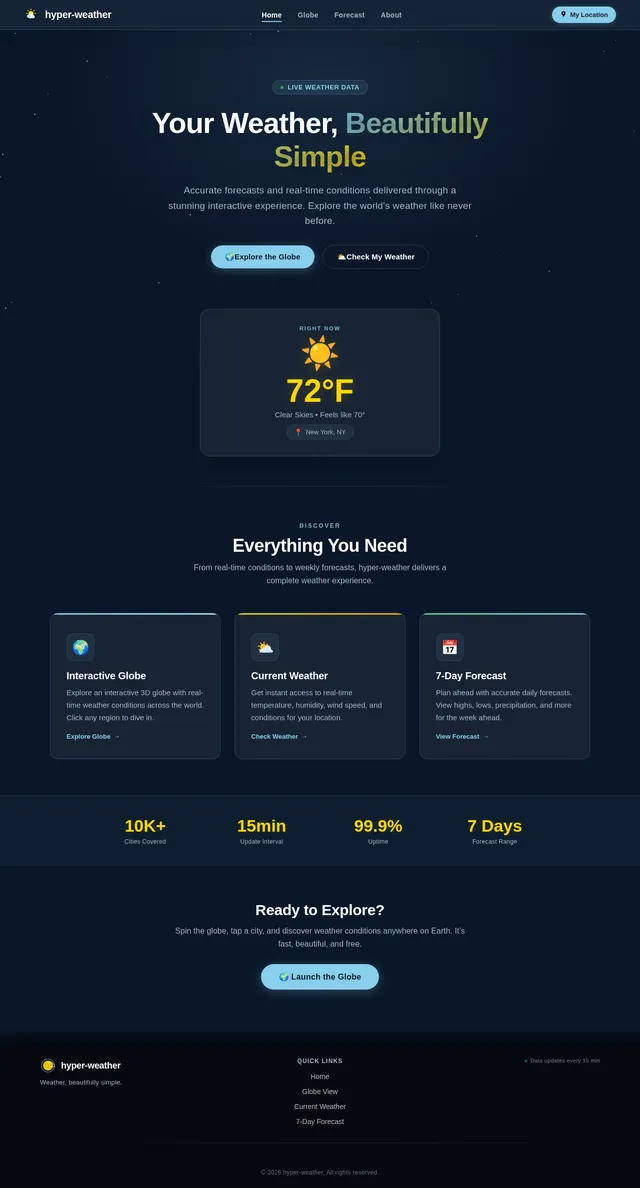
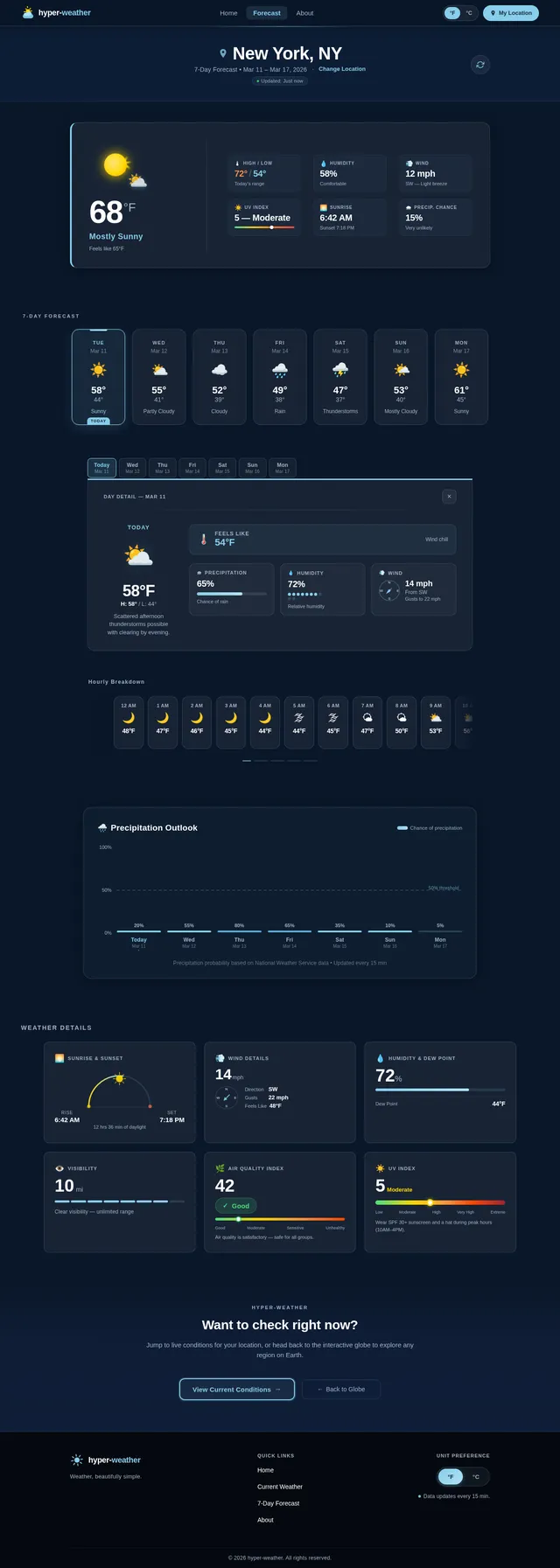
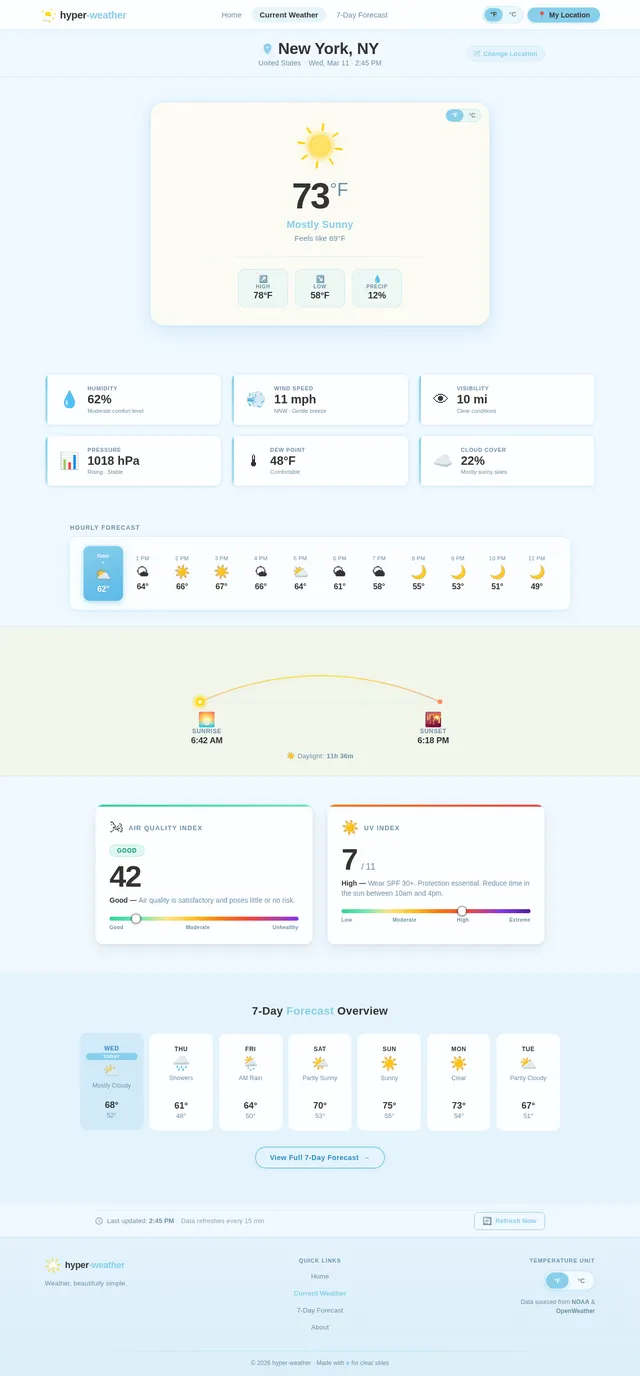
weather application with 2 pages and simple design
Comments (0)
Sign in to leave a comment
System Requirements
System Requirements Document (SRD) for hyper-weather
1. Introduction
Welcome to the System Requirements Document for hyper-weather, a weather application designed to provide users with accurate and up-to-date weather information. This document outlines the functional and non-functional requirements, user personas, design concepts, and technical specifications for the project. The goal of hyper-weather is to deliver a clean, simple, and user-friendly interface for weather updates, tailored to the needs of users in the United States.
This document has been updated to include a new feature for selective re-run capability, enabling user-triggered regeneration of the System Requirements Document (SRD).
2. System Overview
The hyper-weather application will consist of three primary pages:
- Homepage: A welcoming and interactive landing page that provides navigation to the weather features and showcases the application's unique design.
- Current Weather Page: Displays real-time weather information based on the user's location.
- 7-Day Forecast Page: Provides a detailed weather forecast for the next seven days.
The application will prioritize simplicity and ease of use, ensuring that users can quickly access the information they need without unnecessary distractions. Additionally, the system will now include a feature for selective re-run capability, allowing users to regenerate specific sections of the SRD as needed.
3. Functional Requirements
- As a User, I should be able to view the current weather based on my location.
- As a User, I should be able to view a 7-day weather forecast.
- As a User, I should be able to refresh the weather data manually.
- As a User, I should be able to toggle between Fahrenheit and Celsius for temperature display.
- As a User, I should be able to regenerate specific sections of the System Requirements Document (SRD) on demand.
4. User Personas
1. General User
- Description: Individuals looking for quick and accurate weather updates.
- Goals: Access current weather and future forecasts with minimal effort.
- Pain Points: Overly complex interfaces, slow loading times, and irrelevant information.
2. Traveler
- Description: Users planning trips who need reliable weather forecasts for the upcoming week.
- Goals: Plan activities and pack appropriately based on weather conditions.
- Pain Points: Inaccurate or outdated weather data.
3. Project Manager
- Description: Users responsible for managing the development and maintenance of hyper-weather.
- Goals: Regenerate specific sections of the SRD as needed to reflect updates or changes in requirements.
- Pain Points: Lack of flexibility in updating documentation.
5. Visuals Colors and Theme
The hyper-weather application will adopt a clean and modern design with the following color palette:
- Primary Color: Sky Blue (#87CEEB) – Represents clear skies and a fresh, inviting aesthetic.
- Secondary Color: White (#FFFFFF) – Ensures a clean and minimalistic background.
- Accent Color: Sunshine Yellow (#FFD700) – Highlights important information like temperature or alerts.
- Text Color: Charcoal Gray (#333333) – Provides excellent readability against the white background.
- Error/Alert Color: Stormy Red (#FF4500) – Used for severe weather warnings or errors.
The typography will use a sans-serif font like Roboto or Open Sans for a modern and approachable feel.
6. Signature Design Concept
Interactive Weather Globe Homepage
The homepage of hyper-weather will feature an interactive 3D globe that rotates as users interact with it. The globe will display real-time weather conditions across different regions, with animated weather icons (e.g., sun, clouds, rain) hovering over the corresponding locations. Users can click on their location or any other region to instantly view the current weather and 7-day forecast for that area.
Key Features:
- Animations: Smooth globe rotation with hover effects that highlight regions as the user moves their cursor.
- Micro-interactions: Clicking on a region zooms in, transitioning to the detailed weather page for that location.
- Dynamic Background: The background color of the homepage will subtly shift based on the current weather (e.g., sunny yellow for clear skies, gray for cloudy conditions, or blue for rain).
- Weather Icons: Animated icons (e.g., raindrops falling, sun rays shining) will make the experience visually engaging and memorable.
This bold and interactive design will make hyper-weather stand out as a visually stunning and user-friendly weather application.
7. Non-Functional Requirements
- The application must load within 2 seconds on a standard 4G connection.
- The system should support a minimum of 10,000 concurrent users.
- The weather data must be updated every 15 minutes.
- The application should comply with accessibility standards (WCAG 2.1 Level AA).
- The system must support both desktop and mobile platforms.
- The SRD regeneration feature must execute within 5 seconds for any selected section.
8. Tech Stack
Frontend
- React for Web
Backend
- Python
- FastAPI
Database
- MySQL (with Alembic for migrations)
AI Models
- GPT 5.2 for user-friendly responses (e.g., weather explanations).
AI Tools
- Langchain for AI workflow integration.
Local Orchestration
- Docker
- docker-compose
Server-Side Orchestration
- Kubernetes
9. Assumptions and Constraints
- The application will primarily serve users in the United States, so default settings (e.g., Fahrenheit for temperature) will reflect US standards.
- The system will rely on third-party APIs for weather data, which must be reliable and provide real-time updates.
- The application will not include advertisements to maintain a clean and simple user experience.
- The SRD regeneration feature assumes that the user has access to the necessary permissions to trigger updates.
10. Glossary
- Homepage: The main landing page of the application, featuring an interactive 3D globe and navigation to other features.
- Current Weather Page: A page displaying real-time weather information based on the user's location.
- 7-Day Forecast Page: A page providing a detailed weather forecast for the next seven days.
- Selective Re-run Capability: A feature that allows users to regenerate specific sections of the SRD on demand.
- WCAG: Web Content Accessibility Guidelines, a set of standards for ensuring web accessibility.
- API: Application Programming Interface, used to fetch weather data from third-party services.
- Fahrenheit/Celsius: Units of temperature measurement.
This document outlines the updated requirements and vision for hyper-weather. Monin, we hope this aligns with your expectations and provides a solid foundation for development. Let us know if there are any additional features or adjustments you'd like to see!
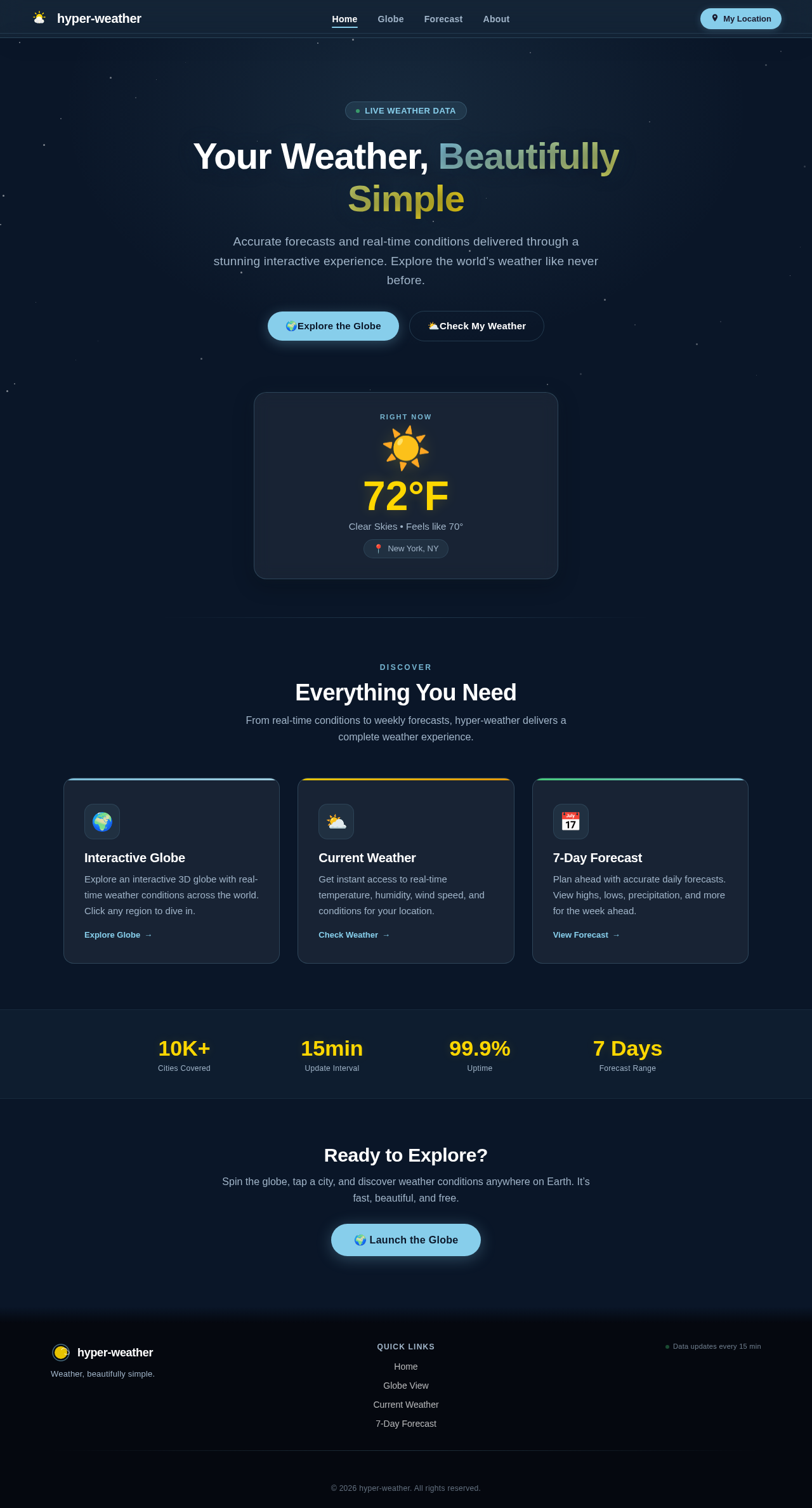
Your Weather, Beautifully Simple
Accurate forecasts and real-time conditions delivered through a stunning interactive experience. Explore the world’s weather like never before.
Discover
Everything You Need
From real-time conditions to weekly forecasts, hyper-weather delivers a complete weather experience.
Interactive Globe
Explore an interactive 3D globe with real-time weather conditions across the world. Click any region to dive in.
Explore Globe→Current Weather
Get instant access to real-time temperature, humidity, wind speed, and conditions for your location.
Check Weather→7-Day Forecast
Plan ahead with accurate daily forecasts. View highs, lows, precipitation, and more for the week ahead.
View Forecast→Ready to Explore?
Spin the globe, tap a city, and discover weather conditions anywhere on Earth. It’s fast, beautiful, and free.
No comments yet. Be the first!