honest-swift
 baha fhad
اريد تصميم برنامج طلباتي مكون من اسم زبون والمبلغ والتاريخ والتفاصيل

Comments (0)
Sign in to leave a comment
System Requirements
System Requirements Document for honest-swift
1. Introduction
honest-swift (برنامج طلباتي) is a personal order-ledger application for an Arabic-speaking small business owner. Its purpose is to record each order as a durable, readable entry composed of exactly four fields — اسم الزبون (customer name), المبلغ (amount), التاريخ (date), and التفاصيل (details) — and to let the owner re-read the recorded orders at any time in an organized list.
The product is a calm, well-kept digital notebook rather than a dashboard: the register is the trust surface, and clarity of the four-field record is the whole point. The audience is the single order owner (صاحب الطلبات) who enters orders daily and returns to review them.
2. System Overview
honest-swift is delivered as a first-party web application with application-owned identity. The owner establishes a self-service account on first use, verifies identity on return, and then works within a protected order register.
Actors
- صاحب الطلبات (مستخدم البرنامج) — the sole active human persona. Records orders and reviews the saved register.
- Application backend — shared FastAPI process that persists and serves order records and identity.
- Database — MariaDB holding application-owned persistent data (accounts and orders).
Accepted behavior (current)
- A public entry surface explains the four-field order register before any protected work.
- Self-service account creation on first use; identity verification on return.
- Adding a new order with customer name, amount, date, and details.
- Viewing recorded orders in a list with their data, revisitable later.
Delivery shape
- Frontend: React application UI.
- Backend: shared FastAPI process for application APIs and domain modules.
- Database: MariaDB for application-owned persistent data.
Exclusions
- No multi-user collaboration, roles, or shared registers.
- No reporting, analytics, KPI dashboards, or export.
- No payment processing, invoicing, or accounting integration.
- No customer-facing portal; customers are recorded as data, not as actors.
Removed from scope
- None.
2a. Product Interpretation and Delivery Boundary
honest-swift is a single-owner order register. The owner is the only human actor; customers named in orders are recorded facts, not participants. Because the register must persist across sessions and remain bound to the correct owner, the application owns identity: a first-use self-service account establishes the owner, and returning visits verify that identity before the protected register is available.
The public entry (الرئيسية) is anonymously reachable and explains the four fields. The protected destinations (الطلبات, طلب جديد) require login. تسجيل الدخول is the identity access surface and is anonymously reachable so a returning owner can verify identity before reaching protected state.
All current work is delivered first-party. There is no provider-owned or external surface, and no headless delivery. Future ideas are not part of current acceptance.
2c. Page Content and Component Coverage
الرئيسية
- Purpose / information: public entry explaining that the program is an order register with four fields — اسم الزبون، المبلغ، التاريخ، التفاصيل.
- States: static editorial opener; no loading or empty state required.
- Primary action: «ابدأ بسجلّك» — leads to account creation / login.
- Supporting actions: link to تسجيل الدخول for returning owners.
- Domain entities: none persisted on this page.
- Components: eyebrow «سجل الطلبات» (small-caps, muted olive); display headline «كل طلب، مكتوب بوضوح»; one-line description of the four fields; rust pill button «ابدأ بسجلّك»; hand-drawn ink ledger illustration on a paper card; thin rust rule across the viewport.
- Error/recovery: none specific; navigation failures fall back to retry.
تسجيل الدخول
- Purpose / information: identity access surface for returning owners and entry point for first-use account creation.
- States: empty (blank fields), loading (submitting), success (redirect to الطلبات), error (invalid credentials or validation failure with inline message).
- Primary action: verify identity and enter the protected register.
- Supporting actions: switch to first-use account creation; return to الرئيسية.
- Domain entities: owner account (identity only).
- Components: labelled identity fields; submit control; inline error region; link to account creation.
- Recovery: invalid credentials show an inline message and preserve entered identity field; user may retry or switch to account creation.
الطلبات
- Purpose / information: protected list of recorded orders showing اسم الزبون، المبلغ، التاريخ، التفاصيل.
- States: loading (list fetch), empty (no orders yet, with prompt to add first order), success (ruled ledger list), error (fetch failure with retry).
- Primary action: review recorded orders.
- Supporting actions: navigate to طلب جديد to add an order.
- Domain entities: order (customer name, amount, date, details).
- Components: ruled ledger rows — client name in Fraunces, amount right-aligned in rust old-style numerals on a shared tabular column, date in muted small-caps, details on a second line; section rule and numbering; empty-state prompt.
- Recovery: fetch error shows retry; empty state offers the add-order action.
طلب جديد
- Purpose / information: protected form to enter اسم الزبون، المبلغ، التاريخ، التفاصيل and save a new order.
- States: empty (blank form), validation error (missing or invalid field with inline message), submitting (loading), success (order saved, confirmation and return to الطلبات), save error (with retry).
- Primary action: save the new order.
- Supporting actions: cancel and return to الطلبات.
- Domain entities: order (customer name, amount, date, details).
- Components: single paper panel; labelled fields stacked in reading order; ink-draw focus underline; rust pill save button at bottom-left aligned to the measure; inline validation messages.
- Recovery: validation errors keep entered values; save failure shows an inline message and allows retry without losing input.
3. Functional Requirements
FR-1 — Record an order with four fields (explicit) As صاحب الطلبات I should record each order with اسم الزبون، المبلغ، التاريخ، والتفاصيل so that every order is captured completely.
- Trigger/input: owner submits the new-order form with all four fields.
- Observable result: the order is saved and appears in the register with all four values.
- Access: login required (طلب جديد).
- Failure/recovery: missing or invalid fields show inline validation and preserve input; save failure allows retry.
- Continuation: after save, owner returns to الطلبات and sees the new entry.
FR-2 — Add a new order (explicit) As صاحب الطلبات I should be able to add a new order with these fields so that new business is recorded as it happens.
- Trigger/input: owner opens طلب جديد and submits the form.
- Observable result: a new order entry is created in the register.
- Access: login required.
- Failure/recovery: as FR-1.
- Continuation: owner may add another order or review the list.
FR-3 — View recorded orders in a list (explicit) As صاحب الطلبات I should view recorded orders in a list with their data so that I can re-read the register.
- Trigger/input: owner opens الطلبات.
- Observable result: a list of orders showing اسم الزبون، المبلغ، التاريخ، التفاصيل.
- Access: login required.
- Failure/recovery: fetch failure shows retry; empty register shows an empty-state prompt.
- Continuation: owner may open طلب جديد to add more.
FR-4 — Self-service account creation on first use (required_inference) As صاحب الطلبات I should create my own account on first use so that my register is bound to me and persists.
- Trigger/input: owner selects «ابدأ بسجلّك» from الرئيسية and completes account creation.
- Observable result: an owner account exists and the owner can enter the protected register.
- Access: anonymous entry (الرئيسية / تسجيل الدخول).
- Failure/recovery: validation errors are shown inline; the owner may retry.
- Continuation: owner proceeds to الطلبات.
FR-5 — Verify identity on return (required_inference) As صاحب الطلبات I should verify my identity when I return so that I reach my saved order register.
- Trigger/input: returning owner submits identity on تسجيل الدخول.
- Observable result: access to the protected register (الطلبات, طلب جديد).
- Access: anonymous entry to تسجيل الدخول; protected destinations gated.
- Failure/recovery: invalid credentials show an inline message and allow retry.
- Continuation: owner lands on الطلبات.
4. User Personas
صاحب الطلبات (مستخدم البرنامج)
- Product context: An Arabic-speaking small business owner who keeps a personal order register. Works in Arabic RTL, records orders daily, and returns to re-read them.
- Primary goal: Keep the order register saved, organized, and reviewable at any time.
- Distinct responsibilities: Enters each order's four fields (اسم الزبون، المبلغ، التاريخ، التفاصيل); reviews the recorded list; establishes and verifies their own identity so the register persists and stays theirs.
- Inputs/decisions: Customer name, amount, date, details; decision to save or cancel an entry; identity credentials.
- Interactions with other participants: None — the owner is the sole human actor; customers are recorded data only.
- Observable success: The register remains saved and organized, and every order can be reviewed later with all four fields intact.
- Provenance: required_inference (Planning Scope).
5. Core User Flows
Flow A — First use: establish account and record first order
- Owner opens الرئيسية (anonymous) and reads the four-field explanation.
- Owner selects «ابدأ بسجلّك».
- Owner completes self-service account creation on تسجيل الدخول (anonymous entry).
- On success, owner lands on الطلبات (protected), which shows the empty-state prompt.
- Owner selects the add-order action and opens طلب جديد.
- Owner enters اسم الزبون، المبلغ، التاريخ، التفاصيل and saves.
- Observable result: the order appears in الطلبات with all four values.
- Continuation: owner may add another order or review the list.
- Failure/recovery: validation errors on account creation or the form are shown inline and preserve input; the owner retries.
Flow B — Returning owner reviews the register
- Owner opens تسجيل الدخول (anonymous entry).
- Owner submits identity.
- On success, owner lands on الطلبات and sees the ruled ledger list of recorded orders.
- Owner reads each row: client name, amount, date, details.
- Continuation: owner may open طلب جديد to add more.
- Failure/recovery: invalid credentials show an inline message; the owner retries or returns to الرئيسية.
Flow C — Add a new order from the register
- Owner is on الطلبات (authenticated).
- Owner selects the add-order action and opens طلب جديد.
- Owner enters the four fields and saves.
- Observable result: the new order is saved and visible in الطلبات.
- Continuation: owner may add another or review the list.
- Failure/recovery: save failure shows an inline message and allows retry without losing input.
6. Visuals Colors and Theme
Muse: Frank Chimero — warm editorial ledger. Calm, humane record-keeping.
Headline: «كل طلب، مكتوب بوضوح»
Palette (light mode)
- Background:
#F4EDE1(cream paper ground) - Surface:
#FBF6EC(lighter paper for cards/panels) - Text:
#1E1B16(warm near-black ink) - Primary:
#8C3A1E(rust — primary action, amount numerals, section rules) - Accent:
#C25E2A(burnt orange — hover, focus rings, active nav) - Muted:
#7A6E5E(olive-grey — labels, metadata) - Hairline:
#1E1B16at 12% opacity
Typography
- Headings: Fraunces (soft-optical, medium weight, tracking -0.02em).
- Body: Literata.
- Arabic: Noto Naskh Arabic (content) / IBM Plex Sans Arabic (UI labels), line-height 1.7.
- Scale (1.333 modular): 56 / 36 / 24 / 17 / 15 px.
- Display:
clamp(36px, 6vw, 72px)for page title. - Body: 17px / 1.7.
- Labels: 13px uppercase-tracked.
- Amount numerals:
clamp(22px, 2.4vw, 30px)in Fraunces old-style numerals.
Shape language
- 10px radius on cards and inputs.
- 999px pill only on the primary save button.
- 1px hairline rules as the dominant structural device.
- No drop shadows heavier than a 2px 8% ink blur.
Layout
- Single-column editorial measure of 68ch centred on a 12-column grid.
- Wide left margin with a thin vertical rule and section numbers (٠١، ٠٢، ٠٣).
- Orders list as a ruled ledger; mobile stacks name, then amount + date, then details.
- New-order form as a single paper panel with fields in reading order and save button bottom-left.
Imagery
- Warm flat hand-drawn ink spots (ledger, folded receipt, date stamp) as section openers.
- Paper-grain texture at 4% opacity across the ground.
- No stock photography, no 3D, no gradient blobs.
Motion
- 200ms opacity fades on route change; 160ms ink-draw underline on focused inputs; single soft fade-in of the orders list.
- No bounce, no parallax, no marquee.
prefers-reduced-motionremoves all fades and reveals content in place.
Avoid: blue/indigo primary; KPI cards or hover-lift tile grids; gradient blobs, glassmorphism, glow; Inter/Roboto/Arial/Helvetica/Poppins/system-ui as heading or body fonts; centred hero stack; heavy drop shadows; marquees/tickers; photography-heavy or 3D hero.
7. Signature Design Concept
The public entry (الرئيسية) is an editorial opener: a full-width cream paper field with a thin rust rule running the full viewport width. Above the rule sits a small-caps eyebrow «سجل الطلبات» in muted olive. Beneath it, a Fraunces display headline «كل طلب، مكتوب بوضوح» at clamp(36px, 6vw, 72px) spans the measure and wraps naturally. To the right on desktop (below on mobile) sits a single hand-drawn ink illustration of an open ledger with three ruled lines, drawn in #1E1B16 on a #FBF6EC card, no shadow. Under the headline, a one-line description at 17px explains the four fields in plain Arabic, and a single rust pill button «ابدأ بسجلّك» sits left-aligned beneath it. No centred stack, no gradient, no floating cards. The paper-grain texture at 4% opacity carries the ground.
8. Interaction Model & Motion Direction
Interaction Model: Animated Motion Tempo: restrained Hero Dimensionality: flat
Landing Hero Motion Brief
- Focal subject: the hand-drawn ink ledger illustration on its paper card.
- Input → transformation → outcome thesis: on load, the hero content fades in gently (200ms opacity) and the ink ledger illustration settles into place; the rust rule draws across the viewport width; the outcome is a composed, still editorial opener that invites «ابدأ بسجلّك».
- Motion vocabulary: 200ms opacity fades, 160ms ink-draw underline on focus, single soft fade-in of the orders list; no bounce, no parallax, no marquee.
- Composed first frame: cream ground with paper grain, rust rule across the top, eyebrow, display headline, ledger illustration on the right, description and rust pill button beneath.
- Reduced-motion state: all fades removed; content revealed in place; the hero is fully readable and the button is immediately available.
9. Non-Functional Requirements
- NFR-1 — Persistence (explicit, Planning Scope durable_state_required): Orders and owner accounts persist in MariaDB across sessions.
- NFR-2 — Identity continuity (required_inference): The register is bound to the authenticated owner; protected destinations (الطلبات, طلب جديد) are inaccessible without verified identity.
- NFR-3 — RTL Arabic typography (explicit, creative direction): All content renders RTL in Arabic with the specified fonts and line-height 1.7.
- NFR-4 — Readable text and controls (explicit, creative direction): Headlines, labels, numbers, cards' text and controls stay entirely inside the viewport and their container at 375px, 768px, and 1280px.
- NFR-5 — Reduced motion (explicit, creative direction):
prefers-reduced-motionremoves all fades and reveals content in place. - NFR-6 — No forbidden visual patterns (explicit, creative direction): No blue/indigo primary, no gradients, no glassmorphism, no glow, no heavy shadows, no marquees.
10. Tech Stack
- Frontend: React application UI.
- Backend: shared FastAPI process for application APIs and domain modules.
- Database: MariaDB for application-owned persistent data.
- Infrastructure: docker-compose with backend, database, and frontend services.
11. Assumptions and Constraints
- A-1: The owner is the sole human actor; customers are recorded data, not participants.
- A-2: Identity is application-owned (self-service account creation on first use; verification on return), per Planning Scope
app_owned_identity: true. - A-3: The four fields (اسم الزبون، المبلغ، التاريخ، التفاصيل) are the complete order record; no additional fields are required.
- A-4: The register is single-owner; no sharing, roles, or permissions beyond owner access.
- A-5: No reporting, analytics, export, payment, or invoicing is in current scope.
- A-6: The creative direction is authoritative for visuals, typography, layout, and motion.
12. Glossary
- طلب (Order): A recorded entry with اسم الزبون، المبلغ، التاريخ، التفاصيل.
- اسم الزبون: Customer name field.
- المبلغ: Amount field.
- التاريخ: Date field.
- التفاصيل: Details field.
- صاحب الطلبات: The order owner — the sole active human persona.
- السجل (Register): The saved list of orders.
- RTL: Right-to-left text direction for Arabic.
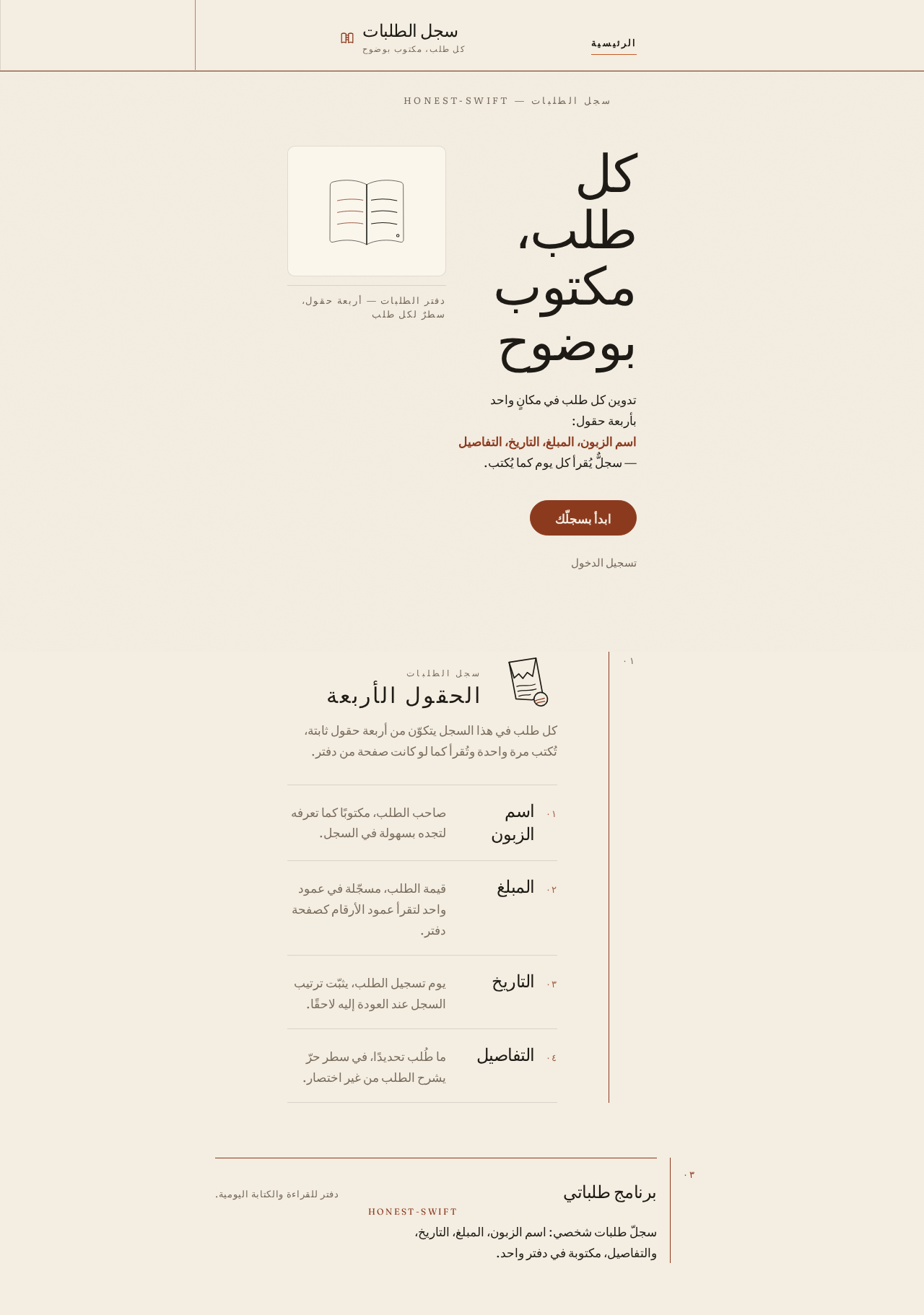
سجل الطلبات — honest-swift
كل طلب، مكتوب بوضوح
تدوين كل طلب في مكانٍ واحد بأربعة حقول: اسم الزبون، المبلغ، التاريخ، التفاصيل — سجلٌّ يُقرأ كل يوم كما يُكتب.
الحقول الأربعة
كل طلب في هذا السجل يتكوّن من أربعة حقول ثابتة، تُكتب مرة واحدة وتُقرأ كما لو كانت صفحة من دفتر.
- اسم الزبون
- صاحب الطلب، مكتوبًا كما تعرفه لتجده بسهولة في السجل.
- المبلغ
- قيمة الطلب، مسجّلة في عمود واحد لتقرأ عمود الأرقام كصفحة دفتر.
- التاريخ
- يوم تسجيل الطلب، يثبّت ترتيب السجل عند العودة إليه لاحقًا.
- التفاصيل
- ما طُلب تحديدًا، في سطر حرّ يشرح الطلب من غير اختصار.
سجل الطلبات — honest-swift
كل طلب، مكتوب بوضوح
تدوين كل طلب في مكانٍ واحد بأربعة حقول: اسم الزبون، المبلغ، التاريخ، التفاصيل — سجلٌّ يُقرأ كل يوم كما يُكتب.
الحقول الأربعة
كل طلب في هذا السجل يتكوّن من أربعة حقول ثابتة، تُكتب مرة واحدة وتُقرأ كما لو كانت صفحة من دفتر.
- اسم الزبون
- صاحب الطلب، مكتوبًا كما تعرفه لتجده بسهولة في السجل.
- المبلغ
- قيمة الطلب، مسجّلة في عمود واحد لتقرأ عمود الأرقام كصفحة دفتر.
- التاريخ
- يوم تسجيل الطلب، يثبّت ترتيب السجل عند العودة إليه لاحقًا.
- التفاصيل
- ما طُلب تحديدًا، في سطر حرّ يشرح الطلب من غير اختصار.
No comments yet. Be the first!