home-healthcare-caregivers
 Leon Leek
Build "Utugi", a home healthcare gig marketplace for Kenya. Families post care jobs, verified caregivers accept them, and payment is made after the visit. Build version 1 completely. Do not add features I haven't listed. STACK React + TypeScript frontend (mobile-first, responsive). Node.js + TypeScript backend. PostgreSQL with Prisma and migrations (do NOT use SQLite or libsql). Docker and a Render-ready config. .env.example, README and seed script. English and Kiswahili i18n scaffolding. Currency shown as "KSh 1,500". ROLES Patient/family, Caregiver, Admin (sub-roles: Verifier, Support, Finance, Super admin). One account per phone number, with role profiles on top. Phone number + one-time code sign-in (provider behind an interface, with a dev mock), attempt limits and rate limiting. Seed a Super admin from env vars SUPERADMIN_PHONE and SUPERADMIN_PASSWORD. Never hardcode credentials. CORE FLOW 1. Family posts a job: who it's for, service (Home care assistant, Child care, Nursing visit, Companion), date, time, duration, area, notes. 2. Matching: only caregivers who are Verified, online, in the service area, offering that service and free at that time (no overlap) see the job. Show the approximate area only. First accept wins, enforced by a database row lock; others get "already taken". Requests expire (default 10 minutes, configurable). If the family used "request this caregiver again", offer it to that caregiver first for a short window, then open it to others. If nobody accepts, show a clear "no match" state with options to widen time or area, or cancel. 3. On acceptance the caregiver sees the exact address and access notes. The family sees the caregiver's name, role and badges. 4. Visit: En route, Arrived (with a 4-digit arrival code the family gives the caregiver), In progress, Completed (confirmation step). 5. PAYMENT IS AFTER THE SERVICE. When the visit is done, the family reviews the cost and pays by M-Pesa STK push. Nothing is charged at booking. States: Awaiting payment, Paid, Overdue. Reminders on day 1, 3 and 7. After 7 days the case goes to support and the family's new requests pause. Caregiver earnings stay pending until the family pays. 6. Rating and review, "Book again" and favourites, optional recurring care. PAYMENTS A PaymentProvider interface with a mock implementation and an M-Pesa Daraja sandbox implementation. Idempotency keys on every payment call. Payment confirmed only by the provider webhook, never by the client. Store no card numbers and no PINs. Double-entry ledger: job total, platform fee, commission, caregiver earnings. Withdraw to M-Pesa via a payout interface (mocked). Make commission and fees configurable, not hardcoded. CAREGIVER VERIFICATION Per-item statuses: Not submitted, Under review, Action required, Verified, Expired. Items: ID (photo and selfie), professional licence (nurses), references, certificate of good conduct, M-Pesa payout number. The online switch is locked until ID and licence are Verified. Documents are stored encrypted and served by short-lived signed URLs. Expiry reminders 30 days ahead. ADMIN Overview with a to-do list (pending verifications, overdue payments, no-match jobs, open support or safety cases). Verification desk with approve, request fix and reject using a reason list. Jobs list with filters and an event trail. Payments (awaiting, overdue, reconciliation). Support and safety cases (safety reports first). Audit log that cannot be edited. Role-based access: Verifier sees credentials only; Support sees masked contact details and no health notes; Finance sees payments only; Super admin changes settings, with a second approver for fee changes. PRIVACY AND SAFETY Data minimisation. Health notes are optional, encrypted and hidden from support by default. Opening them requires a typed reason and is logged. Notifications use generic wording. In-app messaging so phone numbers aren't exchanged. Show "In an emergency, call 999 or 112. Utugi is not an emergency service." in the family app. Label all sample data as demo. Never present mock payments, verification or tracking as real. PAGES Patient: Home ("Hello {name}", one request panel with service chips, current job, upcoming, past visits with Try again / Rebook / Request again, my caregivers, emergency help card), Request care, Job page (status, caregiver, messages, pay), Recurring, My caregivers. Caregiver: Home (online switch, next visit, open requests with pay as the biggest number, earnings awaiting payment, verification status), Requests, Visits, Earnings, Verification, Profile. Admin: Overview, Verifications, Jobs, Payments, Support and safety, Audit log, Settings. Public: Join page with choices (I need care, I'm a caregiver), phone sign-in. DESIGN Warm and premium. Ivory background #FFF9EF, cream #F5EBDD, gold #C69A36 (primary actions and active tabs only), deep gold #A87922, dark brown text #292821, taupe #827B70, success green #287D52, error red #B83B36. Serif headings (Fraunces), Inter for body. 14 to 16 px radii, thin sand borders, one gold button per screen, 44 px minimum touch targets, visible focus states, 4.5:1 contrast, works at 200% text size. Logo: a gold house with a cream heart, brown roof, lowercase "utugi" wordmark in dark brown, tagline "All your home healthcare needs under


Comments (0)
Sign in to leave a comment
utugi
All your home healthcare needs under one roof
Home care in Kenya
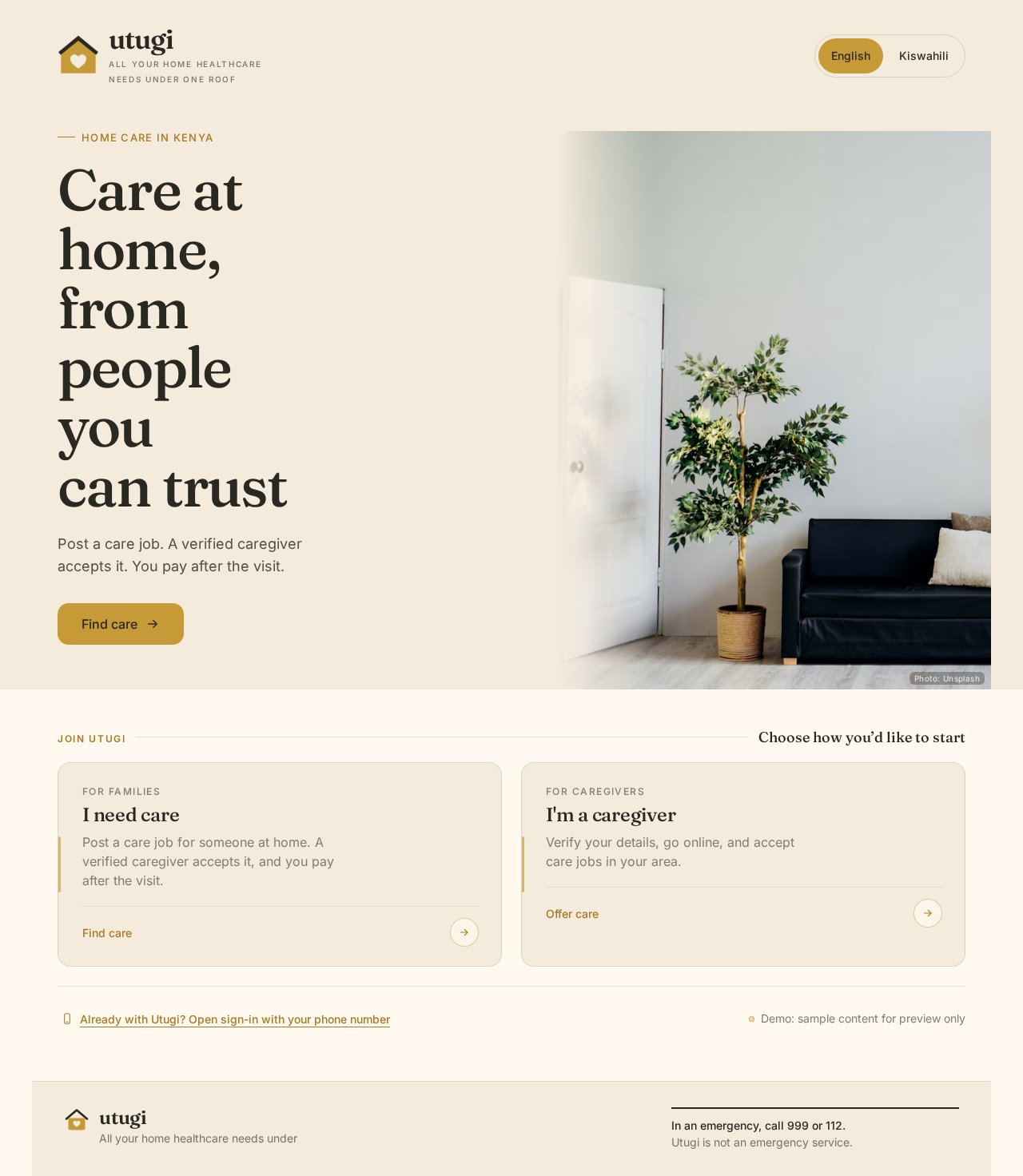
Care at home, from people you can trust
Post a care job. A verified caregiver accepts it. You pay after the visit.
Find care Photo: Unsplash
utugi
All your home healthcare needs under one roof
Home care in Kenya
Care at home, from people you can trust
Post a care job. A verified caregiver accepts it. You pay after the visit.
Find carePhoto: Unsplash
No comments yet. Be the first!