hollow-website
 Rahul Vasi
Create a website using php and MySQL

Comments (0)
Sign in to leave a comment
System Requirements
System Requirements Document (SRD)
Project Name: hollow-website
1. Introduction
The hollow-website project is a dynamic web application designed to support digital product management. The website will streamline workflows, track projects, and manage teams effectively, catering to users in India (IN) and beyond. This document outlines the system requirements for the hollow-website, ensuring it meets the needs of its users, including product managers, teams, and clients.
2. System Overview
The hollow-website will serve as a centralized platform for digital product management, enabling users to organize, monitor, and execute tasks efficiently. Built using PHP and MySQL, the system will offer robust database-driven functionality. It will feature tools for task boards, user management, reporting dashboards, and collaboration, tailored to the needs of product managers and their teams.
The system will prioritize ease of use, scalability, and responsiveness, ensuring seamless operation across devices and browsers. Locale-specific defaults, such as Indian timezone (IST) and currency (INR), will be incorporated to enhance relevance for users in India.
3. Functional Requirements
As User:
- As User I should be able to create, edit, and delete digital products.
- As User I should be able to assign tasks to team members.
- As User I should be able to track the progress of tasks and projects.
- As User I should be able to view analytics and reports on product performance.
As Admin:
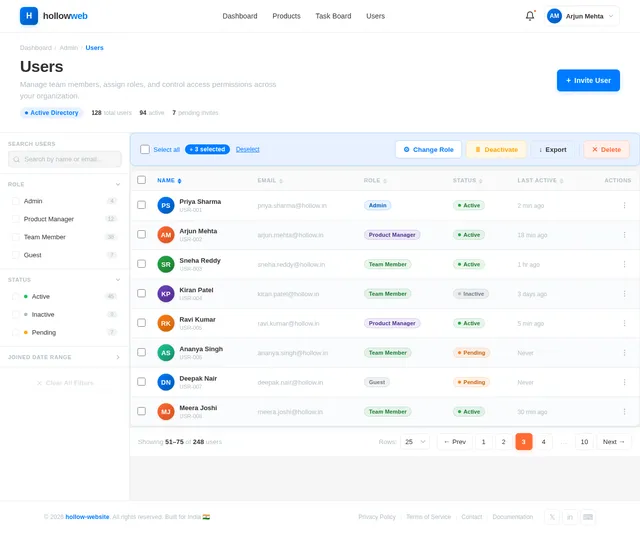
- As Admin I should be able to manage user roles and permissions.
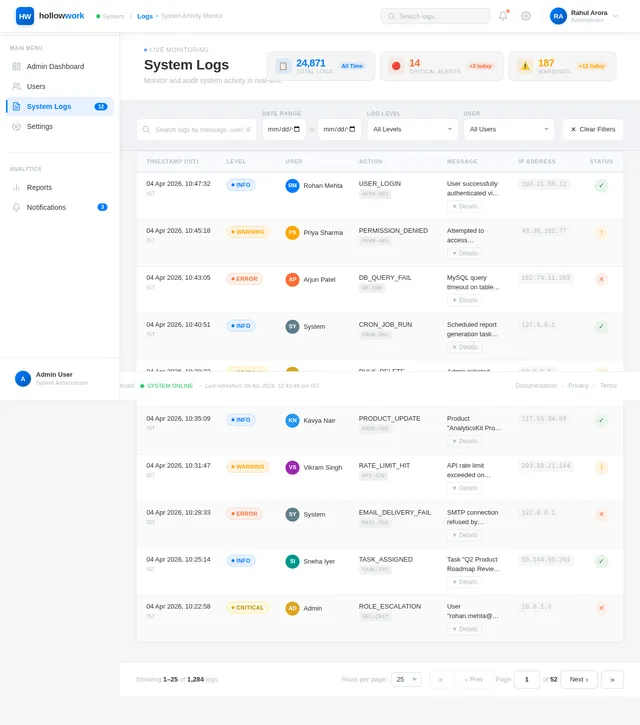
- As Admin I should be able to monitor system activity and logs.
- As Admin I should be able to configure system settings, including locale and currency.
As Guest:
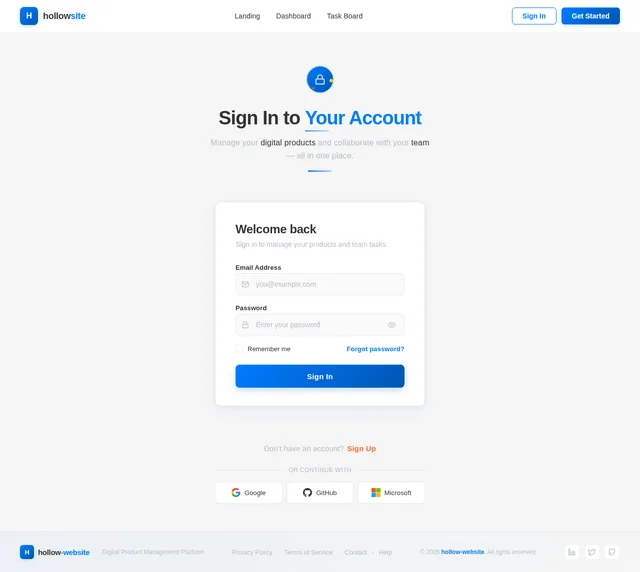
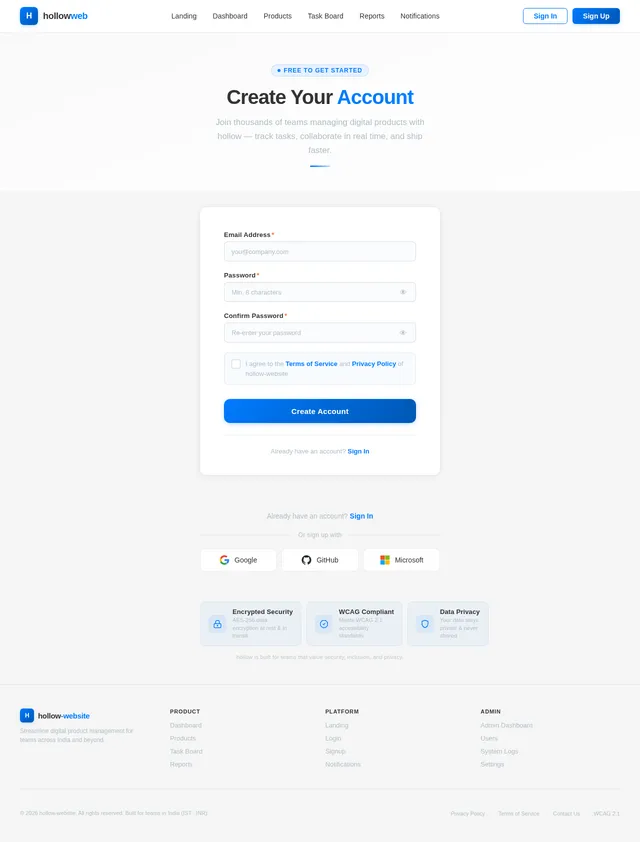
- As Guest I should be able to view public information about the platform.
- As Guest I should be able to register for an account.
4. User Personas
1. Product Manager
- Role: Oversees digital product development and management.
- Needs: Task assignment, progress tracking, analytics, and reporting tools.
2. Team Member
- Role: Executes tasks assigned by the product manager.
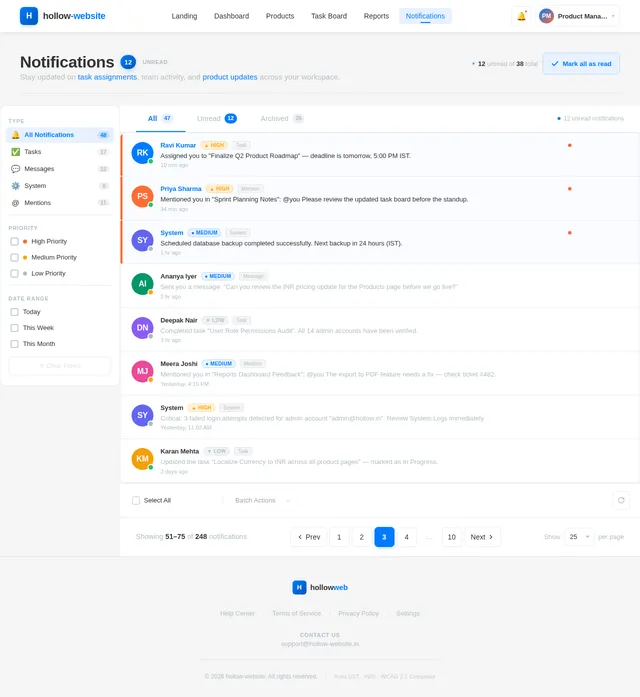
- Needs: Task boards, collaboration tools, and notifications.
3. Admin
- Role: Manages system settings, user roles, and permissions.
- Needs: Administrative dashboard, system logs, and configuration options.
4. Guest
- Role: Potential user exploring the platform.
- Needs: Access to public information and account registration.
5. Visuals Colors and Theme
Color Palette:
The hollow-website will feature a sleek, professional theme with a focus on productivity and clarity.
- Background:
#F5F5F5(Light Gray) - Surface:
#FFFFFF(White) - Text:
#333333(Dark Charcoal) - Accent:
#007BFF(Bright Blue) - Muted:
#B0BEC5(Soft Steel Gray)
This palette ensures readability and a modern aesthetic while promoting focus and engagement.
6. Signature Design Concept
Interactive Task Board with Dynamic Animations
The homepage will feature a live, interactive task board that visually represents ongoing projects. Users will see:
- Dynamic animations where tasks move between columns (e.g., "To Do," "In Progress," "Completed") as they are updated.
- Micro-interactions such as hover effects that reveal task details and progress bars.
- Real-time collaboration indicators, showing avatars of team members currently working on a task.
- A drag-and-drop interface for rearranging tasks intuitively.
The task board will be the centerpiece of the homepage, offering a vivid and engaging first impression. The background will subtly shift colors based on the time of day, creating a dynamic and immersive experience.
7. Non-Functional Requirements
- Performance: The system must load pages within 2 seconds under normal traffic conditions.
- Scalability: The system must support up to 10,000 concurrent users.
- Security: Implement secure authentication and encryption protocols to protect user data.
- Accessibility: Ensure compliance with WCAG 2.1 standards for accessibility.
- Localization: Support Indian timezone (IST) and currency (INR).
8. Tech Stack
Frontend:
- PHP for dynamic web development.
Backend:
- MySQL for relational database management.
AI Tools (Optional):
- GPT 5.4 for user-friendly responses.
Local Orchestration:
- Docker for containerization.
9. Assumptions and Constraints
Assumptions:
- Users will primarily access the website via desktop and mobile browsers.
- The platform will initially target users in India.
Constraints:
- The system must be built using PHP and MySQL as per the user's request.
- Budget and timeline constraints may limit advanced AI integrations.
10. Glossary
- Digital Product Management: The process of overseeing the lifecycle of digital products, including planning, development, and maintenance.
- Task Board: A visual tool for organizing and tracking tasks within a project.
- WCAG: Web Content Accessibility Guidelines, standards for making web content accessible to people with disabilities.
End of Document.

Manage Digital Products with Ease
Streamline workflows, track projects, and collaborate seamlessly — all in one powerful platform built for modern teams.
Your Projects, Visualized in Real Time
Watch tasks flow seamlessly across your workflow. Our interactive Kanban board keeps your team aligned with live updates, drag-and-drop simplicity, and real-time collaboration.
Everything You Need to Deliver
Powerful tools designed for product managers, teams, and admins to streamline every stage of your digital workflow.
Task Management
Create, assign, and track tasks with an intuitive drag-and-drop board. Organize work across teams with priorities, deadlines, and status updates.
Learn MoreReal-Time Collaboration
Work together seamlessly with live presence indicators, instant notifications, and shared workspaces that keep your entire team in sync.
Learn MoreAnalytics & Reports
Gain actionable insights with comprehensive dashboards. Track productivity metrics, project timelines, and team performance at a glance.
Learn MoreUser Role Management
Control access with granular role-based permissions. Assign admin, manager, or team member roles to ensure the right people see the right data.
Learn MoreSystem Logs & Monitoring
Stay informed with detailed activity logs and real-time system health monitoring. Quickly diagnose issues and maintain 99.9% uptime.
Learn MoreCustomizable Workflows
Tailor every workflow to match your process. Define custom stages, automation rules, and approval chains that adapt to how your team works.
Learn MoreExperience the Task Board
Interact with a live demo of our task board. Drag cards, hover for details, and see how effortless project management can be.
Interaction Guide
Try each interaction below. The active step highlights as you interact with the board.
- Hover to PreviewHover over any task card to reveal detailed status information.
- Drag & Drop TasksClick and drag tasks between columns to change their status.
- Track ProgressEach card shows assignees, priority, and a live progress bar.
No credit card required. Free forever for small teams.
Get Started in Four Simple Steps
From sign-up to full project visibility, hollow-website makes digital product management effortless.
Sign Up
Create your free account in seconds. No credit card required to get started with hollow-website.
Create Products
Set up your digital products and define workflows tailored to your team's needs.
Assign Tasks
Distribute tasks to team members with deadlines, priorities, and real-time collaboration.
Track Progress
Monitor every milestone with analytics dashboards and detailed progress reports.
Trusted by Teams Everywhere
See how product managers, team members, and admins use hollow-website to streamline their digital product workflows.
hollow-website transformed how we manage our digital products. The interactive task board gives me a real-time overview of every project, and the analytics help me make data-driven decisions effortlessly.
The drag-and-drop task board is incredibly intuitive. I can see exactly what I need to work on, collaborate with teammates in real-time, and track my progress without any confusion.
Managing user roles and monitoring system logs has never been easier. The admin dashboard gives me complete control, and the 99.9% uptime guarantee means I sleep well at night.
We onboarded our entire team of 50+ members in under a day. The workflow customization and reporting tools are exactly what we needed to scale our product operations across India.
Simple, Transparent Pricing
Choose the plan that fits your team. All plans include a 14-day free trial with no credit card required.
Starter
Perfect for freelancers and small teams getting started.
- Up to 3 digital products
- Basic task board with drag-and-drop
- 5 team members included
- Email notifications
- Standard analytics dashboard
Professional
Ideal for growing teams managing multiple products.
- Unlimited digital products
- Advanced task board with real-time collaboration
- 25 team members included
- Priority notifications & alerts
- Detailed analytics & custom reports
- Role-based access management
- IST timezone & INR locale support
Enterprise
Built for large organizations with advanced needs.
- Unlimited products & projects
- Full collaboration suite with live avatars
- Unlimited team members
- System logs & activity monitoring
- Custom workflow automation
- Dedicated admin dashboard
- Priority support & SLA guarantee
All prices in INR. Need a custom plan? Contact us for tailored enterprise solutions.
Ready to Transform Your Workflow?
Join thousands of product managers and teams who have boosted their productivity by up to 40%. Streamline task management, enhance collaboration, and deliver projects on time — every time.
Frequently Asked Questions
Everything you need to know about getting started and making the most of your workflow.
Getting started is simple. Sign up for a free account, create your first project, and invite your team members. Our onboarding wizard will guide you through setting up your first task board in under 5 minutes.
Absolutely. We use industry-standard AES-256 encryption for data at rest and TLS 1.3 for data in transit. Our infrastructure is hosted on SOC 2 compliant servers, and we perform regular security audits to ensure your information stays protected.
We guarantee 99.9% uptime across all plans. Our infrastructure is designed with redundancy and automatic failover to minimize any disruption. Real-time status updates are available on our status page.
Yes. You can create custom task board columns, define workflow stages, set automation rules, and configure notifications to match your team's unique processes. Our flexible system adapts to how you work, not the other way around.
Navigate to your project settings and select "Team Members." You can invite colleagues via email, assign roles such as Product Manager, Team Member, or Admin, and set granular permissions for each member.
Yes. Our RESTful API is available on the Professional and Enterprise plans. It allows you to integrate with your existing tools, automate workflows, and build custom integrations. Comprehensive API documentation is provided.
We support all major timezones worldwide with IST (Indian Standard Time) as the default for users in India. You can configure your preferred timezone in account settings, and all timestamps will adjust automatically across the platform.
Our platform is fully responsive and works seamlessly on all mobile browsers. A dedicated mobile experience lets you manage tasks, receive notifications, and collaborate with your team on the go from any device.
Still have questions?
Get in touch with our team →
No comments yet. Be the first!