heroic-ticket
 Shivakumar Shivakumar
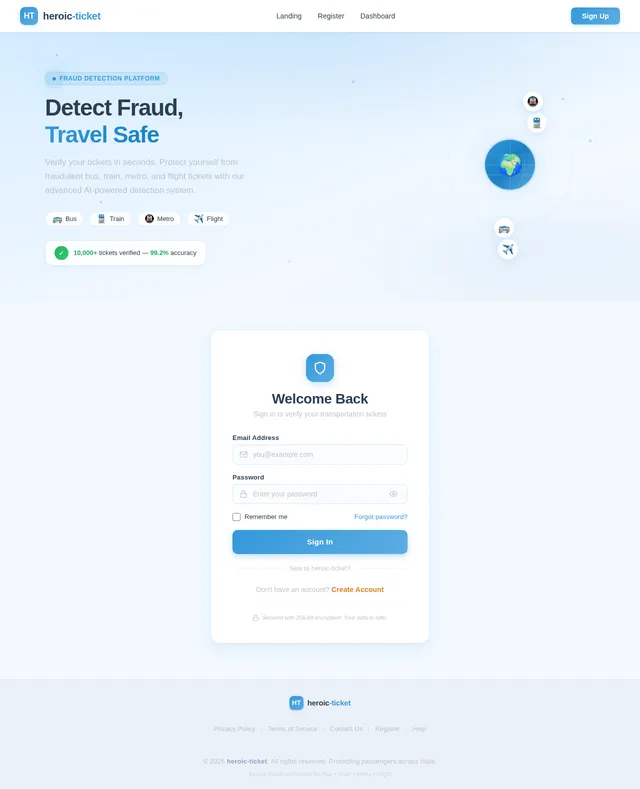
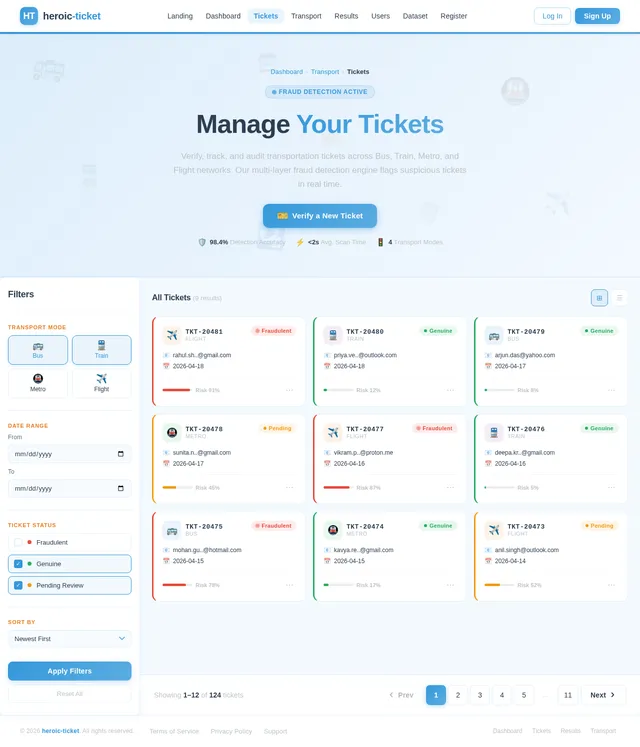
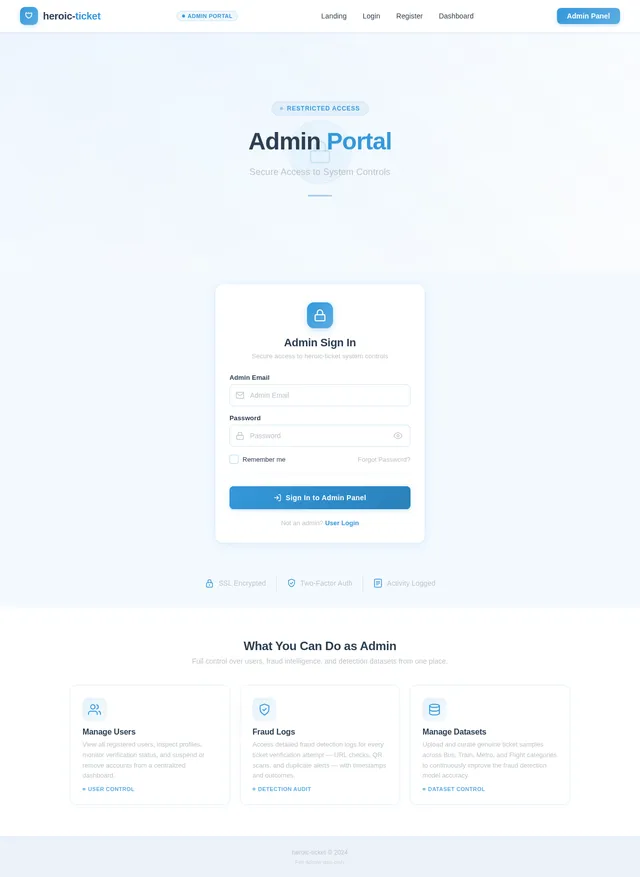
Create a full-stack web application project titled: "E-Ticket Fraud Detection System" The system should detect whether an uploaded or entered ticket is genuine or fraudulent. Project Requirements: 1. Welcome Page (Home Page) - Design an attractive welcome page with animations. - Include interactive UI elements using Bootstrap / CSS animations / JavaScript. - Add a "Get Started" button. - Include navigation buttons: - Register - Login - Add smooth transitions and hover effects. - Make the interface modern and responsive. 2. Authentication System Create two types of login: A. User Login - Users can register with: name email password - Secure login authentication required. B. Admin Login - Only one admin account exists. - Admin login should NOT appear publicly on UI. - Admin login accessible only through a hidden/admin route. Example: /admin-login 3. Transportation Selection Page After user login: Display transportation options: - Bus - Train - Metro - Flight Each option should be clickable cards with icons and animations. After selecting one option → redirect to Dashboard. 4. User Dashboard Dashboard should contain THREE fraud detection modules: Module 1: URL-Based Detection - User pastes ticket verification URL - System checks whether URL is genuine or suspicious - Display result: Genuine Ticket or Fraud Ticket Module 2: QR Code Detection - User uploads ticket QR code image - Extract QR data - Compare with stored dataset - Display result: Genuine Fraud Already Used Ticket Module 3: Ticket Details Entry + QR Generator - User enters ticket details: ticket ID passenger name source destination date transport type - System generates QR code from these details - Store QR data in database Then: If user uploads the SAME ticket again System should detect duplicate usage and display: "Fraud Detected – Ticket Already Used" 5. Fraud Detection Logic System should detect fraud using: - duplicate ticket ID detection - duplicate QR detection - suspicious URL pattern detection - dataset comparison validation 6. Admin Panel Admin can: - view all registered users - view uploaded tickets - view fraud detection logs - view duplicate ticket alerts - manage dataset (add genuine ticket samples) 7. Dataset Storage Store: ticket_id transport_type QR_data URL_data status: genuine used fraud Use database: SQLite or MySQL 8. Tech Stack Frontend: HTML CSS Bootstrap JavaScript animations Backend: Python Flask (preferred) Database: SQLite Libraries: qrcode opencv pyzbar pandas 9. UI Requirements Make UI: interactive animated responsive card-based layout dashboard styled sidebar navigation Add: hover effects icons smooth transitions 10. Output Generate complete working project with: folder structure backend code frontend templates database setup QR detection module URL detection module admin panel fraud detection logic

Comments (0)
Sign in to leave a comment
System Requirements
System Requirements Document (SRD)
Project Name: heroic-ticket
1. Introduction
The heroic-ticket project is a full-stack web application designed to detect fraudulent tickets in various transportation systems. The system enables users to verify the authenticity of tickets through multiple detection modules, including URL-based detection, QR code analysis, and manual ticket entry with QR code generation. It also provides an admin panel for managing users, tickets, and fraud detection logs.
This document outlines the functional and non-functional requirements, user personas, design concepts, and technical specifications for the project. The system is tailored for Shivakumar's needs, with scalability and extensibility in mind, including future API integration for automated dataset updates.
2. System Overview
The heroic-ticket system aims to provide a secure and user-friendly platform for detecting fraudulent tickets across multiple transportation modes, including buses, trains, metros, and flights. The system will feature:
- A modern, animated, and responsive user interface.
- Fraud detection modules leveraging URL analysis, QR code scanning, and manual ticket entry.
- An admin panel for managing users, tickets, and fraud detection datasets.
- Initial support for manual dataset uploads, with future extensibility for API integration.
The system will be developed using Python Flask for the backend and a combination of HTML, CSS, Bootstrap, and JavaScript for the frontend. The database will use MySQL for scalability and reliability.
3. Functional Requirements
As User:
- I should be able to register with my name, email, and password.
- I should be able to log in securely.
- I should be able to select a transportation mode (Bus, Train, Metro, Flight) after logging in.
- I should be able to verify tickets using:
- URL-based detection.
- QR code scanning.
- Manual ticket details entry with QR code generation.
- I should be notified if a ticket is fraudulent, genuine, or already used.
As Admin:
- I should be able to log in through a hidden route (/admin-login).
- I should be able to view all registered users.
- I should be able to view uploaded tickets and fraud detection logs.
- I should be able to view duplicate ticket alerts.
- I should be able to manage the fraud detection dataset by adding genuine ticket samples manually.
4. User Personas
1. Regular User
- Description: A passenger who wants to verify the authenticity of their transportation tickets.
- Goals: Ensure their ticket is genuine and avoid fraud.
- Actions: Register, log in, select transportation mode, and use fraud detection modules.
2. Admin
- Description: A system administrator responsible for managing users, tickets, and fraud detection datasets.
- Goals: Maintain the integrity of the system and ensure accurate fraud detection.
- Actions: Log in through a hidden route, view logs, manage datasets, and monitor system activity.
5. Visuals Colors and Theme
The heroic-ticket project will feature a unique and modern color palette to create a professional and engaging user experience.
Color Palette:
- Background: #F4F9FF (Soft Sky Blue)
- Surface: #FFFFFF (Pure White)
- Text: #2C3E50 (Dark Slate)
- Accent: #3498DB (Vivid Blue)
- Muted Tones: #BDC3C7 (Light Gray)
This palette ensures readability, visual appeal, and a clean, professional look.
6. Signature Design Concept
The heroic-ticket homepage will feature an interactive 3D transportation hub.
Key Features:
- 3D Animation: The homepage will display a rotating globe with animated transportation icons (bus, train, metro, flight) orbiting around it.
- Interactive Elements: Users can click on the icons to select their transportation mode, triggering smooth transitions to the dashboard.
- Dynamic Background: The background will feature a gradient animation that shifts between shades of blue and white, evoking a sense of motion and travel.
- Micro-Interactions: Hovering over icons will trigger subtle animations, such as enlarging the icon or displaying a tooltip.
- Get Started Button: A prominent, animated "Get Started" button will pulse gently to draw user attention.
This design will create a memorable first impression and set the tone for the rest of the application.
7. Non-Functional Requirements
- Performance: The system should handle up to 1,000 concurrent users without performance degradation.
- Scalability: The architecture should support future API integrations for automated dataset updates.
- Security: Implement secure authentication and data encryption to protect user information.
- Responsiveness: The UI should be fully responsive across devices, including desktops, tablets, and smartphones.
- Maintainability: The codebase should follow best practices for readability and modularity.
8. Tech Stack
Frontend:
- React for Web
Backend:
- Python
- FastAPI
Database:
- MySQL (with Alembic for migrations)
AI Models:
- GPT 5.4 for user-friendly responses
AI Tools:
- Langchain
- Litellm for LLM Routing
Orchestration:
- Docker
- Kubernetes
9. Assumptions and Constraints
Assumptions:
- Users will have access to a stable internet connection.
- Admins will manually upload genuine ticket datasets initially.
- The system will primarily serve users in India (IN), with locale-specific defaults such as IST timezone and INR currency.
Constraints:
- API integration for ticket datasets is not available at launch and will be added in future updates.
- The admin panel will be accessible only through a hidden route for security purposes.
10. Glossary
- Fraudulent Ticket: A ticket that is either fake, duplicated, or already used.
- QR Code: A machine-readable code containing ticket details.
- Dataset: A collection of genuine ticket samples used for fraud detection.
- Admin Panel: A secure interface for managing users, tickets, and fraud detection logs.
- API Integration: Connecting to external services to fetch genuine ticket datasets automatically.

Verify. Secure.
Travel.
Advanced AI-powered fraud detection for transportation tickets. Instantly verify authenticity across buses, trains, metros, and flights with URL analysis, QR scanning, and smart validation.
Select Your Transport Mode
Choose a transportation type to begin verifying your tickets. Our system supports all major transit networks.
Verify intercity and local bus tickets instantly. Detect duplicates, expired passes, and counterfeit printouts across all major operators.
Authenticate railway tickets and e-passes with advanced QR code analysis. Supports national and regional rail networks for seamless verification.
Scan and validate metro transit cards and digital tokens. Real-time fraud detection for contactless passes and single-journey tickets.
Validate airline boarding passes and e-tickets using URL and barcode analysis. Detect forged itineraries and tampered booking confirmations.
Powerful Fraud Detection Methods
Three intelligent verification modules work together to protect passengers from counterfeit and fraudulent transportation tickets.
URL-Based Detection
Instantly analyze ticket URLs to identify fraudulent patterns, phishing attempts, and suspicious domains across all transportation providers.
Automated AnalysisQR Code Scanning
Scan and decode QR codes on physical or digital tickets to verify authenticity against our comprehensive fraud detection database.
Real-Time ScanManual Entry & Generation
Enter ticket details manually for verification or generate secure QR codes for validated tickets, ensuring complete fraud protection.
Flexible InputVerify Your Ticket in 4 Simple Steps
From registration to real-time fraud detection, our streamlined process keeps your journey safe and secure.
Register & Log In
Create your secure account with name, email, and password, then log in to access the verification platform.
Select Transport Mode
Choose your transportation type — Bus, Train, Metro, or Flight — to tailor the fraud detection process.
Choose Detection Method
Verify via URL analysis, QR code scanning, or manual ticket entry with automatic QR generation.
View Fraud Status
Instantly see if your ticket is genuine, fraudulent, or previously used with a clear status report.
Why Trust heroic-ticket?
Every verification is backed by industry-leading security, speed, and reliability you can count on.
Secure
End-to-end encryption protects your ticket data and personal information at every step.
Fast
Instant fraud detection results powered by optimized scanning algorithms in under a second.
Reliable
Trusted verification across bus, train, metro, and flight tickets with consistent accuracy.
Scalable
Built to handle growing volumes of ticket verifications as your needs expand over time.
Trusted by Travelers Everywhere
See how heroic-ticket helps passengers verify their tickets and travel with confidence.
heroic-ticket saved me from using a counterfeit metro pass I unknowingly purchased online. The QR code scanner flagged it instantly — I got a refund before even reaching the station.
Security First
Your Tickets Are Protected
heroic-ticket is built with security at its core. Every verification request, every scan, and every piece of data is safeguarded by industry-standard security protocols.
End-to-End Encryption
All ticket verification data is encrypted using AES-256 during transit and at rest, ensuring your information never travels unprotected.
Secure Authentication
Multi-layer authentication with session management protects your account from unauthorized access and credential theft.
Data Protection & Privacy
Your personal data and ticket records are stored securely with strict access controls. We never share your information with third parties.
Ready to Verify Your Tickets?
Join thousands of travelers who trust heroic-ticket to detect fraudulent tickets across buses, trains, metros, and flights. Start protecting yourself in seconds.
Frequently Asked Questions
Everything you need to know about verifying your tickets with heroic-ticket.
Our system uses multiple detection modules including URL-based analysis, QR code scanning, and manual ticket entry verification. Each ticket is compared against a verified dataset of genuine tickets using advanced pattern matching and anomaly detection algorithms to determine if a ticket is authentic, fraudulent, or has already been used.
Absolutely. We implement industry-standard encryption for all data in transit and at rest. User authentication is handled through secure protocols, and all sensitive information is protected with robust data encryption. We never share your personal data with third parties.
heroic-ticket currently supports four major transportation modes: Bus, Train, Metro, and Flight. After logging in, you can select your transportation mode and use any of our fraud detection modules tailored for that specific ticket type.
Our detection system is continuously improved with verified genuine ticket samples added to the dataset by administrators. The accuracy depends on the comprehensiveness of the dataset for each transportation mode. As more genuine samples are added, the system becomes increasingly reliable at identifying fraudulent tickets.
Yes. You can use our QR code scanning module to scan the QR code on your ticket directly through your device camera. The system will analyze the embedded data and cross-reference it against our database to determine authenticity. You can also manually enter ticket details to generate and verify a QR code.
URL-based detection analyzes the web address associated with a digital ticket or booking confirmation. It checks for known patterns of fraudulent URLs, domain spoofing, and phishing attempts that are commonly used to distribute fake tickets. This helps you verify tickets received via email or messaging apps.
Yes, registration is required to access the fraud detection modules. You can quickly create an account with your name, email, and a secure password. This ensures that your verification history is saved and helps us maintain the security and integrity of the platform.
If a ticket is flagged as fraudulent or already used, you will receive a clear notification with the detection result. We recommend contacting the original ticket vendor or the relevant transportation authority. The detection log is stored securely so you can reference it when filing a complaint or dispute.
Still have questions? We are happy to help.
Get in Touch
No comments yet. Be the first!