heroic-ticket
 Shivakumar Shivakumar
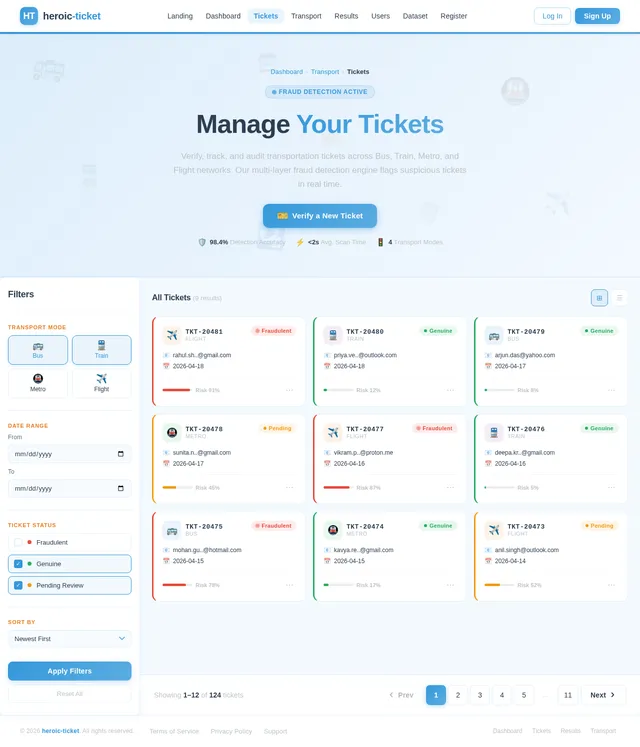
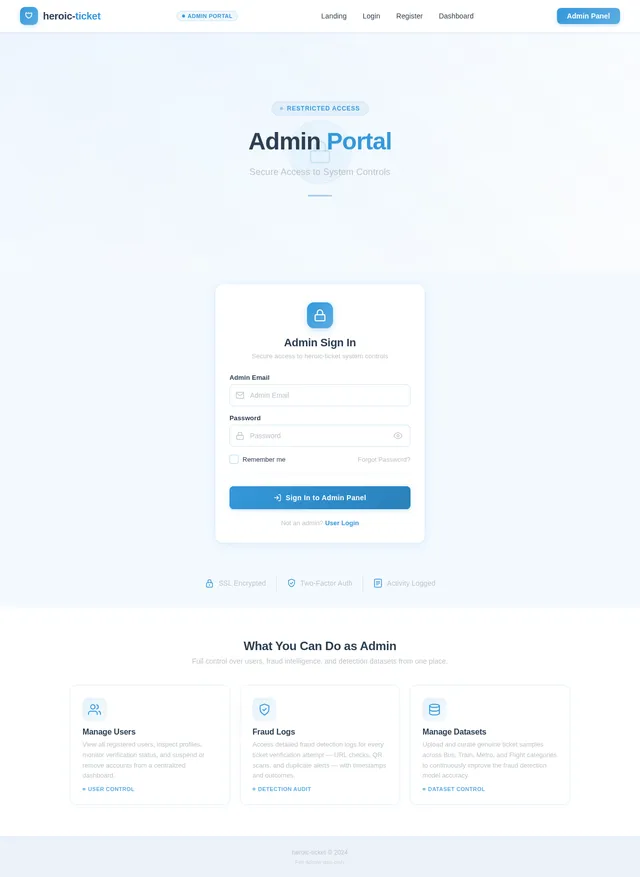
Create a full-stack web application project titled: "E-Ticket Fraud Detection System" The system should detect whether an uploaded or entered ticket is genuine or fraudulent. Project Requirements: 1. Welcome Page (Home Page) - Design an attractive welcome page with animations. - Include interactive UI elements using Bootstrap / CSS animations / JavaScript. - Add a "Get Started" button. - Include navigation buttons: - Register - Login - Add smooth transitions and hover effects. - Make the interface modern and responsive. 2. Authentication System Create two types of login: A. User Login - Users can register with: name email password - Secure login authentication required. B. Admin Login - Only one admin account exists. - Admin login should NOT appear publicly on UI. - Admin login accessible only through a hidden/admin route. Example: /admin-login 3. Transportation Selection Page After user login: Display transportation options: - Bus - Train - Metro - Flight Each option should be clickable cards with icons and animations. After selecting one option → redirect to Dashboard. 4. User Dashboard Dashboard should contain THREE fraud detection modules: Module 1: URL-Based Detection - User pastes ticket verification URL - System checks whether URL is genuine or suspicious - Display result: Genuine Ticket or Fraud Ticket Module 2: QR Code Detection - User uploads ticket QR code image - Extract QR data - Compare with stored dataset - Display result: Genuine Fraud Already Used Ticket Module 3: Ticket Details Entry + QR Generator - User enters ticket details: ticket ID passenger name source destination date transport type - System generates QR code from these details - Store QR data in database Then: If user uploads the SAME ticket again System should detect duplicate usage and display: "Fraud Detected – Ticket Already Used" 5. Fraud Detection Logic System should detect fraud using: - duplicate ticket ID detection - duplicate QR detection - suspicious URL pattern detection - dataset comparison validation 6. Admin Panel Admin can: - view all registered users - view uploaded tickets - view fraud detection logs - view duplicate ticket alerts - manage dataset (add genuine ticket samples) 7. Dataset Storage Store: ticket_id transport_type QR_data URL_data status: genuine used fraud Use database: SQLite or MySQL 8. Tech Stack Frontend: HTML CSS Bootstrap JavaScript animations Backend: Python Flask (preferred) Database: SQLite Libraries: qrcode opencv pyzbar pandas 9. UI Requirements Make UI: interactive animated responsive card-based layout dashboard styled sidebar navigation Add: hover effects icons smooth transitions 10. Output Generate complete working project with: folder structure backend code frontend templates database setup QR detection module URL detection module admin panel fraud detection logic


Comments (0)
Sign in to leave a comment

Verify. Secure.
Travel.
Advanced AI-powered fraud detection for transportation tickets. Instantly verify authenticity across buses, trains, metros, and flights with URL analysis, QR scanning, and smart validation.
Select Your Transport Mode
Choose a transportation type to begin verifying your tickets. Our system supports all major transit networks.
Verify intercity and local bus tickets instantly. Detect duplicates, expired passes, and counterfeit printouts across all major operators.
Authenticate railway tickets and e-passes with advanced QR code analysis. Supports national and regional rail networks for seamless verification.
Scan and validate metro transit cards and digital tokens. Real-time fraud detection for contactless passes and single-journey tickets.
Validate airline boarding passes and e-tickets using URL and barcode analysis. Detect forged itineraries and tampered booking confirmations.
Powerful Fraud Detection Methods
Three intelligent verification modules work together to protect passengers from counterfeit and fraudulent transportation tickets.
URL-Based Detection
Instantly analyze ticket URLs to identify fraudulent patterns, phishing attempts, and suspicious domains across all transportation providers.
Automated AnalysisQR Code Scanning
Scan and decode QR codes on physical or digital tickets to verify authenticity against our comprehensive fraud detection database.
Real-Time ScanManual Entry & Generation
Enter ticket details manually for verification or generate secure QR codes for validated tickets, ensuring complete fraud protection.
Flexible InputVerify Your Ticket in 4 Simple Steps
From registration to real-time fraud detection, our streamlined process keeps your journey safe and secure.
Register & Log In
Create your secure account with name, email, and password, then log in to access the verification platform.
Select Transport Mode
Choose your transportation type — Bus, Train, Metro, or Flight — to tailor the fraud detection process.
Choose Detection Method
Verify via URL analysis, QR code scanning, or manual ticket entry with automatic QR generation.
View Fraud Status
Instantly see if your ticket is genuine, fraudulent, or previously used with a clear status report.
Why Trust heroic-ticket?
Every verification is backed by industry-leading security, speed, and reliability you can count on.
Secure
End-to-end encryption protects your ticket data and personal information at every step.
Fast
Instant fraud detection results powered by optimized scanning algorithms in under a second.
Reliable
Trusted verification across bus, train, metro, and flight tickets with consistent accuracy.
Scalable
Built to handle growing volumes of ticket verifications as your needs expand over time.
Trusted by Travelers Everywhere
See how heroic-ticket helps passengers verify their tickets and travel with confidence.
heroic-ticket saved me from using a counterfeit metro pass I unknowingly purchased online. The QR code scanner flagged it instantly — I got a refund before even reaching the station.
As a travel coordinator booking dozens of flight tickets monthly, the URL-based detection module has become indispensable. It caught three fraudulent booking confirmations in our first week of use.
The manual entry verification gave me peace of mind when I bought discounted train tickets from a third-party seller. Quick, accurate, and incredibly easy to use — I recommend it to every traveler.
Security First
Your Tickets Are Protected
heroic-ticket is built with security at its core. Every verification request, every scan, and every piece of data is safeguarded by industry-standard security protocols.
End-to-End Encryption
All ticket verification data is encrypted using AES-256 during transit and at rest, ensuring your information never travels unprotected.
Secure Authentication
Multi-layer authentication with session management protects your account from unauthorized access and credential theft.
Data Protection & Privacy
Your personal data and ticket records are stored securely with strict access controls. We never share your information with third parties.
Ready to Verify Your Tickets?
Join thousands of travelers who trust heroic-ticket to detect fraudulent tickets across buses, trains, metros, and flights. Start protecting yourself in seconds.
Frequently Asked Questions
Everything you need to know about verifying your tickets with heroic-ticket.
Our system uses multiple detection modules including URL-based analysis, QR code scanning, and manual ticket entry verification. Each ticket is compared against a verified dataset of genuine tickets using advanced pattern matching and anomaly detection algorithms to determine if a ticket is authentic, fraudulent, or has already been used.
Absolutely. We implement industry-standard encryption for all data in transit and at rest. User authentication is handled through secure protocols, and all sensitive information is protected with robust data encryption. We never share your personal data with third parties.
heroic-ticket currently supports four major transportation modes: Bus, Train, Metro, and Flight. After logging in, you can select your transportation mode and use any of our fraud detection modules tailored for that specific ticket type.
Our detection system is continuously improved with verified genuine ticket samples added to the dataset by administrators. The accuracy depends on the comprehensiveness of the dataset for each transportation mode. As more genuine samples are added, the system becomes increasingly reliable at identifying fraudulent tickets.
Yes. You can use our QR code scanning module to scan the QR code on your ticket directly through your device camera. The system will analyze the embedded data and cross-reference it against our database to determine authenticity. You can also manually enter ticket details to generate and verify a QR code.
URL-based detection analyzes the web address associated with a digital ticket or booking confirmation. It checks for known patterns of fraudulent URLs, domain spoofing, and phishing attempts that are commonly used to distribute fake tickets. This helps you verify tickets received via email or messaging apps.
Yes, registration is required to access the fraud detection modules. You can quickly create an account with your name, email, and a secure password. This ensures that your verification history is saved and helps us maintain the security and integrity of the platform.
If a ticket is flagged as fraudulent or already used, you will receive a clear notification with the detection result. We recommend contacting the original ticket vendor or the relevant transportation authority. The detection log is stored securely so you can reference it when filing a complaint or dispute.
Still have questions? We are happy to help.
Get in Touch
No comments yet. Be the first!