heroic-clone
 Tarun Sahu
https://aspirephotography.in/ clone website same

Comments (0)
Sign in to leave a comment
System Requirements
System Requirements Document (SRD)
Project Name: heroic-clone
1. Introduction
The heroic-clone project is a web-based platform designed to replicate the functionality and aesthetic of the Aspire Photography website (https://aspirephotography.in/). The primary goal of this project is to create a visually engaging and user-friendly website that showcases photography portfolios, enables seamless booking of photography sessions, and provides an intuitive way for clients to interact with the photographer.
This document outlines the system requirements for heroic-clone, tailored to meet the needs of Tarun Sahu, based in India. The platform will incorporate locale-specific defaults, such as Indian Standard Time (IST), INR currency, and culturally relevant design elements.
2. System Overview
The heroic-clone platform will serve as a professional photography website with the following core functionalities:
- Showcase of photography portfolios categorized by themes or events.
- A booking system for clients to schedule photography sessions.
- A contact form for inquiries and communication.
- Integration with social media platforms for better engagement.
- A responsive design to ensure compatibility across devices (desktop, tablet, and mobile).
The system will be developed using modern web technologies, ensuring scalability, performance, and ease of maintenance.
3. Functional Requirements
Portfolio Showcase
- As a User, I should be able to view categorized photography portfolios (e.g., weddings, portraits, landscapes).
- As a User, I should be able to view high-quality images in a gallery format with zoom functionality.
Booking System
- As a User, I should be able to book a photography session by selecting a date and time.
- As a User, I should be able to view available slots for booking.
- As an Admin, I should be able to manage bookings and update availability.
Contact and Engagement
- As a User, I should be able to fill out a contact form to send inquiries.
- As a User, I should be able to access links to social media platforms.
Additional Features
- As an Admin, I should be able to upload and manage portfolio images.
- As an Admin, I should be able to view and respond to inquiries from the contact form.
4. User Personas
1. Admin
- Role: Photographer or website owner.
- Responsibilities: Managing portfolio content, handling bookings, and responding to inquiries.
2. User
- Role: Potential clients or visitors.
- Responsibilities: Viewing portfolios, booking sessions, and contacting the photographer.
5. Visuals Colors and Theme
The heroic-clone project will adopt a unique and professional color palette inspired by photography aesthetics.
- Background: #F8F9FA (soft light gray for a clean and modern look).
- Surface: #FFFFFF (pure white for content areas).
- Text: #333333 (dark gray for readability).
- Accent: #FF6F61 (warm coral for buttons and highlights).
- Muted Tones: #B0BEC5 (soft blue-gray for secondary elements).
This palette ensures a balance of elegance and vibrancy, aligning with the artistic nature of photography.
6. Signature Design Concept
The homepage of heroic-clone will feature an Interactive Photo Mosaic.
Concept Details:
- The homepage will display a dynamic grid of images from the portfolio, arranged in a mosaic layout.
- On hover, each image will subtly zoom in and display a short caption (e.g., "Wedding Moments" or "Portraits").
- Clicking on an image will open a full-screen lightbox view with additional details about the category.
- The mosaic will have a parallax scrolling effect, creating a sense of depth as users scroll down.
- A subtle animation will transition between images in the mosaic every few seconds, keeping the homepage visually engaging.
This design will immediately captivate visitors and encourage them to explore the portfolio further.
7. Non-Functional Requirements
- The website should load within 3 seconds on a standard 4G connection.
- The platform should be responsive and compatible with major browsers (Chrome, Firefox, Safari, Edge).
- Data security measures should be implemented to protect user information.
- The system should support high-resolution images without compromising performance.
8. Tech Stack
Frontend
- React for Web
Backend
- Python
- FastAPI
Database
- MySQL (with Alembic for migrations)
AI Tools
- GPT 5.4 for user-friendly responses.
Local Orchestration
- Docker
- docker-compose
Server-Side Orchestration
- Kubernetes
9. Assumptions and Constraints
- The platform will primarily target users in India, so all dates, times, and currencies will default to IST and INR.
- High-quality images will be optimized for web use to balance quality and performance.
- The booking system will not include payment integration in the initial phase but can be added later.
10. Glossary
- Portfolio: A collection of photography work categorized by themes or events.
- Lightbox: A feature that displays images in an overlay on the current page.
- Parallax Scrolling: A design effect where background elements move slower than foreground elements, creating a 3D effect.
- Responsive Design: A design approach that ensures the website works well on devices of all sizes.

Capture Your Moments
Professional photography for every occasion. From weddings to portraits, we bring your vision to life with artistry and precision.
Explore Our Portfolio
A curated mosaic of our finest photography across weddings, portraits, and more


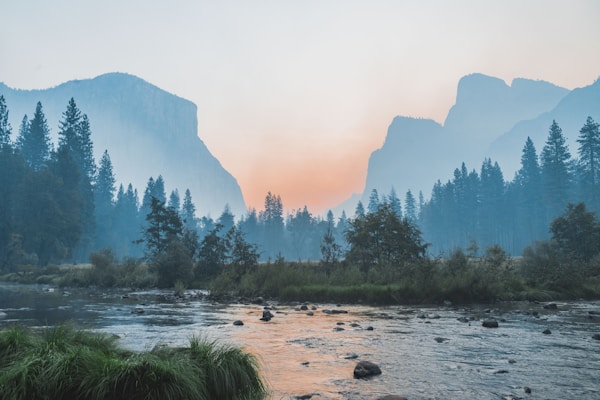


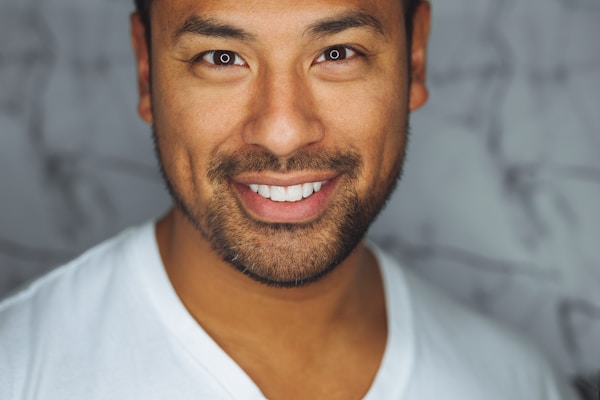


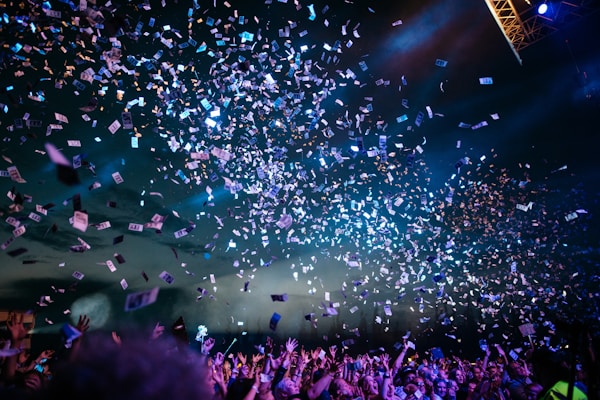



Explore the Portfolio
Browse through our curated collections spanning weddings, portraits, landscapes, and events — each telling a unique story through the lens.
 120+ Photos
 80+ Photos
 60+ Photos
 90+ Photos
Ready to Book Your Session?
Choose your preferred date, select a photography package that fits your vision, and we will handle the rest. From weddings to portraits, every moment deserves to be captured beautifully.
What Our Clients Say
Every session is a story. Here is what our clients have to share about their experience working with us.
Tarun captured every precious moment of our wedding beautifully. From the candid shots during the ceremony to the stunning couple portraits, each photograph tells a story. We could not have asked for a more talented and professional photographer.
Priya Sharma
Wedding Client
We hired Tarun for our annual company gala, and the results exceeded all expectations. He has an incredible eye for detail and managed to capture the energy of the entire evening. The turnaround time was impressive too.
Rahul Mehta
Corporate Event
My family portrait session was such a wonderful experience. Tarun made everyone feel comfortable and natural in front of the camera. The final photos are absolutely gorgeous and now hang proudly in our living room.
Ananya Desai
Portrait Session
Book Your Session in 4 Simple Steps
From browsing our portfolio to receiving your stunning photos, we have made the entire process seamless and effortless.
Browse Portfolios
Explore our curated collections of wedding, portrait, landscape, and event photography to find your perfect style.
Select Date & Time
Choose a convenient date and time slot from our real-time availability calendar that suits your schedule.
Confirm Booking
Review your session details, select your preferred package, and confirm your booking with a secure payment.
Receive Photos
Get professionally edited, high-resolution photos delivered to your private gallery within 5-7 business days.
Get in Touch
Have a question or ready to book your session? We would love to hear from you.
Studio Address
Bhopal, Madhya Pradesh, India
Phone
Working Hours
Mon - Sat: 9:00 AM - 7:00 PM IST
Send Us a Message
Follow for daily inspiration
No comments yet. Be the first!