happy-public
 Joseph Oohy
PUBLIC AWARENESS a.i bot to

Comments (0)
Sign in to leave a comment
System Requirements
System Requirements Document for happy-public
1. Introduction
The "happy-public" project aims to develop a public-awareness AI bot experience. This AI bot is designed to be accessible to the general public, providing information and assistance to enhance public awareness. The primary audience includes any public user seeking awareness-oriented information or assistance through an engaging and user-friendly interface.
2. System Overview
The happy-public project delivers a public-facing AI bot that facilitates awareness and information dissemination. The system is designed to be accessible to anonymous users, allowing them to engage with the bot without requiring an account or identity verification. The project includes two main pages: a Landing page for initial interaction and an Awareness Chat page for engaging with the AI bot.
2a. Product Interpretation and Delivery Boundary
The system is designed to be public-facing, with no identity verification required for access. The Landing page serves as the entry point, explaining the AI bot's purpose and encouraging user interaction. The Awareness Chat page provides a focused space for users to interact with the bot and receive information or assistance. The system does not include account management or personalized user data storage, maintaining a focus on public accessibility and anonymity.
2b. Source Content Inventory
Not applicable as no content source directive was provided.
2c. Page Content and Component Coverage
Landing
- Purpose: Introduce the AI bot, its purpose, and how it can assist users.
- Components:
- Introduction Section: Overview of the AI bot and its capabilities.
- Audience Explanation: Description of the intended audience and benefits.
- Call to Action: Encouragement to engage with the bot.
- Navigation: Clear path to the Awareness Chat page.
- Design Elements: Use of warm colors, large type, and friendly illustrations.
Awareness Chat
- Purpose: Provide a space for users to interact with the AI bot.
- Components:
- Chat Interface: Area for users to type inquiries and receive responses.
- Bot Responses: Awareness-oriented information or assistance provided by the bot.
- User Input Field: Text box for user questions or topics.
- Response Display: Area where bot responses are shown.
- Design Elements: Chunky rounded cards, bright color blocks, and playful animations.
3. Functional Requirements
- As a Public Awareness User, I should be able to access the Landing page anonymously to learn about the AI bot and its purpose. (Provenance: explicit)
- As a Public Awareness User, I should be able to navigate from the Landing page to the Awareness Chat page to engage with the AI bot. (Provenance: required_inference)
- As a Public Awareness User, I should be able to type inquiries into the Awareness Chat and receive awareness-oriented responses from the AI bot. (Provenance: required_inference)
4. User Personas
Public Awareness User
- Context: Engages with the AI bot to gain awareness-oriented information or assistance.
- Primary Goal: To receive information or assistance that enhances understanding or awareness.
- Responsibilities: Initiating interaction with the AI bot, interpreting responses, and applying information received.
- Interactions: Engages with the bot through the Awareness Chat page, starting from the Landing page.
- Success: Achieves a better understanding or awareness of the topic inquired about.
5. Core User Flows
5.1 Accessing the AI Bot
- Start: User lands on the Landing page.
- Action: User reads about the AI bot and its purpose.
- Result: User understands the potential benefits of interacting with the bot.
- Next Step: User clicks on the call-to-action button to proceed to the Awareness Chat page.
5.2 Engaging with the AI Bot
- Start: User arrives at the Awareness Chat page.
- Action: User types an inquiry into the chat interface.
- Result: AI bot processes the inquiry and provides a response.
- Next Step: User reads the response and may choose to ask further questions or end the session.
6. Visuals Colors and Theme
- Muse: Haraldur Thorleifsson
- Palette:
- Background: #FFFFFF
- Surface: #FFFAF0
- Text: #202020
- Primary: #FF5733
- Accent: #FFC300
- Muted: #F0E68C
- Typography:
- Headings: Sora — Bold, very large, tight tracking, all-caps
- Body: Nunito
- Scale: 1.35 modular, 64/48/32/24/18
- Shape Language: Chunky rounded cards and generous radii
- Layout: Color-blocked sections with large, inviting buttons
7. Signature Design Concept
The Landing page features a full-bleed hero section with oversized friendly type against a warm, inviting background. Bright color blocks dominate the design, with custom character illustrations leading the visual narrative. The page uses rounded, pill-shaped buttons to encourage interaction and playful hover animations to delight and inform users.
8. Interaction Model & Motion Direction
- Interaction Model: Animated
- Motion Tempo: Expressive
- Hero Dimensionality: Layered_2d
- Landing Hero Motion Brief: The hero section features a large, friendly character illustration that animates into view with a lively entrance animation. As users hover over elements, playful pops and transitions guide their attention and encourage interaction. In reduced-motion mode, animations are simplified to ensure accessibility.
9. Non-Functional Requirements
- The system must be accessible to users without requiring identity verification or account creation. (Provenance: explicit)
- The interface should be responsive and accessible, ensuring usability across devices and for users with disabilities. (Provenance: required_inference)
10. Tech Stack
- Frontend: React
- Backend: Python/FastAPI
- Deployment: Docker/docker-compose
- Storage: Appropriate storage solutions for session management and bot responses
11. Assumptions and Constraints
- The AI bot is designed for public access and does not store personal user data.
- The system will not include account management or personalized user data storage.
- The design must adhere to the specified palette, fonts, and layout to maintain consistency with the creative direction.
12. Glossary
- AI Bot: An artificial intelligence system designed to provide information and assistance to users.
- Public Awareness User: Any member of the public who interacts with the AI bot to gain information or assistance.
- Landing Page: The initial page where users learn about the AI bot and its purpose.
- Awareness Chat Page: The page where users interact with the AI bot to receive responses to their inquiries.
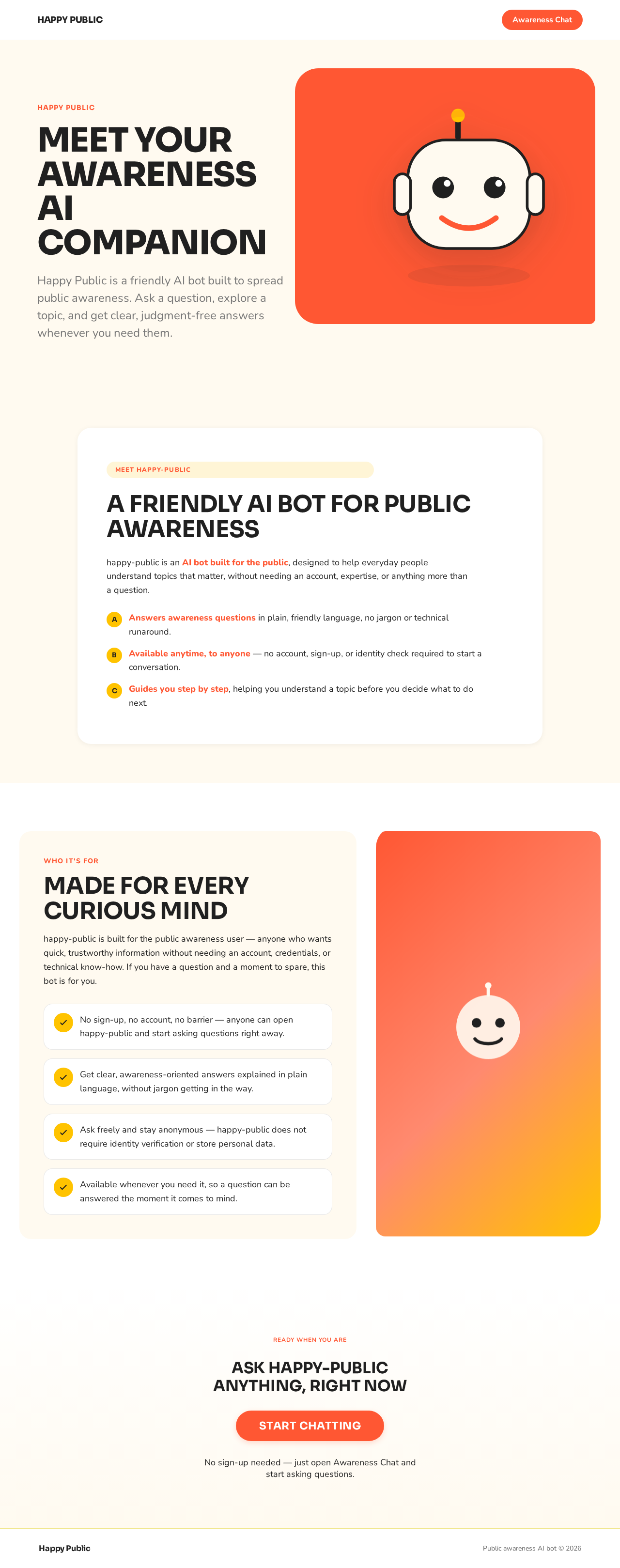
Happy Public
MEET YOURAWARENESSAI COMPANION
Happy Public is a friendly AI bot built to spread public awareness. Ask a question, explore a topic, and get clear, judgment-free answers whenever you need them.
A FRIENDLY AI BOT FOR PUBLIC AWARENESS
happy-public is an AI bot built for the public, designed to help everyday people understand topics that matter, without needing an account, expertise, or anything more than a question.
- Answers awareness questions in plain, friendly language, no jargon or technical runaround.
- Available anytime, to anyone — no account, sign-up, or identity check required to start a conversation.
- Guides you step by step, helping you understand a topic before you decide what to do next.
MADE FOR EVERY CURIOUS MIND
happy-public is built for the public awareness user — anyone who wants quick, trustworthy information without needing an account, credentials, or technical know-how. If you have a question and a moment to spare, this bot is for you.
- No sign-up, no account, no barrier — anyone can open happy-public and start asking questions right away.
- Get clear, awareness-oriented answers explained in plain language, without jargon getting in the way.
- Ask freely and stay anonymous — happy-public does not require identity verification or store personal data.
- Available whenever you need it, so a question can be answered the moment it comes to mind.
Ready when you are
Ask happy-public anything, right now
No sign-up needed — just open Awareness Chat and start asking questions.
Happy Public
MEET YOURAWARENESSAI COMPANION
Happy Public is a friendly AI bot built to spread public awareness. Ask a question, explore a topic, and get clear, judgment-free answers whenever you need them.
A FRIENDLY AI BOT FOR PUBLIC AWARENESS
happy-public is an AI bot built for the public, designed to help everyday people understand topics that matter, without needing an account, expertise, or anything more than a question.
- Answers awareness questions in plain, friendly language, no jargon or technical runaround.
- Available anytime, to anyone — no account, sign-up, or identity check required to start a conversation.
- Guides you step by step, helping you understand a topic before you decide what to do next.
MADE FOR EVERY CURIOUS MIND
happy-public is built for the public awareness user — anyone who wants quick, trustworthy information without needing an account, credentials, or technical know-how. If you have a question and a moment to spare, this bot is for you.
- No sign-up, no account, no barrier — anyone can open happy-public and start asking questions right away.
- Get clear, awareness-oriented answers explained in plain language, without jargon getting in the way.
- Ask freely and stay anonymous — happy-public does not require identity verification or store personal data.
- Available whenever you need it, so a question can be answered the moment it comes to mind.
Ready when you are
Ask happy-public anything, right now
No sign-up needed — just open Awareness Chat and start asking questions.
No comments yet. Be the first!