Figma · Design tokenSynced
CheckoutForm.figma
--checkout-width280px
--surface-raisedrgba(18,18,22,.8)
 Abdullah Alhuwaidi
[PRODUCT TITLE] GRID: The Unified Product Handoff and Autonomous State Graph Engine [SYSTEM ROLE & ARCHITECTURAL MANIFESTO] You are generating a complete, production-grade B2B platform using an independent Kubernetes stack. Every feature must be realized with absolute functional completeness, highly accessible user mechanics, and a luxury developer interface system. Discard all generic chatbot blocks, rounded card shapes, bright primary gradients, and messy layouts. Rebuild the application to feel like an premium engineering command center modeled after Apple Pro utilities and Vercel. --- ### MODULE 1: CONSUMER-GRADE CORE DESIGN SYSTEM - Surface Elevation & Backgrounds: * Master Layer Workspace: `#0A0A0C` (Absolute Obsidian Charcoal). * Component Cards & Dynamic Panels: `rgba(18, 18, 22, 0.8)` with a strict `backdrop-blur-xl` filter modifier. * Border Specifications: Sharp 1px stroke lines using high-transparency definitions (`rgba(255, 255, 255, 0.06)`). * Ambient Gradients: Embed a highly muted, soft background lighting layout (`radial-gradient(ellipse at top, rgba(115, 115, 115, 0.05), transparent)`) to add visual depth to the infinite field. - Typography & Layout Systems: * Strict layout spacing limits (`h-14` header frames, `w-80` detail panels) to prevent layout crowding. * Text scales must use high contrast definitions: Active titles in bright `#F3F4F6` (Zinc-100), auxiliary technical logs in mono-spaced slate labels (`#94A3B8`). --- ### MODULE 2: ZERO-FRICTION USER INTERACTION MECHANICS To ensure the platform is highly usable and intuitive out of the box, implement the following direct behavioral controls: - Fluid Segment Controls: Clicking between the view tabs must trigger an instantaneous active layout change without refreshing the browser window or dropping background state cache logs. - Interactive Node Handles: The product block cards inside the Canvas workspace must feature distinct, visual grab handles. Include active state tracking triggers (`cursor-grab` on hover, changing to `cursor-grabbing` on active press). - Keyboard Shortcut Matrix: Implement a clean global command palette bar shortcut indicator (e.g., displaying `⌘ K` or `Ctrl K`). Buttons must use clear scale adjustments (`active:scale-[0.98] transition-all`) to provide immediate mechanical user feedback. --- ### MODULE 3: THE THREE RE-CONCILED INTERFACE VIEWS 1. VIEW 1: THE DRAG-AND-DROP CANVAS WORKSPACE - Background Canvas: An infinite 2D canvas displaying a crisp, highly legible white micro-dot tracking network grid (`background-size: 24px 24px` at `12% opacity`). - Programmatic Connector Strings: Render thin, animated directional edge connecting paths (`stroke: rgba(255, 255, 255, 0.12)`, `strokeDasharray: "4"`) that directly connect the blocks together to visually map out the team workflow. - Live Spatial Workspace Cards (Fully Realized Mock Blocks): * Card A (Figma Design Token Node): Left anchored. Contains an absolute metadata indicator tracking `CheckoutForm.figma`, an embedded compass spinner graphic asset placeholder, and a glowing green synchronization status dot indicator token. * Card B (Relational Jira Backlog Node): Centered position. Tracks system ticket key `PROD-804: Refactor Payment State Hooks`. Displays crisp labels tracking high-priority flags and team assignee identifiers. * Card C (Production Source Code Node): Right anchored. Houses an immersive code box block displaying real syntax-highlighted React execution modules. Features a primary highlight action execution button labeled: "Sync to Upstream Repository". 2. VIEW 2: THE HIGH-DENSITY RELATIONAL MATRIX - Layout Blueprint: A clean, structured, full-bleed data spreadsheet view that flattens and parses the unconstrained coordinates of the canvas blocks into searchable columns. - Table Fields: Build columns mapping Asset Identifier Name, Linked Infrastructure Context, and Environment Sync Badges (using custom-styled status modifiers for 'Active' and 'Layout Drifted'). Every row must change color smoothly when hovered. 3. VIEW 3: THE COMPILATION TERMINAL CONSOLE - Workspace View: A split-pane immersive utility interface container. - Upper Half (Terminal Logs): A dark code editor console tracking system processing strings line-by-line (e.g., `[SYSTEM] Vite Dev Server initialized on port 3000...`, `[SYNC] Database edge paths verified`). - Lower Half (Automated Reconciliation Engine): Renders an explicit system alignment callout warning block: *"CRITICAL VISUAL DRIFT: The layout variable bounds inside CheckoutForm.tsx (220px) do not match the visual width modifications updated on the Infinite Canvas (280px)."* Append an adjacent, primary high-contrast command trigger: "[Reconcile Codebase & Patch AST]". On hover, the button must transition into an emerald-500 highlighting container to signal click readiness.


Sign in to leave a comment
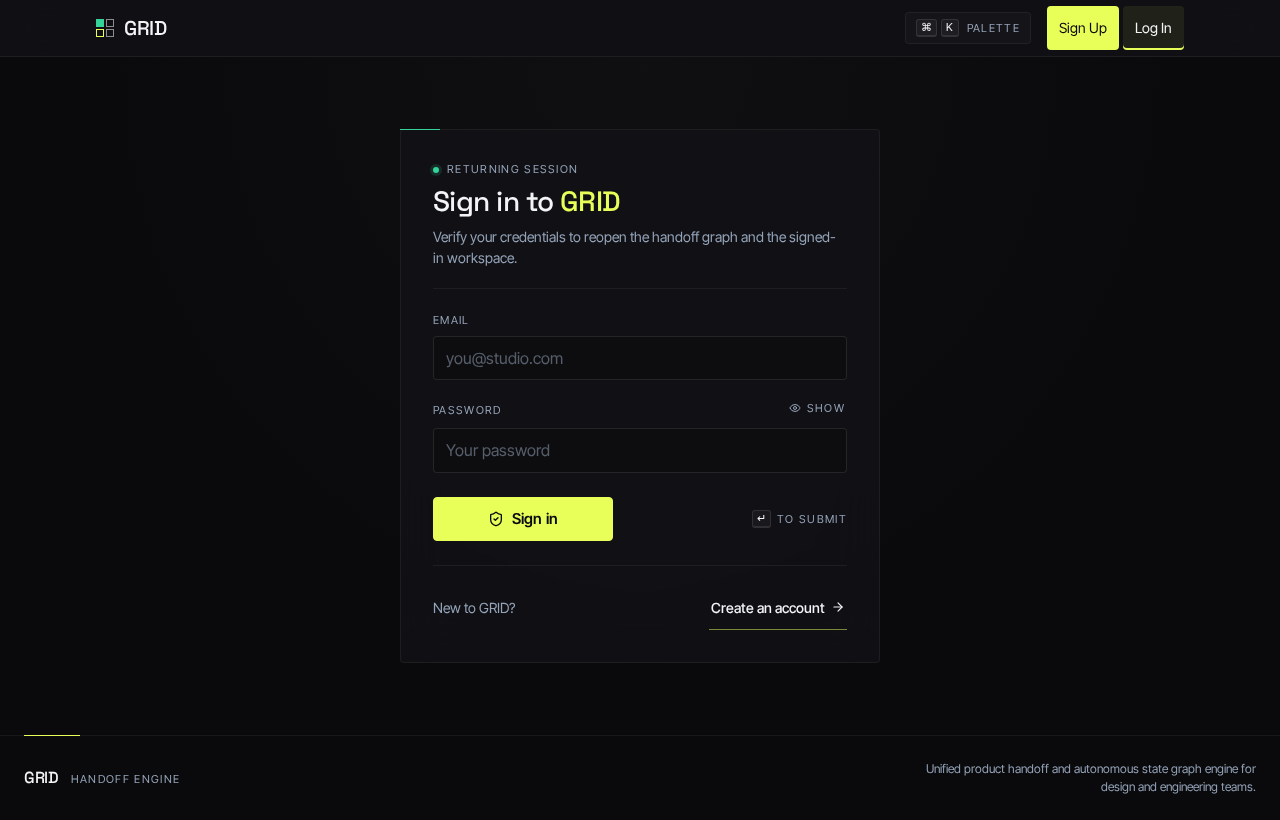
Returning session
Verify your credentials to reopen the handoff graph and the signed-in workspace.
New to GRID?
Create an account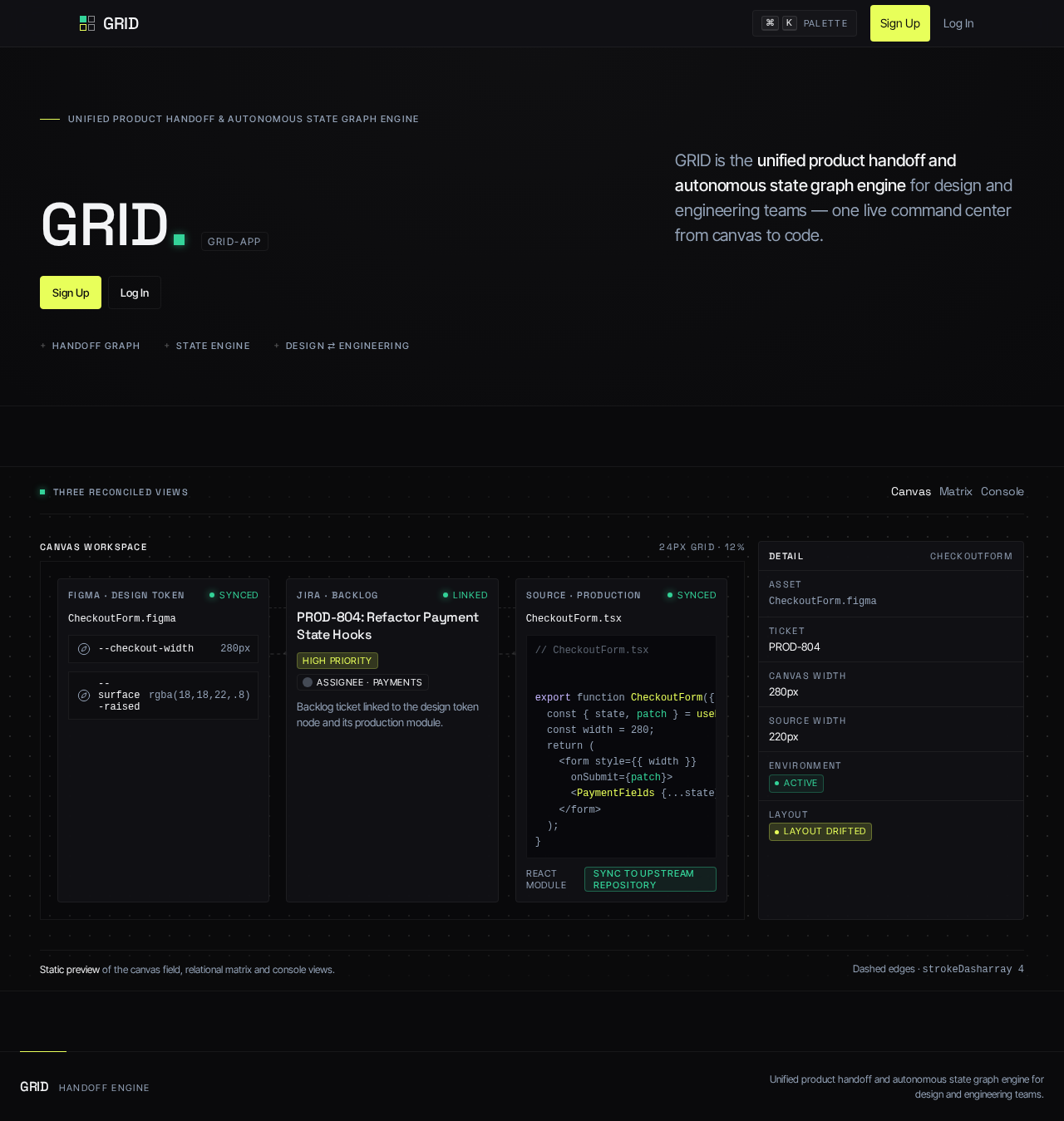
Unified product handoff & autonomous state graph engine
GRID is the unified product handoff and autonomous state graph engine for design and engineering teams — one live command center from canvas to code.
Three reconciled views
CheckoutForm.figmaBacklog ticket linked to the design token node and its production module.
CheckoutForm.tsx// CheckoutForm.tsx export function CheckoutForm({ order }) { const { state, patch } = usePaymentState(order); const width = 280; return ( <form style={{ width }} onSubmit={patch}> <PaymentFields {...state} /> </form> ); }
strokeDasharray 4
No comments yet. Be the first!