green-ai
 Salahadin
ai slop

Comments (0)
Sign in to leave a comment
System Requirements
System Requirements Document (SRD)
Project Name: green-ai
1. Introduction
Welcome to the System Requirements Document (SRD) for green-ai, a project envisioned by Salahadin in Poland. This document outlines the system requirements for a professional application designed to showcase the limitations of AI in development tasks, emphasizing the irreplaceable value of human developers. The project aims to appeal to a broad audience, including developers, businesses, and general users, while maintaining a professional tone.
The green-ai project is a platform that demonstrates the quirks, failures, and humor of AI in coding, design, and problem-solving, contrasting these with human expertise. By highlighting the gaps in AI's capabilities, the project seeks to spark conversations about the human-machine dynamic in the tech industry.
2. System Overview
The green-ai application will simulate AI handling real-world development tasks, such as generating code snippets, UI designs, and logic workflows. It will compare AI-generated outputs with human-crafted solutions, showcasing where AI falls short and why human developers remain indispensable.
Key features include:
- AI-generated "fails" in coding and design.
- Side-by-side comparisons of AI vs. human solutions.
- Interactive debugging challenges where users fix absurd AI outputs.
- Educational insights explaining the importance of context, creativity, and problem-solving in development.
The system will be accessible via web and mobile platforms, ensuring broad reach and usability.
3. Functional Requirements
Story Points:
- As a User, I should be able to input random text, images, or sounds for the AI to process.
- As a User, I should be able to view AI-generated outputs that intentionally highlight errors or quirks.
- As a User, I should be able to compare AI-generated solutions with human-crafted alternatives.
- As a User, I should be able to participate in debugging challenges to fix AI-generated mistakes.
- As a User, I should be able to access educational content explaining the limitations of AI in development.
- As an Admin, I should be able to manage user inputs and monitor system performance.
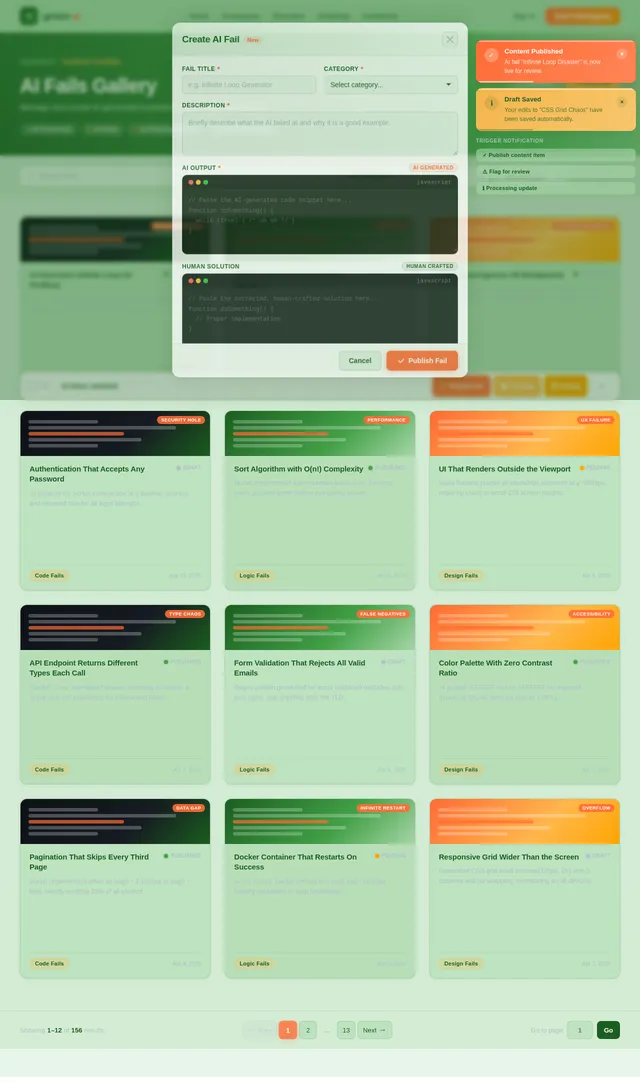
- As an Admin, I should be able to curate examples of AI fails and human solutions for display.
4. User Personas
1. General User
- Description: Individuals with varying levels of technical expertise who want to explore the capabilities and limitations of AI in development.
- Goals: Learn about AI's quirks, engage with interactive features, and gain insights into the human-machine dynamic.
2. Developer
- Description: Professional coders and designers interested in understanding AI's role in their field.
- Goals: Compare AI-generated outputs with human solutions, participate in debugging challenges, and validate their expertise.
3. Business Stakeholder
- Description: Decision-makers in tech companies evaluating the feasibility of AI in development workflows.
- Goals: Assess AI's limitations, understand the value of human developers, and make informed decisions about AI adoption.
5. Visuals Colors and Theme
Unique Color Palette:
The green-ai project will use a fresh, eco-inspired palette to reflect its name and professional tone:
- Background: #E8F5E9 (Mint Green)
- Surface: #A5D6A7 (Soft Fern Green)
- Text: #1B5E20 (Deep Forest Green)
- Accent: #FFB74D (Warm Amber)
- Muted Tones: #B0BEC5 (Soft Gray-Blue)
6. Signature Design Concept
Concept: Interactive Debugging Playground
The homepage of green-ai will feature an Interactive Debugging Playground. Upon landing, users will see a dynamic, animated interface resembling a developer's workspace. Key elements include:
- Floating Code Blocks: AI-generated snippets of code and designs will float across the screen, each tagged with humorous or absurd errors.
- Interactive Debugging: Users can click on these blocks to "debug" them, triggering animations where errors are fixed in real-time.
- Side-by-Side Comparisons: Hovering over a code block will reveal a split-screen view comparing the AI's output with a human-crafted solution.
- Educational Pop-Ups: Clicking on specific elements will display brief explanations of why AI failed and how human expertise solved the problem.
The design will incorporate smooth transitions, micro-interactions, and a professional yet playful aesthetic, ensuring an engaging user experience.
7. Non-Functional Requirements
- Performance: The system must handle up to 10,000 concurrent users without significant latency.
- Scalability: The architecture should support future expansions, including additional AI models and features.
- Security: User data and inputs must be securely stored and processed, adhering to GDPR regulations.
- Accessibility: The application must comply with WCAG 2.1 standards to ensure usability for individuals with disabilities.
8. Tech Stack
Frontend:
- React for Web
- React Native for Mobile
Backend:
- Python
- FastAPI
Database:
- MySQL or MariaDB (using Alembic for migrations)
AI Models:
- GPT 5.4 for user-friendly responses
- Claude 4.6 Opas for academic or coding work
- Gemini 3.1 Pro for friendly responses
- Google Nano Banana for image generation
AI Tools:
- Litellm for LLM Routing
- Langchain
Local Orchestration:
- Docker
- docker-compose
Server-Side Orchestration:
- Kubernetes
9. Assumptions and Constraints
Assumptions:
- Users will have basic familiarity with AI and development concepts.
- The application will be primarily accessed in Poland but should support international users.
- The system will operate in CET (Central European Time).
Constraints:
- The project must adhere to a professional tone, avoiding overly humorous or satirical elements.
- AI-generated outputs must be curated to ensure they effectively highlight limitations without being offensive or inappropriate.
10. Glossary
- AI: Artificial Intelligence, systems capable of performing tasks that typically require human intelligence.
- Debugging: The process of identifying and fixing errors in code or design.
- WCAG: Web Content Accessibility Guidelines, standards for making web content accessible to people with disabilities.
- LLM: Large Language Model, a type of AI model designed to understand and generate human-like text.
End of Document

Where AI Falls Short, Humans Shine
Explore the quirks, limitations, and humor of AI in development—and discover why human expertise remains irreplaceable.
The Interactive Debugging Playground
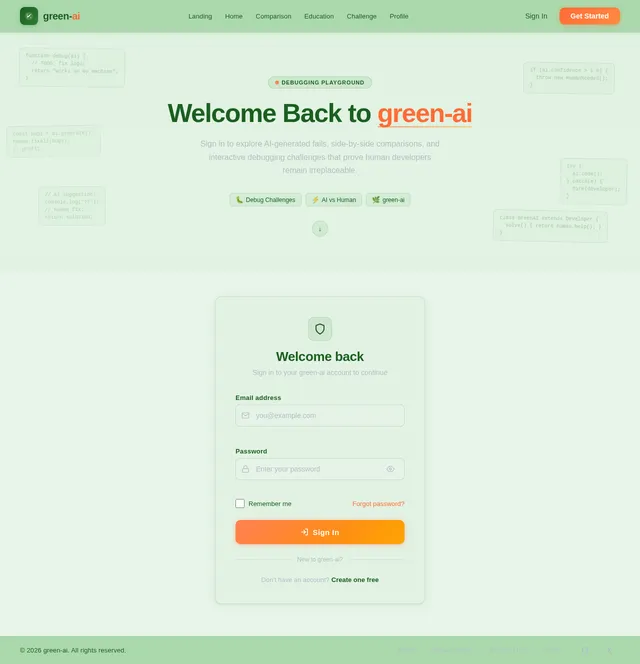
The Interactive Debugging Playground is the heart of green-ai — a dynamic, hands-on workspace where you can explore the quirks and limitations of AI-generated code in real time. Rather than reading about AI failures in the abstract, you get to see them unfold live, poke at the outputs, and discover exactly where the logic breaks down.
Each playground session presents a real-world development scenario where AI has attempted a solution. You will examine the generated code, identify the bugs and logical gaps, and contrast them with human-crafted alternatives that demonstrate the nuance and creativity machines still struggle to replicate.
Our signature concept merges education with engagement: every debugging challenge is designed to teach something meaningful about the boundaries of artificial intelligence — from missed edge cases and flawed assumptions to context blindness and brittle logic patterns.
Whether you are a seasoned developer validating your expertise, a business stakeholder evaluating AI adoption, or simply curious about how AI thinks, the playground offers an approachable, rewarding experience. Dive in, break things intentionally, and walk away with a deeper understanding of why human ingenuity remains irreplaceable.
See the Playground in Action
Watch as AI-generated code gets inspected, debugged, and compared to a human-crafted solution—all in real time. Click to replay the animation.
Core Features
Discover the tools that showcase where AI stumbles and why human developers remain essential.
AI-Generated Fails
Explore a curated collection of real AI coding mistakes—from misunderstood logic to hilariously wrong outputs—and learn why context matters.
AI vs Human Comparison
See side-by-side breakdowns of AI-generated code versus human-crafted solutions, revealing the gaps only experienced developers can bridge.
Debug Challenges
Put your skills to the test by fixing absurd AI outputs in interactive challenges. Prove that human expertise remains irreplaceable.
See the Difference in Action
A real-world example comparing AI-generated code with a human-crafted solution. Spot the logic errors AI missed and understand why human expertise matters.
Who Is green-ai For?
Designed for everyone curious about the human-machine dynamic in development — from casual explorers to seasoned professionals.
Individuals with varying levels of technical expertise who want to explore AI capabilities and limitations in development.
- Learn about AI quirks and limitations
- Engage with interactive features
- Gain insights into the human-machine dynamic
Professional coders and designers interested in understanding AI’s role in their field and validating their expertise.
- Compare AI outputs with human solutions
- Participate in debugging challenges
- Validate and sharpen expertise
Decision-makers in tech companies evaluating the feasibility of AI in development workflows.
- Assess AI limitations objectively
- Understand the value of human developers
- Make informed AI adoption decisions
System administrators who manage user inputs, curate AI fail examples, and monitor platform performance.
- Manage user inputs and content
- Curate AI fails and human solutions
- Monitor system performance
Test Your Skills: Debug the AI
Dive into real debugging challenges where AI-generated code goes hilariously wrong. Spot the bugs, fix the logic, and prove that human intuition beats artificial intelligence. Compete across difficulty levels and climb the leaderboard.
Start a Challenge→Beginner
Simple syntax and logic bugs
Intermediate
Edge cases and flawed algorithms
Advanced
Architectural and security flaws
Why AI Fails—And Why You’re Irreplaceable
Context Is Everything
AI models process tokens, not meaning. They lack the contextual awareness that human developers bring to every decision, often missing edge cases that real-world experience would catch instantly.
Creativity Cannot Be Computed
Elegant architecture and innovative problem-solving emerge from human intuition. AI can remix patterns it has seen, but it cannot invent genuinely novel solutions to unprecedented challenges.
Debugging Requires Judgment
Fixing code is more than pattern-matching errors. It demands understanding intent, business logic, and user impact—skills that remain uniquely human and critically important.
Collaboration Over Automation
The most effective teams use AI as a tool, not a replacement. Human oversight ensures quality, security, and ethical considerations that automated systems consistently overlook.
Ready to Explore?
Join thousands discovering AI's quirks and human excellence. See where machines stumble and why your skills matter more than ever.
No spam, ever. Unsubscribe anytime.
Frequently Asked Questions
Everything you need to know about green-ai and the Interactive Debugging Playground.
No comments yet. Be the first!