grand-travel
 Javid Farooq
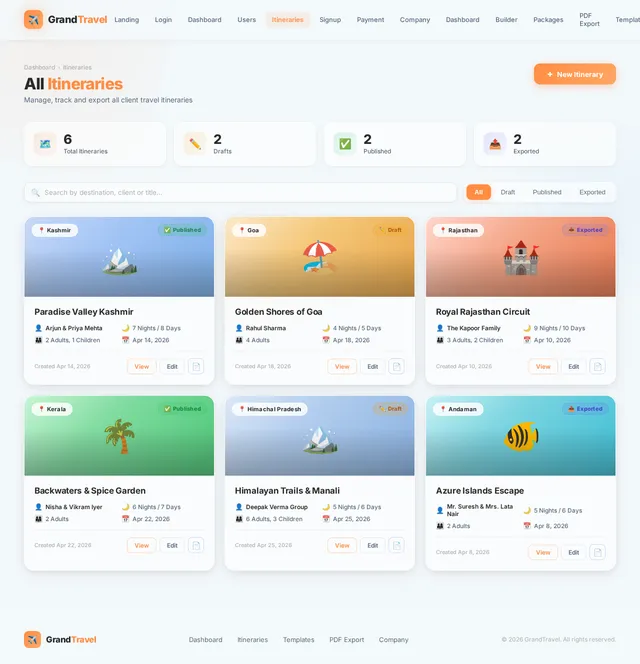
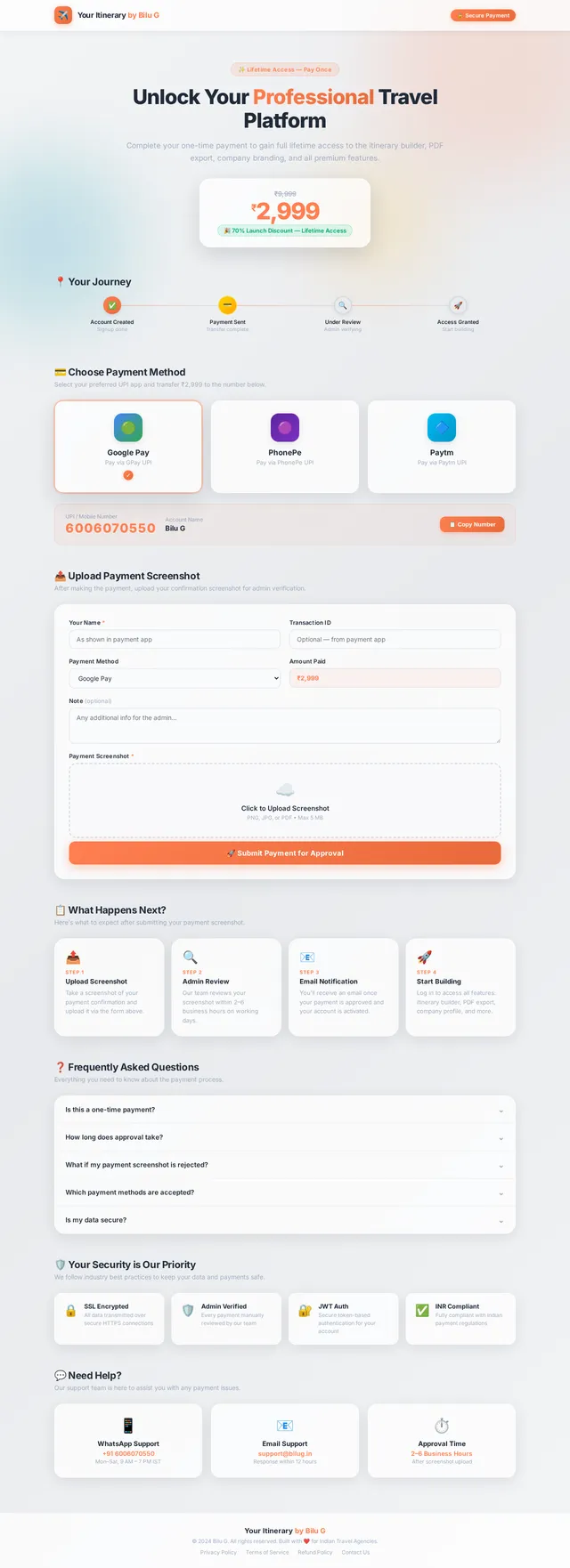
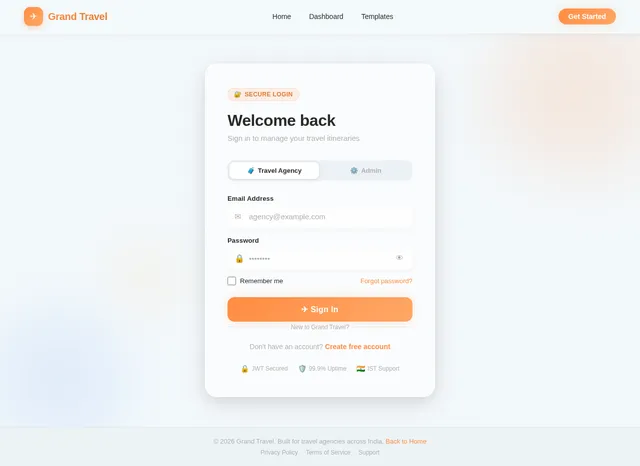
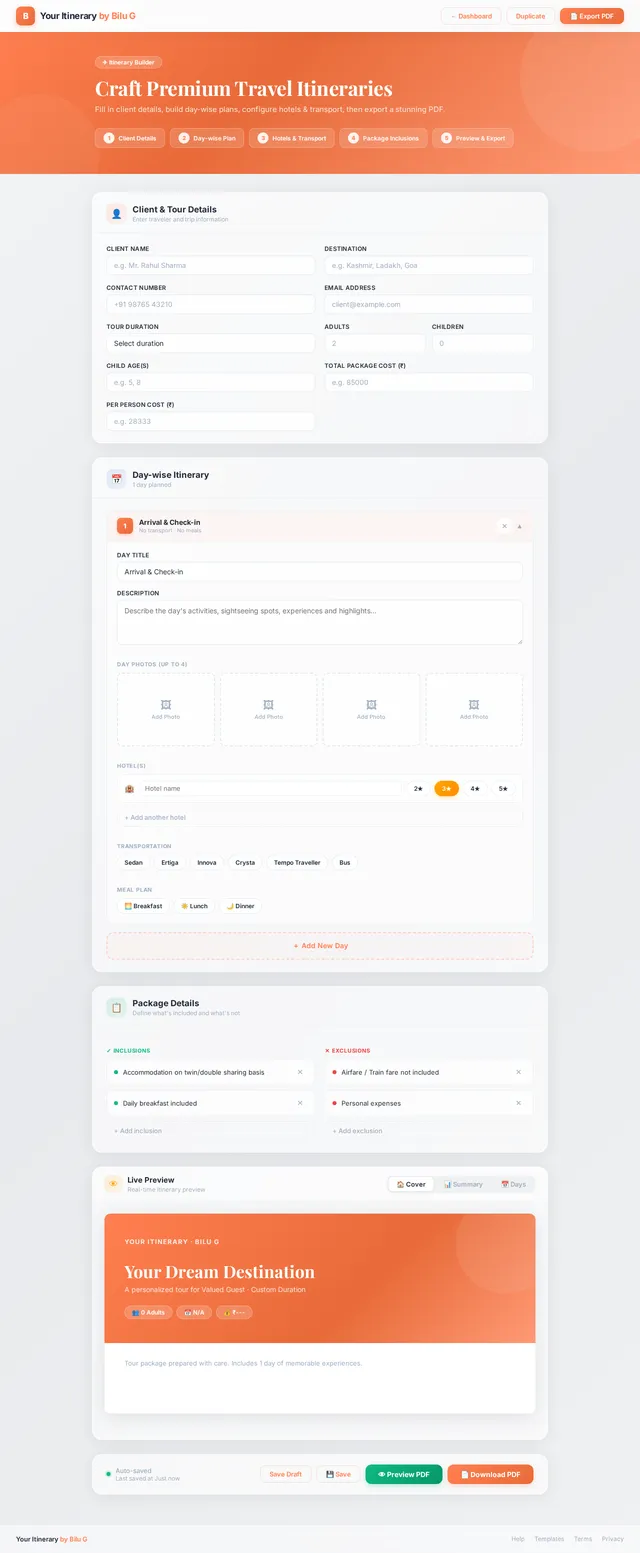
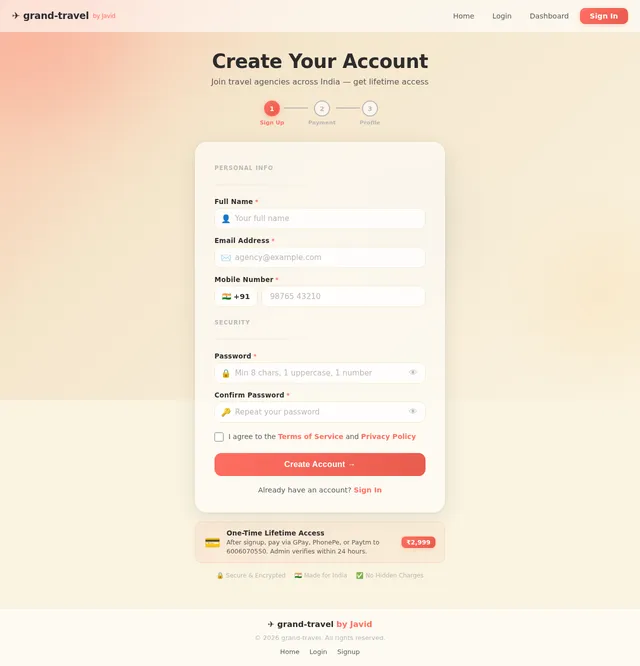
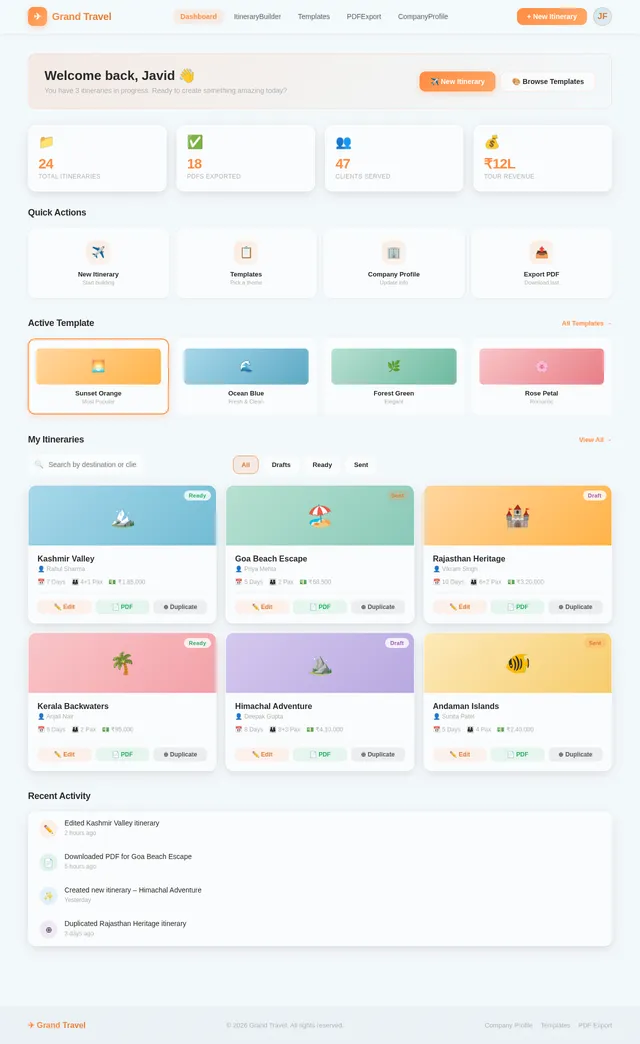
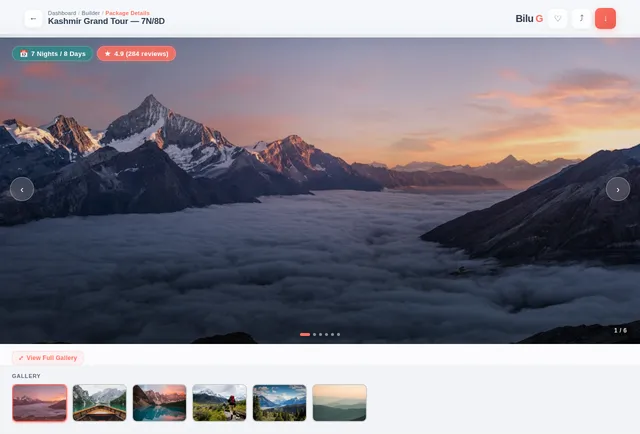
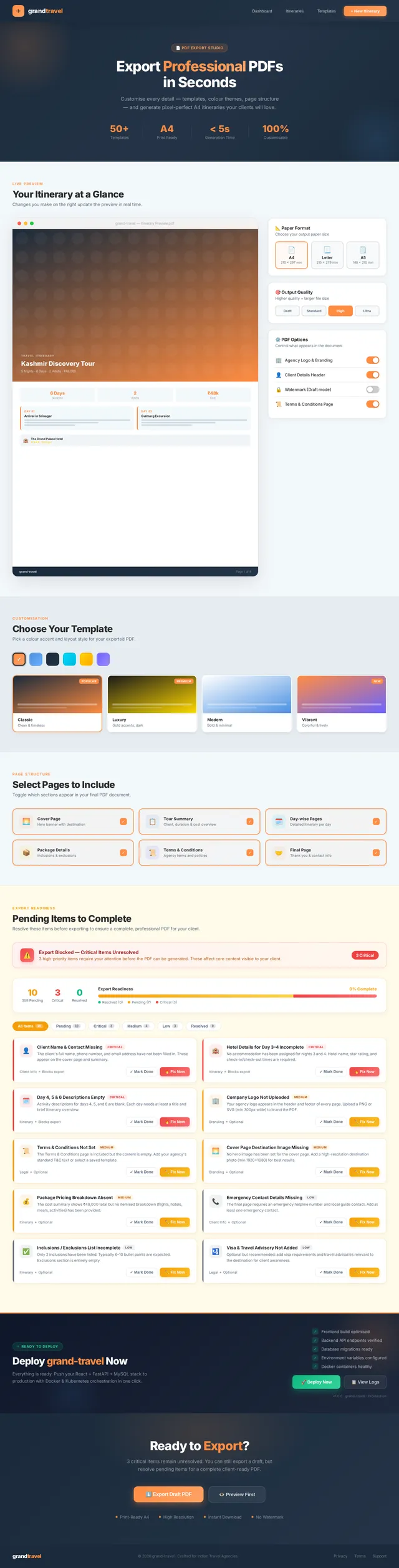
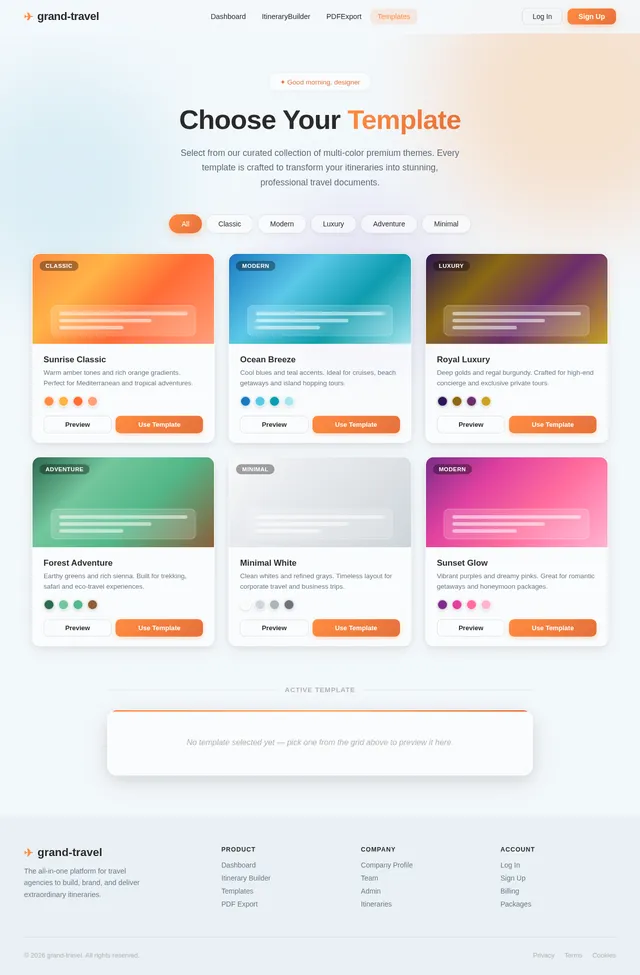
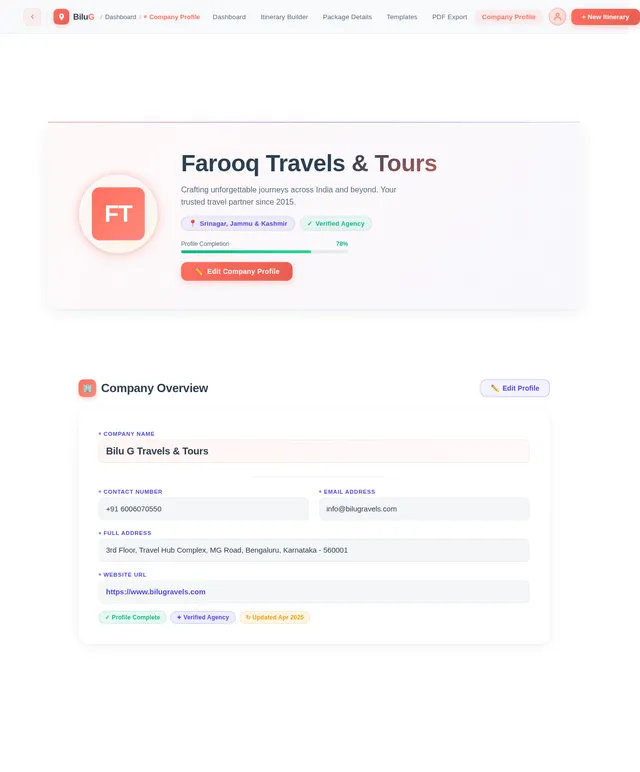
Build a modern, premium SaaS web application named “Travel Itinerary by Bilu G” for travel agencies to create, customize, and export professional travel itineraries. The application must feature a luxury UI/UX using glassmorphism, gradient backgrounds, soft shadows, smooth animations, and a fully responsive design across mobile, tablet, and desktop. Use a clean dashboard layout with sidebar navigation, rounded corners (2xl), proper spacing, and consistent typography with Google Fonts. Include light/dark mode, custom color themes, and font customization. Implement a secure authentication system with Signup (Name, Email, Password, Mobile Number) and Login. After signup, redirect users to a manual payment page showing ₹2999 lifetime access, with payment options (GPay, PhonePe, Paytm) to 6006070550, and an upload payment screenshot feature. Access must be restricted until admin approval (approve/reject system). After approval, users must complete a Company Profile setup including: Company Name Logo Upload Contact Number Email Address Social Media Links (Instagram, Facebook) Add a Company Account Details section (for receiving client payments), including: Account Holder Name Bank Name Account Number IFSC Code Branch Name UPI ID QR Code Upload (for payments) --- 🧠 CORE FEATURE: ADVANCED ITINERARY BUILDER (ENHANCED) Client & Tour Details: Client Name Destination Contact Number Email Tour Duration (e.g., 5 Nights / 6 Days) Number of Adults Number of Children Child Age(s) Total Package Cost Per Person Cost (auto/manual calculation option) --- 📅 Day-wise Itinerary Builder (Advanced Layout) For each day: Day Title (Day 1, Day 2…) Rich text description Upload up to 4 images per day (grid layout preview) Hotel Details: Hotel Name (custom input) Category (2★ / 3★ / 4★ / 5★) Transportation: Sedan, Ertiga, Innova, Crysta, Tempo Traveller, Bus Meal Plan: Breakfast / Lunch / Dinner (multi-select) --- 📦 PACKAGE DETAILS (PROFESSIONAL LAYOUT) Inclusions Structured bullet list with proper alignment (icon-based optional) Exclusions Structured bullet list in separate column layout --- 📜 TERMS & THANK YOU Terms & Conditions (editable template) Thank You Note (custom message) --- 📄 PREMIUM PDF GENERATION SYSTEM (ADVANCED) One-click Preview and Download Itinerary PDF Generate high-quality A4, print-ready PDF PDF Structure: 1. Cover Page Company Logo Client Name Destination Travel Dates Tour Duration Hero background image 2. Tour Summary Section Number of Adults / Children (with ages) Total Cost Per Person Cost 3. Day-wise Pages Title + Description 4-image grid layout per day Hotel + Transport + Meals 4. Package Details Page Inclusions (left column) Exclusions (right column) 5. Terms & Conditions Page 6. Final Page Company Contact Details Social Media Links Thank You Note Company Bank Account Details + UPI + QR Code for payment --- 🛠️ ADMIN PANEL View all users Verify payment screenshots (approve/reject) Activate/deactivate users View all itineraries Dashboard analytics: Total users Total revenue --- 🚀 ADVANCED FEATURES Save, edit, duplicate itineraries Real-time preview Auto-save drafts Multi-color templates Smooth transitions and hover effects Optional drag-and-drop itinerary builder --- ⚙️ TECH STACK Frontend: React.js / Next.js with Tailwind CSS Backend: Node.js / Firebase Database: MongoDB / Firestore Storage: Cloudinary / Firebase Storage Authentication: JWT / Firebase Auth

Comments (0)
Sign in to leave a comment
System Requirements
System Requirements Document (SRD)
Project Name: grand-travel
1. Introduction
Welcome to the System Requirements Document (SRD) for grand-travel, a premium SaaS web application designed to empower travel agencies in India to create, customize, and export professional travel itineraries. This project, envisioned by Javid Farooq, combines cutting-edge technology with luxury UI/UX design principles to deliver a seamless and visually stunning experience.
The application leverages modern design trends such as glassmorphism, gradient backgrounds, soft shadows, smooth animations, and responsive layouts across mobile, tablet, and desktop devices. With features like secure authentication, advanced itinerary building, premium PDF generation, and admin panel functionalities, grand-travel aims to redefine how travel agencies manage their operations and present their services.
2. System Overview
grand-travel is a SaaS platform tailored for travel agencies to streamline the creation and management of travel itineraries. The system provides tools for:
- Authentication & Payment: Secure user signup and login, manual payment verification, and admin approval.
- Company Profile Setup: Collecting essential company details for branding and financial transactions.
- Advanced Itinerary Builder: Day-wise itinerary creation with rich text, images, hotel, transport, and meal details.
- PDF Generation: High-quality, customizable PDFs for professional presentation.
- Admin Panel: User management, payment verification, and analytics dashboard.
- Customization: Multi-color templates, drag-and-drop builder, and real-time previews.
- Selective Re-run Capability: Allow users to regenerate specific sections of the SRD based on updated requirements.
The platform is built using a robust tech stack, ensuring scalability, security, and performance.
3. Functional Requirements as Story Points
Authentication & Payment
- As a User, I should be able to sign up with my Name, Email, Password, and Mobile Number.
- As a User, I should be redirected to a manual payment page after signup, showing ₹2999 lifetime access.
- As a User, I should be able to upload a payment screenshot for admin verification.
- As a User, I should be able to see payment options like GPay, PhonePe, and Paytm for payment to 6006070550.
- As an Admin, I should be able to approve or reject payment screenshots.
- As an Admin, I should be able to activate or deactivate user accounts.
Company Profile Setup
- As a User, I should be able to complete my company profile setup with details like Company Name, Logo Upload, Contact Number, Email, Address, and Social Media Links (Instagram, Facebook).
- As a User, I should be able to add my company account details, including Account Holder Name, Bank Name, Account Number, IFSC Code, Branch Name, UPI ID, and QR Code Upload.
Advanced Itinerary Builder
- As a User, I should be able to add client and tour details, including Client Name, Destination, Contact Number, Email, Tour Duration, Number of Adults, Number of Children, Child Age(s), Total Package Cost, and Per Person Cost.
- As a User, I should be able to create day-wise itineraries with Day Title, Rich Text Description, and up to 4 images per day.
- As a User, I should be able to add hotel details with custom input for Hotel Name and Category (2★ / 3★ / 4★ / 5★).
- As a User, I should be able to select transportation options (Sedan, Ertiga, Innova, Crysta, Tempo Traveller, Bus).
- As a User, I should be able to select meal plans (Breakfast / Lunch / Dinner).
Package Details
- As a User, I should be able to add inclusions and exclusions as structured bullet lists.
PDF Generation
- As a User, I should be able to preview and download high-quality A4, print-ready PDFs.
- As a User, I should be able to customize the PDF structure, including Cover Page, Tour Summary Section, Day-wise Pages, Package Details Page, Terms & Conditions Page, and Final Page.
Admin Panel
- As an Admin, I should be able to view all users and itineraries.
- As an Admin, I should be able to monitor dashboard analytics, including Total Users and Total Revenue.
- As an Admin, I should be able to manage user accounts, including activation, deactivation, and deletion.
- As an Admin, I should be able to view and verify payment screenshots uploaded by users.
Advanced Features
- As a User, I should be able to save, edit, and duplicate itineraries.
- As a User, I should be able to preview itineraries in real-time.
- As a User, I should be able to auto-save drafts.
- As a User, I should be able to use multi-color templates.
- As a User, I should experience smooth transitions and hover effects.
- As a User, I should be able to use an optional drag-and-drop itinerary builder.
Selective Re-run Capability
- As a User, I should be able to regenerate specific sections of the SRD based on updated requirements.
- As an Admin, I should be able to trigger selective re-runs of SRD sections for refinement.
4. User Personas
Admin
- Role: Manages user accounts, verifies payments, oversees analytics, and triggers selective SRD re-runs.
- Key Goals: Ensure platform security, approve/reject payments, monitor revenue, and refine SRD sections.
User (Travel Agency)
- Role: Creates and customizes travel itineraries, manages company profile, generates PDFs, and requests SRD updates.
- Key Goals: Streamline itinerary creation, present professional documents, manage client payments, and ensure SRD accuracy.
5. Visuals Colors and Theme
Color Palette
- Background: #F3F8FB (Soft Sky Blue)
- Surface: #E6EDF2 (Gentle Ice Gray)
- Text: #2A2A2A (Rich Graphite Black)
- Accent: #FF8C42 (Vibrant Tangerine)
- Muted Tones: #B0B0B0 (Soft Pewter Gray)
6. Signature Design Concept
Living Watercolor Homepage with Time-Based Color Transitions
The homepage will feature a living watercolor background that dynamically morphs colors based on the time of day. This unique design will create an immersive and artistic experience for users.
Key elements:
- Dynamic Background: A watercolor canvas that shifts from sunrise tones (soft oranges and yellows) in the morning to twilight hues (deep purples and blues) in the evening.
- Interactive Elements: Floating watercolor blobs that users can click to reveal quick actions like itinerary creation or profile setup.
- Smooth Animations: Subtle ripple effects when users hover over buttons or interact with the watercolor blobs.
- Responsive Design: The watercolor canvas will adapt seamlessly across devices, ensuring a premium experience on mobile, tablet, and desktop.
- Micro-Interactions: Buttons and links will have glowing edges and subtle pulsations to enhance the user experience.
7. Non-Functional Requirements
- Performance: The system must load within 3 seconds on all devices.
- Scalability: Support up to 10,000 concurrent users.
- Security: Implement secure authentication using JWT.
- Availability: Ensure 99.9% uptime.
- Localization: Default currency set to INR, with timezone support for IST.
8. Tech Stack
Frontend
- React.js with Tailwind CSS
Backend
- Python with FastAPI
Database
- MySQL (with Alembic for migrations)
AI Models
- GPT 5.4 for user-friendly responses
- Google Nano Banana for image generation
AI Tools
- Langchain
- Litellm for LLM Routing
Orchestration
- Docker and Kubernetes
9. Assumptions and Constraints
Assumptions
- Users will have basic knowledge of SaaS platforms.
- Payment verification will be manual and handled by admins.
- SRD updates will be triggered selectively based on user requests.
Constraints
- The system must comply with Indian payment regulations.
- All data must be stored securely to prevent breaches.
- Selective SRD regeneration must not impact system performance.
10. Glossary
- Glassmorphism: A design trend that uses frosted glass-like elements.
- JWT: JSON Web Token, a secure authentication method.
- Responsive Design: A layout that adapts to different screen sizes.
- Gradient Background: A background with smooth color transitions.
- Selective Re-run Capability: A feature allowing specific sections of the SRD to be regenerated based on updated requirements.
This concludes the finalized System Requirements Document for grand-travel. Let me know if you need further refinements, Javid! 😊
No comments yet. Be the first!