grand-modern
 Sukhmanveer Singh
Build a modern, professional, responsive restaurant Customer Relationship Management (CRM) web application for a Vietnamese restaurant called “Cơm Nhà”. PROJECT PURPOSE: This is an ICT303 university project focused on improving customer information management and customer relationships for a real restaurant. The system should help authorised restaurant staff recognise returning customers, view customer history, manage reservations, record useful customer notes, and track birthdays/anniversaries. IMPORTANT: Do NOT create a generic restaurant ordering website. Do NOT focus on food ordering or online shopping. Build a professional INTERNAL RESTAURANT CRM / CUSTOMER MANAGEMENT DASHBOARD. DESIGN: Use the attached dashboard screenshot as visual inspiration only. Create an original design rather than copying it exactly. Style: - Modern SaaS dashboard - Clean and professional - Premium restaurant feel - White/light background - Orange/gold accent colour inspired by the restaurant industry - Rounded cards - Subtle shadows - Clean typography - Plenty of whitespace - Responsive design for desktop, tablet and mobile - Professional icons - Smooth hover states and transitions - Accessible colour contrast - Use Vietnamese-inspired visual details subtly, without making the interface look cluttered APP NAME: Cơm Nhà CRM SIDEBAR NAVIGATION: 1. Dashboard 2. Customers 3. Reservations 4. Visit History 5. Occasions 6. Analytics 7. Reminders 8. Staff 9. Settings TOP NAVIGATION: - Global search - Notifications - Dark/light mode toggle - User profile - Logout DASHBOARD: Create a professional overview page containing: Summary cards: - Total Customers - Returning Customers - Today's Reservations - Upcoming Occasions Example values: Total Customers: 1,248 Returning Customers: 684 Today's Reservations: 32 Upcoming Occasions: 14 Add: - Customer activity chart - New vs returning customers - Monthly customer visits - Recent customer activity - Today's reservations - Upcoming birthdays - Upcoming anniversaries RECENT CUSTOMERS TABLE: Columns: - Customer - Phone - Last Visit - Total Visits - Favourite Dish - Occasion - Status CUSTOMERS PAGE: Create a complete customer management interface. Features: - Search by customer name or phone - Filter customers - Sort customers - Add Customer button - Edit Customer - Delete Customer with confirmation - View customer profile - Pagination Customer fields: - Customer ID - Full Name - Phone - Email - Date of Birth - Birthday - Anniversary - Number of Visits - Last Visit - Favourite Dish - Dietary Preferences - Notes - Created Date - Updated Date CUSTOMER PROFILE PAGE: Create a detailed customer profile. Show: - Customer name - Contact information - Total visits - Last visit - Favourite dish - Birthday - Anniversary - Customer notes Add a Visit History section showing: - Date - Number of guests - Meal type - Table number - Amount spent - Notes Add a Notes section where authorised staff can add useful customer-service notes. RESERVATIONS PAGE: Create a reservation management page. Features: - Calendar view - Daily reservations - Upcoming reservations - Search customer - Add reservation - Edit reservation - Cancel reservation Reservation fields: - Customer - Date - Time - Number of guests - Table - Occasion - Special requests - Status Statuses: - Confirmed - Pending - Completed - Cancelled When a reservation is connected to an existing customer, automatically display their customer history. VISIT HISTORY: Create a page showing all customer visits. Columns: - Date - Customer - Guests - Meal - Table - Amount - Notes Allow filtering by: - Date - Customer - Meal type - Number of guests OCCASIONS PAGE: Create a birthday and anniversary management page. Sections: - Upcoming birthdays - Upcoming anniversaries - Today's occasions - This month's occasions Example: Sarah Nguyen — Birthday — 15 October David Tran — Birthday — 19 October James & Lisa — Anniversary — 22 October Add reminder functionality. REMINDERS: Create a notification/reminder page. Examples: - Sarah Nguyen's birthday is in 7 days - Returning customer has made a new reservation - Customer has not visited for 90 days - Upcoming anniversary reservation ANALYTICS: Create useful customer analytics, not unnecessary financial analytics. Show: - New customers over time - Returning customer percentage - Customer visit frequency - Average visits per customer - Popular occasions - Customer retention - Most frequent customers - Customer visit trends Use professional charts and graphs. STAFF PAGE: Create a staff management interface. Roles: - Manager - Staff Managers can: - View customers - Add customers - Edit customers - Delete customers - View analytics - Manage staff Staff can: - View customers - Add customers - Update customer notes - View reservations - View visit history Implement role-based access control in the UI. PRIVACY AND SECURITY: Because this system stores customer personal information, include privacy-conscious design. Requirements: - Login page - Role-based permissions - Do not expose customer information publicly - Confirmation before deleting customer data - Hide sensitive information where appropriate - Logout functionality - Clear privacy/settings section - Audit-style information showing who updated a record and when LOGIN PAGE: Create a professional Cơm Nhà login screen. Fields: - Email - Password - Remember me - Login button Include: “Cơm Nhà Customer Relationship System” DATABASE: Design the application so it can connect to a real database. Suggested entities: - Users - Customers - Reservations - Visits - Occasions - Notes - Tables Create realistic sample data for demonstration. FUNCTIONALITY: The prototype should feel like a real working application. Implement: - Navigation between pages - Search - Filtering - Add customer - Edit customer - Delete customer - Customer profile - Add reservation - Edit reservation - Reservation status - Add visit - Add notes - Occasion reminders - Dashboard updates - Notifications - Responsive sidebar - Modal forms - Confirmation dialogs If backend/database functionality is supported, implement it. If backend functionality is not supported, create realistic local/mock data and structure the code so a backend can be connected later. IMPORTANT UX REQUIREMENT: The system should be simple enough for restaurant staff who are not highly technical. Prioritise: - Fast customer search - Clear information - Minimal clicks - Simple forms - Clear buttons - Useful alerts - Easy navigation Do not overload the dashboard with unnecessary information. TECHNICAL QUALITY: - Use clean reusable components - Keep code organised - Use meaningful component and variable names - Responsive layout - No broken links - No placeholder lorem ipsum - No unnecessary features - Use realistic restaurant/customer data - Ensure all navigation buttons work - Ensure forms have validation - Ensure delete actions require confirmation FINAL RESULT: Create a polished, realistic CRM dashboard that looks suitable for presentation to a real restaurant manager and university ICT303 assessment. The main goal is: “Help Cơm Nhà staff recognise returning customers and provide a more personalised customer experience through an easy-to-use, privacy-conscious customer information system.”


Comments (0)
Sign in to leave a comment
System Requirements
System Requirements Document for grand-modern
1. Introduction
The "Cơm Nhà CRM" is a modern, professional, and responsive Customer Relationship Management (CRM) web application designed for a Vietnamese restaurant called "Cơm Nhà." The primary goal of this system is to improve customer information management and relationships by helping authorized restaurant staff recognize returning customers, view customer history, manage reservations, record useful customer notes, and track birthdays and anniversaries. This project is part of an ICT303 university course.
2. System Overview
The "Cơm Nhà CRM" is an internal restaurant CRM/customer management dashboard, not a generic restaurant ordering website. It is designed to be used by authorized restaurant staff, providing a professional interface for managing customer relationships and information. The system includes features such as customer management, reservation handling, visit history tracking, occasion management, reminders, analytics, and staff management. Privacy and security are prioritized, with role-based access control and privacy-conscious design.
2a. Product Interpretation and Delivery Boundary
The "Cơm Nhà CRM" is delivered as a web application with a focus on usability and a clean aesthetic inspired by Jony Ive's design language. It is accessible to authorized restaurant staff, with role-based permissions distinguishing between Managers and Staff. The application is not intended for public use, and customer information is protected from unauthorized access. The system supports both desktop and mobile devices, ensuring a responsive design.
2b. Source Content Inventory
Not applicable as there is no explicit content_source directive.
2c. Page Content and Component Coverage
Landing
- Purpose: Provide an anonymous entry point to the CRM system.
- Components: Introduction to the CRM, access to the login page.
Login
- Purpose: Authenticate authorized restaurant staff.
- Components:
- Email field
- Password field
- Remember me checkbox
- Login button
- Branding: "Cơm Nhà Customer Relationship System"
Dashboard
- Purpose: Provide an overview of key metrics and activities.
- Components:
- Summary cards: Total Customers, Returning Customers, Today's Reservations, Upcoming Occasions
- Customer activity chart
- New vs returning customers
- Monthly customer visits
- Recent customer activity
- Today's reservations
- Upcoming birthdays and anniversaries
Customers
- Purpose: Manage customer information.
- Components:
- Search by name or phone
- Filter and sort options
- Add, edit, delete customer actions with confirmation
- Customer profile view
- Pagination
- Customer fields: ID, Full Name, Phone, Email, Date of Birth, Birthday, Anniversary, Number of Visits, Last Visit, Favourite Dish, Dietary Preferences, Notes, Created Date, Updated Date
Customer Profile
- Purpose: Display detailed customer information.
- Components:
- Customer name and contact information
- Total visits, last visit, favourite dish, birthday, anniversary
- Visit History: Date, Number of guests, Meal type, Table number, Amount spent, Notes
- Notes section for staff
Reservations
- Purpose: Manage reservations.
- Components:
- Calendar view
- Daily and upcoming reservations
- Search customer
- Add, edit, cancel reservation actions
- Reservation fields: Customer, Date, Time, Number of guests, Table, Occasion, Special requests, Status (Confirmed, Pending, Completed, Cancelled)
Visit History
- Purpose: Track customer visits.
- Components:
- Visit records: Date, Customer, Guests, Meal, Table, Amount, Notes
- Filtering by date, customer, meal type, number of guests
Occasions
- Purpose: Manage birthdays and anniversaries.
- Components:
- Sections for upcoming birthdays, anniversaries, today's occasions, this month's occasions
- Reminder functionality
Reminders
- Purpose: Provide notifications and reminders.
- Components:
- Examples: Upcoming birthdays, new reservations by returning customers, inactive customers, upcoming anniversary reservations
Analytics
- Purpose: Provide customer-focused analytics.
- Components:
- New customers over time
- Returning customer percentage
- Customer visit frequency
- Average visits per customer
- Popular occasions
- Customer retention
- Most frequent customers
- Customer visit trends
Staff
- Purpose: Manage staff roles and permissions.
- Components:
- Role-based access control for Managers and Staff
- Manager actions: View/add/edit/delete customers, view analytics, manage staff
- Staff actions: View/add customers, update customer notes, view reservations, visit history
Settings
- Purpose: Manage privacy and session settings.
- Components:
- Privacy settings
- Session controls
- Logout functionality
3. Functional Requirements
- As a Manager, I should be able to view, add, edit, and delete customer records to manage customer information effectively. (explicit)
- As a Staff member, I should be able to view and add customer records and update customer notes to support day-to-day operations. (explicit)
- As a Manager, I should be able to view analytics and manage staff to oversee restaurant operations. (explicit)
- As a user, I should be able to log in and log out to secure access to the CRM system. (explicit)
- As a user, I should be able to manage reservations, including adding, editing, and canceling to handle customer bookings efficiently. (explicit)
- As a user, I should be able to view visit history and filter by various criteria to analyze customer visits. (explicit)
- As a user, I should be able to manage occasions and set reminders to track important customer dates. (explicit)
- As a user, I should be able to receive notifications and reminders to stay informed about customer activities. (explicit)
- As a user, I should be able to access customer-focused analytics to gain insights into customer behavior. (explicit)
- As a user, I should be able to manage privacy and session settings to ensure data security and compliance. (explicit)
4. User Personas
Manager
- Context: Oversees customer records, reservations, visits, occasions, reminders, analytics, staff, and privacy/settings workflows.
- Primary Goal: Manage customer information and staff to enhance customer relationships and service.
- Responsibilities: Add, edit, delete, and review customer information; manage staff roles and permissions; view analytics.
- Interactions: Interacts with staff to ensure smooth operations and personalized customer service.
- Success: Recognizes returning customers and provides personalized service.
Staff
- Context: Uses the CRM for fast customer search and customer-service workflows.
- Primary Goal: Support day-to-day restaurant operations by managing customer interactions.
- Responsibilities: View and add customers, update customer notes, view reservations, and visit history.
- Interactions: Collaborates with managers to maintain customer satisfaction.
- Success: Efficiently supports returning guests and updates customer information.
5. Core User Flows
5.1 Manager Login and Dashboard Access
- Landing Page: Manager accesses the landing page.
- Login Page: Manager enters email and password, selects "Remember me," and clicks "Login."
- Dashboard: Manager views summary cards and customer activity charts.
- Next Step: Manager navigates to other pages via the sidebar.
5.2 Customer Management by Manager
- Dashboard: Manager selects "Customers" from the sidebar.
- Customers Page: Manager searches for a customer by name or phone.
- Customer Profile: Manager views customer details and updates information if necessary.
- Next Step: Manager returns to the Customers page or navigates to another section.
5.3 Reservation Management by Staff
- Dashboard: Staff selects "Reservations" from the sidebar.
- Reservations Page: Staff views the calendar and daily reservations.
- Add Reservation: Staff searches for a customer and adds a new reservation.
- Next Step: Staff confirms the reservation and returns to the Reservations page.
5.4 Viewing Visit History by Staff
- Dashboard: Staff selects "Visit History" from the sidebar.
- Visit History Page: Staff filters visits by date and customer.
- View Details: Staff views detailed visit records.
- Next Step: Staff returns to the Visit History page or navigates to another section.
5.5 Analytics Review by Manager
- Dashboard: Manager selects "Analytics" from the sidebar.
- Analytics Page: Manager reviews customer-focused analytics charts.
- Next Step: Manager uses insights to make informed decisions.
6. Visuals Colors and Theme
- Muse: Jony Ive
- Palette:
- Background: #FFFFFF
- Surface: #F4F4F4
- Text: #333333
- Primary: #FFA500
- Accent: #FFD700
- Muted: #CCCCCC
- Typography:
- Headings: Inter Tight — Light weight, large scale contrast, tight tracking
- Body: Work Sans
- Scale: 1.333 modular, 56/40/28/18/16
- Shape Language: Soft continuous-curve radii, wide margins
- Layout: Single-column focus, generous whitespace
- Imagery: Studio-lit renders, macro details on plain grounds
7. Signature Design Concept
The landing page features a product-first hero with a beautifully lit product image set against a pristine white background. The design includes a 9-column headline in Inter Tight, generous whitespace around rounded cards with subtle shadows, and a prominent call-to-action in orange. Smooth hover transitions with light easing enhance interactive elements, and illustrative icons with a professional finish use the accent colors.
8. Interaction Model & Motion Direction
- Interaction Model: Animated
- Motion Tempo: Restrained
- Hero Dimensionality: Layered_2d
- Landing Hero Motion Brief: The focal subject is a beautifully lit product image. Upon user interaction, the image subtly transforms with a slow, physical easing effect, revealing additional information. The motion vocabulary includes smooth transitions and reveal-on-scroll interactions. The first frame is composed with the product image centered, and a reduced-motion state is available for accessibility.
9. Non-Functional Requirements
- Responsive Design: The application must be responsive for desktop, tablet, and mobile devices. (explicit)
- Privacy and Security: Implement role-based permissions, hide sensitive information, and ensure secure login/logout functionality. (explicit)
- Performance: Ensure fast customer search and minimal clicks for efficient use by non-technical staff. (explicit)
- Accessibility: Maintain accessible color contrast and provide a reduced-motion option. (explicit)
10. Tech Stack
- Frontend: React
- Backend: Python/FastAPI
- Database: PostgreSQL
- Containerization: Docker/docker-compose
- Deployment: Kubernetes (if required)
11. Assumptions and Constraints
- Assumption: The application will initially use local/mock data, with the structure ready for backend integration. (explicit)
- Constraint: The system is an internal CRM and must not expose customer information publicly. (explicit)
- Constraint: Role-based access control must be implemented to distinguish between Manager and Staff roles. (explicit)
12. Glossary
- CRM: Customer Relationship Management
- SaaS: Software as a Service
- UI: User Interface
- UX: User Experience
- CRUD: Create, Read, Update, Delete
- CTA: Call to Action
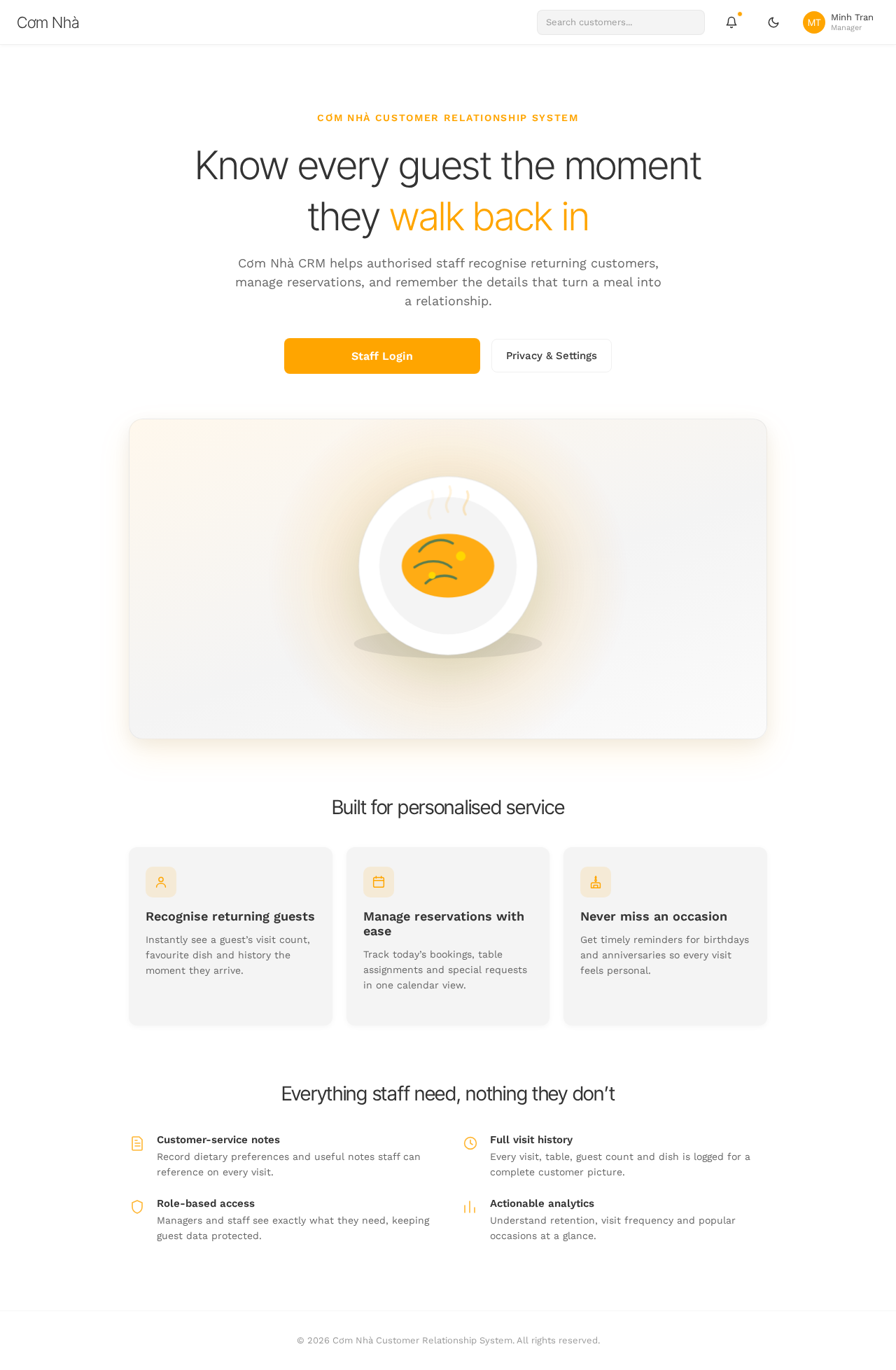
Know every guest the moment they walk back in
Cơm Nhà CRM helps authorised staff recognise returning customers, manage reservations, and remember the details that turn a meal into a relationship.
Built for personalised service
Recognise returning guests
Instantly see a guest’s visit count, favourite dish and history the moment they arrive.
Manage reservations with ease
Track today’s bookings, table assignments and special requests in one calendar view.
Never miss an occasion
Get timely reminders for birthdays and anniversaries so every visit feels personal.
Everything staff need, nothing they don’t
Customer-service notes
Record dietary preferences and useful notes staff can reference on every visit.
Full visit history
Every visit, table, guest count and dish is logged for a complete customer picture.
Role-based access
Managers and staff see exactly what they need, keeping guest data protected.
Actionable analytics
Understand retention, visit frequency and popular occasions at a glance.
Know every guest the moment they walk back in
Cơm Nhà CRM helps authorised staff recognise returning customers, manage reservations, and remember the details that turn a meal into a relationship.
Built for personalised service
Recognise returning guests
Instantly see a guest’s visit count, favourite dish and history the moment they arrive.
Manage reservations with ease
Track today’s bookings, table assignments and special requests in one calendar view.
Never miss an occasion
Get timely reminders for birthdays and anniversaries so every visit feels personal.
Everything staff need, nothing they don’t
Customer-service notes
Record dietary preferences and useful notes staff can reference on every visit.
Full visit history
Every visit, table, guest count and dish is logged for a complete customer picture.
Role-based access
Managers and staff see exactly what they need, keeping guest data protected.
Actionable analytics
Understand retention, visit frequency and popular occasions at a glance.
No comments yet. Be the first!