grand-design
build a single design page of calculator with minimal design

Comments (0)
Sign in to leave a comment
Project Tasks13
Implement Navbar for Calculator
As a frontend developer, implement the Navbar section for the Calculator page. This component uses useState for scrolled and mobileOpen states, and a useEffect with scroll listener to toggle nb-scrolled class when window.scrollY > 8. The logo displays '=' icon, 'grand-design' text, and 'Calc' badge. Desktop nav renders NAV_PAGES array with active state based on window.location.pathname. A hamburger toggle button with nb-toggle-open class and three nb-toggle-line spans controls the mobile dropdown (nb-mobile-menu with nb-mobile-open class). A 'Start Calculating' CTA with arrow icon appears in both desktop (nb-cta-desktop) and mobile layouts. This component may already exist from a previous page — verify before creating a new file.
Implement Calculator Logic Hook
As a Frontend Developer, implement the core calculator logic as a custom React hook (useCalculator.js). This hook should manage the full arithmetic state machine: current input, previous value, selected operator, result display, and chained operations. Must handle: number input accumulation, operator selection (store operand + operator), equals computation, clear/reset (AC), decimal handling, and chained operations (result becomes next operand). Export state values (displayValue, prevValue, operator, isResult, memory) and action handlers (handleNumber, handleOperator, handleEquals, handleClear, handleDecimal, handleMemory). The CalculatorGrid and CalculatorDisplay components noted in existing tasks should integrate with this hook — note this dependency in implementation. Place in frontend/src/hooks/useCalculator.js.
Setup Theme and Design System
As a Frontend Developer, set up the global theme and design system for the Calculator app. Create or update frontend/src/styles/variables.css with all CSS custom properties from the SRD color palette: --primary (#2C3E50), --primary-light (#34495E), --secondary (#E74C3C), --accent (#F39C12), --highlight (#F1C40F), --bg (#ECF0F1), --surface (rgba(255,255,255,0.9)), --text (#2C3E50), --text-muted (#95A5A6), --border (rgba(44,62,80,0.2)). Set up global.css with reset styles, font-family (Inter, system-ui), and base layout rules. Ensure theme.css exports all token variables and is imported in index.jsx. This is a prerequisite for all section components.
Configure Docker for Frontend
As a DevOps Engineer, configure Docker for the frontend-only React application. Create a Dockerfile in the frontend/ directory using a multi-stage build: stage 1 uses node:18-alpine to install dependencies and build the Vite/React app (npm run build), stage 2 uses nginx:alpine to serve the static build output from /usr/share/nginx/html. Create nginx.conf to handle SPA routing (all routes return index.html). Update docker-compose.yml to include the frontend service mapping port 3000:80. Since there is no backend for this project (client-side only), ensure the compose file only defines the frontend service. Add .dockerignore to exclude node_modules and build artifacts.
Implement CalculatorHero for Calculator
As a frontend developer, implement the CalculatorHero section for the Calculator page. This component uses useState for revealed and scrambleText, useRef for heroRef, scrambleInterval, and iterationRef, and useCallback for the runScramble function. An IntersectionObserver triggers the scramble animation at 0.3 threshold. The scramble cycles through SCRAMBLE_CHARS ('0123456789+-×÷=%√π') with a 40ms setInterval, advancing iterationRef.current each tick — characters at index < (iteration - 4) are revealed while others are randomized. On completion, revealed is set true and per-character ch-headline-char spans render with staggered animationDelay (i * 0.03s). HEADLINE_PLAIN is 'Compute with ' and HEADLINE_ACCENT is 'Confidence', wrapped in ch-headline-accent class. FLOAT_SYMBOLS ('+', '−', '×', '÷', '=', '%', '√', 'π') render as floating decorative elements around the hero. Responsive: centered text layout on all breakpoints.
Implement CalculatorContainer for Calculator
As a frontend developer, implement the CalculatorContainer section for the Calculator page. This component uses useState for timePeriod (from getTimePeriod() helper that maps hours to 'morning'/'afternoon'/'evening'/'night'), useRef for rootRef, pulseRef, rafRef, and mousePos. A setInterval every 60000ms updates timePeriod. The onMouseMove handler uses requestAnimationFrame via rafRef to throttle cursor-reactive radial pulse positioning — pulseRef left/top are set to e.clientX/Y relative to rootRef bounds, with CSS custom properties --cc-pulse-x and --cc-pulse-y. Renders cc-gradient-layer-1, cc-gradient-layer-2 divs, a cc-time-tint div with dynamic cc-time-tint--{timePeriod} class, and cc-radial-pulse div. Five LEAF_PATHS SVG shapes with LEAF_COLORS (rgba goldens and blues) and LEAF_SIZES (22-36px) float as decorative elements. The inner cc-card wraps child sections. Responsive: padding adjusts at 768px and 1024px breakpoints.
Implement Footer for Calculator
As a frontend developer, implement the Footer section for the Calculator page. This component uses useRef for footerRef and a useEffect IntersectionObserver at 0.15 threshold that adds ftr-visible class to all .ftr-animate-in elements within the footer when it enters the viewport (then unobserves). The ftr-brand column renders a logo (ftr-logo-icon 'G' + 'grand-design' text), brand description 'A beautifully crafted calculator built for speed, precision, and everyday reliability', and four social icon buttons (Twitter, Github, Linkedin, Youtube from lucide-react) with ftr-social-btn class. Three linkColumns (Product, Resources, Company) each with 4 links render as ftr-col divs with ftr-animate-in and ftr-delay-{1,2,3,4} staggered classes. The ftr-top grid holds brand + columns. All link hrefs point to /Calculator. This component may already exist from a previous page — verify before creating a new file.
Setup App Router and Entry
As a Frontend Developer, configure the React application entry point and routing. Update frontend/src/App.jsx to render the Calculator page as the root route (/). Update frontend/src/routes/AppRoutes.jsx to define the single route: path '/' renders CalculatorPage. Ensure index.jsx mounts App correctly with React 18 createRoot. Import global styles (global.css, variables.css, theme.css) in index.jsx. The app should load the Calculator page directly at root without authentication guards, as this is a client-only tool with no auth requirements.
Add Keyboard and Accessibility Support
As a Frontend Developer, implement full keyboard accessibility for the Calculator. Add a useEffect in useCalculator.js (or CalculatorPage.jsx) that listens to keydown events and maps keyboard input to calculator actions: digit keys (0-9) to handleNumber, operators (+, -, *, /) to handleOperator, Enter/= to handleEquals, Escape/Delete to handleClear, Backspace to delete last character, and period (.) to handleDecimal. Add proper ARIA attributes to the CalculatorGrid buttons: aria-label for each button (e.g. 'add', 'multiply', 'equals', 'clear'), role='button', and aria-pressed for active operator state. Ensure color contrast ratios meet WCAG 2.1 AA standards as specified in non-functional requirements. Add focus-visible styles for keyboard navigation.
Implement CalculatorDisplay for Calculator
As a frontend developer, implement the CalculatorDisplay section for the Calculator page. This component uses useState for displayValue, prevValue, operator, isResult, memory, and charAnimKeys, plus useRef for prevDisplayRef and animIdRef. A demo setInterval every 2200ms cycles through 13 predefined calculator states (e.g. '42', '42 + 18', '60', '188.4', '1234567.89'). The formatNumber helper formats with comma separators and preserves decimals. getSizeClass returns cd-size-xl/lg/md/sm/xs based on string length (<=7, <=10, <=13, <=16, >16). A useEffect tracks character changes between prevDisplayRef and current displayValue to populate charAnimKeys for kinetic per-character animations. The display renders: a cd-prev-row showing prevValue and operator symbol from OPERATORS map ('+':'+' '-':'−' '*':'×' '/':'÷'), a cd-main-value div with dynamic size class, individual character spans with animation keys, a memory indicator when memory state is true, and an isResult highlight state. Responsive: font scales from xl on desktop to sm on mobile.
Implement CalculatorGrid for Calculator
As a frontend developer, implement the CalculatorGrid section for the Calculator page. The BUTTONS array defines 19 entries with label, type ('func'/'op'/'num'/'eq'), and optional span:2 for the '0' button. useState manages activeOp (currently highlighted operator) and pressedIdx (currently pressed button index). useRef rippleTimeouts stores per-button ripple cleanup timers. The createRipple useCallback handler imperatively creates a 'cg-ripple' span element positioned at e.clientX/Y relative to getBoundingClientRect, sized to Math.max(width, height), appended to the button, and removed after 600ms. handleClick calls createRipple, sets pressedIdx (cleared after 220ms), and toggles activeOp for operator buttons or resets on AC/'='. getClassName useCallback builds class strings: cg-btn base, cg-btn--func/op/eq/num type variants, cg-btn--zero for span-2, cg-btn--active for activeOp match, cg-btn--pressed for pressedIdx match. Grid layout: 4-column CSS grid with '0' button spanning 2 columns. Responsive: touch-friendly button sizes on mobile (min 56px height), compact on desktop.
Compose Calculator Page
As a Frontend Developer, compose the Calculator page by assembling all section components into the CalculatorPage.jsx file. Import and render sections in order: Navbar, CalculatorContainer (wrapping CalculatorHero, CalculatorDisplay, CalculatorGrid), and Footer. Wire the useCalculator hook to CalculatorDisplay and CalculatorGrid so they share state — CalculatorDisplay reads displayValue/prevValue/operator/isResult and CalculatorGrid calls handleNumber/handleOperator/handleEquals/handleClear on button clicks. Remove the demo setInterval from CalculatorDisplay and replace with live hook state. Ensure the page is exported as default from pages/CalculatorPage.jsx and referenced in AppRoutes.
Validate Responsive Across Breakpoints
As a QA Engineer, validate the Calculator page is fully responsive across all required breakpoints. Test at: 320px (minimum mobile), 375px (iPhone SE), 768px (tablet), 1024px (laptop), 1440px (desktop), 1920px (large desktop). Verify: Navbar collapses to hamburger below 768px, CalculatorGrid button sizes meet minimum 56px touch target on mobile, CalculatorDisplay text scales correctly with getSizeClass, CalculatorContainer padding adjusts at 768px and 1024px breakpoints, Footer link columns stack on mobile. Confirm page load time is under 2 seconds on simulated standard broadband connection using browser DevTools network throttling. Document any layout issues found and fix CSS accordingly.
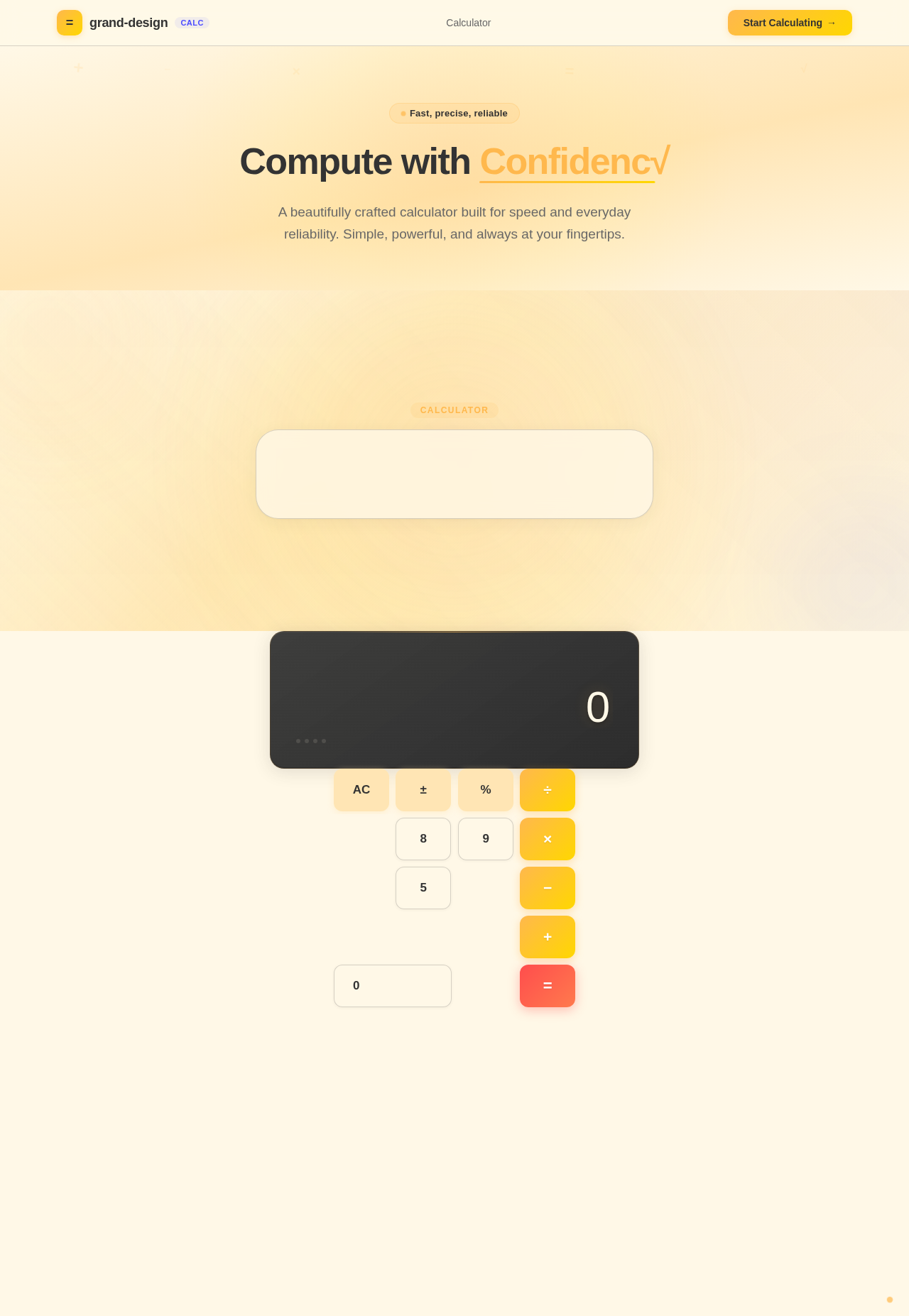
A beautifully crafted calculator built for speed and everyday reliability. Simple, powerful, and always at your fingertips.
No comments yet. Be the first!