gorilla-tag-mobile
byV1rtualGamer
Gorilla tag for Mobile

Comments (0)
Sign in to leave a comment
Project Tasks
20 planning tasks#1
Generate system requirement document
0m 54s0.05 cr used
Done#2
Generate personas & user flows
0m 7s0.05 cr used
Done#5
Architecture
0.05 cr needed
Backlog#6
Workspace task plan
0.05 cr needed
Backlog#7
Create flow for Mobile Player
0m 6sCredits in parent
Done#8
Create flow for Room Host
0m 5sCredits in parent
Done#9
Landing
3m 15sCredits in subtasks
Done#10
Login
Credits in subtasks
Backlog#11
Play
Credits in subtasks
Backlog#12
Rooms
Credits in subtasks
Backlog#13
Landing / Hero Band
0m 33s0.85 cr used
Done#14
Landing / Verb Ticker Seam
0m 34s0.85 cr used
Done#15
Landing / Loop Statement
0m 33s0.85 cr used
Done#16
Landing / Navigation
0m 0s0.85 cr used
Done#17
Landing / Footer
0m 0s0.85 cr used
Done#18
Navigation
0m 32sCredits in parent
Done#19
Footer
0m 22sCredits in parent
Done#20
Fix Landing: Mobile hero clips the device mockup and its HUD at the viewport edge; see selectors and .
0m 45sCredits unavailable
Done#21
Fix Landing: The required action is indistinguishable from the primary action in its destination…
0m 45sCredits unavailable
Done#22
Fix Landing review findings: Mobile hero clips the device mockup and its HUD at the… (+1 more)
0m 22s0.02 cr used
Done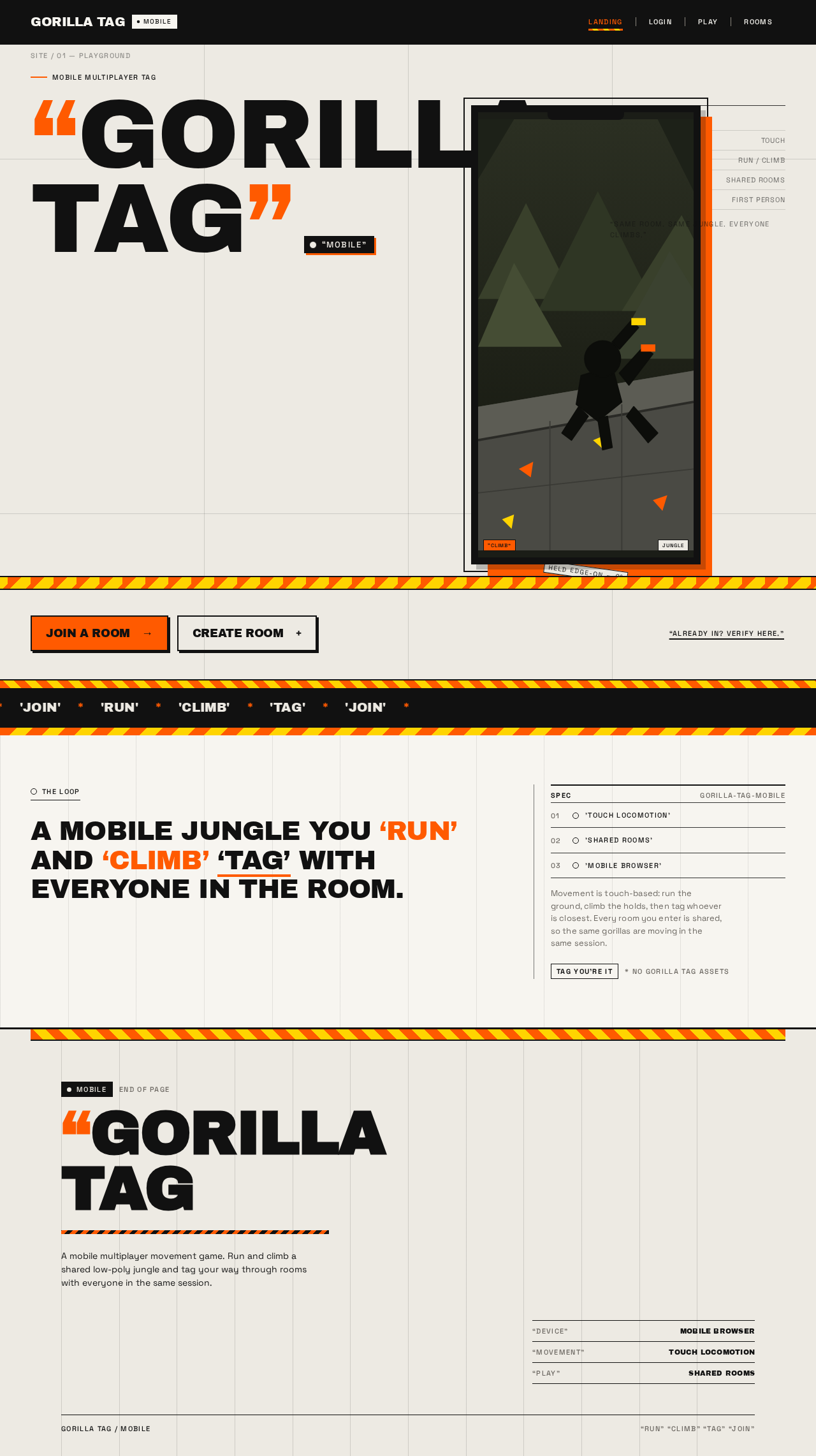
Mobile multiplayer tag
GORILLATAG“MOBILE”
'RUN''CLIMB''TAG''JOIN'
'RUN''CLIMB''TAG''JOIN'
THE LOOP
A MOBILE JUNGLE YOU ‘RUN’ AND ‘CLIMB’ ‘TAG’ WITH EVERYONE IN THE ROOM.
Mobile multiplayer tag
GORILLATAG“MOBILE”
'RUN''CLIMB''TAG''JOIN'
'RUN''CLIMB''TAG''JOIN'
THE LOOP
No comments yet. Be the first!