golden-simple
a simple single page calculator

Comments (0)
Sign in to leave a comment
System Requirements
golden-simple System Requirements Document
Introduction
The purpose of this document is to outline the system requirements for the "golden-simple" project, a single-page calculator designed specifically for students. This calculator will focus on providing basic PEMDAS (Parentheses, Exponents, Multiplication and Division, Addition and Subtraction) operations in a user-friendly interface.
System Overview
The "golden-simple" project aims to deliver a straightforward and efficient calculator tool for students. The calculator will be accessible on a single page, ensuring quick access and ease of use. The focus is on simplicity and functionality, allowing students to perform basic arithmetic operations without unnecessary complexity.
Functional Requirements
- As a Student, I should be able to perform basic PEMDAS operations on a single page.
User Personas
- Student: The primary user of the calculator, needing quick and easy access to basic arithmetic operations for educational purposes.
Visuals Colors and Theme
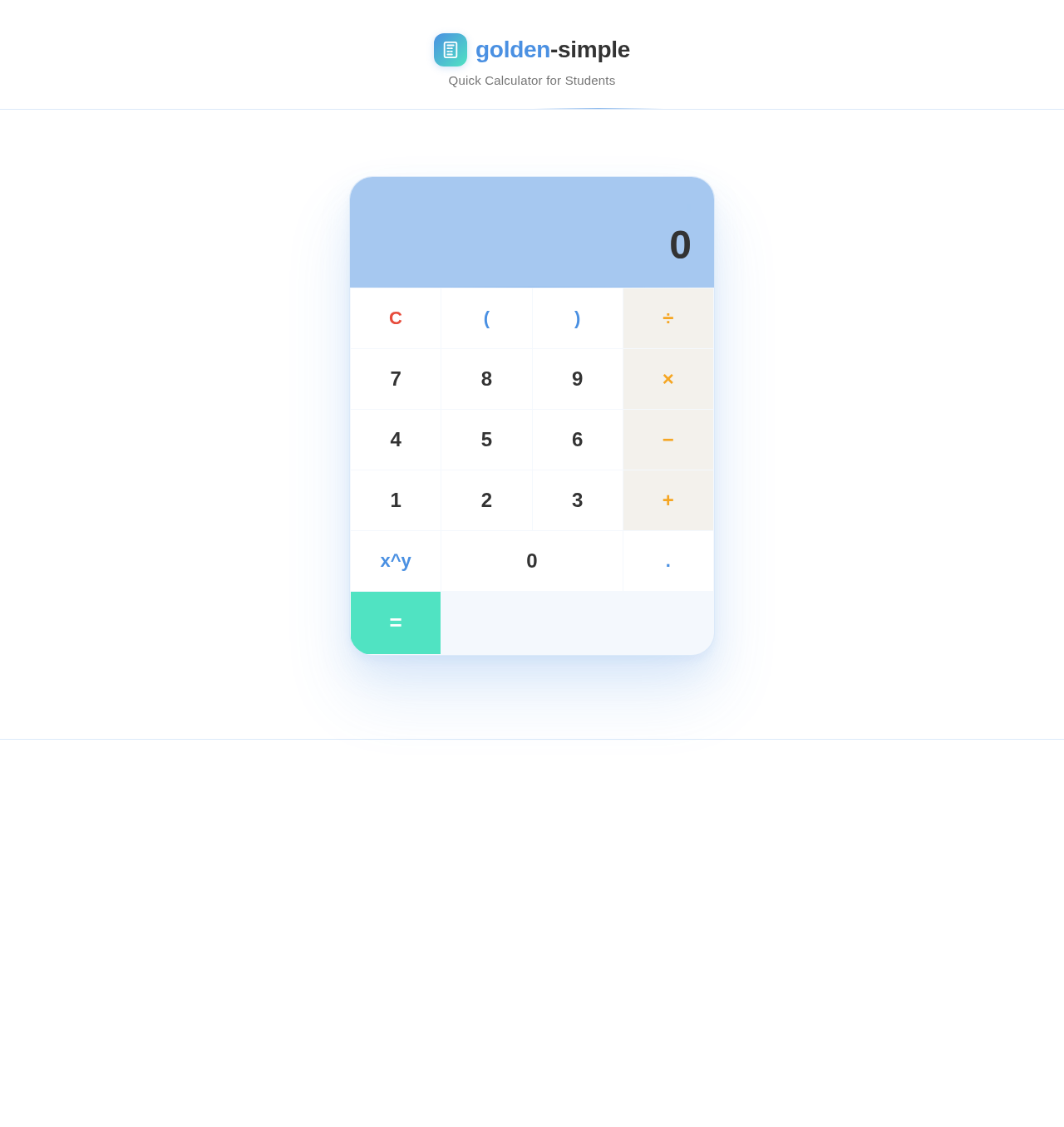
- primary: #4A90E2 (a calm blue to convey trust and reliability)
- primary_light: #A6C8F0 (a lighter shade of blue for hover states)
- secondary: #F5A623 (a warm orange for emphasis and highlights)
- accent: #50E3C2 (a vibrant teal for call-to-action buttons)
- highlight: #F8E71C (a bright yellow for active indicators)
- bg: #FFFFFF (a clean white background for clarity)
- surface: rgba(74, 144, 226, 0.1) (a subtle blue tint for panels)
- text: #333333 (a dark gray for primary text)
- text_muted: #777777 (a lighter gray for secondary text)
- border: rgba(74, 144, 226, 0.2) (a soft blue for borders)
Signature Design Concept
The "golden-simple" calculator will feature an interactive "floating calculator" design. Upon landing on the page, users will see a sleek calculator interface that appears to float above the background. Using framer-motion, the calculator will gently sway as users move their cursor, creating a dynamic and engaging experience. The buttons will have a subtle spring animation when clicked, providing tactile feedback. The background will feature a soft gradient that shifts slightly as users scroll, maintaining focus on the calculator itself.
Interaction Model & Motion Direction
- Interaction Model: Animated
- The landing page will feature moderate scroll-triggered reveals and hover transitions. The calculator interface will have spring physics on interactive elements, ensuring a polished and responsive user experience.
Non-Functional Requirements
- The application must load within 2 seconds on a standard broadband connection.
- The calculator should be responsive and accessible on both desktop and mobile devices.
- The interface must be intuitive, requiring no more than a brief glance to understand its functionality.
Tech Stack
- Frontend: React for Web
- Backend: None required, as calculations are performed client-side.
- Database: None required.
Assumptions and Constraints
- The calculator will only support basic PEMDAS operations.
- The application will be used primarily by students in the US, so it will default to English and use the US dollar symbol for any currency-related operations.
Glossary
- PEMDAS: An acronym for Parentheses, Exponents, Multiplication and Division, Addition and Subtraction, which is the order of operations used in mathematics.
- Responsive Design: An approach to web design that makes web pages render well on a variety of devices and window or screen sizes.
golden-simple
Quick Calculator for Students
No comments yet. Be the first!