golden-camera
 Manish Rohan James
A mobile app, Time Travel, MVP TECH DOC — TimeLens --- Goal AR camera. Overlay past life. Fast. Stable. Shareable. --- Platforms Android first Later iOS --- Stack Client Unity ARCore C# Assets Low-poly 3D models 1–5 MB each Backend None (MVP) --- Modules 1. Camera + AR Session Initialize ARCore Plane detection (horizontal) 2. Placement Engine Tap → place anchor Auto-scale by distance 3. Era Engine Enum: Jurassic Ice Age Early Humans Map → asset bundle 4. Creature Controller Idle animation Loop animation Simple movement (optional) 5. Overlay Engine Sky tint Fog Ground texture decal 6. Capture Module Screenshot Video recording (basic) --- Data (local JSON) { "eras": [ { "name": "Jurassic", "creatures": ["brachiosaurus", "trex"], "skyColor": "#87CEEB", "fog": 0.2 } ] } --- Performance targets FPS: 30+ Load time: <3s APK size: <150MB --- --- PRD — PRODUCT REQUIREMENTS --- Problem Learning history boring. No immersion. --- Solution AR time travel camera. See past world instantly. --- Target users Kids (10–16) Curious adults Content creators --- Core features Must-have AR camera Era switch Creature placement Capture + share Nice-to-have Info popups Sound effects --- User flow Open app → Camera opens → Select era → Tap ground → Creature appears → Capture → Share --- Success metrics Day 1 retention >30% Avg session >2 min Shares per user >1 --- Non-goals Scientific accuracy Multiplayer Backend sync --- --- SYSTEM DESIGN --- High level User device only. No server. --- Flow Camera feed → ARCore tracking → Plane detection → Anchor placement → Load 3D asset → Render scene --- Key components AR Engine Motion tracking Environment understanding Renderer Unity scene Lighting + shaders Asset Loader Local bundle load Lazy load per era --- Storage Local: Assets Config JSON --- Risks Device compatibility FPS drops Bad plane detection --- --- ARCHITECTURE --- Layers 1. Presentation UI (era select, buttons) 2. AR Layer Session manager Plane detection Anchor system 3. Domain Era manager Creature manager 4. Data Local config Asset bundles --- Diagram (simple) UI Layer ↓ AR Session Manager ↓ Placement Engine ↓ Creature Controller ↓ Renderer (Unity) --- State management States: INIT SCANNING PLACED CAPTURE --- Scaling later Add: Remote asset CDN User accounts Analytics --- Hard constraints Keep it light Avoid backend early Focus on smooth AR --- Brutal focus 1 creature 1 era working demo Ship fast.

Comments (0)
Sign in to leave a comment
System Requirements
System Requirements Document (SRD)
golden-camera
1. Introduction
The golden-camera project is an innovative mobile application designed to bring history to life through augmented reality (AR). By overlaying realistic, immersive visuals of past eras onto the real world, users can experience time travel in a unique and engaging way. This document outlines the system requirements for the project, ensuring that the application delivers high-quality, near-realistic outputs while maintaining performance and usability.
This SRD has been updated to reflect the need for outputs that are close to realistic, as pre-resolved by the API supervisor.
2. System Overview
The golden-camera app is an AR-based time travel camera that allows users to explore historical eras by placing creatures and environmental elements into their surroundings. The app is designed for Android devices initially, with plans to expand to iOS in the future.
Key features include:
- Realistic AR visuals of creatures and environments.
- Era selection with dynamic overlays (e.g., sky tint, fog, ground textures).
- Capture and sharing functionality for user-generated content.
The app is lightweight, backend-free (for the MVP), and optimized for smooth performance on a wide range of devices.
3. Functional Requirements
As a User:
- I should be able to open the app and immediately access the AR camera.
- I should be able to select an era from a predefined list.
- I should be able to tap on the ground to place a creature in the AR scene.
- I should see realistic animations for the placed creature, including idle and loop behaviors.
- I should be able to capture screenshots and record videos of the AR scene.
- I should be able to share captured content directly from the app.
As an Admin:
- I should be able to update the list of eras and associated assets via local JSON files.
- I should be able to test the app for performance metrics like FPS and load time.
4. User Personas
1. Kids (10–16 years old):
- Curious learners who enjoy interactive and visual experiences.
- Likely to share content with friends on social media.
2. Curious Adults:
- History enthusiasts or casual users interested in exploring past eras.
- Appreciate realistic visuals and immersive experiences.
3. Content Creators:
- Social media influencers and AR enthusiasts.
- Focused on creating shareable, visually appealing content.
5. Visuals Colors and Theme
Color Palette:
The golden-camera app will use a unique color palette inspired by historical and natural tones to enhance the immersive experience:
- Background: #F5F3E7 (Soft Sand)
- Surface: #D9CBA0 (Ancient Parchment)
- Text: #3B3A36 (Charcoal Black)
- Accent: #A67C52 (Bronze Gold)
- Muted Tones: #8E9A9B (Weathered Stone)
This palette creates a warm, earthy aesthetic that complements the historical theme of the app.
6. Signature Design Concept
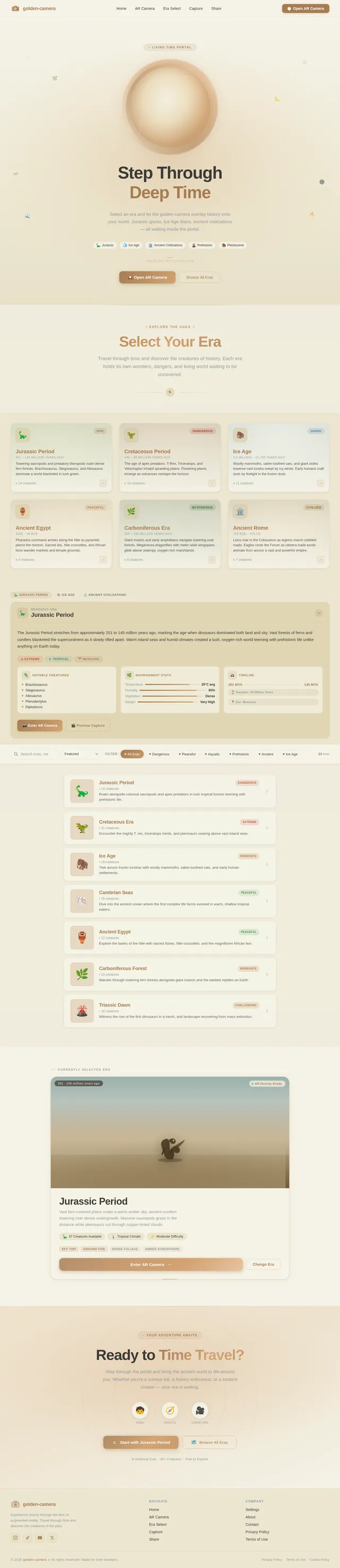
"Living Time Portal" Landing Page
The home screen of the golden-camera app will feature an interactive "time portal" animation. Users will see a glowing, swirling vortex in the center of the screen, with fragments of historical scenes (e.g., a dinosaur tail, an ancient campfire, or an ice age glacier) briefly appearing and disappearing within the portal.
Details:
- Animation: The portal will have a dynamic, particle-based animation that reacts to user input. Swiping across the screen will cause the portal to "shift" and reveal glimpses of different eras.
- Transitions: When an era is selected, the portal will "expand" outward, transitioning seamlessly into the AR camera view.
- Micro-interactions: Subtle haptic feedback will accompany user interactions, such as tapping or swiping.
- Sound Design: A soft, ethereal hum will play in the background, with era-specific sound effects (e.g., dinosaur roars or icy winds) triggered during transitions.
This design ensures that the app makes a bold first impression, immersing users in the concept of time travel from the moment they open it.
7. Non-Functional Requirements
-
Performance:
- Maintain a minimum FPS of 30+ during AR sessions.
- Ensure load times are under 3 seconds.
- Keep the APK size below 150MB.
-
Compatibility:
- Support Android devices running Android 8.0 (Oreo) or higher.
- Ensure compatibility with a wide range of hardware configurations.
-
Usability:
- Provide an intuitive and user-friendly interface.
- Minimize the number of steps required to access core features.
-
Reliability:
- Ensure stable AR sessions with minimal crashes or glitches.
8. Tech Stack
Frontend:
- React Native (for future mobile app development).
Backend:
- None (MVP phase).
Database:
- Local JSON (for storing era configurations and assets).
AR Framework:
- Unity with ARCore.
Assets:
- Low-poly 3D models (1–5 MB each).
AI Tools (Future Consideration):
- Google Nano Banana (for generating realistic textures and animations).
9. Assumptions and Constraints
Assumptions:
- Users will primarily use the app in well-lit environments for optimal AR performance.
- The target audience has access to mid-range or high-end Android devices.
Constraints:
- The MVP will not include backend functionality or multiplayer features.
- The app must remain lightweight and performant to meet APK size and FPS targets.
10. Glossary
- AR (Augmented Reality): Technology that overlays digital content onto the real world.
- Era: A historical time period represented in the app (e.g., Jurassic, Ice Age).
- Anchor: A fixed point in the AR environment where digital objects are placed.
- MVP (Minimum Viable Product): The simplest version of the app that delivers core functionality.
- FPS (Frames Per Second): A measure of how smoothly the app runs.
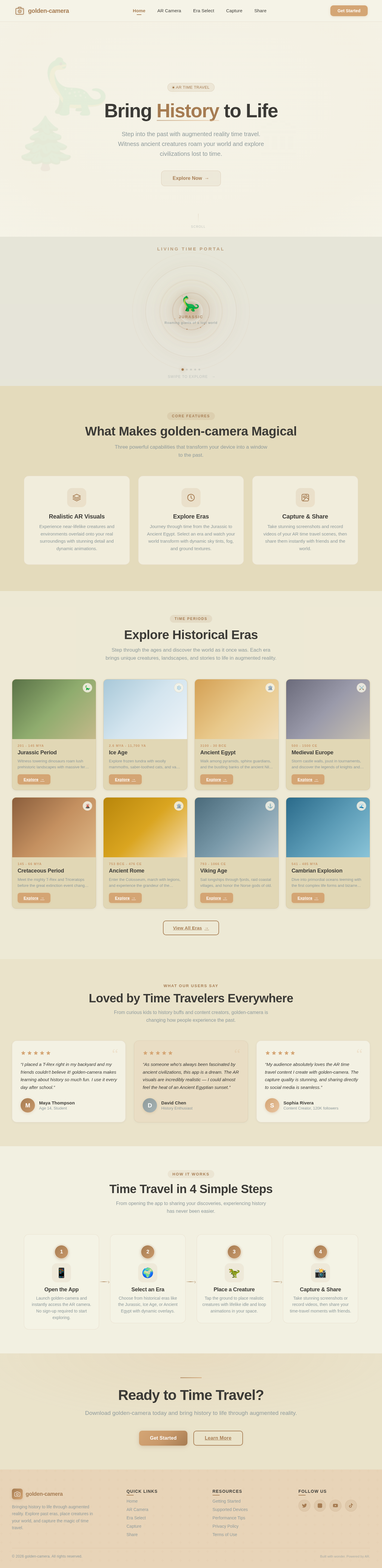
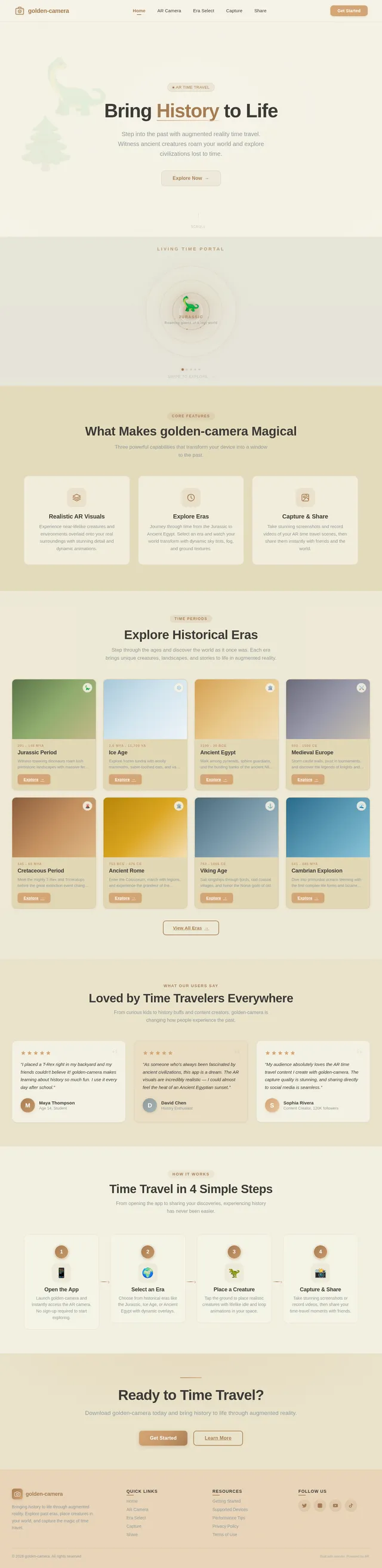
Bring History to Life
Step into the past with augmented reality time travel. Witness ancient creatures roam your world and explore civilizations lost to time.
What Makes golden-camera Magical
Three powerful capabilities that transform your device into a window to the past.
Realistic AR Visuals
Experience near-lifelike creatures and environments overlaid onto your real surroundings with stunning detail and dynamic animations.
Explore Eras
Journey through time from the Jurassic to Ancient Egypt. Select an era and watch your world transform with dynamic sky tints, fog, and ground textures.
Capture & Share
Take stunning screenshots and record videos of your AR time travel scenes, then share them instantly with friends and the world.
Explore Historical Eras
Step through the ages and discover the world as it once was. Each era brings unique creatures, landscapes, and stories to life in augmented reality.
Jurassic Period
Witness towering dinosaurs roam lush prehistoric landscapes with massive ferns and ancient conifers.
Explore→Ice Age
Explore frozen tundra with woolly mammoths, saber-toothed cats, and vast glacial formations.
Explore→Ancient Egypt
Walk among pyramids, sphinx guardians, and the bustling banks of the ancient Nile River.
Explore→Medieval Europe
Storm castle walls, joust in tournaments, and discover the legends of knights and dragons.
Explore→Cretaceous Period
Meet the mighty T-Rex and Triceratops before the great extinction event changed Earth forever.
Explore→Ancient Rome
Enter the Colosseum, march with legions, and experience the grandeur of the Roman Empire.
Explore→Viking Age
Sail longships through fjords, raid coastal villages, and honor the Norse gods of old.
Explore→Cambrian Explosion
Dive into primordial oceans teeming with the first complex life forms and bizarre creatures.
Explore→Loved by Time Travelers Everywhere
From curious kids to history buffs and content creators, golden-camera is changing how people experience the past.
“I placed a T-Rex right in my backyard and my friends couldn't believe it! golden-camera makes learning about history so much fun. I use it every day after school.”
“As someone who's always been fascinated by ancient civilizations, this app is a dream. The AR visuals are incredibly realistic — I could almost feel the heat of an Ancient Egyptian sunset.”
“My audience absolutely loves the AR time travel content I create with golden-camera. The capture quality is stunning, and sharing directly to social media is seamless.”
Time Travel in 4 Simple Steps
From opening the app to sharing your discoveries, experiencing history has never been easier.
Open the App
Launch golden-camera and instantly access the AR camera. No sign-up required to start exploring.
Select an Era
Choose from historical eras like the Jurassic, Ice Age, or Ancient Egypt with dynamic overlays.
Place a Creature
Tap the ground to place realistic creatures with lifelike idle and loop animations in your space.
Capture & Share
Take stunning screenshots or record videos, then share your time-travel moments with friends.
Open the App
Launch golden-camera and instantly access the AR camera. No sign-up required to start exploring.
Select an Era
Choose from historical eras like the Jurassic, Ice Age, or Ancient Egypt with dynamic overlays.
Place a Creature
Tap the ground to place realistic creatures with lifelike idle and loop animations in your space.
Capture & Share
Take stunning screenshots or record videos, then share your time-travel moments with friends.
Ready to Time Travel?
Download golden-camera today and bring history to life through augmented reality.
No comments yet. Be the first!