0
golden-calculator
by kavita
kavitaBuild a calculator
Comments (0)
Sign in to leave a comment
System Requirements
Page 1 of 4
System Requirements Document (SRD)
Project Name: golden-calculator
1. Introduction
The golden-calculator project aims to deliver a simple, one-page calculator application tailored for users in Afghanistan. The application will prioritize ease of use, responsiveness, and a clean design. This document outlines the system requirements to ensure the development aligns with the user's expectations and project goals.
2. System Overview
The golden-calculator is a lightweight, single-page web application designed to perform basic arithmetic operations. It will feature a minimalistic interface, ensuring accessibility and usability for all users. The application will be optimized for both desktop and mobile devices, ensuring seamless functionality across platforms.
Key features include:
- Basic arithmetic operations (addition, subtraction, multiplication, division).
- Responsive design for optimal performance on various screen sizes.
- Aesthetic simplicity to enhance user experience.
The application will be developed with a focus on users in Afghanistan, considering local preferences and usability standards.
Page 2 of 4
3. Functional Requirements
- As a User, I should be able to perform basic arithmetic operations (addition, subtraction, multiplication, division).
- As a User, I should be able to clear the current calculation and start a new one.
- As a User, I should be able to view the results of my calculations in real-time as I input values.
- As a User, I should be able to use the calculator seamlessly on both desktop and mobile devices.
4. User Personas
- General User
- Description: Individuals of all ages and technical expertise who require a simple tool for basic calculations.
- Goals: Perform quick and accurate arithmetic operations.
- Pain Points: Overly complex interfaces or non-responsive designs.
5. Visuals Colors and Theme
The golden-calculator will adopt a clean and modern aesthetic with the following color scheme:
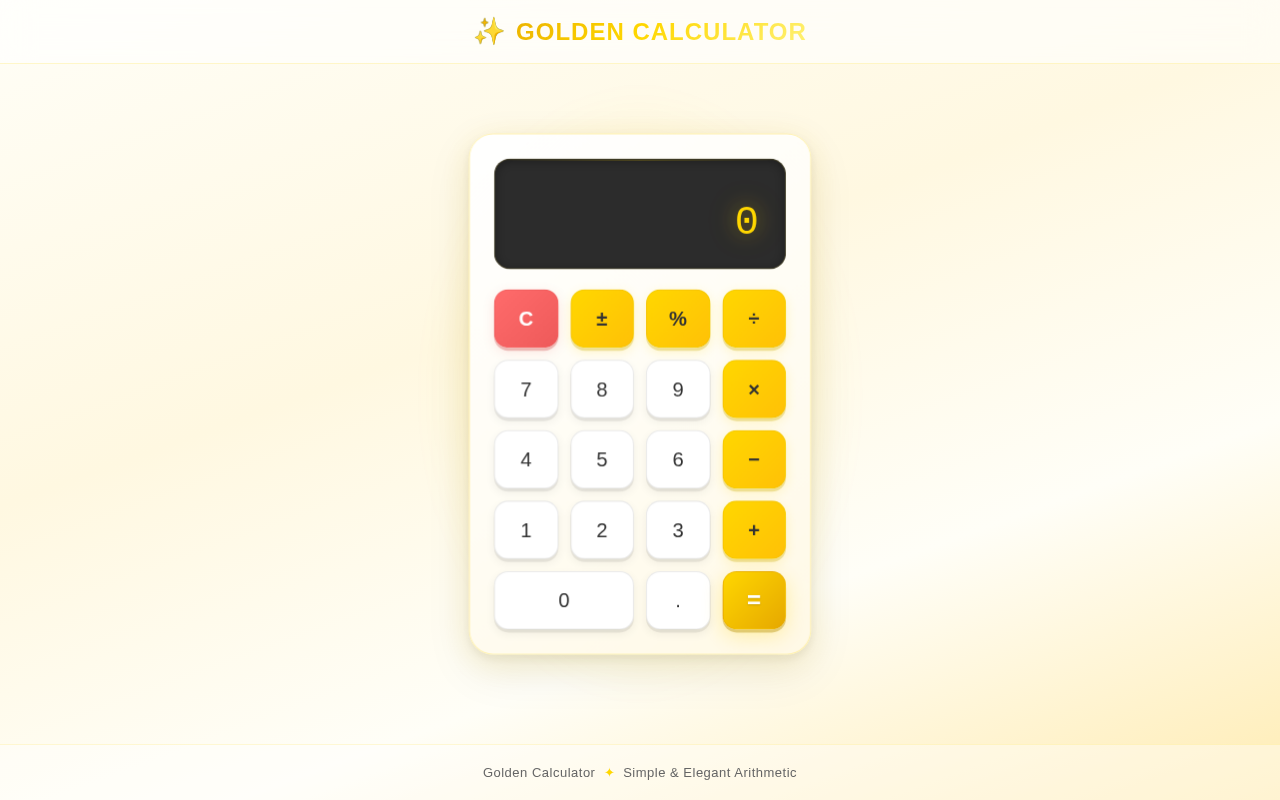
- Primary Color: Gold (#FFD700) – to reflect the "golden" theme and provide a sense of elegance.
- Secondary Color: White (#FFFFFF) – for a clean and minimalistic background.
- Accent Color: Dark Gray (#333333) – for text and button outlines to ensure readability and contrast.
- Hover/Active States: Light Gold (#FFECB3) – for interactive elements like buttons.
The typography will use a sans-serif font like Roboto or Open Sans for clarity and simplicity.
Page 3 of 4
6. Signature Design Concept
The golden-calculator will feature a "Golden Glow" interactive design.
Home Page / Landing Page Concept:
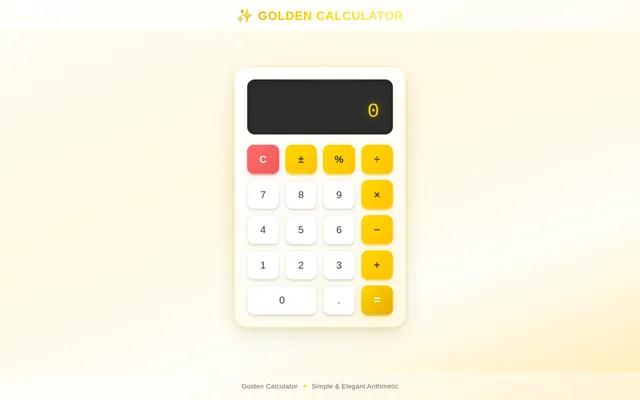
- The calculator will appear as a floating golden panel in the center of the screen, casting a soft golden glow onto the background.
- The background will be a subtle gradient of white to light gold, giving the impression of sunlight reflecting off a golden surface.
- Buttons will have a 3D pressed effect: when clicked, they will depress slightly and emit a faint ripple animation, like a drop of water hitting a golden surface.
- The display screen will have a digital clock-like appearance, with numbers glowing softly in gold.
- Micro-interactions: Hovering over buttons will cause them to gently pulse, and the calculator will subtly "breathe" (expand and contract slightly) when idle, creating a sense of life and elegance.
This design will make the calculator feel premium and engaging while maintaining simplicity.
7. Non-Functional Requirements
- The application must load within 2 seconds on a standard 3G connection.
- The application must be responsive and function seamlessly on devices with screen sizes ranging from 320px to 1920px.
- The application must support modern browsers, including Chrome, Firefox, Safari, and Edge.
- The application must be accessible, adhering to WCAG 2.1 AA standards.
8. Tech Stack
- Frontend: React (for a responsive and dynamic single-page application).
- Backend: None (as this is a simple calculator, all logic will be handled client-side).
- Database: None (no data storage is required).
- Local Orchestration: Docker (for containerized development and deployment).
Page 4 of 4
9. Assumptions and Constraints
- The application will not require user authentication or data storage.
- The calculator will only support basic arithmetic operations (no scientific or advanced functions).
- The application will be deployed as a web app and will not include a native mobile app.
- The target audience is primarily users in Afghanistan, but the app will be globally accessible.
- The project will adhere to a minimalistic design philosophy, avoiding unnecessary features or complexity.
10. Glossary
- Arithmetic Operations: Basic mathematical functions, including addition, subtraction, multiplication, and division.
- Responsive Design: An approach to web design that ensures the application functions well on devices of various sizes and orientations.
- WCAG 2.1 AA: Web Content Accessibility Guidelines, a standard for making web content more accessible to people with disabilities.
- Micro-interactions: Small, subtle animations or design elements that enhance user experience by providing feedback or visual interest.
End of Document
Golden Calculator
No comments yet. Be the first!