golden-app
 Dhruv .A. Galani
I want to make app like game for kids in that there should be multiple games and multiple subjects from that they can learn anything..
Comments (0)
Sign in to leave a comment
System Requirements
System Requirements Document (SRD) for golden-app
1. Introduction
The golden-app is an innovative educational application designed for children, combining interactive games with learning content. Developed with a focus on engaging young minds, the app integrates multiple subjects such as Math, Science, English, and Hindi into gamified experiences. By leveraging visual and activity-based learning, golden-app aims to make education enjoyable and effective for kids.
This document outlines the system requirements for golden-app, ensuring a clear roadmap for development and implementation. The app will also include a parent dashboard to provide insights into a child's progress, fostering collaboration between children and their guardians.
2. System Overview
The golden-app is a gamified learning platform tailored for children. It features:
- Subjects: Math, Science, English, and Hindi.
- Interactive Games: Drag-and-drop activities, puzzles, and matching games, all image-based to enhance visual learning.
- Progression System: Levels of increasing difficulty to challenge and motivate children.
- Rewards System: Star-based rewards to encourage continued engagement.
- Progress Tracking: A system to monitor a child’s learning journey.
- Parent Dashboard: A dedicated interface for parents to track their child’s progress, including detailed reports on time spent, strengths, and areas for improvement.
The app will be designed with a child-friendly interface and a vibrant, engaging aesthetic to captivate young users. It will also prioritize ease of use for parents accessing the dashboard.
3. Functional Requirements
- As a User, I should be able to play interactive games like drag-and-drop, puzzles, and matching games.
- As a User, I should be able to select subjects like Math, Science, English, and Hindi.
- As a User, I should be able to progress through levels of increasing difficulty.
- As a User, I should be able to earn stars as rewards for completing levels.
- As a User, I should be able to view my progress in a visually engaging way.
- As a Parent, I should be able to access a dashboard to monitor my child’s progress.
- As a Parent, I should be able to view detailed reports, including time spent, strengths, and areas for improvement.
- As a Parent, I should be able to see a summary of my child’s achievements and rewards.
4. User Personas
1. Child User
- Age Group: 5–12 years
- Goals: Learn through interactive games, earn rewards, and progress through levels.
- Needs: A fun, engaging, and intuitive interface with visual elements.
2. Parent User
- Age Group: 25–45 years
- Goals: Monitor their child’s progress and ensure effective learning.
- Needs: A simple and informative dashboard with detailed reports and summaries.
5. Visuals Colors and Theme
The golden-app will feature a vibrant and playful color palette to appeal to children while maintaining a professional tone for the parent dashboard.
Color Palette:
- Background: #FDF6E3 (Soft Cream)
- Surface: #FFF9E6 (Light Yellow)
- Text: #4A4A4A (Dark Gray)
- Accent: #FFB400 (Golden Yellow)
- Muted Tones: #B2B2B2 (Soft Gray)
This palette ensures a cheerful and engaging atmosphere for kids while providing clarity and readability for parents.
6. Signature Design Concept
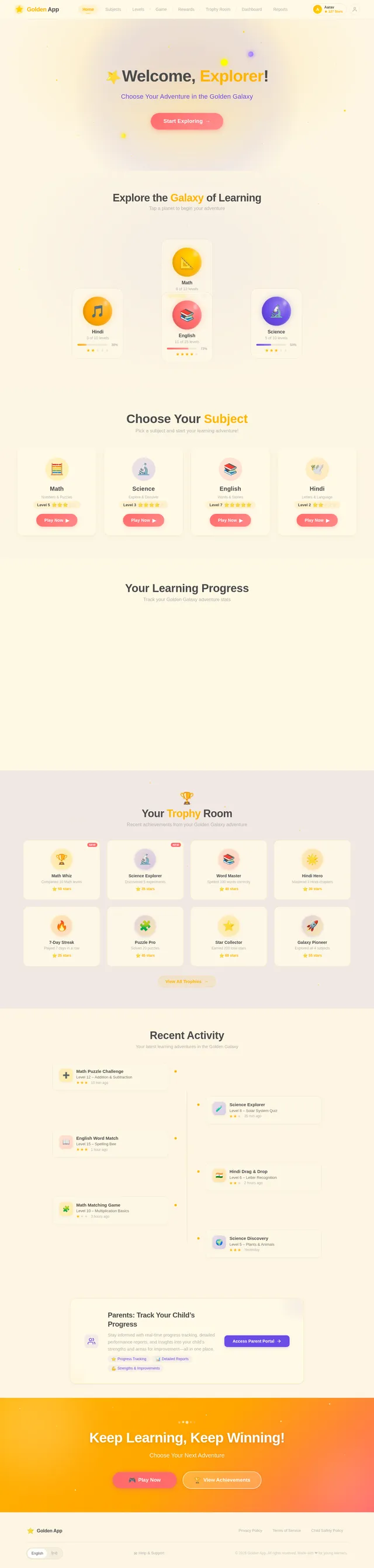
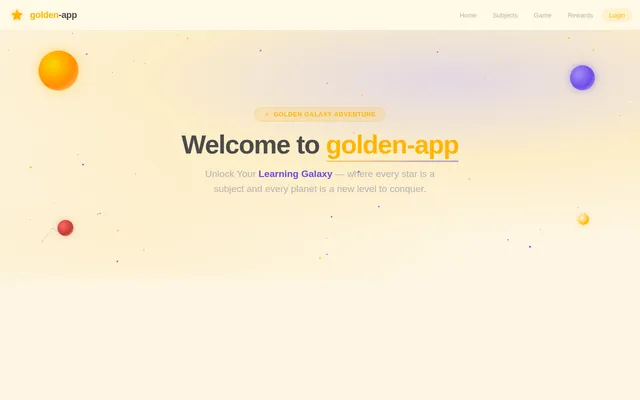
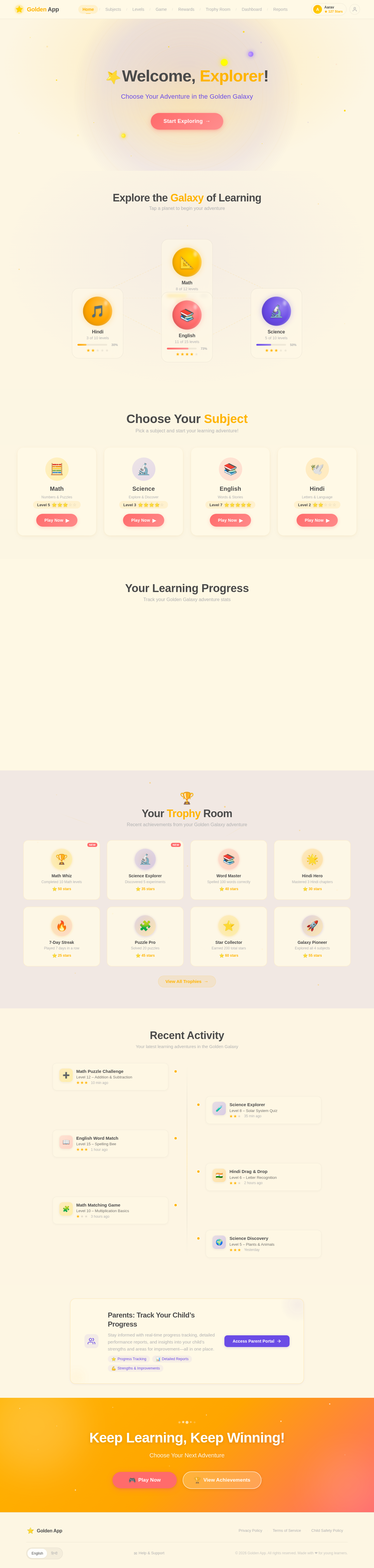
"Golden Galaxy Adventure" Homepage
The homepage of golden-app will transport users into a magical galaxy of learning. The design will feature:
- Interactive Galaxy Map: A vibrant, animated galaxy where each star represents a subject or game. Clicking on a star zooms into that subject or game.
- Floating Planets: Each planet represents a level, with visual cues (e.g., size, brightness) indicating progress.
- Dynamic Animations: Stars twinkle, planets rotate, and constellations form as users navigate the map.
- Reward Showcase: A "Golden Trophy Room" where kids can view their earned stars and achievements, displayed as glowing constellations.
- Parent Portal: A sleek, minimalistic button in the corner leads to the parent dashboard, ensuring easy access without disrupting the child’s experience.
This design will captivate children with its imaginative visuals and provide a seamless transition for parents to access their tools.
7. Non-Functional Requirements
- The app must load within 3 seconds on standard devices.
- The interface must be responsive and compatible with both mobile and tablet devices.
- The app must support English and Hindi languages for the interface.
- The parent dashboard must ensure data security and privacy.
- The app must be scalable to accommodate additional subjects or games in the future.
8. Tech Stack
Frontend:
- React for the web interface.
- React Native for the mobile app.
Backend:
- Python with FastAPI for API development.
Database:
- MySQL for structured data storage, using Alembic for migrations.
AI Models:
- GPT 5.4 for user-friendly responses.
- Google Nano Banana for generating educational images.
AI Tools:
- Langchain for workflow orchestration.
Orchestration:
- Docker and docker-compose for local development.
- Kubernetes for server-side orchestration.
9. Assumptions and Constraints
Assumptions:
- The target audience includes children aged 5–12 and their parents.
- The app will primarily be used in India, so it will follow Indian educational standards.
- The app will support both Android and iOS platforms.
Constraints:
- The app must comply with child data protection laws in India.
- The parent dashboard must be intuitive and require minimal training to use.
10. Glossary
- Interactive Games: Activities like drag-and-drop, puzzles, and matching games designed for learning.
- Parent Dashboard: A feature that allows parents to monitor their child’s progress and achievements.
- Progress Tracking: A system that records and displays a child’s learning journey.
- Rewards System: A mechanism to motivate children by awarding stars for achievements.
- Golden Trophy Room: A virtual space where children can view their earned stars and achievements.
Explore the Galaxy of Learning
Tap a planet to begin your adventure
Choose Your Subject
Pick a subject and start your learning adventure!
Math
Numbers & Puzzles
Science
Explore & Discover
English
Words & Stories
Hindi
Letters & Language
Your Learning Progress
Track your Golden Galaxy adventure stats
Stars Earned
0
82% of current galaxy collected
Levels Completed
0
18 of 30 levels across all subjects
Day Streak
0
12 days in a row! Keep it up!
Favorite Subject
Math
Most stars earned and levels played
Your Trophy Room
Recent achievements from your Golden Galaxy adventure
Math Whiz
Completed 10 Math levels
Science Explorer
Discovered 5 experiments
Word Master
Spelled 100 words correctly
Hindi Hero
Mastered 3 Hindi chapters
7-Day Streak
Played 7 days in a row
Puzzle Pro
Solved 20 puzzles
Star Collector
Earned 200 total stars
Galaxy Pioneer
Explored all 4 subjects
Recent Activity
Your latest learning adventures in the Golden Galaxy
Math Puzzle Challenge
Level 12 – Addition & Subtraction
Science Explorer
Level 8 – Solar System Quiz
English Word Match
Level 15 – Spelling Bee
Hindi Drag & Drop
Level 6 – Letter Recognition
Math Matching Game
Level 10 – Multiplication Basics
Science Discovery
Level 5 – Plants & Animals
Parents: Track Your Child’s Progress
Stay informed with real-time progress tracking, detailed performance reports, and insights into your child’s strengths and areas for improvement—all in one place.
Keep Learning, Keep Winning!
Choose Your Next Adventure
No comments yet. Be the first!