gilded-assistant
 Het Shah
Design a mobile-first AI assistant for field workers who need to capture voice notes, images, and documents and generate structured reports.
Comments (0)
Sign in to leave a comment
Project Tasks13
Implement Theme & Base Structure
As a developer, I want to implement the global color theme and base layout structure so that all pages align with the gilded-assistant design system. This includes: setting up Primary Color Deep Blue (#003366), Secondary Color Golden Yellow (#FFD700), Accent Color Light Gray (#F5F5F5), Error Color Red (#FF4C4C), configuring Roboto and Open Sans fonts, establishing mobile-first responsive base components, and removing any scaffold pages not present in the design (e.g. welcome, ai-assistant, settings pages if not in final design). This task must be completed before any page implementation begins.
Build Home Page
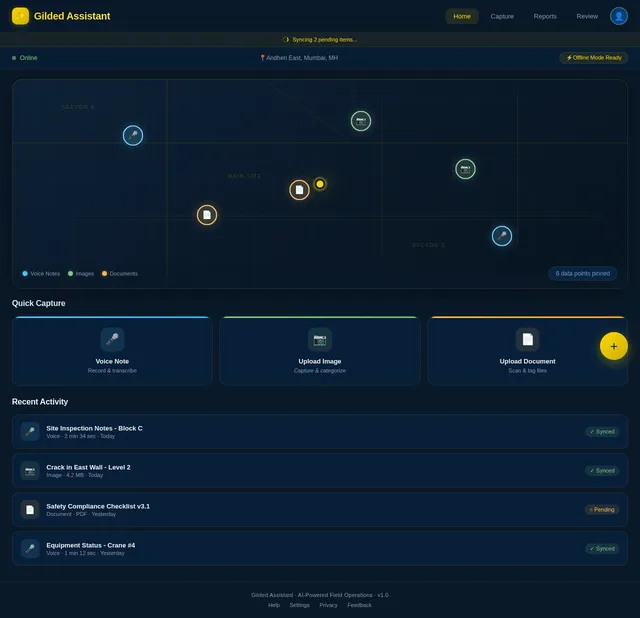
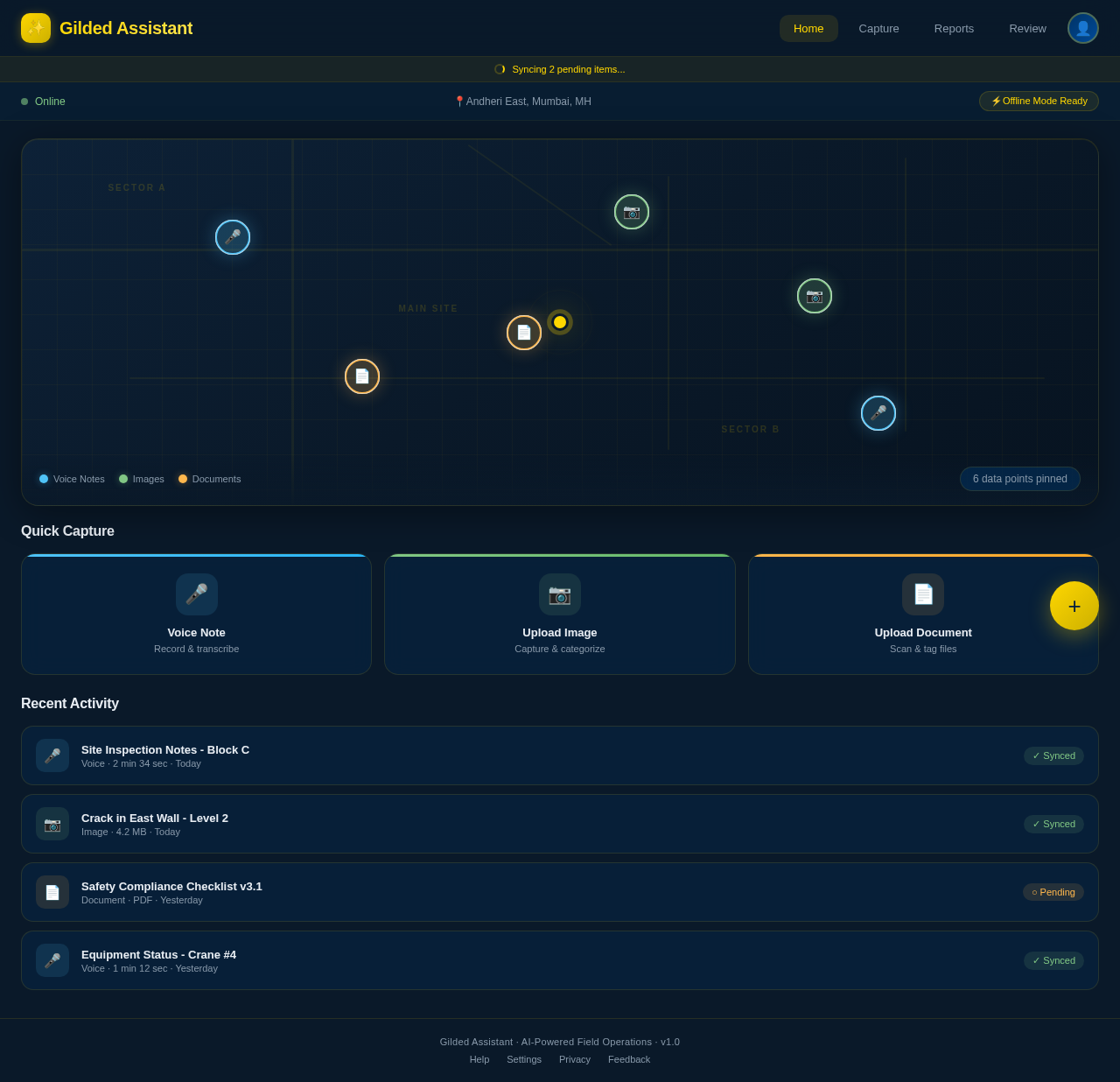
As a Field Worker, I want to view an interactive field map on the Home page so that I can see my current location and pin data points (voice notes, images, documents). Implement the Home page based on the existing JSX design (Home v1). The page should include: the interactive field map as centerpiece, dynamic ripple/glow animations on data point markers, color-coded markers (voice notes, images, documents), micro-interactions on tap/hover showing data previews, and offline map support. This page is the entry point of the Field Worker flow and links to the Capture page via the 'Pin Data Point' action.
Build Capture Page
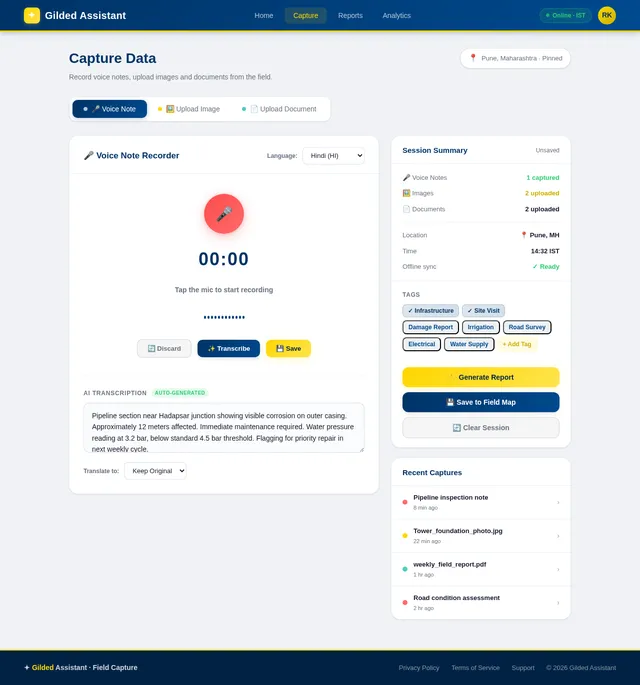
As a Field Worker, I want to access the Capture page so that I can record voice notes, upload images, and upload documents directly from the field. Implement the Capture page based on the existing JSX design (Capture v1). The page should include: a voice note recorder with real-time transcription feedback, image upload with AI categorization/tagging preview, document upload with tagging, and offline capture with local storage sync. This page is reached from the Home page 'Pin Data Point' action and links to the Reports page upon submission.
Build Reports Page
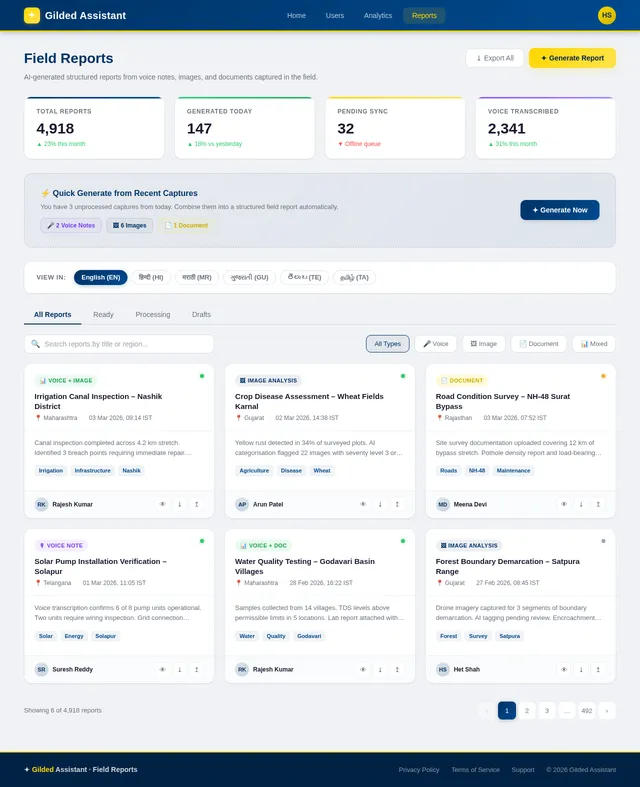
As a Field Worker, I want to view the Reports page so that I can generate and read structured reports in my preferred Indian regional language. Implement the Reports page based on the existing JSX design (Reports v1). The page should include: automatic report generation from captured data (voice, image, document), language selector for at least 5 Indian regional languages, report preview and download/export options, and a list of previously generated reports. This page is reached from the Capture page after data submission.
Build Users Management Page
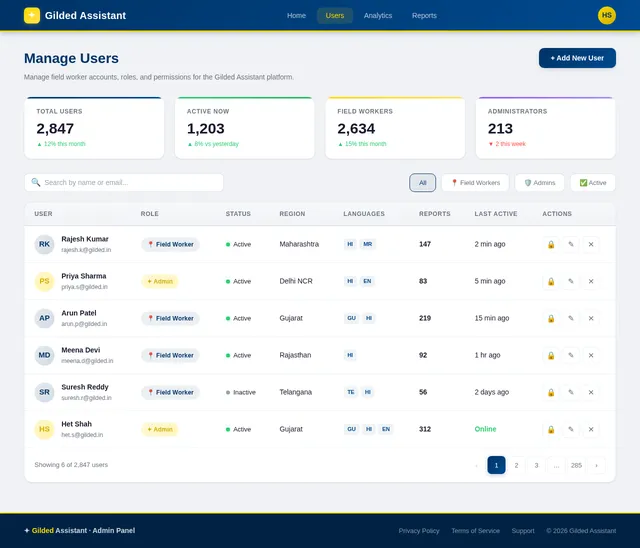
As an Admin, I want to access the Users page so that I can manage user accounts and edit permissions. Implement the Users page based on the existing JSX design (Users v1). The page should include: a list/table of all user accounts, actions to create, edit, and deactivate users, a permissions editor per user role (Field Worker, Admin), and search/filter capabilities. This page is reached from the Admin Home/Dashboard and links to the Edit Permissions sub-flow.
Build Analytics Page
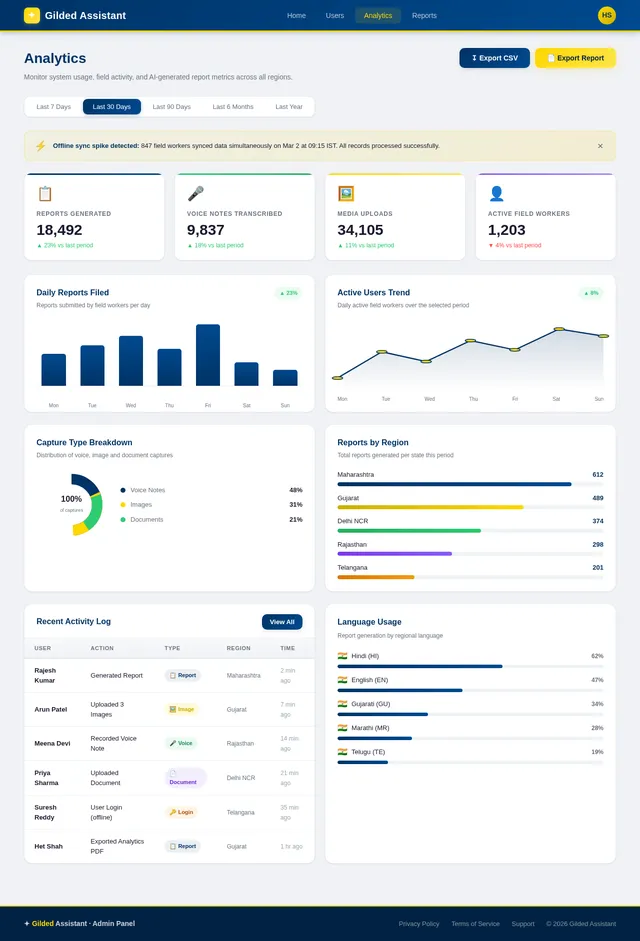
As an Admin, I want to access the Analytics page so that I can monitor system usage and export reports. Implement the Analytics page based on the existing JSX design (Analytics v1). The page should include: usage metrics dashboard (active users, captures, reports generated), data visualizations/charts, date range filters, and an export report button that generates downloadable analytics reports. This page is reached from the Admin Home/Dashboard.
Implement Voice Transcription API
As a Field Worker, I want to use the voice transcription backend API so that my recorded voice notes are converted into text within 5 seconds. Implement a FastAPI endpoint that accepts audio files, routes them through Litellm/Langchain to an appropriate LLM (GPT 5.2 or Claude 4.5), returns the transcribed text, and stores the result in MySQL. Include support for Indian regional language transcription.
Implement Image/Document Upload API
As a Field Worker, I want to use the image and document upload backend API so that my files are stored, categorized, and tagged automatically using AI. Implement FastAPI endpoints for file upload, integrate Google Nano Banana model via Litellm for image analysis and categorization, store metadata and vector embeddings in WeaviateDB, and store structured metadata in MySQL. Support offline queue sync.
Implement Multilingual Support
As a Field Worker, I want the app UI and reports to be available in Indian regional languages so that I can use the app comfortably in my native language. Implement i18n/l10n in the React Native frontend supporting at least 5 Indian regional languages (e.g. Hindi, Tamil, Telugu, Kannada, Bengali). Integrate language selection in the Reports page and app settings. Ensure locale defaults for IST timezone and INR currency.
Implement User Management API
As an Admin, I want to use the user management backend API so that I can create, edit, deactivate users and manage their permissions. Implement FastAPI endpoints for CRUD operations on user accounts, role assignment (Field Worker, Admin), permission management, and audit logging. Secure endpoints with role-based access control (RBAC).
Implement Analytics API
As an Admin, I want to use the analytics backend API so that I can monitor system usage metrics and export analytics reports. Implement FastAPI endpoints to aggregate usage data (active users, captures per day, reports generated), support date range filtering, and generate exportable analytics reports (CSV/PDF). Store aggregated metrics in MySQL.
Implement Report Generation API
As a Field Worker, I want to use the report generation backend API so that structured reports are automatically created from my captured voice notes, images, and documents. Implement a FastAPI endpoint that aggregates captured data for a session, uses Langchain workflows with GPT 5.2 to generate structured reports, supports output in at least 5 Indian regional languages, and stores reports in MySQL with WeaviateDB for semantic search.
Implement Offline Sync Service
As a Field Worker, I want offline data capture and sync so that I can use the app in areas with no internet and have my data automatically synced when connectivity is restored. Implement a local storage queue in the React Native app for voice notes, images, and documents captured offline. Build a background sync service that detects connectivity and pushes queued data to the FastAPI backend. Ensure conflict resolution and data integrity.
No comments yet. Be the first!