giant-beautiful
 ENESI RUTH IZE
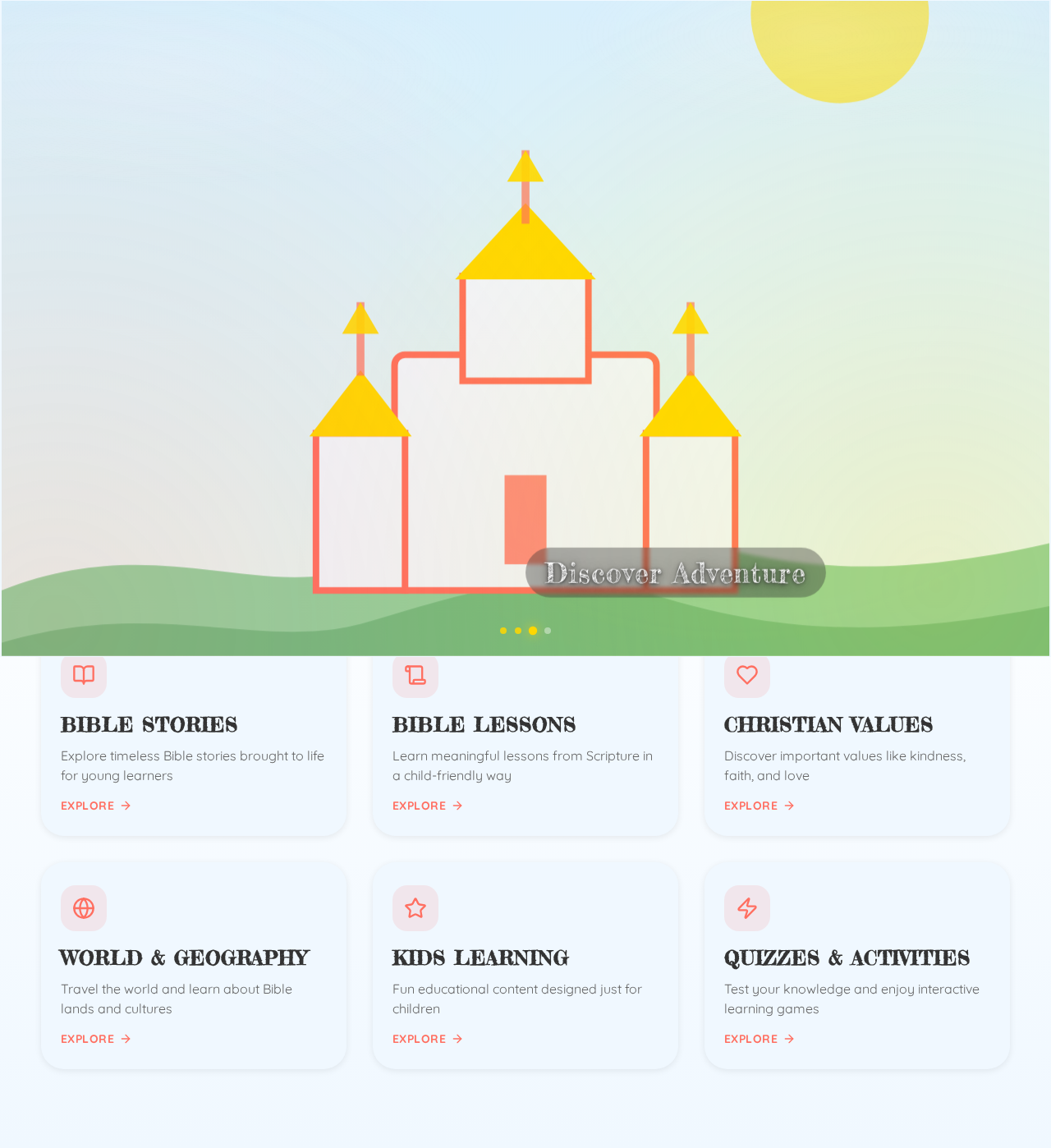
Create a beautiful, cinematic Bible Academy educational website homepage for children using the uploaded images and the uploaded video sample as the visual transition reference. The website is a Christian educational platform where children learn Bible stories, Christian values, Bible lessons, geography, general education, quizzes, and fun activities. Opening Animation Start with the uploaded Bible Academy logo centered on screen. Use a clean, bright, peaceful background. Slowly zoom toward the logo with subtle movement. Display: BIBLE ACADEMY LEARN • GROW • DISCOVER Then create a smooth cinematic transition, following the same type of movement, pacing, zooming, fading, and image-to-image flow shown in the uploaded video sample. Do not use sudden cuts. Use the uploaded images in this order: 1. Bible Academy Logo Slow cinematic zoom toward the logo. 2. World Map Smoothly transition into the world map. Add gentle camera movement and a subtle zoom, creating the feeling of exploring the world. 3. Jesus Teaching Children Transition smoothly into the image of Jesus teaching children. Use warm lighting, gentle zoom, and subtle parallax movement. Make it feel peaceful, welcoming, and educational. 4. Castle and Green Landscape Transition into the castle/landscape image. Slowly move forward through the scenery, creating a feeling of Bible adventure, discovery, and imagination. 5. Starry Sky and Clouds Transition upward into the starry sky. Slowly move through the clouds toward the bright star. Make this moment inspirational and magical. Final Homepage After the animation, smoothly reveal the main Bible Academy homepage. Show: BIBLE ACADEMY Learn the Bible. Discover the World. Grow in Faith. Buttons: START LEARNING EXPLORE COURSES Include visual sections for: * Bible Stories * Bible Lessons * Christian Values * World & Geography * Kids Learning * Quizzes & Activities Style Make everything modern, premium, colorful, peaceful, inspirational, child-friendly, and cinematic. Use smooth zooms, fades, camera pans, parallax, soft lighting, and seamless transitions so the entire sequence feels like one continuous journey. Use the uploaded images as the main visual assets and keep their original appearance. Make the design responsive and especially beautiful on mobile phones. Most importantly, follow the uploaded video sample’s transition style and rhythm as closely as possible, while adapting it to the Bible Academy theme.

Comments (0)
Sign in to leave a comment
System Requirements
System Requirements Document for giant-beautiful
1. Introduction
The "giant-beautiful" project is a cinematic, educational website homepage for the Bible Academy, designed specifically for children. It aims to provide an engaging and interactive platform where children can learn Bible stories, Christian values, geography, and general education through quizzes and fun activities. The homepage will feature a smooth, cinematic animation sequence using uploaded images and a video sample as visual references.
2. System Overview
The Bible Academy educational website homepage is a Christian platform for children, focusing on delivering Bible stories, lessons, and values in a modern, cinematic, and child-friendly manner. The homepage will feature an opening animation sequence that transitions smoothly between key images, leading to a responsive and interactive homepage. The design will be colorful, peaceful, and inspirational, with a focus on mobile responsiveness.
2a. Product Interpretation and Delivery Boundary
The homepage is the primary destination, featuring a cinematic opening animation and interactive elements. The uploaded images and video sample are central to the visual experience, ensuring a seamless transition style. The website is designed for children, with no explicit account or access requirements, ensuring ease of use and accessibility.
2b. Source Content Inventory
- Uploaded Images: Bible Academy Logo, World Map, Jesus Teaching Children, Castle and Green Landscape, Starry Sky and Clouds.
- Uploaded Video Sample: Used as a reference for transition style and rhythm.
2c. Page Content and Component Coverage
Bible Academy educational website homepage
-
Opening Animation
- Display the Bible Academy Logo with a slow cinematic zoom.
- Transition through images: World Map, Jesus Teaching Children, Castle and Green Landscape, Starry Sky and Clouds.
- Use smooth cinematic transitions, zooms, fades, and parallax effects.
-
Homepage Branding
- Display: "BIBLE ACADEMY" and "Learn the Bible. Discover the World. Grow in Faith."
- Buttons: "START LEARNING" and "EXPLORE COURSES."
-
Visual Sections
- Bible Stories
- Bible Lessons
- Christian Values
- World & Geography
- Kids Learning
- Quizzes & Activities
-
Design Elements
- Modern, premium, colorful, peaceful, inspirational, child-friendly, and cinematic style.
- Responsive design with special attention to mobile presentation.
3. Functional Requirements
- As a Child learner, I should see an opening animation starting with the Bible Academy logo, displaying "BIBLE ACADEMY" and "LEARN • GROW • DISCOVER" to introduce the platform. (explicit)
- As a Child learner, I should experience smooth cinematic transitions between the uploaded images to maintain engagement and continuity. (explicit)
- As a Child learner, I should be able to access the main homepage after the animation to start exploring the educational content. (explicit)
- As a Child learner, I should see the homepage branding and tagline to understand the platform's purpose. (explicit)
- As a Child learner, I should have access to "START LEARNING" and "EXPLORE COURSES" actions to begin my educational journey. (explicit)
- As a Child learner, I should see visual sections for Bible Stories, Bible Lessons, Christian Values, World & Geography, Kids Learning, and Quizzes & Activities to explore different learning areas. (explicit)
- As a Child learner, I should experience a modern, premium, colorful, peaceful, inspirational, child-friendly, and cinematic visual experience to enhance my learning engagement. (explicit)
4. User Personas
- Child learner: The primary user of the Bible Academy website. Responsibilities include engaging with Bible stories, Christian values, lessons, geography, general education, quizzes, and activities.
5. Core User Flows
-
Opening Animation Flow
- Trigger: Child learner visits the homepage.
- Steps:
- Display the Bible Academy Logo with a slow zoom.
- Transition through the sequence of images: World Map, Jesus Teaching Children, Castle and Green Landscape, Starry Sky and Clouds.
- Use smooth cinematic transitions, zooms, fades, and parallax effects.
- Outcome: Child learner is introduced to the platform in an engaging manner.
-
Homepage Interaction Flow
- Trigger: Completion of the opening animation.
- Steps:
- Display homepage branding and tagline.
- Present "START LEARNING" and "EXPLORE COURSES" buttons.
- Display visual sections for educational content.
- Outcome: Child learner can begin exploring the educational content.
6. Visuals Colors and Theme
- Muse: Yugo Nakamura
- Palette:
- Background: #FFFFFF
- Surface: #F0F8FF
- Text: #333333
- Primary: #FF6F61
- Accent: #FFD700
- Muted: #C0C0C0
- Typography:
- Headings: Fredericka the Great — Bold, large, playful, friendly
- Body: Quicksand
- Scale: 1.5 modular, 48/32/24/18/16
- Shape Language: Playful organic shapes with rounded edges and gentle curves.
7. Signature Design Concept
The homepage will feature a full-viewport interactive playground, beginning with the Bible Academy logo centered on the screen. The design will incorporate smooth cinematic transitions between uploaded images, using soft lighting effects and interactive zones that encourage exploration. The dominant element will be the seamless motion linking images, set against a light, calming palette.
8. Interaction Model & Motion Direction
- Interaction Model: Animated
- Motion Tempo: Cinematic
- Hero Dimensionality: Layered_2d
- Landing Hero Motion Brief: The homepage will feature a full-viewport interactive playground, beginning with the logo centered, zooming in as elements animate into place. The uploaded images will serve as keyframes in a seamless journey, with smooth motion linking images against a light, calming palette.
9. Non-Functional Requirements
- The website must be responsive and optimized for mobile devices to ensure accessibility for children using various devices. (explicit)
- The design must maintain a modern, premium, colorful, peaceful, inspirational, and child-friendly aesthetic. (explicit)
10. Tech Stack
- Frontend: React
- Styling: CSS with animations
- Responsive Design: Media queries for mobile optimization
- Animation: JavaScript for smooth transitions and parallax effects
11. Assumptions and Constraints
- The website is intended for children, requiring a child-friendly design and interaction model.
- The uploaded images and video sample are available and used as primary visual assets.
- The homepage must be accessible without requiring user accounts or logins.
12. Glossary
- Cinematic Transition: A smooth, flowing transition between visual elements, often using zooms, fades, and parallax effects.
- Parallax Movement: A visual effect where background images move slower than foreground images, creating a sense of depth.
- Responsive Design: A design approach that ensures a website's layout adjusts smoothly to different screen sizes and devices.
BIBLEACADEMY
Learn the Bible. Discover the World. Grow in Faith.
Explore Bible Academy
Six joyful learning zones filled with stories, values, geography, and games for curious young hearts.
BIBLEACADEMY
Learn the Bible. Discover the World. Grow in Faith.
Explore Bible Academy
Six joyful learning zones filled with stories, values, geography, and games for curious young hearts.
No comments yet. Be the first!