gentle-website
 John Doe123
A website that lets me track my goals and studying and progression that I can out whatever nd it would assist me an diabetes road maps and features


Comments (0)
Sign in to leave a comment
System Requirements
System Requirements Document (SRD)
Project Name: gentle-website
1. Introduction
The gentle-website is a personal study and goal tracking platform designed to empower users like John Doe123 in Israel to document their daily progress, compare it with past achievements, and optionally share their growth with others. This website aims to provide a seamless and intuitive experience for individuals who want to stay consistent with their studies and personal goals while celebrating their progress over time.
The system will cater to both personal and optional social sharing needs, ensuring flexibility and privacy for users. Locale-specific defaults such as timezone (Israel Standard Time) and currency (ILS, if applicable) will be considered during implementation.
2. System Overview
The gentle-website will serve as a centralized platform for users to:
- Document daily activities and progress related to their studies and goals.
- Compare current progress with past data to visualize growth and trends.
- Optionally share progress with others while maintaining control over privacy settings.
The system will be accessible via web browsers and optimized for mobile devices. It will feature a user-friendly interface, robust data visualization tools, and secure data storage to ensure reliability and ease of use.
3. Functional Requirements
As User:
- I should be able to document my daily study activities and goals.
- I should be able to view comparisons of my progress over time (e.g., daily, weekly, monthly).
- I should be able to share my progress with others optionally.
- I should be able to set and track long-term milestones.
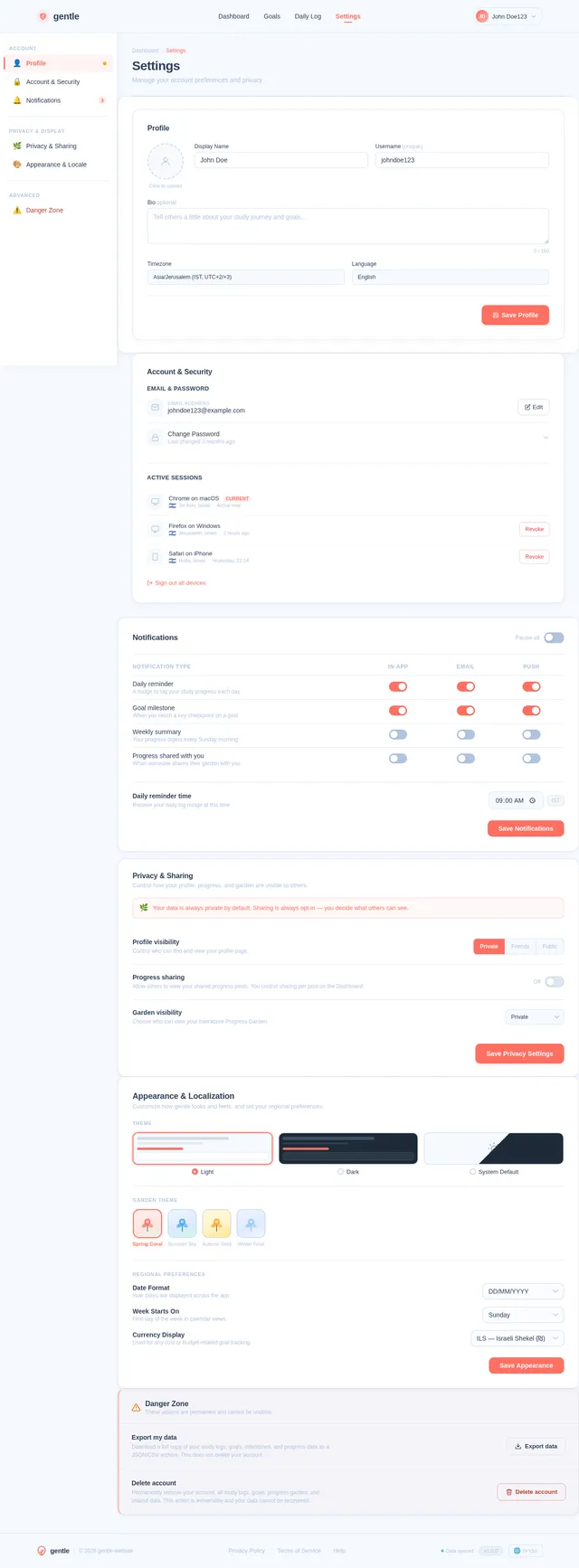
- I should be able to customize my study categories and goals.
As Admin:
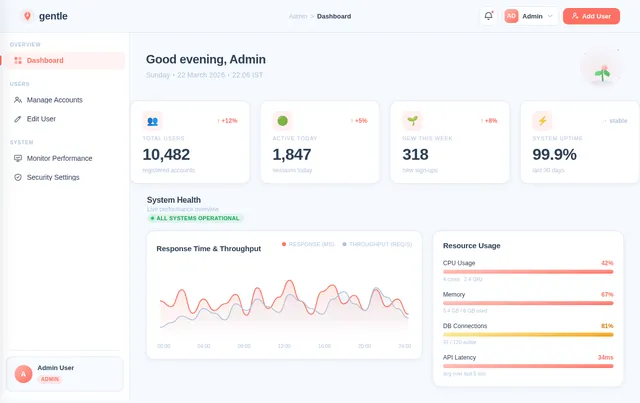
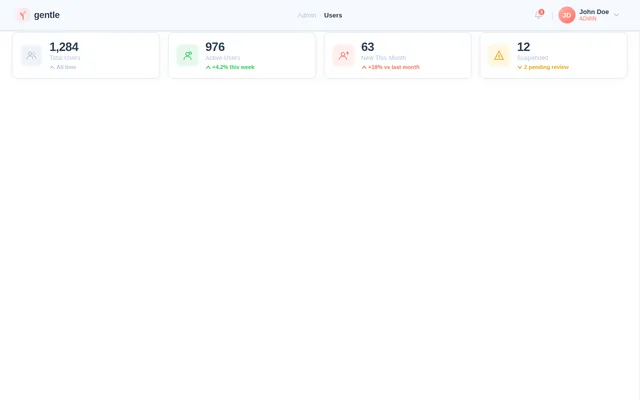
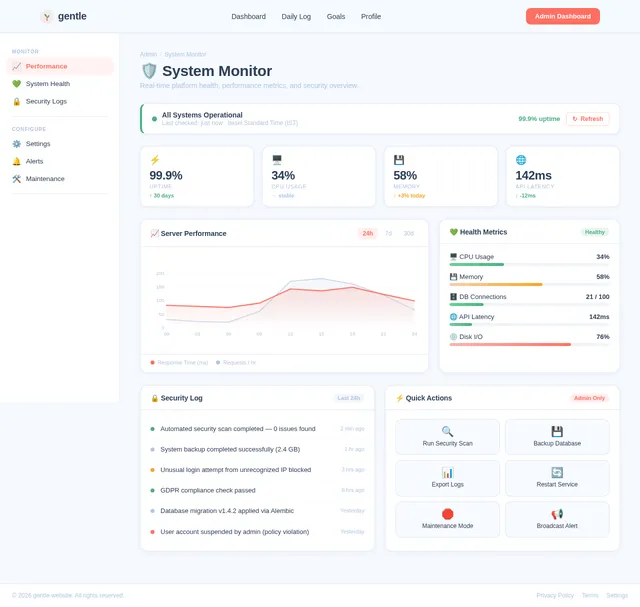
- I should be able to manage user accounts and monitor system performance.
- I should be able to ensure data security and privacy compliance.
4. User Personas
1. User
- Description: Individuals who want to track their studies and personal goals.
- Needs: Daily documentation, progress comparison, optional sharing, and goal customization.
2. Admin
- Description: System administrators responsible for maintaining the platform.
- Needs: User account management, system monitoring, and ensuring data security.
5. Visuals Colors and Theme
Color Palette:
The color palette for gentle-website will evoke a sense of calm, focus, and motivation.
- Background:
#F5F9FF(Soft Sky Blue) - Surface:
#FFFFFF(Pure White) - Text:
#2E4057(Deep Slate Blue) - Accent:
#FF6F61(Warm Coral) - Muted Tones:
#B0C4DE(Light Steel Blue)
This palette ensures a clean and professional look while maintaining a gentle and inviting aesthetic.
6. Signature Design Concept
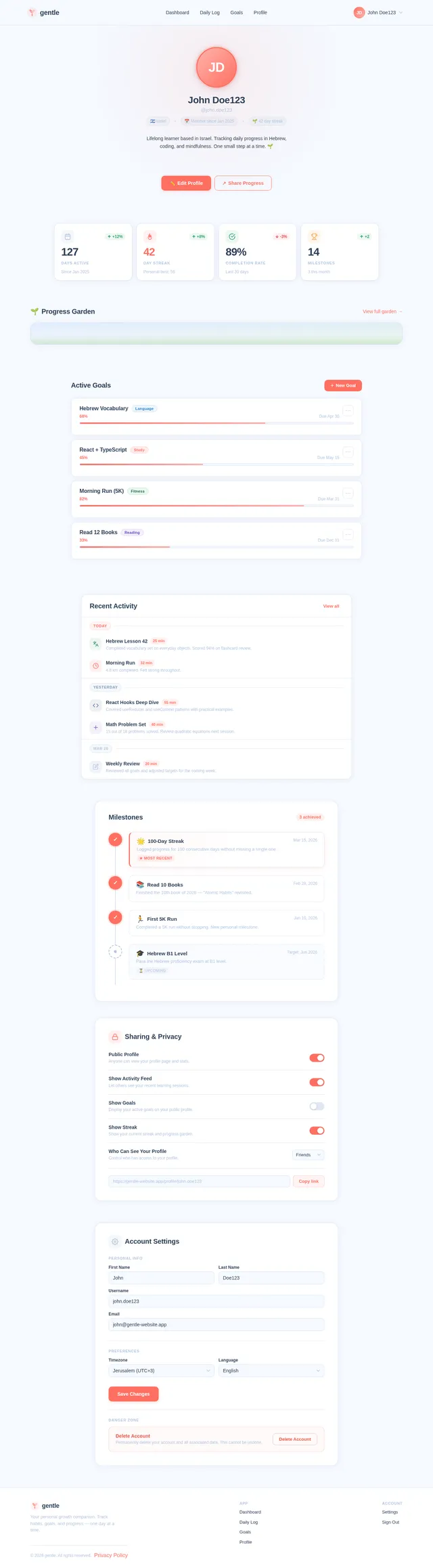
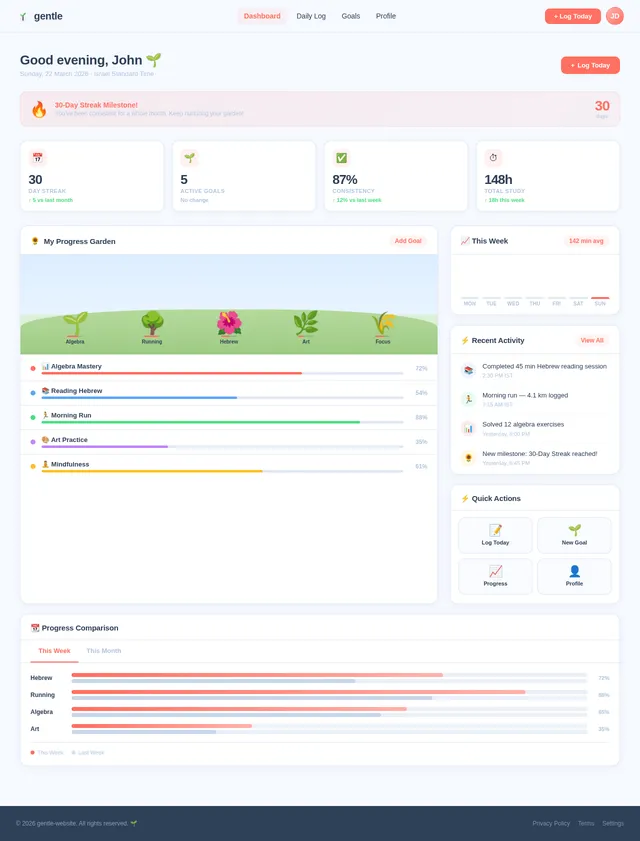
Interactive Progress Garden
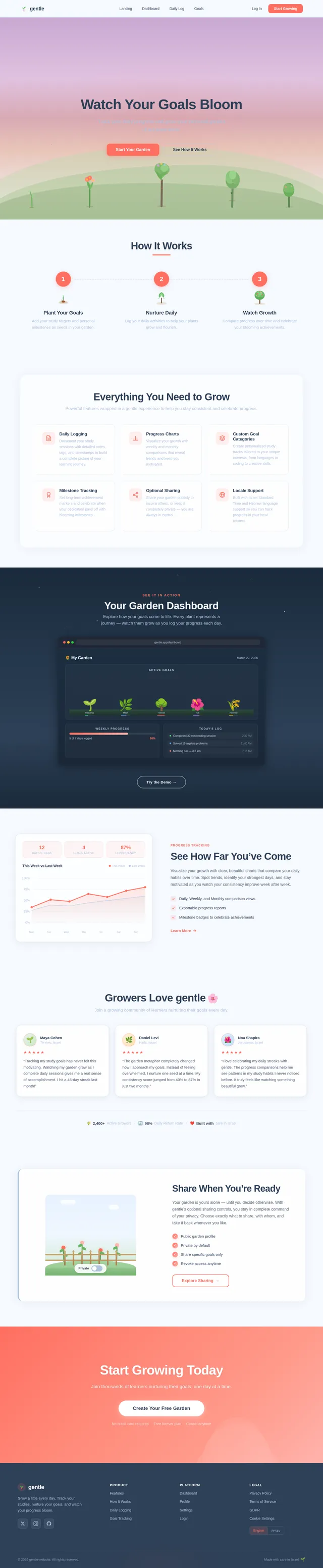
The homepage of gentle-website will feature an Interactive Progress Garden, a visually stunning and engaging design concept.
-
Visuals:
The garden will grow and evolve based on the user's progress. Each goal or study category will be represented as a unique plant or tree. As users document their daily activities, the plants will grow taller, bloom flowers, or bear fruit, symbolizing their achievements. -
Animations:
Subtle animations will bring the garden to life—leaves rustling, flowers blooming, and fruits ripening as users interact with the platform. -
Interactions:
Users can hover over plants to see detailed progress stats, click on them to open specific goal timelines, and drag-and-drop new seeds (representing new goals) into the garden. -
Color Shifts:
The garden's background will subtly change colors based on the time of day, transitioning from sunrise hues in the morning to twilight tones in the evening.
This concept will make the homepage unforgettable, motivating users to return daily to nurture their garden and visualize their growth.
7. Non-Functional Requirements
- Performance: The system must support up to 10,000 concurrent users without degradation in performance.
- Scalability: The platform should be scalable to accommodate future features and increased user base.
- Security: User data must be encrypted and comply with GDPR and local privacy regulations.
- Availability: The system should maintain 99.9% uptime.
- Localization: Support for Israel Standard Time and Hebrew language (if needed).
8. Tech Stack
Frontend:
- React for Web
Backend:
- Python
- FastAPI
Database:
- MySQL or MariaDB (using Alembic for migrations)
AI Models:
- GPT 5.2 for user-friendly responses
AI Tools:
- Langchain
- Litellm for LLM Routing
Local Orchestration:
- Docker
- docker-compose
Server-Side Orchestration:
- Kubernetes
9. Assumptions and Constraints
- The system will primarily target users in Israel, with locale-specific defaults such as timezone and currency.
- The platform will initially focus on study and goal tracking, with potential expansion to other domains based on user feedback.
- Sharing progress will be optional, ensuring privacy for users who prefer to keep their data personal.
- The system will be accessible via web browsers and optimized for mobile devices.
10. Glossary
- Daily Documentation: The process of recording daily activities and progress.
- Progress Comparison: Visualizing growth by comparing current data with past achievements.
- Optional Sharing: Allowing users to share their progress with others while maintaining control over privacy settings.
- Interactive Progress Garden: A unique homepage design concept where user progress is visualized as a growing garden.
- Locale-Specific Defaults: Settings tailored to the user's region, such as timezone and currency.
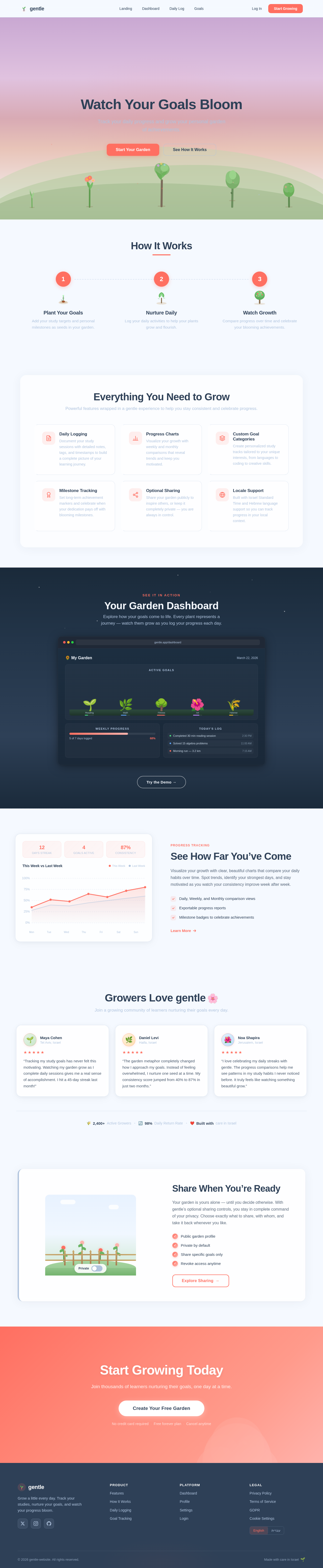
Watch Your Goals Bloom
Track your daily progress and grow your personal garden of achievements.
How It Works
Plant Your Goals
Add your study targets and personal milestones as seeds in your garden.
Nurture Daily
Log your daily activities to help your plants grow and flourish.
Watch Growth
Compare progress over time and celebrate your blooming achievements.
Everything You Need to Grow
Powerful features wrapped in a gentle experience to help you stay consistent and celebrate progress.
Daily Logging
Document your study sessions with detailed notes, tags, and timestamps to build a complete picture of your learning journey.
Progress Charts
Visualize your growth with weekly and monthly comparisons that reveal trends and keep you motivated.
Custom Goal Categories
Create personalized study tracks tailored to your unique interests, from languages to coding to creative skills.
Milestone Tracking
Set long-term achievement markers and celebrate when your dedication pays off with blooming milestones.
Optional Sharing
Share your garden publicly to inspire others, or keep it completely private — you are always in control.
Locale Support
Built with Israel Standard Time and Hebrew language support so you can track progress in your local context.
Your Garden Dashboard
Explore how your goals come to life. Every plant represents a journey — watch them grow as you log your progress each day.
See How Far You’ve Come
Visualize your growth with clear, beautiful charts that compare your daily habits over time. Spot trends, identify your strongest days, and stay motivated as you watch your consistency improve week after week.
- Daily, Weekly, and Monthly comparison views
- Exportable progress reports
- Milestone badges to celebrate achievements
Growers Love gentle🌸
Join a growing community of learners nurturing their goals every day.
Share When You’re Ready
Your garden is yours alone — until you decide otherwise. With gentle’s optional sharing controls, you stay in complete command of your privacy. Choose exactly what to share, with whom, and take it back whenever you like.
- Public garden profile
- Private by default
- Share specific goals only
- Revoke access anytime
Start Growing Today
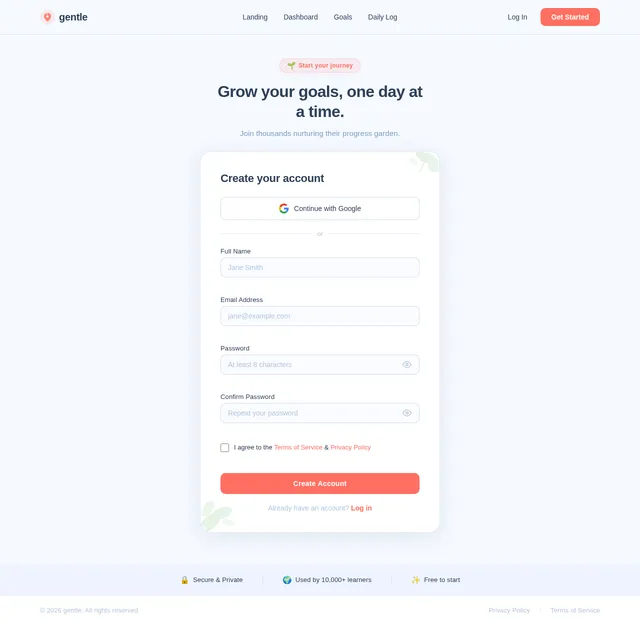
Join thousands of learners nurturing their goals, one day at a time.
Create Your Free GardenNo credit card required·Free forever plan·Cancel anytime
No comments yet. Be the first!