Recruitment
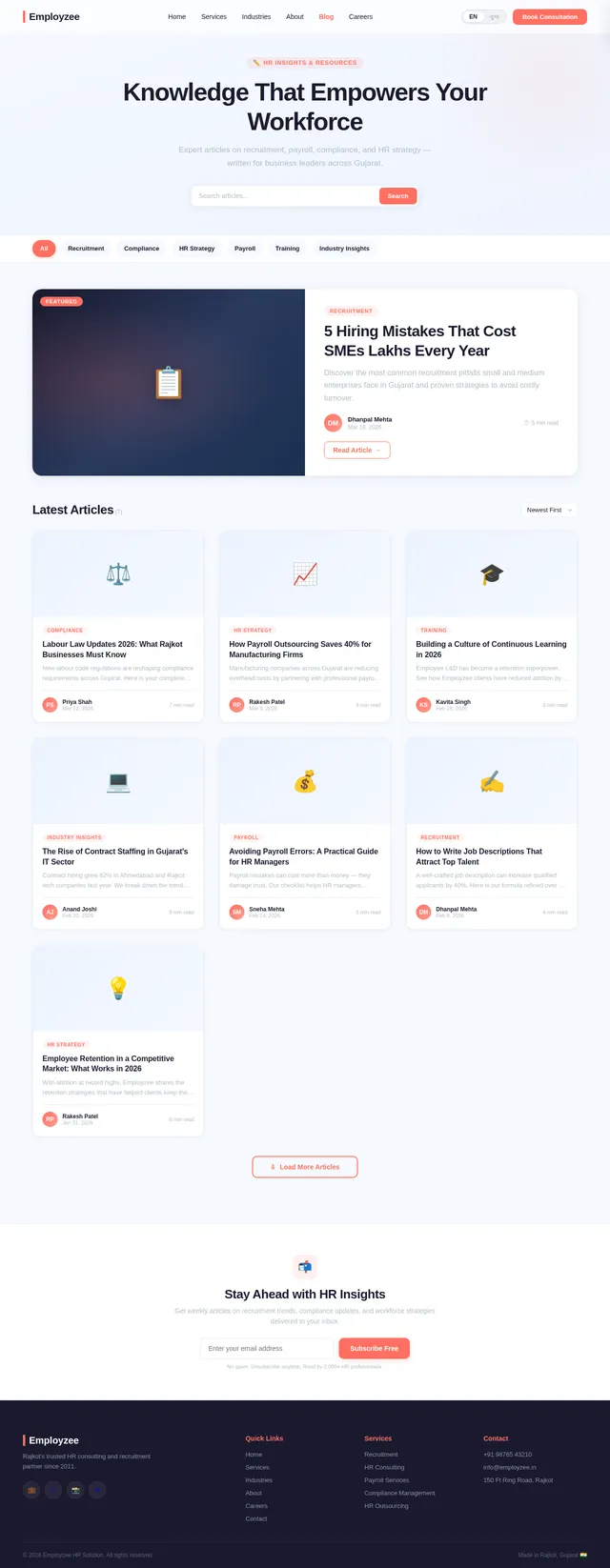
5 Hiring Mistakes That Cost SMEs Lakhs Every Year
Discover the most common recruitment pitfalls small and medium enterprises face in Gujarat, and learn proven strategies to avoid costly turnover.
 Dhanpal Shah
Here is a **high-performance, production-ready prompt** you can directly use in **8080.ai** to generate a professional website for *Employzee HR Solution (Rajkot)*. --- ## 🔷 MASTER PROMPT FOR 8080.AI WEBSITE GENERATION **Prompt:** Act as a **top-tier UI/UX designer, brand strategist, and full-stack web developer** with expertise in building high-converting corporate websites for HR consulting and recruitment firms in India. Your task is to design and generate a **modern, premium, conversion-focused website** for: **Company Name:** Employzee HR Solution **Location:** Rajkot, Gujarat, India **Website:** [www.employzee.in](http://www.employzee.in) --- ## 🔶 1. BUSINESS UNDERSTANDING Employzee HR Solution is a **professional HR consulting and recruitment firm** providing end-to-end workforce solutions for SMEs, startups, and enterprises. ### Core Services: * Recruitment & Staffing (Permanent / Contract / Bulk Hiring) * HR Consulting & Advisory * Payroll Management * Compliance & Labour Law Support * Training & Development * HR Outsourcing ### Target Audience: * SME business owners * Manufacturing companies * Startups & growing businesses * Corporate HR departments --- ## 🔶 2. WEBSITE OBJECTIVES Design the website with these goals: * Generate **qualified leads** * Build **trust and credibility** * Position company as a **premium HR partner** * Clearly communicate **services and expertise** * Enable easy **contact and inquiry conversion** --- ## 🔶 3. DESIGN DIRECTION ### Style: * Corporate, modern, and premium * Clean layout with strong hierarchy * Use white space effectively * Minimal but impactful animations ### Color Palette: * Primary: Deep Blue (trust, professionalism) * Secondary: Orange or Teal (energy & growth) * Neutral: White, Light Grey ### Typography: * Headings: Bold, modern sans-serif * Body: Clean and highly readable --- ## 🔶 4. WEBSITE STRUCTURE (MANDATORY) ### 1. Homepage * Hero section with strong headline: “Your Trusted HR Partner for Scalable Growth” * Subheadline + CTA: “Get Free Consultation” * Key services overview * Industries served * Why choose us (USP section) * Client testimonials * Call-to-action section * Contact preview --- ### 2. About Us * Company introduction * Vision & Mission * Founder/Leadership profile * Why Employzee * Local expertise in Rajkot & Gujarat market --- ### 3. Services (Detailed Pages) Create individual sections/pages for: * Recruitment & Staffing * HR Consulting * Payroll Services * Compliance Management * Training & Development * HR Outsourcing Each service must include: * Problem statement * Solution approach * Benefits * CTA --- ### 4. Industries We Serve * Manufacturing * Pharma * Engineering * IT & Startups * Retail --- ### 5. Why Choose Us * Fast hiring turnaround * Local + industry expertise * Cost-effective solutions * Trusted partner approach --- ### 6. Testimonials / Clients * Realistic testimonials * Company logos (placeholder if needed) --- ### 7. Careers Page * Job listings layout * “Submit Resume” option --- ### 8. Contact Page * Address: Rajkot, Gujarat * Phone & Email * Google Maps integration * Contact form (Lead capture) --- ## 🔶 5. KEY FEATURES TO INCLUDE * Mobile-first responsive design * Fast loading optimized UI * Sticky header with CTA button * WhatsApp integration button * Lead capture forms across pages * SEO-friendly structure * Blog section (optional but recommended) --- ## 🔶 6. CONTENT TONE * Professional yet approachable * Clear, benefit-driven language * Avoid jargon overload * Focus on business outcomes (cost saving, efficiency, growth) --- ## 🔶 7. CONVERSION ELEMENTS * “Book a Free HR Consultation” CTA * “Hire Faster Today” CTA * Lead forms on multiple sections * Trust badges / experience highlights --- ## 🔶 8. TECHNICAL EXPECTATIONS * Clean, scalable code structure * SEO-ready HTML structure * Fast performance optimization * Accessibility-friendly design --- ## 🔶 9. OUTPUT EXPECTATION Generate: * Complete website layout (all pages) * UI design + content + structure * Ready-to-deploy website (if supported) * Consistent branding across pages --- ## 🔷 OPTIONAL ADVANCED ADD-ON (HIGHLY RECOMMENDED) Enhance the website with: * HR cost calculator tool * Resume submission portal * Employer hiring request form * Blog with HR insights --- ## 🔚 FINAL INSTRUCTION The website must feel like a **premium HR consulting brand**, not a basic agency website. Focus on **credibility, clarity, and conversion**. ---
Sign in to leave a comment
Set up the global theme and color system for the Employzee HR Solution frontend. Define CSS variables and/or a theme configuration object using the approved color palette: background #F5F9FF, surface #FFFFFF, text #1A1A2E, accent #FF6F61, muted #B0BEC5. Implement a reusable theme provider, global stylesheet, and utility classes. Ensure the system supports multilingual font rendering for English and Gujarati (Noto Sans Gujarati via Google Fonts). Establish typography scale, spacing units, breakpoints for mobile-first responsive design, and base component tokens (border-radius, shadows, transitions). Remove any scaffold pages not needed for this project (welcome page, ai-assistant page). This task must be completed before all page implementation tasks.
As a user I want to be able to use the backend API to fetch blog posts and categories for the public Blog pages. Implement FastAPI endpoints: GET /api/blog/posts (paginated list with filters for category and language), GET /api/blog/posts/{slug} (single post detail by slug), GET /api/blog/categories (list of categories). All endpoints are public (no auth required). Support 'lang' query parameter for English/Gujarati. Return structured JSON with post metadata and content fields. Add response caching headers for SEO performance.
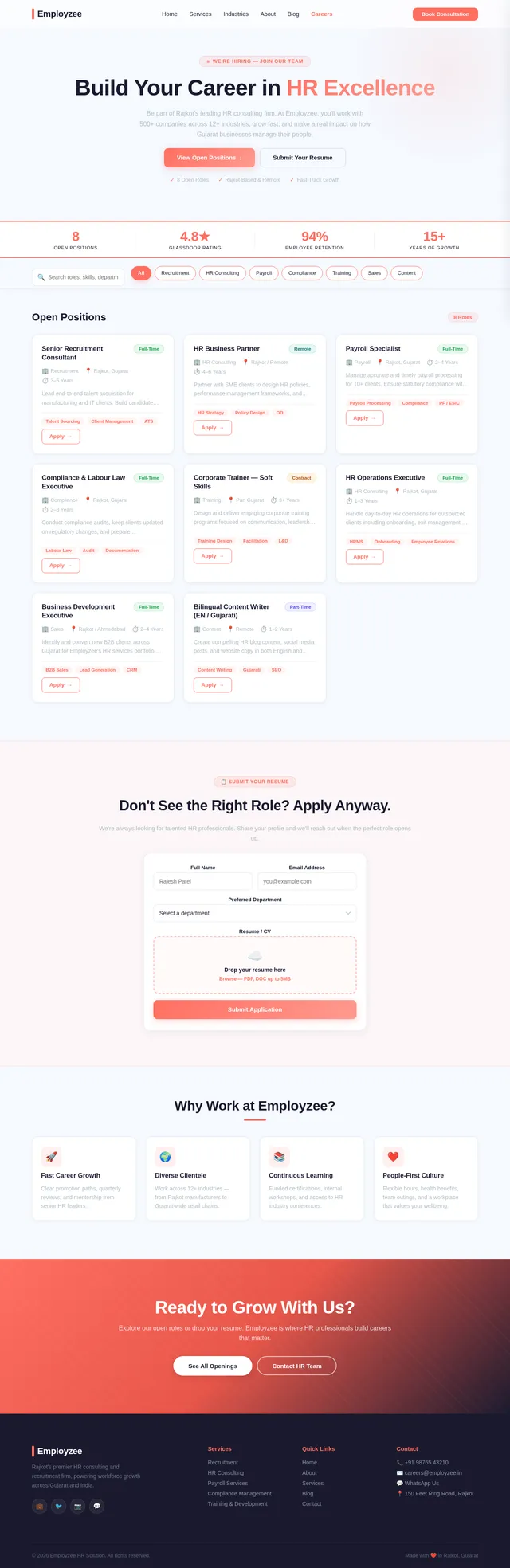
As a user I want to be able to use the backend API to browse job listings and submit a resume application. Implement FastAPI endpoints: GET /api/careers/jobs (list active job postings), GET /api/careers/jobs/{id} (single job detail), POST /api/careers/apply (submit application with resume file upload via multipart form data). Store resume files to configured storage path/cloud bucket. Save application metadata (name, email, phone, position, cover_letter, resume_file_path, applied_at) to MySQL. Define JobPosting and JobApplication SQLAlchemy models. Add file type (PDF/DOC) and size validation. Public endpoints, no auth required.
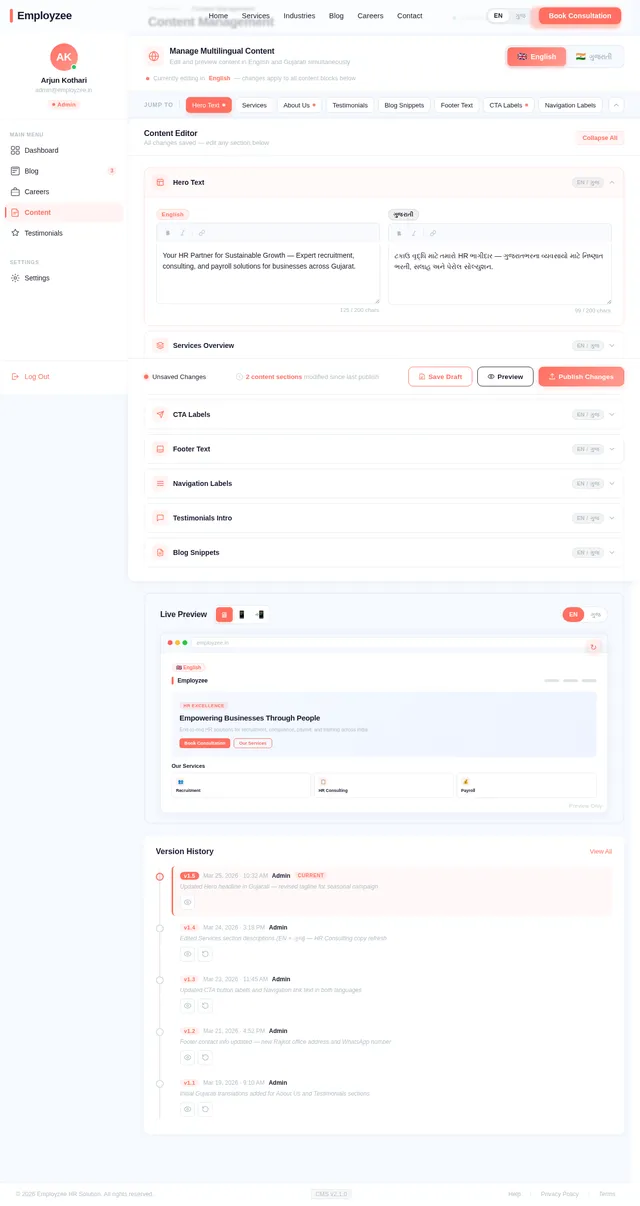
As an admin I want to be able to use the backend API to manage dynamic multilingual site content blocks. Implement FastAPI endpoints: GET /api/content (list all content blocks, optionally filter by lang), GET /api/content/{key} (get a content block by key and lang), POST /api/admin/content (create content block, admin only), PUT /api/admin/content/{key} (update content block, admin only), DELETE /api/admin/content/{key} (delete content block, admin only). Define SiteContent SQLAlchemy model: id, key, lang, value, field_type, updated_at. Public GET endpoints unauthenticated; admin write endpoints require JWT.
As a user I want to be able to use the backend API to fetch and filter published testimonials for the Testimonials page. Implement FastAPI endpoints: GET /api/testimonials (list published testimonials, filterable by industry and lang), POST /api/admin/testimonials (create, admin only), GET /api/admin/testimonials (list all including unpublished, admin only), PUT /api/admin/testimonials/{id} (update, admin only), DELETE /api/admin/testimonials/{id} (delete, admin only), PATCH /api/admin/testimonials/{id}/publish (toggle published status, admin only). Define a Testimonial SQLAlchemy model: id, client_name, company, role, content, rating, industry, photo_url, lang, is_published, created_at.
As a user I want to be able to use the backend API to fetch HR services data for the Services page. Implement FastAPI endpoints: GET /api/services (list all active services with title, description, icon, key_benefits, lang), GET /api/services/{slug} (single service detail by slug). Support 'lang' query parameter for English/Gujarati. Define a Service SQLAlchemy model: id, slug, title, description, icon, key_benefits (JSON), lang, is_active, sort_order, created_at. Public endpoints, no auth required. Admin CRUD: POST /api/admin/services, PUT /api/admin/services/{id}, DELETE /api/admin/services/{id}, PATCH /api/admin/services/{id}/toggle — all requiring JWT auth.
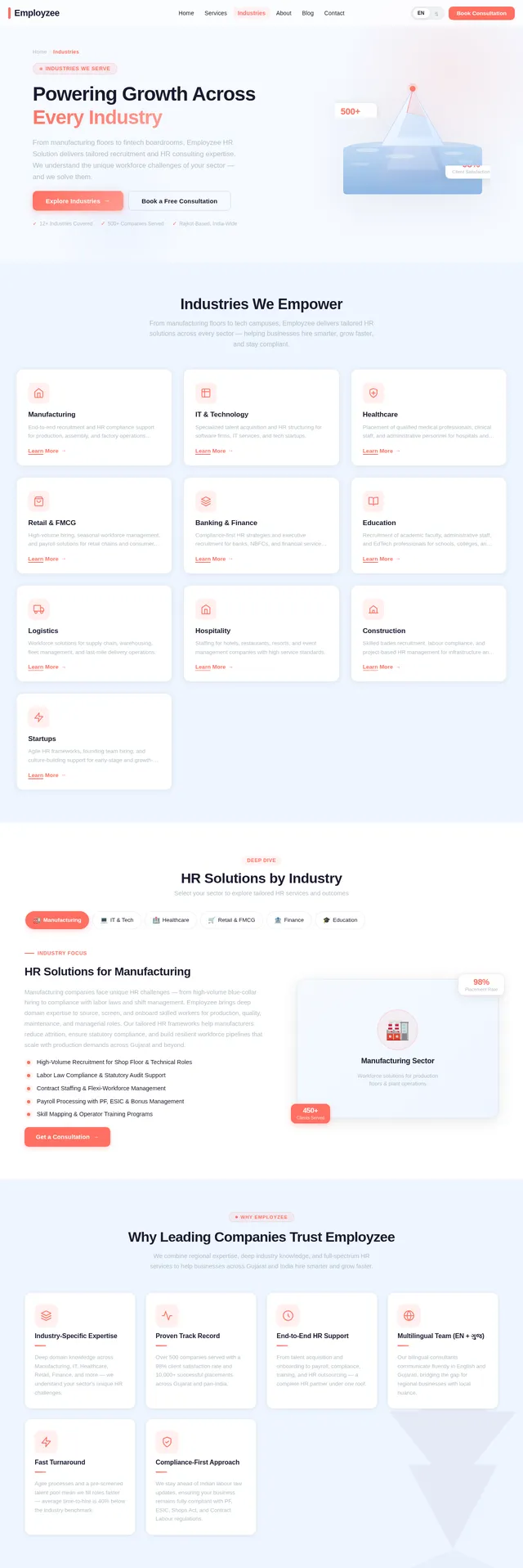
As a user I want to be able to use the backend API to fetch industry sectors data for the Industries page. Implement FastAPI endpoints: GET /api/industries (list all active industries with name, description, icon, hr_challenges, lang), GET /api/industries/{slug} (single industry detail). Support 'lang' query parameter. Define an Industry SQLAlchemy model: id, slug, name, description, icon, hr_challenges (JSON array), lang, is_active, sort_order, created_at. Public GET endpoints require no auth. Admin CRUD: POST /api/admin/industries, PUT /api/admin/industries/{id}, DELETE /api/admin/industries/{id} — require JWT auth.
As a user I want to be able to use the backend API to fetch team members and company stats for the About page. Implement FastAPI endpoints: GET /api/about/team (list active team members with name, designation, bio, photo_url, sort_order, lang), GET /api/about/stats (key company statistics as key-value pairs, supports lang). Define TeamMember SQLAlchemy model: id, name, designation, bio, photo_url, lang, is_active, sort_order. Define CompanyStat model: id, key, label, value, lang. Admin CRUD: POST/PUT/DELETE /api/admin/about/team and /api/admin/about/stats — require JWT. Public GET endpoints require no auth.
As a user I want to be able to use the backend API to submit a contact/consultation request form. Implement FastAPI endpoint POST /api/contact/submit accepting: full_name, email, phone, company_name, service_interest, message, lang, submitted_at. Define a ContactSubmission SQLAlchemy model with these fields plus id and is_read flag. Save to MySQL. Send optional email notification to admin via configurable SMTP. Implement rate limiting (max 5 submissions per IP per hour). Return 201 Created on success. Also implement GET /api/admin/contact/submissions (paginated, filterable by is_read, JWT required) and PATCH /api/admin/contact/submissions/{id}/read (mark as read).
As a user I want to be able to use the frontend for seamless site-wide navigation. Implement the global Navigation Header and Footer components used across all pages based on the NavBar design from the v2 designs. Header: logo (coral accent bar + Employzee wordmark), main navigation links (Home, Services, Industries, About, Blog, Careers, Contact), language toggle pill (EN/ગુજ) with sliding indicator, mobile hamburger menu with full-width slide-down drawer, and a prominent coral 'Book Consultation' CTA button (border-radius 10px). On scroll: frosted glass transition from rgba(255,255,255,0.65)/blur(2px) to rgba(255,255,255,0.88)/blur(16px) with drop shadow. Footer: company logo (white wordmark on navy), tagline, navigation columns, services list, contact info (Rajkot Gujarat address, phone, email), social media links (LinkedIn, Facebook, Instagram, WhatsApp), language switcher, copyright. Apply Employzee theme. Fully responsive mobile-first.
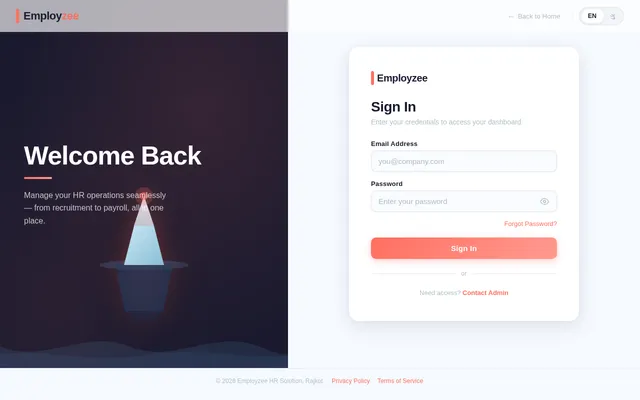
As an admin I want to be able to use the frontend to sign in securely to access the dashboard. Implement the Admin Login page UI based on the existing v2 design. Build a clean, branded login form centered on a #F5F9FF background with a white surface card, coral accent elements, email and password fields, validation feedback, error states, and a coral submit button (border-radius 10px). Apply the Employzee theme. The page should be responsive and accessible. Wire up the form to the existing authentication backend. Include redirect logic to the Admin Dashboard on successful login. Add appropriate SEO meta tags marking the page as noindex for admin routes.
As an admin I want to be able to use the backend API to fetch summary statistics for the Admin Dashboard overview. Implement a FastAPI endpoint GET /api/admin/dashboard/stats that returns summary counts: total blog posts, published blog posts, open job listings, total testimonials, pending/unreviewed testimonials, and total contact form submissions. Endpoint must be protected by JWT authentication middleware. Returns a JSON object with named count fields. Use MySQL queries via SQLAlchemy ORM. Include error handling and appropriate HTTP status codes.
As an admin I want to be able to use the backend API to create, edit, publish, and delete blog posts. Implement protected FastAPI CRUD endpoints: POST /api/admin/blog/posts (create), GET /api/admin/blog/posts (list all including drafts), GET /api/admin/blog/posts/{id} (get by ID), PUT /api/admin/blog/posts/{id} (update), DELETE /api/admin/blog/posts/{id} (delete), PATCH /api/admin/blog/posts/{id}/publish (toggle publish status). All require JWT authentication. Define BlogPost SQLAlchemy model: id, title, slug, excerpt, content, featured_image_url, category, tags, language, is_published, created_at, updated_at. Include Pydantic input validation.
As an admin I want to be able to use the backend API to manage job listings and view submitted applications. Implement protected FastAPI CRUD endpoints: POST /api/admin/careers/jobs, GET /api/admin/careers/jobs, PUT /api/admin/careers/jobs/{id}, DELETE /api/admin/careers/jobs/{id}, PATCH /api/admin/careers/jobs/{id}/toggle (activate/deactivate), GET /api/admin/careers/applications (list all, filterable by job_id), GET /api/admin/careers/applications/{id} (single application detail), GET /api/admin/careers/applications/{id}/resume (download resume file). All endpoints require JWT authentication.
As a user I want to be able to use the frontend to toggle between English and Gujarati language across all pages. Implement a robust internationalization (i18n) system supporting English and Gujarati across the entire React frontend. Set up react-i18next with translation JSON files (en.json and gu.json). Create a language toggle component (EN/ગુજ pill switcher with sliding indicator) for the site header that persists the user's language preference in localStorage. Translate all static UI labels, navigation items, button text, form labels, error messages, and page headings. Ensure Noto Sans Gujarati font is loaded via Google Fonts. Apply to all pages: Home, Login, Dashboard, Blog, Careers, Services, Industries, About, Contact, Testimonials, HR Calculator.
As a user I want to be able to use the frontend to explore Employzee's services and book consultations from the Home page. Implement the Home page UI based on the existing v2 design. Build all sections: NavBar (sticky frosted-glass), Hero (3D interactive iceberg concept with ocean animation, coral CTA), Services overview grid, Industries served preview, Why Choose Employzee trust section, Client testimonials carousel, HR Calculator teaser/widget, Blog preview cards, Call-to-Action band, and Footer. Ensure mobile-first responsive layout, SEO-friendly semantic HTML, and multilingual text support (English and Gujarati toggle). Connect to theme/color system. The iceberg hero should have hover/click micro-interactions with ripple effects and color shift animations.
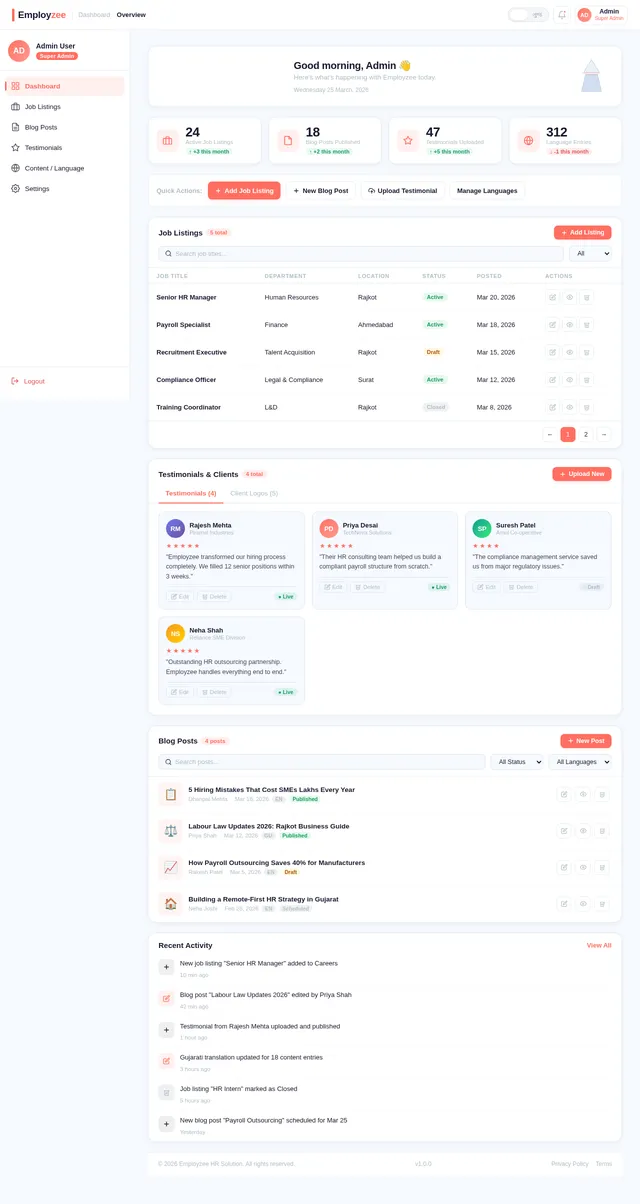
As an admin I want to be able to use the frontend to view an overview of all content and manage the CMS from the Dashboard. Implement the Admin Dashboard page UI based on the existing v2 design. Build a sidebar navigation (260px, white surface, coral active state with left border) linking to Blog, Careers, Content, and Testimonials management sections. Include a stats panel with counts for active blog posts, open job listings, pending testimonials, and recent contact submissions. Show a welcome banner, activity chart placeholder, quick action cards, and recent items list. Implement protected route logic to redirect unauthenticated users to the Login page. Apply the Employzee theme with #F5F9FF background and white surface cards. Responsive for tablet and desktop.
As a user I want to be able to use the frontend to read HR insights and articles on the Blog. Implement the public-facing Blog pages based on the existing v2 design. Build a Blog Listing page with a hero, category filter chips, and a grid of blog post cards showing title, excerpt, category pill, author, date, and thumbnail. Implement pagination. Build a Blog Detail page with full article content, author info, publish date, tags, related posts section, and a CTA linking to Contact. Ensure SEO-friendly markup with meta title, description, canonical URLs, and Article structured data. Support multilingual content rendering. Apply Employzee theme. Mobile-first responsive.
As a user I want to be able to use the frontend to browse job openings and submit my resume via the Careers page. Implement the public-facing Careers page based on the existing v2 design. Build a hero section, job listings grid with open positions (title, department, location, type, brief description, 'Apply Now' CTA), an expandable/modal resume submission form (name, email, phone, position, cover letter, PDF/DOC upload), and a CTA to Contact. Show form validation, success, and error states. Apply Employzee theme. SEO meta tags with JobPosting structured data schema. Mobile-first responsive.
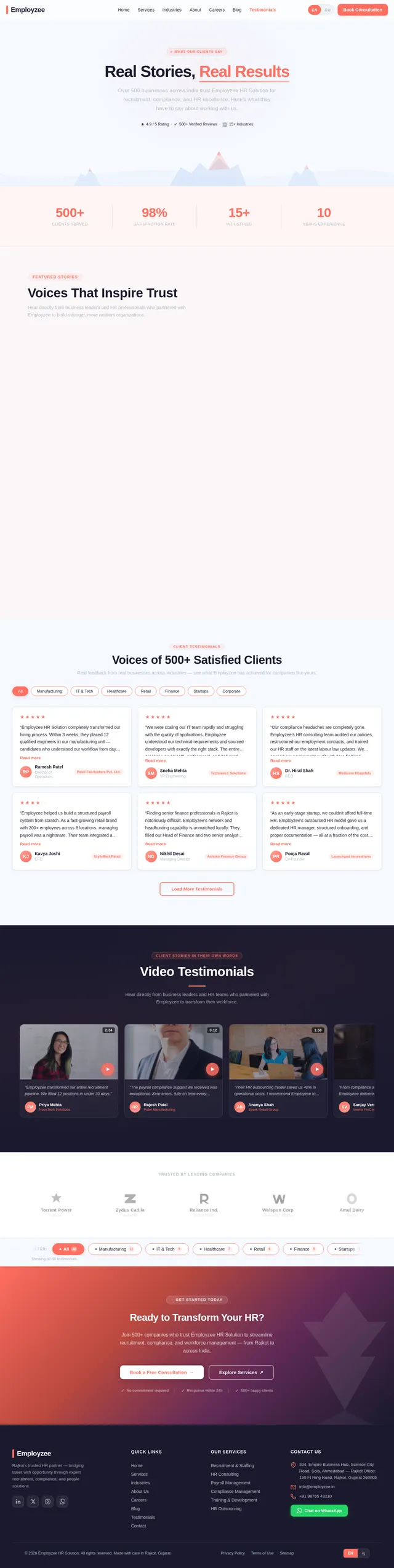
As a user I want to be able to use the frontend to read client testimonials and build trust in Employzee. Implement the public-facing Testimonials page based on the existing v2 design. Build a visually rich grid layout displaying client testimonials with coral quotation marks, client name, company/role, testimonial text, 5-star rating, optional client photo, and industry tag pill. Include a filter or tab row for industry category. Feature a hero section and a bottom CTA. Support both English and Gujarati testimonials. Apply Employzee theme with alternating #F5F9FF and #FFFFFF section backgrounds. Add SEO meta tags and structured data (Review schema). Mobile-first responsive.
As a user I want to be able to use the frontend to explore all HR services offered by Employzee in detail. Implement the Services page based on the existing v2 design. Build sections: sticky NavBar, hero banner with coral accent and service overview, detailed service cards for Recruitment & Staffing, Payroll Management, HR Consulting, Compliance Management, Training & Development, and HR Outsourcing — each with icon, title, description, key benefits list, and 'Book Consultation' CTA. Include a features/USP band, client logos strip, and a bottom CTA section linking to Contact. Support multilingual content (English/Gujarati). Apply Employzee theme with #F5F9FF background. SEO-friendly. Mobile-first responsive.
As a guest I want to be able to use the frontend to explore the industry sectors Employzee serves. Implement the Industries page based on the existing v2 design. Build sections: NavBar, HeroIndustries (iceberg-tip SVG illustration, coral glow, pill badge, dual CTAs), IndustriesOverviewGrid (3-col card grid with coral icons for Manufacturing, IT & Technology, Healthcare, Retail & FMCG, Banking & Finance, Education, Logistics, Hospitality, Construction, Startups), IndustryDetailSpotlight (pill-selector tabs with animated two-column detail view per industry), WhyChooseEmployzee (4-col feature grid), IndustryCaseStudies (3-col cards with coral metric numerals), StatsBar (deep navy band with animated count-up stats), IndustryTestimonials carousel, CallToAction (deep navy inverted band with iceberg watermark), and Footer. Support multilingual content. Mobile-first responsive.
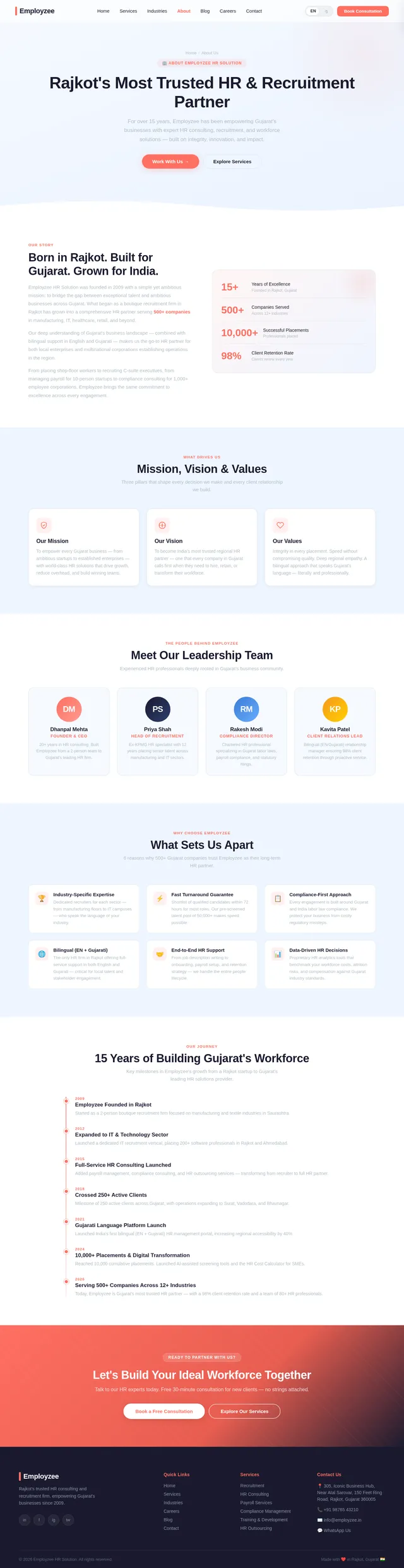
As a guest I want to be able to use the frontend to learn about Employzee's story, team, and values on the About page. Implement the About page based on the existing v2 design. Build sections: NavBar, hero banner, company story and mission/vision, team member profile cards (photo, name, designation, bio), company stats bar (years in business, clients served, employees placed), awards or certifications, Rajkot/Gujarat office location section, and a CTA to Contact. Support multilingual content (English/Gujarati) fetched from the About API. Apply Employzee theme. SEO-friendly with Organization and Person structured data. Mobile-first responsive.
As a user I want to be able to use the frontend to contact Employzee and book a consultation from the Contact page. Implement the Contact page based on the existing v1 design. Build a contact form with fields: full name, email, phone number, company name, service of interest (dropdown), message, and preferred language. Include form validation, success confirmation, and error handling. Display company contact info (Rajkot Gujarat address, phone, email, business hours). Embed a Google Maps iframe of the Rajkot office. Add WhatsApp integration button. Support multilingual labels (English/Gujarati). Apply Employzee theme with coral CTAs. SEO-friendly with LocalBusiness structured data. Mobile-first responsive.
As a guest I want to be able to use the frontend to calculate estimated HR costs and potential savings with Employzee's outsourcing. Implement the interactive HR Cost Calculator as a standalone page and embeddable widget for the Home page. Allow users to input: number of employees, industry sector, current HR processes handled in-house (checkboxes: payroll, recruitment, compliance, training), and company size tier. Calculate and display estimated annual HR cost and potential savings. Show a breakdown chart using Recharts. Include a CTA to contact Employzee for a detailed quote. Fully client-side computation. Support multilingual UI labels (English/Gujarati). Apply Employzee theme with coral accents. Mobile-first responsive.
As an admin I want to be able to use the frontend to create, edit, publish, and delete blog posts from the Admin Dashboard Blog management section. Implement the Blog Management section within the Admin Dashboard based on the v2 Dashboard design patterns. Build a blog post list view with options to create, edit, publish/unpublish, and delete posts. Implement a rich-text editor (React Quill or TipTap) for post content. Include fields for title, slug (auto-generated), excerpt, content, featured image URL, category, tags, language (English/Gujarati), and published status. Add a preview mode. Wire up to the admin blog CRUD API. Protect with authentication.
As an admin I want to be able to use the frontend to manage job listings and view applications from the Admin Dashboard Careers section. Implement the Careers Management section within the Admin Dashboard based on the v2 Dashboard design patterns and v2 Careers design. Build a job listings manager with create, edit, activate/deactivate, and delete functionality. Form fields: job title, department, location, employment type, description, requirements, active status. Build a job applications viewer listing all submitted applications per job with applicant details and a resume download link. Wire up to admin careers CRUD API. Protect with authentication.
As an admin I want to be able to use the frontend to manage multilingual site content from the Content management page. Implement the Content Management section within the Admin Dashboard based on the existing v2 design. Build the layout with a fixed sidebar (ContentSidebar), page header with breadcrumb and save controls (ContentPageHeader), language switch banner (EN/Gujarati toggle), collapsible table-of-contents chip row, accordion-style dual-language editor panel with English and Gujarati textareas side-by-side, live preview panel with device switcher, version history timeline, and a sticky publish controls bar. Wire up to the content admin API. Protect with authentication. Mobile-first responsive with sidebar collapsing to drawer.
As an admin I want to be able to use the frontend to upload, edit, and manage client testimonials from the Admin Dashboard. Implement the Testimonials Management section within the Admin Dashboard based on the v2 Dashboard design patterns. Build a list view of all testimonials with the ability to add new testimonials, edit existing ones, publish/unpublish, and delete. Form fields: client name, company, role, testimonial text, star rating (1-5), industry category, optional photo URL, language (English/Gujarati), and published status. Wire up to admin testimonials API. Protect with authentication.
As a user I want to be able to use the frontend with SEO-optimized pages that appear correctly in search results and social sharing. Implement a comprehensive SEO system across all public pages. Set up React Helmet Async for dynamic meta tag management per page. Implement unique title tags and meta descriptions, Open Graph tags, Twitter Card meta tags, canonical URLs, robots meta tag, JSON-LD structured data for Organization, LocalBusiness (Rajkot), BlogPosting, JobPosting, Service, and Review schemas. Create a sitemap.xml generation script and robots.txt file. Ensure admin/login routes are marked noindex.
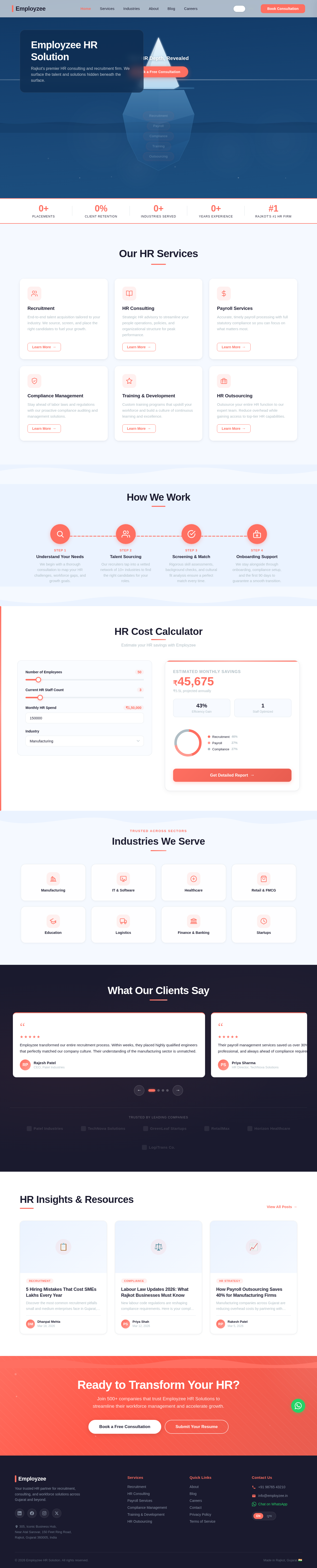
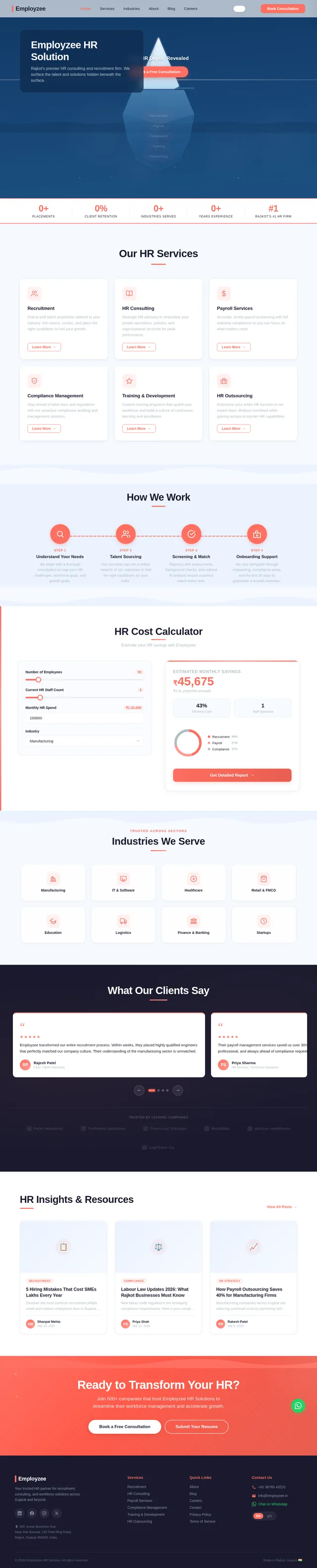
Rajkot's premier HR consulting and recruitment firm. We surface the talent and solutions hidden beneath the surface.
End-to-end talent acquisition tailored to your industry. We source, screen, and place the right candidates to fuel your growth.
Learn More→Strategic HR advisory to streamline your people operations, policies, and organizational structure for peak performance.
Learn More→Accurate, timely payroll processing with full statutory compliance so you can focus on what matters most.
Learn More→Stay ahead of labor laws and regulations with our proactive compliance auditing and management solutions.
Learn More→Custom training programs that upskill your workforce and build a culture of continuous learning and excellence.
Learn More→Outsource your entire HR function to our expert team. Reduce overhead while gaining access to top-tier HR capabilities.
Learn More→We begin with a thorough consultation to map your HR challenges, workforce gaps, and growth goals.
Our recruiters tap into a vetted network of 10+ industries to find the right candidates for your roles.
Rigorous skill assessments, background checks, and cultural fit analysis ensure a perfect match every time.
We stay alongside through onboarding, compliance setup, and the first 90 days to guarantee a smooth transition.
We begin with a thorough consultation to map your HR challenges, workforce gaps, and growth goals.
Our recruiters tap into a vetted network of 10+ industries to find the right candidates for your roles.
Rigorous skill assessments, background checks, and cultural fit analysis ensure a perfect match every time.
We stay alongside through onboarding, compliance setup, and the first 90 days to guarantee a smooth transition.
Estimate your HR savings with Employzee
Estimated Monthly Savings
₹45,675
₹5.5L projected annually
43%
Efficiency Gain
1
Staff Optimized
Employzee transformed our entire recruitment process. Within weeks, they placed highly qualified engineers that perfectly matched our company culture. Their understanding of the manufacturing sector is unmatched.
Rajesh Patel
CEO, Patel Industries
Their payroll management services saved us over 30% in administrative costs. The team is responsive, professional, and always ahead of compliance requirements. We could not ask for a better HR partner.
Priya Sharma
HR Director, TechNova Solutions
As a growing startup, we needed flexible HR outsourcing. Employzee delivered a tailored solution that scaled with us from 10 to 200 employees. Their expertise in compliance kept us worry-free.
Amit Desai
Founder, GreenLeaf Startups
The training and development programs Employzee designed for our retail staff resulted in a 40% improvement in customer satisfaction scores. Truly impactful work from a dedicated team.
Sneha Mehta
Operations Manager, RetailMax
Employzee helped us navigate complex labor compliance issues during our expansion across Gujarat. Their deep knowledge of local regulations was invaluable to our growth strategy.
Vikram Joshi
CFO, Horizon Healthcare
We switched to Employzee for our HR consulting needs and the difference was immediate. They streamlined our entire onboarding process and improved employee retention by 25% in the first year.
Kavita Singh
Managing Director, LogiTrans Co.
Trusted by leading companies
Discover the most common recruitment pitfalls small and medium enterprises face in Gujarat, and learn proven strategies to avoid costly turnover.
New labour code regulations are reshaping compliance requirements. Here is your complete guide to staying compliant and avoiding penalties.
Manufacturing companies across Gujarat are reducing overhead costs by partnering with professional payroll management services. See the real numbers.
Join 500+ companies that trust Employzee HR Solutions to streamline their workforce management and accelerate growth.
No comments yet. Be the first!