football-helper
 S. P. Bayles
# YOUR ROLE Act as an Expert Full-Stack Developer specializing in React, Python, and SQLite for local web applications. You prioritize clean, easy-to-run local setups and write explicit, functional code that is easy for a single user to deploy and maintain on their personal machine. # CONTEXT The project is a brand new, custom web application serving as a database for viewing and analyzing football statistics. It is replacing a previously used spreadsheet (attached). It is designed as a personal tool to be run directly on the user's local computer. The application must feature a user interface that prompts the user to input specific match details for multiple teams, ranking of nations and automatically calculates match results. # TECH STACK & ARCHITECTURE - Frontend: React - Backend: Python (e.g., FastAPI or Flask) - Database: SQLite (local file-based web database) - Architecture: Standard client-server model running locally on the user's machine. # TASK [Generate the complete codebase, database queries, and schema for the football statistics web application in a single comprehensive guide] # ENGINEERING STANDARDS & CONSTRAINTS - Engineering Priorities: Simplicity, ease of local setup, and readability. Avoid complex containerization (like Docker) or over-engineered authentication since this is exclusively a local personal tool. - Intended Longevity: Personal local tool for long-term own use. Focus on robust core data entry, data integrity, and retrieval logic. - Database Schema & UI Input Requirements: - Date - Competition (Dropdown). [Implement a dropdown with exactly these options: AC, AFCON, AFCONQ, AN, ANQ, ARC, BC, CopaA, CC, CHC, Euros, EurosQ, Fr, Fr*, Fr**, KC, UNL, WC, WCN, WCQ, COS, GC, CNL, FIN, EAFF] - Stage (Dropdown). [Implement a dropdown with exactly these options: F, SF, QF, R16, R32, R64, R128, GS, LP, PO, 34PO, or N/A - Opponents (Text entry) - Rank (Drawn in from the ranking area) Then add an option next to 'Add Match' for 'Update Rankings' for the user to provide the latest FIFA rankings. When these are present, look up the ranking of the opponent and display it in the ranking cell. - Venue (Strictly restrict to: H, N, or A) - Goals scored (Must accept multiple numerical values representing the minutes goals were scored. Store these appropriately, e.g., as JSON arrays or related tables) - Goals conceded (Must accept multiple numerical values representing the minutes goals were conceded) - YC (numerical input) - RC (numerical input) - CrF (numerical input) - CrA (numerical input) - Calculated Fields: - [Implement backend logic to dynamically calculate 'FT Result' by taking the count of 'Goals scored' minus the count of 'Goals conceded'] - [Implement logic to determine the match outcome (e.g., Win, Loss, Draw) based on the calculated goal difference, handling the cut-off logic the user intended] - N.B. If a match has goals after 90 there are two options. If the game is not a draw, then put W (AET) or L (AET) instead of W or L. If it returns a draw, prompt the user to enter which side won on penalties and then add W (pens) or L (pens) as appropriate - [Implement logic to determine the HT Result (number of goals scored <46 minutes minus number of goals conceded <46) - Implement logic to determine SF (did the team score the earliest goal? Y, N or -) - Implement logic to determine FGF - returns the earliest goal scored - Implement logic to determine the FGA - returns the earliest goal conceded - Implement logic to determine the LG - returns the latest goal in the game - Implement logic to determine the 1H - returns the number of goals before half-time - Implement logic to determine the 2H - returns the number of goals after half-time - Implement logic to determine the Mst - returns the half with the most goals (1H, 2H or -) - Implement logic to determine the HT/FT - Adds a + if the FT result and HT result are the same - Implement logic to determine the BTTS - Adds a + if the team scored and conceded - Implement logic to determine the >2.5 - Adds a + if there were 3+ goals in the game - Implement logic to determine the Goals For - Displays the times of goals for - Implement logic to determine the Goals Against - Displays the times of goals against - Implement logic to determine the MCr - Adds CrF and CrA - Implement logic to determine the CC - Adds Y if CrF > CrA, N if CrA > CrF, or - if CrF = CrA This needs to be made possible to add games for more than one team. So a New Team option needs to be avaialble and then you need to be able to switch between teams, like the tabs of a spreadsheet Open up Add Match input in a modal Colour code the goals scored/against. 1-15 = green, 16-30 = blue, 31-45 = purple, 46-60 = gold, 61-75 = orange, 76-90 = red, >90 = dark red - Security/Placeholders: The AI MUST NEVER invent fake API keys or credentials. Use explicit placeholder tags if needed. - Do not fabricate code that won't run. Do not invent API signatures or language features that do not exist. - OUTPUT LANGUAGE: English # OUTPUT FORMAT - [Provide a complete project file tree structure] - [Output the database schema definitions (SQL or Python ORM)] - [Output the complete backend Python code, mapping all routes and database connections] - [Output the complete frontend React code, including the form UI with all specified dropdowns, array inputs for goal minutes, and validations] - [Provide clear, step-by-step terminal commands to install dependencies and start the application locally]


Comments (0)
Sign in to leave a comment
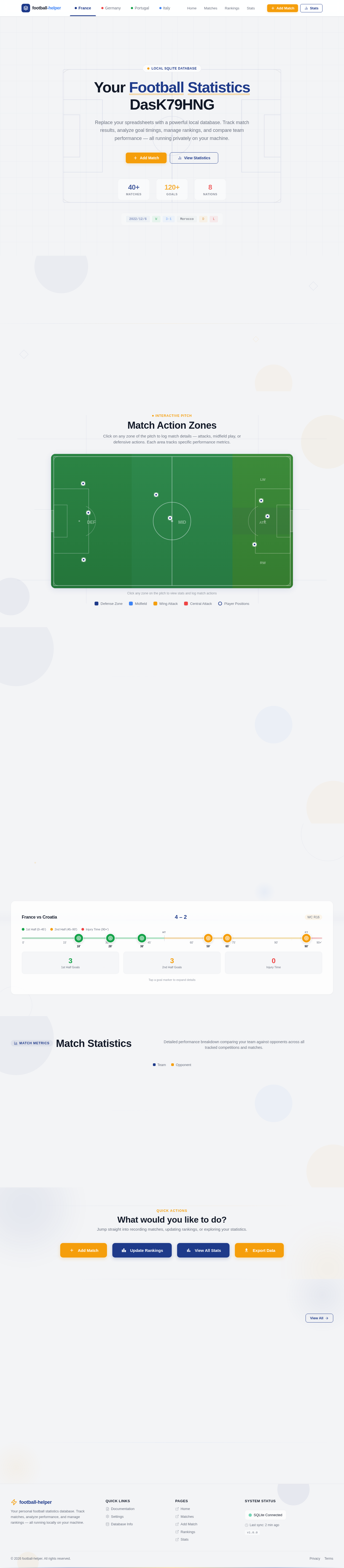
Your Football Statistics Dashboard
Replace your spreadsheets with a powerful local database. Track match results, analyze goal timings, manage rankings, and compare team performance — all running privately on your machine.
Select a Team
Switch between teams like spreadsheet tabs to view matches, stats, and rankings.
Match Action Zones
Click on any zone of the pitch to log match details — attacks, midfield play, or defensive actions. Each area tracks specific performance metrics.
Click any zone on the pitch to view stats and log match actions
Latest Match
Most recent result for France
Match Goal Breakdown
Click on goal markers to see scorer details and match context
Tap a goal marker to expand details
Match Statistics
Detailed performance breakdown comparing your team against opponents across all tracked competitions and matches.
What would you like to do?
Jump straight into recording matches, updating rankings, or exploring your statistics.
Recent Matches
Click any row to expand full match details
| Date | Comp | Opponent | FT Result | HT Result | Venue | Status | |
|---|---|---|---|---|---|---|---|
| 2022/12/6Tue | WC R16 | Morocco#22 | 0 - 0 | 0 - 0 | Neutral | FT | |
| 2022/12/1Thu | WC | Japan#24 | 1 - 2 | 1 - 0 | Neutral | FT | |
| 2022/11/27Sun | WC | Germany#11 | 1 - 1 | 0 - 1 | Neutral | FT | |
| 2022/11/23Wed | WC | Costa Rica#31 | 7 - 0 | 3 - 0 | Neutral | FT | |
| 2022/11/17Thu | Fr | Jordan#84 | 3 - 1 | 1 - 0 | Away | FT | |
| 2022/9/27Tue | UNL | Portugal#9 | 1 - 0 | 0 - 0 | Away | FT | |
| 2022/9/24Sat | UNL | Switzerland#15 | 1 - 2 | 0 - 1 | Home | FT | |
| 2022/6/12Sun | UNL | Czech Republic#35 | 2 - 0 | 1 - 0 | Home | FT |
No comments yet. Be the first!