epic-one
 Jatin Yadav
create one finance management web portal that can generate summary and all

Comments (0)
Sign in to leave a comment
System Requirements
System Requirements Document for epic-one
1. Introduction
The project "epic-one" is a finance management web portal designed to generate financial summaries and support comprehensive finance management. The primary audience includes Finance Managers and Finance Stakeholders who require clarity and functionality in managing and reviewing financial data.
2. System Overview
The epic-one portal is a web-based application that allows users to manage financial information and generate summaries. It is designed for two primary personas: Finance Managers, who manage and generate financial data, and Finance Stakeholders, who review the generated summaries. The portal includes several pages, each serving a specific function within the finance management lifecycle.
2a. Product Interpretation and Delivery Boundary
The portal is delivered as a web application with custom UI and app-owned identity. It requires users to enroll through a shared access entry and verify their identity upon returning. Role-based access distinguishes between Finance Managers and Finance Stakeholders, ensuring that each user can only access the functionalities relevant to their role. The portal persists financial information and summaries to allow users to resume workflows in subsequent visits.
2b. Source Content Inventory
Not applicable as no content_source directive is provided.
2c. Page Content and Component Coverage
Landing
- Purpose: Introduce the finance management portal, its intended users, and its capabilities.
- Components:
- Overview of portal features
- Call-to-action for new users to enroll
- Information on user roles and access
Login
- Purpose: Allow returning users to verify their identity.
- Components:
- Username and password fields
- Login button
- Password recovery option
Finance
- Purpose: Enable Finance Managers to browse and manage financial information.
- Components:
- List of financial records
- Search and filter options
- Navigation to Finance Details for editing
Finance Details
- Purpose: Allow Finance Managers to create or edit financial information.
- Components:
- Form for entering financial data
- Save and cancel buttons
- Validation messages
Reports
- Purpose: Provide a workspace for Finance Managers to generate financial summaries.
- Components:
- Options for selecting data to include in summaries
- Generate summary button
- Download and export options
Summary
- Purpose: Allow Finance Stakeholders to review generated summaries and financial information.
- Components:
- Display of generated summaries
- Navigation to detailed financial information
- Feedback and notes section
3. Functional Requirements
- As a Finance Manager, I should be able to manage financial information to ensure accurate data is available for summary generation. (Provenance: explicit)
- As a Finance Manager, I should be able to generate comprehensive financial summaries from available data. (Provenance: explicit)
- As a Finance Stakeholder, I should be able to review generated financial summaries to understand the organization’s financial position. (Provenance: explicit)
- As a user, I should be able to enroll through a shared access entry to start using the portal. (Provenance: required_inference)
- As a returning user, I should be able to verify my identity through the Login page to resume my work. (Provenance: required_inference)
4. User Personas
Finance Manager
- Context: Manages financial data and generates summaries.
- Primary Goal: Ensure accurate financial data management and summary generation.
- Responsibilities:
- Manage and edit financial information.
- Generate financial summaries.
- Interactions: Interacts with the Finance page, Finance Details, and Reports.
Finance Stakeholder
- Context: Reviews financial summaries and data.
- Primary Goal: Understand the organization's financial position through summaries.
- Responsibilities:
- Review generated summaries.
- Access detailed financial information.
- Interactions: Interacts with the Summary page.
5. Core User Flows
5.1 Finance Manager Flow
- Start: Access the portal via the Landing page.
- Enroll/Login: Enroll as a new user or log in as a returning user.
- Manage Data: Navigate to the Finance page to browse and manage financial records.
- Edit Data: Access Finance Details to create or edit financial information.
- Generate Summary: Use the Reports page to generate a financial summary.
- End: Log out or close the session.
5.2 Finance Stakeholder Flow
- Start: Access the portal via the Landing page.
- Enroll/Login: Enroll as a new user or log in as a returning user.
- Review Summaries: Navigate to the Summary page to review generated summaries.
- Access Details: View detailed financial information as needed.
- End: Log out or close the session.
6. Visuals Colors and Theme
- Muse: Erik Spiekermann
- Palette:
- Background: #F0F0F0
- Surface: #FFFFFF
- Text: #333333
- Primary: #FF6F00
- Accent: #008080
- Muted: #CCCCCC
- Typography:
- Headings: Fira Sans, Strong weight, spacious tracking, title case
- Body: Source Sans
- Scale: 1.333 modular, 48/36/24/16/14
- Shape Language: Clear columns and warm humanist forms
- Layout: Generous margins with clear columns, aligned label/value pairs
- Motion: Functional transitions, restrained tempo
7. Signature Design Concept
The Landing page features an oversized heading in Fira Sans bold with ample spacing and tracking. A full-width infographic with primary color highlights draws attention. Interactive data cards with clear call-to-action buttons in primary orange are used. The design employs generous white space with clear columns for data presentation, supported by functional iconography for navigation and action cues.
8. Interaction Model & Motion Direction
- Interaction Model: Static
- Motion Tempo: Restrained
- Hero Dimensionality: Flat
- Landing Hero Motion Brief: A balanced editorial hero with a structured grid, featuring a large infographic or data visualization with primary orange highlights. The background is light grey for contrast. The motion is functional and restrained, enhancing usability without distraction.
9. Non-Functional Requirements
- The portal must ensure data security and privacy, adhering to relevant regulations and standards. (Provenance: required_inference)
- The system should be scalable to handle increasing amounts of financial data. (Provenance: required_inference)
10. Tech Stack
- Frontend: React
- Backend: Python/FastAPI
- Storage: Appropriate database solution
- Deployment: Docker/docker-compose
11. Assumptions and Constraints
- The portal will be accessed primarily by Finance Managers and Finance Stakeholders.
- Users must enroll and verify their identity to access role-specific functionalities.
- The system will persist financial data and summaries for future access.
12. Glossary
- Finance Manager: A user responsible for managing financial data and generating summaries.
- Finance Stakeholder: A user who reviews financial summaries to understand the organization's financial position.
- Summary: A generated report that provides an overview of financial data.
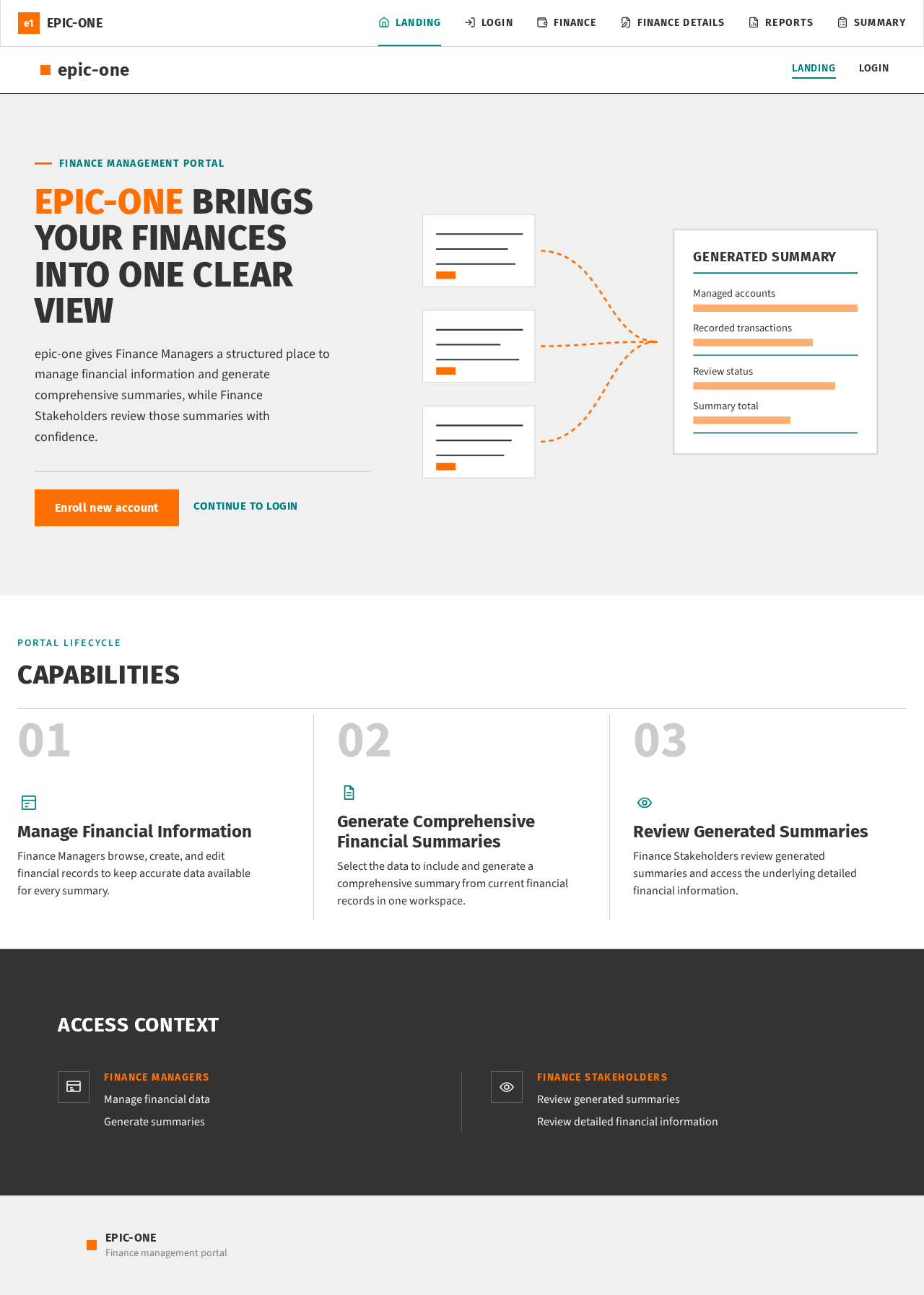
Finance management portal
epic-one brings your finances into one clear view
epic-one gives Finance Managers a structured place to manage financial information and generate comprehensive summaries, while Finance Stakeholders review those summaries with confidence.
Capabilities
Manage Financial Information
Finance Managers browse, create, and edit financial records to keep accurate data available for every summary.
Generate Comprehensive Financial Summaries
Select the data to include and generate a comprehensive summary from current financial records in one workspace.
Review Generated Summaries
Finance Stakeholders review generated summaries and access the underlying detailed financial information.
Access Context
Finance Managers
- Manage financial data
- Generate summaries
Finance Stakeholders
- Review generated summaries
- Review detailed financial information
Finance management portal
epic-one brings your finances into one clear view
epic-one gives Finance Managers a structured place to manage financial information and generate comprehensive summaries, while Finance Stakeholders review those summaries with confidence.
Capabilities
Manage Financial Information
Finance Managers browse, create, and edit financial records to keep accurate data available for every summary.
Generate Comprehensive Financial Summaries
Select the data to include and generate a comprehensive summary from current financial records in one workspace.
Review Generated Summaries
Finance Stakeholders review generated summaries and access the underlying detailed financial information.
Access Context
Finance Managers
- Manage financial data
- Generate summaries
Finance Stakeholders
- Review generated summaries
- Review detailed financial information
No comments yet. Be the first!