Page 1 of 7
System Requirements Document for Project Emerald-a
1. Introduction
This document outlines the system requirements for Project Emerald-a, a simple multi-tenant CRM SaaS designed to support multiple tenants with a shared database and schema. The project aims to deliver a working vertical slice with specified domain entities, permissions, RESTful API, and frontend features.
2. System Overview
Page 2 of 7
2a. Product Interpretation and Delivery Boundary
-
Domain Descriptors:
- Multi-tenancy CRM: The product is a CRM system designed to support multiple tenants with shared database and schema.
- Role-based Access Control: The system enforces permissions centrally for Owner/Admin and Rep roles.
-
Scope:
- The project will build a CRM SaaS with multi-tenancy, defined domain entities, permissions, RESTful API, and frontend features.
- Explicitly out of scope: Email sync, calendar sync, telephony, custom fields, workflow automation, imports, marketing features, billing, mobile app, real-time updates.
-
Access:
- Application-owned identity with persistent identity continuity.
-
Behavior Contracts:
- Manage Tenant Data: Owner/Admin can view and edit all tenant records.
- Manage Own Records: Rep can view all records but edit only those they own.
- Provide REST API: CRUD operations for companies, contacts, deals, activities; PATCH for stage moves; GET for dashboard summary.
- Develop Frontend: Signup flow, invite users, contacts/companies list, deals kanban board, deal detail view, dashboard summary.
2b. Source Content Inventory
Not applicable as no content_source directive was provided.
Page 3 of 7
2c. Page Content and Component Coverage
-
Signup Page:
- User registration form to create tenant and owner user.
- Email invitation feature for adding users.
-
CRM Dashboard:
- Summary of open pipeline value, count by stage, deals closing in next 30 days, activities overdue.
- Kanban board for deals with drag-and-drop functionality.
- List and search functionality for contacts and companies with inline create option.
- Deal detail view with summary, linked contact/company, activity timeline, and add note feature.
-
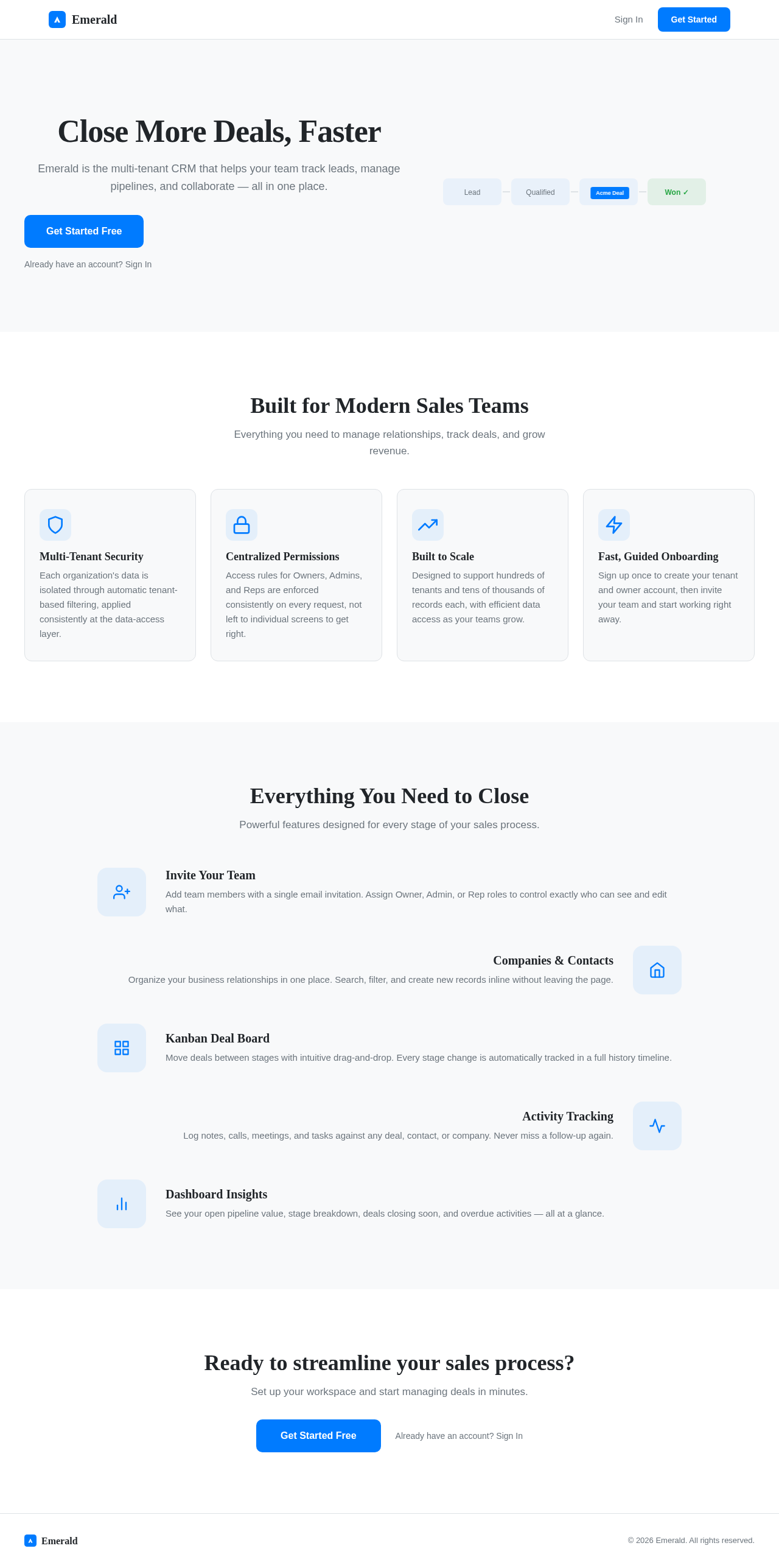
Landing Page:
- Public entry point for new organizations to create a tenant and owner user.
-
Authentication Page:
- Login and refresh token management.
Page 4 of 7
3. Functional Requirements as Story Points
- As an Owner/Admin, I should be able to view and edit all records in my tenant.
explicit
- As a Rep, I should be able to view all records but edit only those I own.
explicit
- As an API Client, I should be able to perform CRUD operations on companies, contacts, deals, and activities.
explicit
- As an API Client, I should be able to move a deal's stage and write history in one transaction.
explicit
- As an API Client, I should be able to retrieve a dashboard summary with open pipeline value, count by stage, deals closing in next 30 days, and activities overdue.
explicit
- As an End User, I should be able to sign up, creating a tenant and owner user in one flow.
explicit
- As an End User, I should be able to invite users by email.
explicit
- As an End User, I should be able to list, search, and inline create contacts and companies.
explicit
- As an End User, I should be able to manage deals using a kanban board with drag-and-drop and a table view toggle.
explicit
- As an End User, I should be able to view deal details, including summary, linked contact/company, and activity timeline.
explicit
4. User Personas
- Owner/Admin: Can see and edit all records in the tenant.
- Rep: Can see all records but edit only those they own.
Page 5 of 7
5. Core User Flows
-
Signup Flow:
- Access the Landing Page.
- Fill out the registration form to create a tenant and owner user.
- Receive confirmation and access the CRM Dashboard.
-
CRM Dashboard Flow:
- Log in via the Authentication Page.
- View dashboard summary.
- Navigate to contacts/companies list, search, and create new entries.
- Manage deals using the kanban board or table view.
- Access deal details and add notes or activities.
6. Visuals Colors and Theme
- Primary: #007BFF
- Primary Light: #66B2FF
- Secondary: #6C757D
- Accent: #28A745
- Highlight: #FFC107
- Background: #F8F9FA
- Surface: #FFFFFF
- Text: #212529
- Text Muted: #6C757D
- Border: #DEE2E6
Page 6 of 7
7. Signature Design Concept
The CRM Dashboard will feature a clean, modern design with a focus on usability and efficiency. The kanban board will use drag-and-drop interactions for managing deals, providing immediate feedback with smooth transitions. The dashboard summary will present key metrics in a visually appealing format, using cards and charts for quick insights.
8. Interaction Model & Motion Direction
- Interaction Model: Animated
- The CRM Dashboard will feature moderate scroll-triggered reveals and hover transitions. The kanban board will utilize spring physics for drag-and-drop interactions, enhancing the user experience with smooth and responsive feedback.
9. Non-Functional Requirements
- Scalability: The system must support hundreds of tenants and tens of thousands of records each.
explicit
- Security: Enforce permissions centrally for Owner/Admin and Rep roles.
explicit
- Performance: Ensure efficient data access and processing for large datasets.
required_inference
10. Tech Stack
- Frontend: React for Web
- Backend: Python, FastAPI
- Database: MySQL or MariaDB, use Alembic for migrations
- Local Orchestration: Docker, docker-compose
- Server-side Orchestration: Kubernetes
Page 7 of 7
11. Assumptions and Constraints
- The system will use a shared database and schema with a TenantId column for multi-tenancy.
- TenantId will be resolved from the auth token and not from the request body or query string.
- Tenant filtering will be applied automatically at the data-access layer.
- The system will not include email sync, calendar sync, telephony, custom fields, workflow automation, imports, marketing features, billing, mobile app, or real-time updates.
12. Glossary
- Tenant: An organization using the CRM system.
- Owner/Admin: A user role with full access to all records within a tenant.
- Rep: A user role with access to view all records but edit only those they own.
- Kanban Board: A visual tool for managing work using cards and columns to represent tasks and stages.
- CRUD: Create, Read, Update, Delete operations for managing data.
- REST API: An application programming interface that uses HTTP requests to access and manipulate data.
This document provides a comprehensive overview of the requirements for Project Emerald-a, ensuring that all necessary components are clearly defined and aligned with the project's goals.



No comments yet. Be the first!