earthy-testing
 Vijay D
I wanted to do a visual testing and reply for our website
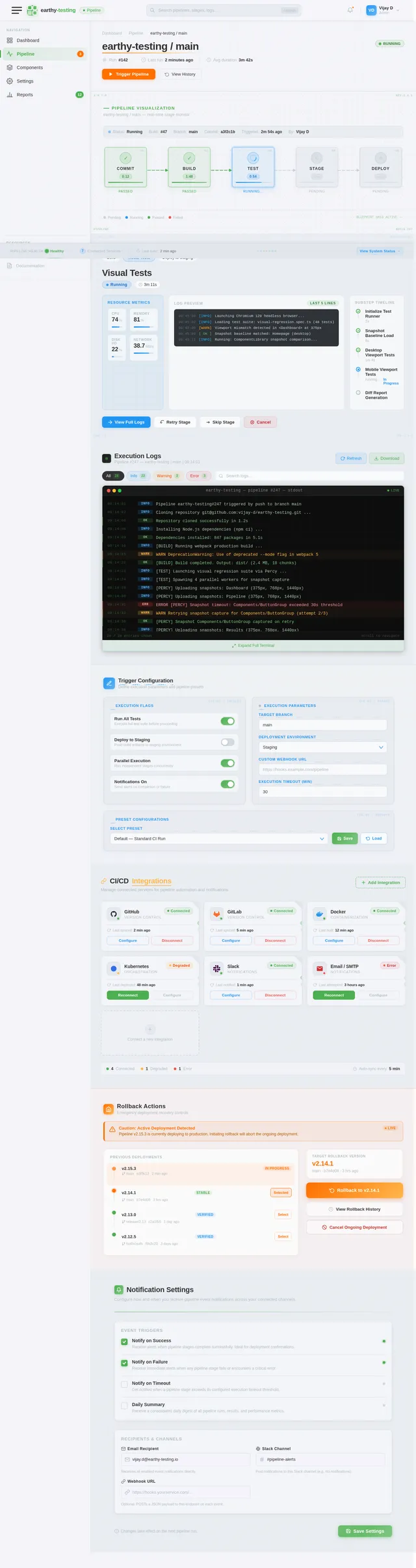
Comments (0)
Sign in to leave a comment
System Requirements
System Requirements Document (SRD)
Project Name: earthy-testing
1. Introduction
Welcome to the System Requirements Document (SRD) for earthy-testing, a project initiated by Vijay D in India. This document outlines the requirements, design concepts, and technical specifications for implementing automated visual testing for the website associated with this project.
The primary goal of earthy-testing is to ensure the website's visual consistency, responsiveness, and UI integrity through automated testing tools. This document will guide the development and implementation process, ensuring alignment with Vijay's objectives and the project's technical needs.
2. System Overview
The earthy-testing project focuses on automating visual testing workflows to identify and resolve UI inconsistencies across various devices, browsers, and screen resolutions. By leveraging modern testing tools, the project aims to streamline the QA process, reduce manual effort, and enhance the overall user experience.
The system will integrate with the website's existing tech stack, utilizing tools that support component-driven frameworks and CI/CD pipelines. The selection of the optimal automated testing tool remains a key requirement, with options such as Percy, Storybook, Chromatic, and Applitools under consideration.
3. Functional Requirements
- As User, I should be able to perform automated visual testing for the website.
- As User, I should be able to compare snapshots of the website across different screen resolutions.
- As User, I should be able to integrate the testing tool with the CI/CD pipeline for seamless deployment.
- As User, I should be able to receive detailed reports highlighting visual regressions.
- As User, I should be able to configure testing parameters, such as browser types and viewport sizes.
- As User, I should be able to test individual UI components for visual consistency.
- As User, I should be able to select the most suitable automated testing tool for the project.
4. User Personas
4.1 Admin
- Responsible for configuring and maintaining the automated testing tool.
- Oversees integration with CI/CD pipelines.
- Reviews visual regression reports and assigns fixes to the development team.
4.2 Developer
- Implements visual testing workflows within the website's codebase.
- Ensures compatibility of UI components with the selected testing tool.
- Resolves issues identified during visual testing.
4.3 QA Tester
- Executes visual tests and validates results.
- Monitors snapshot comparisons for UI inconsistencies.
- Provides feedback on testing tool performance and usability.
5. Visuals Colors and Theme
Color Palette for earthy-testing:
The color palette for earthy-testing reflects a modern, professional aesthetic with a focus on clarity and precision.
- Background: #F4F4F9 (Soft White)
- Surface: #E0E5EC (Light Gray)
- Text: #333333 (Dark Charcoal)
- Accent: #4CAF50 (Earthy Green)
- Muted Tones: #B0BEC5 (Muted Blue-Gray)
This palette ensures a clean and visually appealing interface, emphasizing readability and subtle contrasts.
6. Signature Design Concept
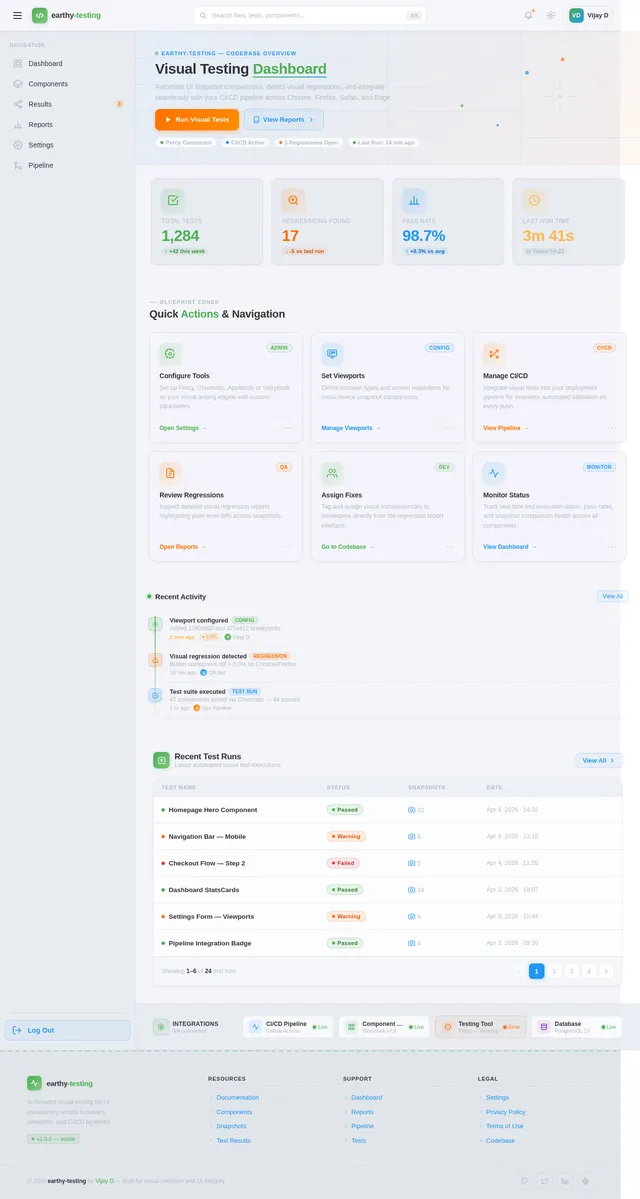
Interactive Blueprint Homepage
The homepage for earthy-testing will feature an interactive blueprint design, resembling an architect's drawing board. Users will see a pencil-sketch aesthetic with animated transitions that mimic the process of drafting a design.
Key features:
- Dynamic Animations: Sections of the homepage will "draw themselves" as users scroll, with lines and shapes appearing in real-time.
- Interactive Elements: Users can click on different "blueprint zones" to explore features, such as testing tools, reports, and integrations.
- Color Shifts: The blueprint background will subtly change hues based on the time of day, transitioning from cool blues in the morning to warm oranges in the evening.
- Micro-Interactions: Hovering over elements will trigger small animations, such as icons "sketching" themselves or buttons "inking" into place.
This bold design concept will make the website instantly memorable, aligning with the project's focus on precision and innovation.
7. Non-Functional Requirements
- The system must support integration with CI/CD pipelines.
- The system must ensure compatibility with modern browsers (Chrome, Firefox, Safari, Edge).
- The system must provide detailed visual regression reports in a user-friendly format.
- The system must be scalable to accommodate future testing needs.
- The system must maintain high performance, with minimal latency during testing.
8. Tech Stack
Frontend
- React for Web
Backend
- Python
- FastAPI
Database
- MySQL or MariaDB (using Alembic for migrations)
Automated Testing Tools
- Percy (BrowserStack)
- Storybook
- Chromatic
- Applitools
AI Models
- GPT 5.4 for user-friendly responses
AI Tools
- Litellm for LLM Routing
- Langchain
Local Orchestration
- Docker
- docker-compose
Server-Side Orchestration
- Kubernetes
9. Assumptions and Constraints
Assumptions
- The website is built using a component-driven framework compatible with automated testing tools.
- Users have access to CI/CD pipelines for integrating visual testing workflows.
- The selected testing tool will support responsive design testing across multiple devices.
Constraints
- The system must operate within the limitations of the selected testing tool.
- Integration with CI/CD pipelines must not disrupt existing workflows.
- Visual testing must be completed within a reasonable timeframe to avoid delays in deployment.
10. Glossary
- CI/CD Pipeline: Continuous Integration/Continuous Deployment pipeline used for automating software delivery.
- Visual Regression Testing: Automated testing process to identify visual inconsistencies in UI components.
- Snapshot Comparison: Comparing images of a website across different states to detect changes.
- Blueprint Design: A design concept resembling architectural drawings, emphasizing precision and creativity.
End of Document
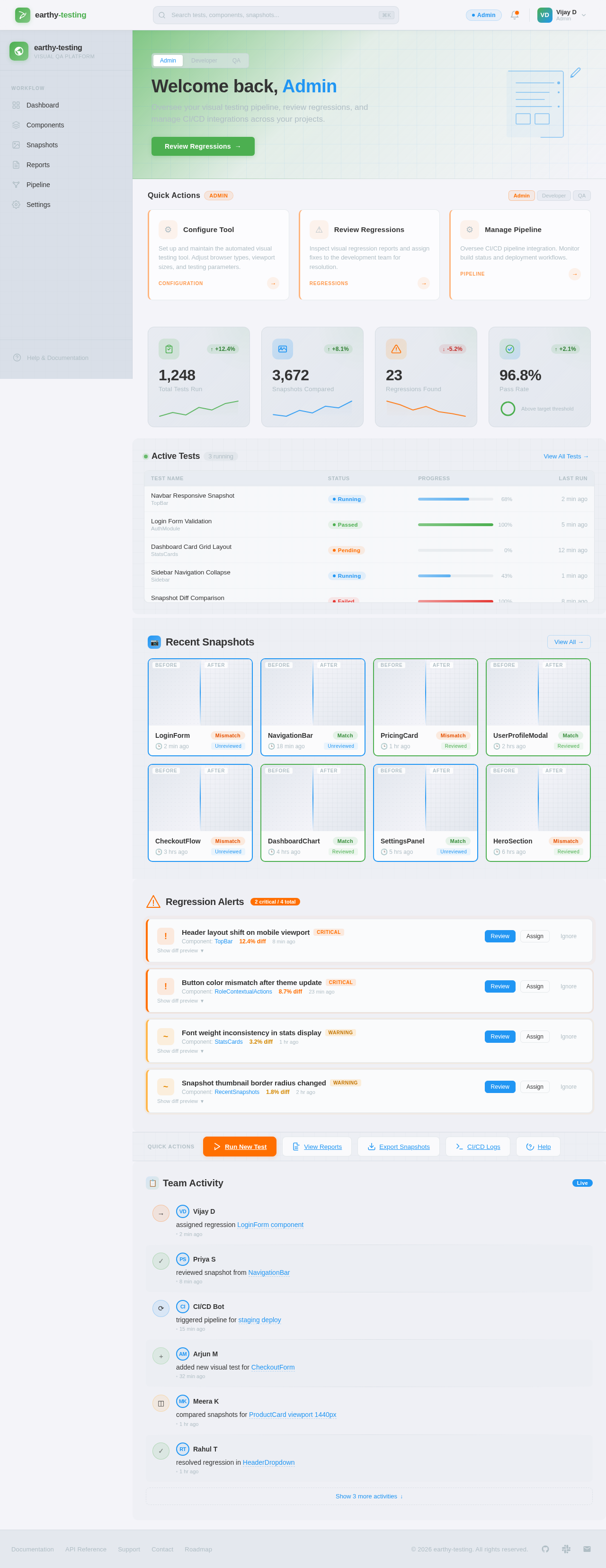
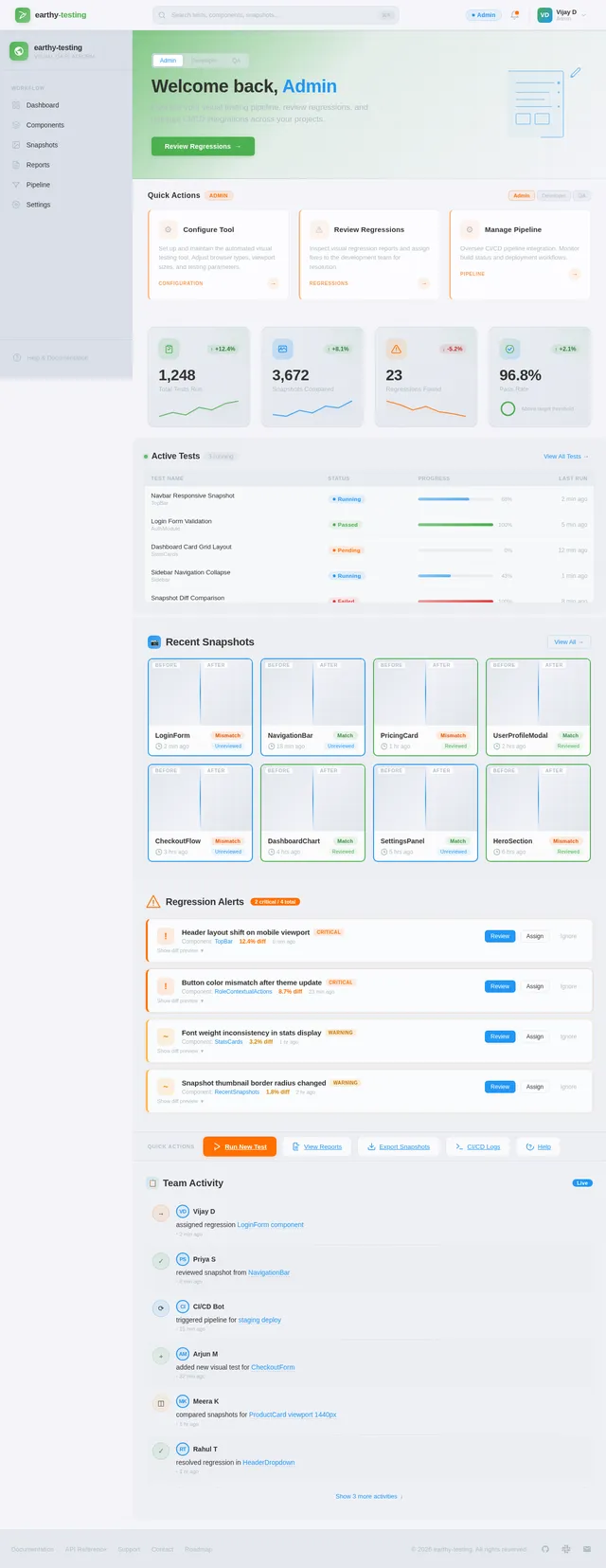
Welcome back, Admin
Oversee your visual testing pipeline, review regressions, and manage CI/CD integrations across your projects.
Configure Tool
Set up and maintain the automated visual testing tool. Adjust browser types, viewport sizes, and testing parameters.
Review Regressions
Inspect visual regression reports and assign fixes to the development team for resolution.
Manage Pipeline
Oversee CI/CD pipeline integration. Monitor build status and deployment workflows.
| Test Name | Status | Progress | Last Run |
|---|---|---|---|
Navbar Responsive Snapshot TopBar | Running | 68% | 2 min ago |
Login Form Validation AuthModule | Passed | 100% | 5 min ago |
Dashboard Card Grid Layout StatsCards | Pending | 0% | 12 min ago |
Sidebar Navigation Collapse Sidebar | Running | 43% | 1 min ago |
Snapshot Diff Comparison SnapshotViewer | Failed | 100% | 8 min ago |
CI Pipeline Integration Check Pipeline | Passed | 100% | 15 min ago |
Button Hover State Regression Components | Running | 82% | 30 sec ago |
Footer Link Accessibility Footer | Pending | 0% | 20 min ago |
No comments yet. Be the first!