Page 1 of 6
System Requirements Document for Earthy-Complete
1. Introduction
The purpose of this document is to outline the system requirements for the "Earthy-Complete" project, which aims to develop a comprehensive HRMS and Payroll application. The application is intended to be user-friendly and accessible for employees, managers, and CHROs.
2. System Overview
Page 2 of 6
2a. Product Interpretation and Delivery Boundary
Page 3 of 6
3. Functional Requirements as Story Points
- As an Employee, I should be able to log into the system using my Employee ID and Password to view my personal HR and payroll information.
explicit
- As a Manager, I should be able to access the team dashboard using my Manager ID and Password to oversee team HR and payroll activities.
explicit
- As a CHRO, I should be able to access the strategic dashboard using my CHRO ID and Password to manage overall HR strategy and payroll.
explicit
- As a User, I should be able to sign up for an account, log in, and manage my session to access the application.
required_inference
4. User Personas
- Employee: Primary user for accessing personal HR and payroll information.
- Manager: Oversees team HR and payroll activities.
- CHRO: Responsible for overall HR strategy and payroll management.
5. Core User Flows
Employee Flow
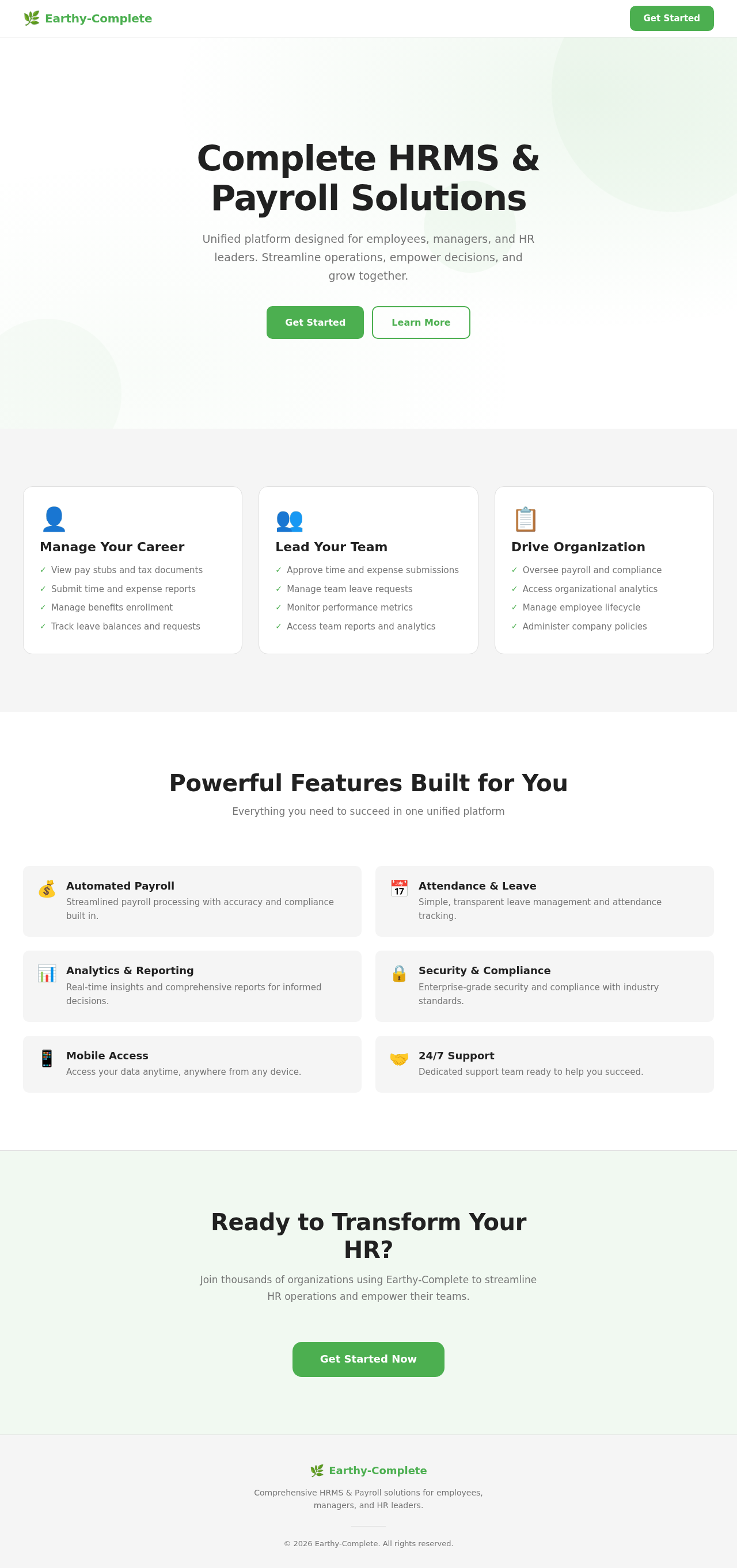
- Navigate to the Landing page.
- Proceed to the Authentication page.
- Log in using Employee ID and Password.
- Access the Employee Dashboard to view personal HR and payroll information.
Manager Flow
- Navigate to the Landing page.
- Proceed to the Authentication page.
- Log in using Manager ID and Password.
- Access the Manager Dashboard to oversee team HR and payroll activities.
Page 4 of 6
CHRO Flow
- Navigate to the Landing page.
- Proceed to the Authentication page.
- Log in using CHRO ID and Password.
- Access the CHRO Dashboard to manage HR strategy and payroll.
6. Visuals Colors and Theme
- Primary: #4CAF50 (Green)
- Primary Light: #81C784 (Light Green)
- Secondary: #FFC107 (Amber)
- Accent: #FF5722 (Deep Orange)
- Highlight: #FFEB3B (Yellow)
- Background: #FFFFFF (White)
- Surface: #F5F5F5 (Light Grey)
- Text: #212121 (Dark Grey)
- Text Muted: #757575 (Grey)
- Border: #E0E0E0 (Light Grey)
7. Signature Design Concept
The design for the Earthy-Complete project will focus on a clean and intuitive interface that emphasizes ease of use. The dashboards for employees, managers, and CHROs will feature a consistent layout with clear navigation and accessible information. The use of green as the primary color will convey a sense of growth and stability, while accent colors will be used sparingly to highlight important actions and notifications.
Page 5 of 6
8. Interaction Model & Motion Direction
The interaction model for the Earthy-Complete project will be animated, with moderate scroll-triggered reveals and hover transitions to enhance user engagement without overwhelming the user. The public entry surface will feature a restrained 2D Hero motion to provide a welcoming and dynamic first impression.
9. Non-Functional Requirements
- The application must ensure secure access control for all user roles.
required_inference
10. Tech Stack
- Frontend: React for Web
- Backend: Python with FastAPI
- Database: MySQL or MariaDB, using Alembic for migrations
- Local Orchestration: Docker, docker-compose
11. Assumptions and Constraints
- The application will be developed with a focus on user-friendliness for all personas.
- Authentication is required for accessing the dashboards.
- The system will not include external recipients or generated documents.
Page 6 of 6
12. Glossary
- HRMS: Human Resource Management System
- CHRO: Chief Human Resources Officer
- UI: User Interface
- UX: User Experience
- RDBMS: Relational Database Management System


No comments yet. Be the first!