eagle-waterproofing
 Ashish Shah
Waterproofing
Comments (0)
Sign in to leave a comment
System Requirements
System Requirements Document (SRD)
Project Name: Eagle-Waterproofing
1. Introduction
The Eagle-Waterproofing project is designed to streamline and enhance the management of waterproofing services for Ashish Shah's business in India. This system will serve as a comprehensive platform to manage leads, quotes, and projects, while also providing a user-friendly interface for customers to track their requests. The platform will cater to both internal team members and external customers, ensuring seamless communication and efficient project management.
This document outlines the system requirements, functional and non-functional specifications, user personas, and design concepts to guide the development of the Eagle-Waterproofing platform.
2. System Overview
The Eagle-Waterproofing system will be a web-based platform with optional mobile app support. It will enable the business to:
- Manage customer inquiries and leads efficiently.
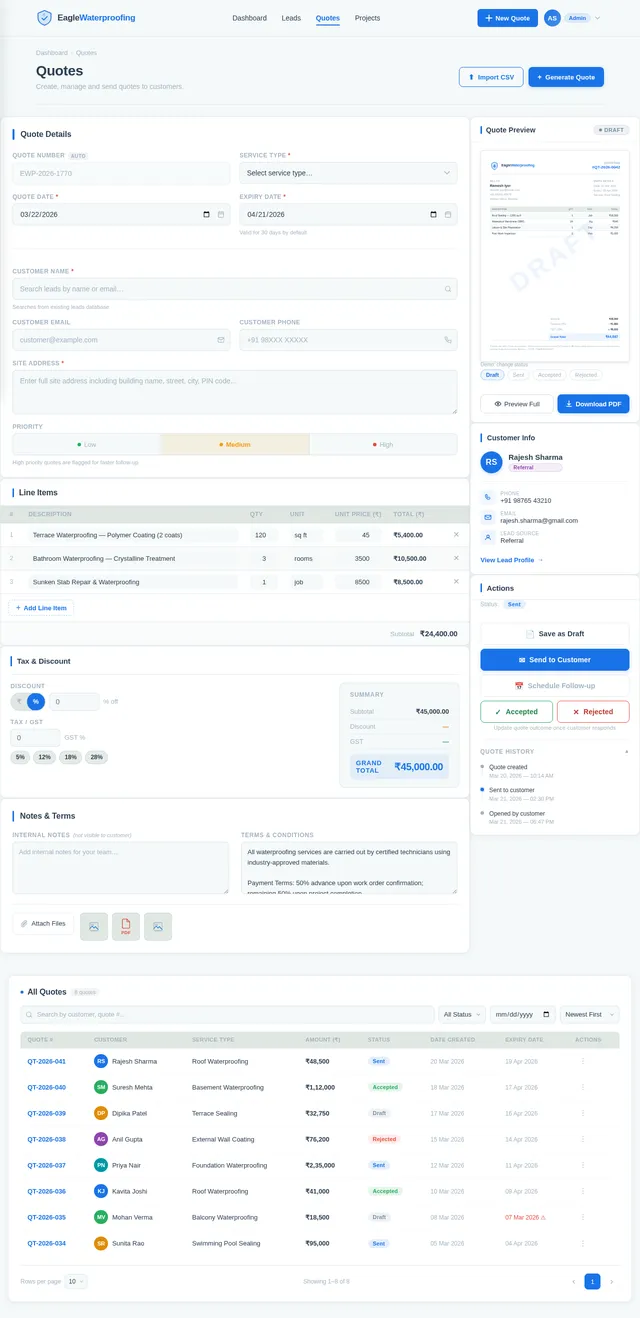
- Provide accurate and timely quotes for waterproofing services.
- Track ongoing projects and their statuses.
- Allow customers to view updates and communicate with the team.
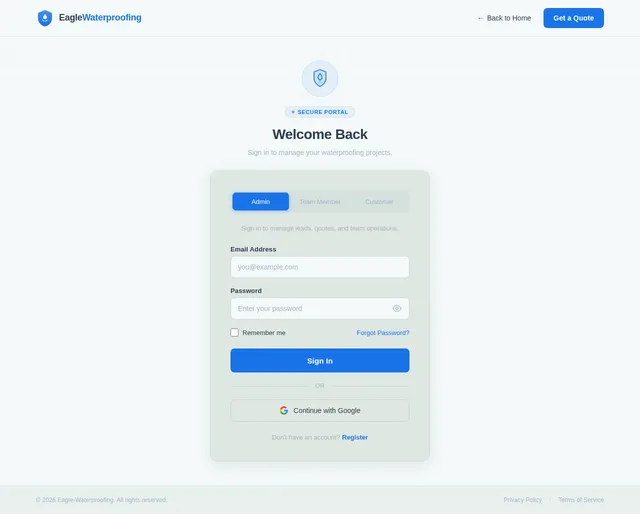
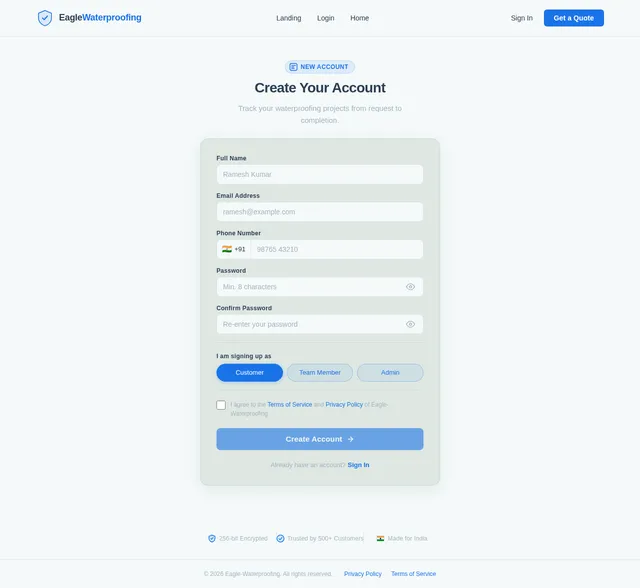
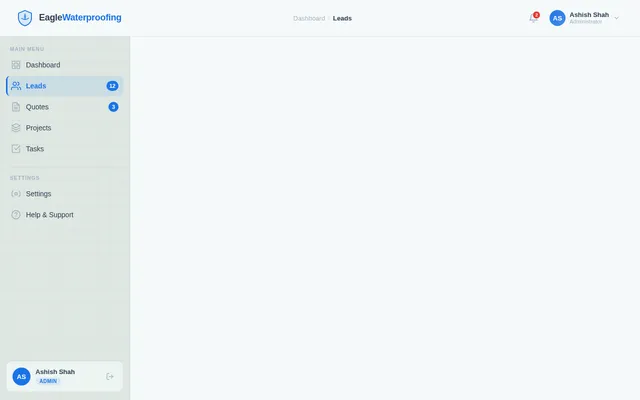
The platform will include role-based access for administrators, team members, and customers, ensuring that each user has access to the tools and information they need.
3. Functional Requirements
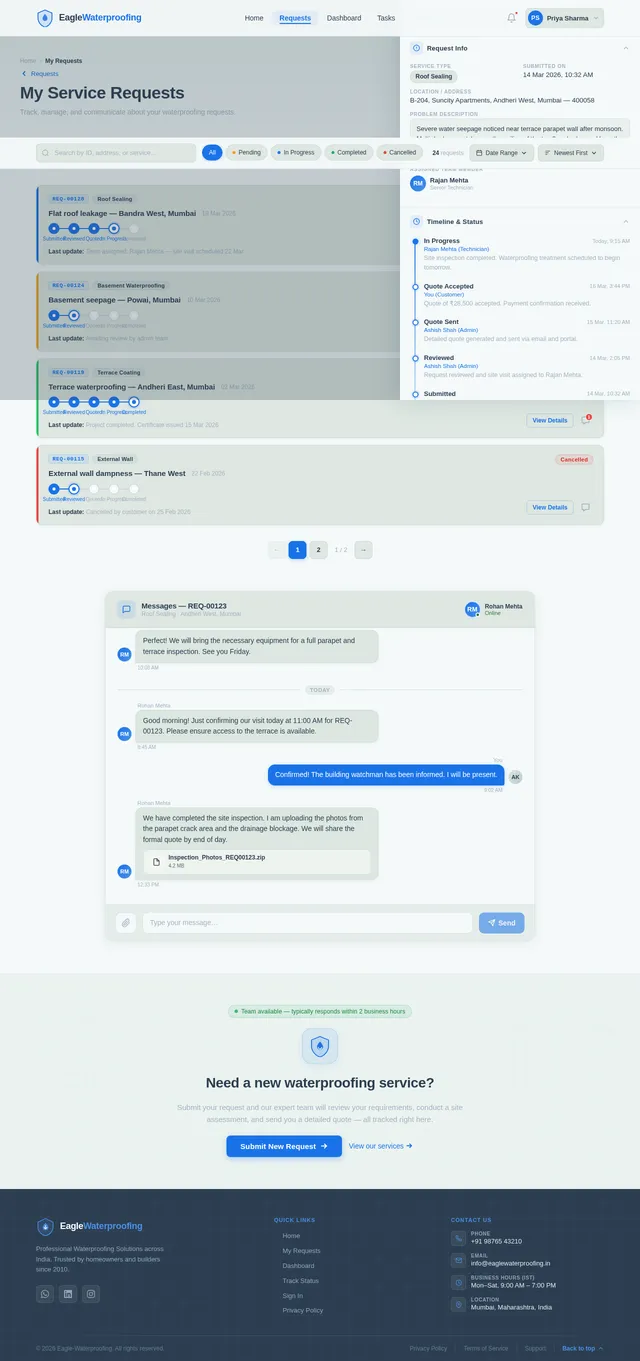
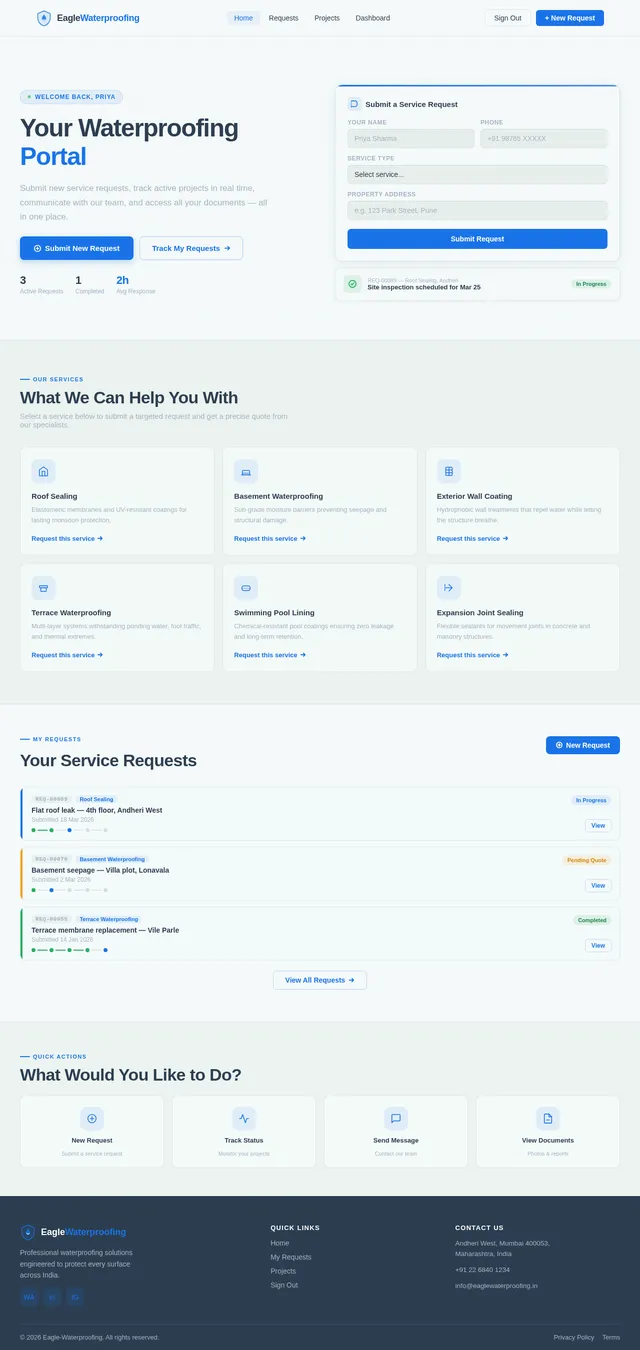
- As a User, I should be able to submit a service request with details about my waterproofing needs.
- As a User, I should be able to track the status of my service request in real-time.
- As a User, I should be able to communicate with the service team through the platform.
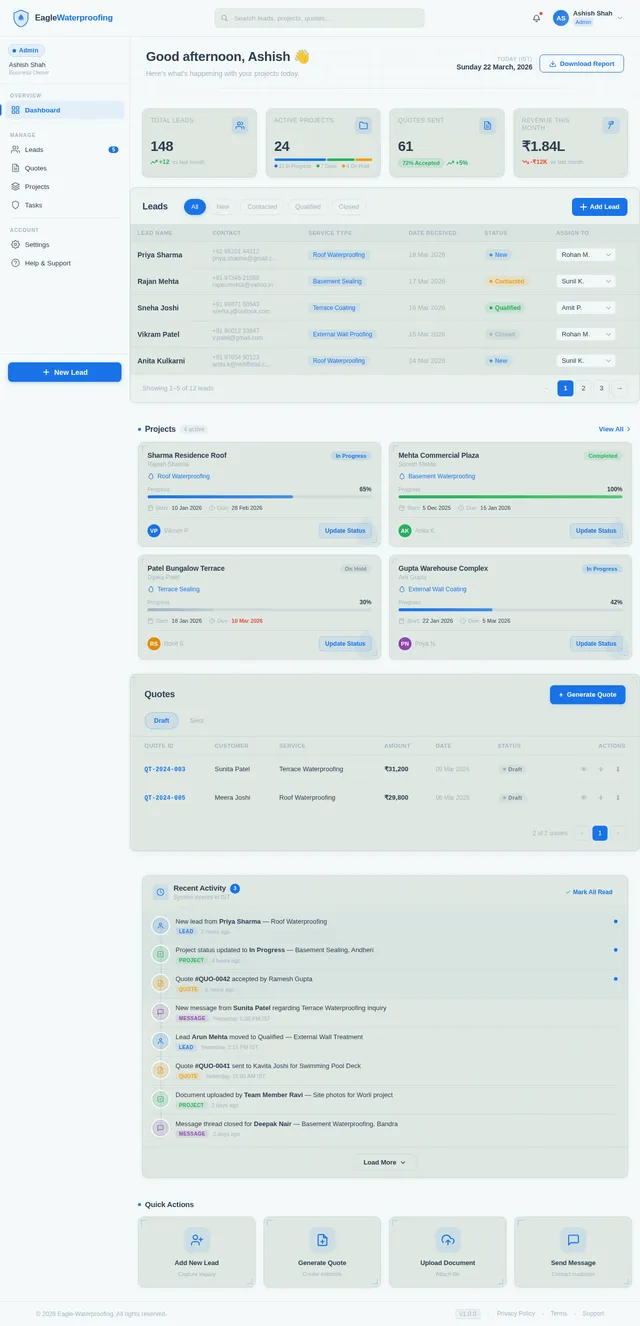
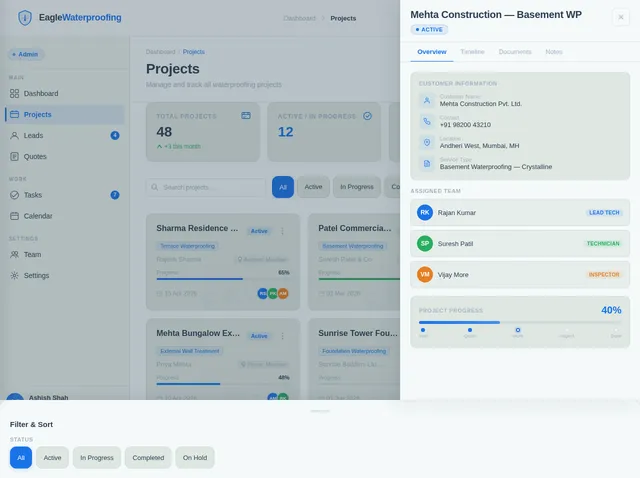
- As an Admin, I should be able to manage incoming leads and assign them to team members.
- As an Admin, I should be able to generate and send quotes to customers.
- As an Admin, I should be able to update project statuses and timelines.
- As a Team Member, I should be able to view assigned tasks and update their progress.
- As a Team Member, I should be able to upload photos or documents related to a project.
4. User Personas
1. Admin
- Description: The business owner or manager responsible for overseeing operations.
- Responsibilities: Manage leads, assign tasks, generate quotes, and monitor project progress.
2. Team Member
- Description: Field staff or technicians responsible for executing waterproofing projects.
- Responsibilities: Update project progress, upload relevant documents or photos, and communicate with the admin.
3. Customer
- Description: Individuals or businesses seeking waterproofing services.
- Responsibilities: Submit service requests, track project status, and communicate with the team.
5. Visuals Colors and Theme
The visual identity of Eagle-Waterproofing will reflect professionalism, trust, and reliability. Below is the unique color palette for the project:
- Background: #F4F9F9 (Soft Mist White)
- Surface: #D9E4DD (Muted Sage Green)
- Text: #2C3E50 (Deep Charcoal)
- Accent: #1A73E8 (Vivid Blue)
- Muted Tones: #A3B3C2 (Soft Gray-Blue)
The theme will use clean, modern typography and subtle animations to create a professional yet approachable user experience.
6. Signature Design Concept
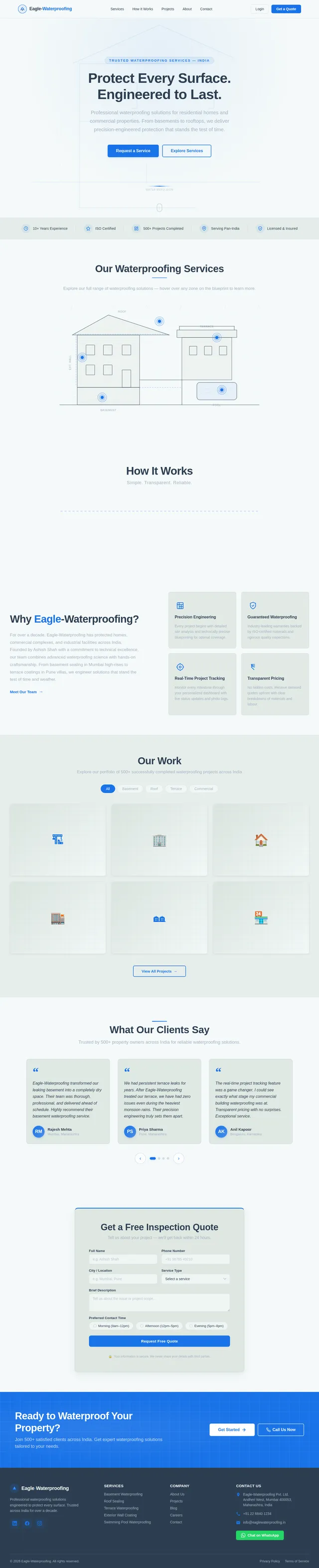
Interactive Blueprint Landing Page
The homepage of Eagle-Waterproofing will feature an interactive blueprint design that visually represents the waterproofing process.
- Visuals: The background will resemble a technical blueprint with animated line drawings of buildings, water flow, and waterproofing layers.
- Interactions: As users hover over different sections of the blueprint, pop-ups will appear with brief descriptions of services (e.g., "Basement Waterproofing," "Roof Sealing").
- Transitions: Smooth zoom-in and zoom-out effects will guide users to explore specific services or navigate to other sections of the site.
- Micro-Interactions: Clicking on a service will trigger a short animation (e.g., water droplets being repelled by a waterproof layer) before redirecting to the service details page.
This design will create a memorable first impression and immediately communicate the expertise and technical precision of the business.
7. Non-Functional Requirements
- The system must support a minimum of 100 concurrent users.
- The platform should load within 3 seconds on a 4G connection.
- Data must be encrypted using industry-standard protocols (e.g., HTTPS, AES-256).
- The system should be accessible on both desktop and mobile devices.
- The platform must comply with Indian data protection regulations.
8. Tech Stack
Frontend
- React for Web
- React Native for Mobile App
Backend
- Python
- FastAPI
Database
- MySQL (with Alembic for migrations)
AI Models
- GPT 5.2 for user-friendly responses
AI Tools
- Langchain
- Litellm for LLM Routing
Orchestration
- Docker for local development
- Kubernetes for server-side orchestration
9. Assumptions and Constraints
- The platform will primarily target users in India, so all time zones will default to IST (Indian Standard Time).
- The system will initially support English, with potential for multi-language support in the future.
- Customers will primarily access the platform via mobile devices, so the mobile app experience must be optimized.
- The project budget and timeline will influence the scope of advanced features like AI integration.
10. Glossary
- Admin: The user role responsible for managing the platform and overseeing operations.
- Team Member: Field staff or technicians executing waterproofing projects.
- Customer: Individuals or businesses seeking waterproofing services.
- Blueprint: A technical drawing or design used to represent the waterproofing process visually.
- IST: Indian Standard Time.
- AES-256: Advanced Encryption Standard with a 256-bit key, used for secure data encryption.
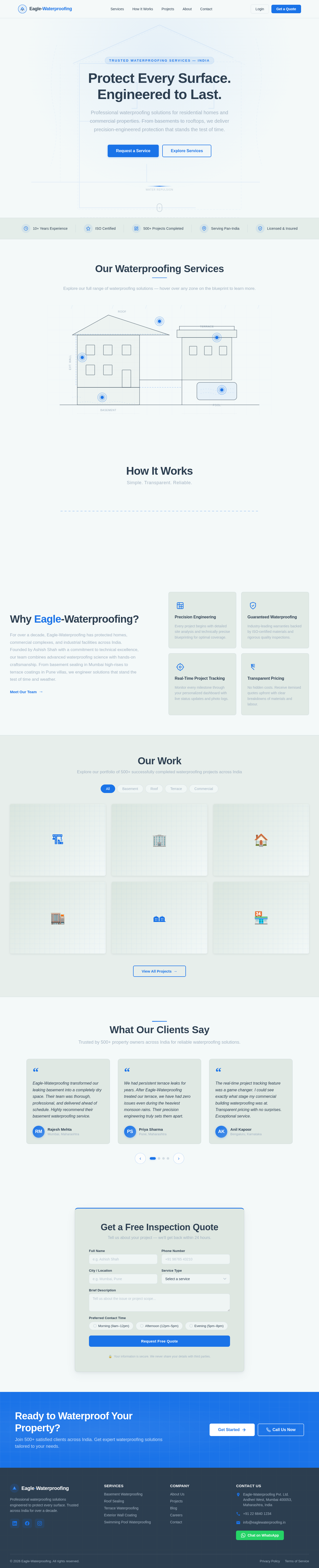
Protect Every Surface. Engineered to Last.
Professional waterproofing solutions for residential homes and commercial properties. From basements to rooftops, we deliver precision-engineered protection that stands the test of time.
Our Waterproofing Services
Explore our full range of waterproofing solutions — hover over any zone on the blueprint to learn more.
Basement Waterproofing
Comprehensive sub-grade moisture barriers for foundations and basements, preventing seepage and structural damage.
Learn More →Roof Sealing
Advanced elastomeric coatings and membrane systems that protect rooftops from rain, UV, and thermal cracking.
Learn More →Exterior Wall Coating
Hydrophobic wall treatments that repel water while allowing the structure to breathe, preventing dampness and mould.
Learn More →Terrace Waterproofing
Multi-layer terrace treatment systems engineered to withstand ponding water, foot traffic, and temperature extremes.
Learn More →Swimming Pool Waterproofing
Specialised pool lining and chemical-resistant coatings ensuring zero leakage and long-term water retention.
Learn More →How It Works
Simple. Transparent. Reliable.
Submit Request
Fill out our quick online form with your property details and waterproofing needs.
Site Inspection & Quote
Our expert team visits your site, assesses the scope, and delivers a transparent quote.
Waterproofing Execution
Licensed technicians carry out the waterproofing using industry-grade materials and methods.
Final Inspection & Handover
We perform a thorough quality inspection and hand over the completed project with warranty.
Submit Request
Fill out our quick online form with your property details and waterproofing needs.
Site Inspection & Quote
Our expert team visits your site, assesses the scope, and delivers a transparent quote.
Waterproofing Execution
Licensed technicians carry out the waterproofing using industry-grade materials and methods.
Final Inspection & Handover
We perform a thorough quality inspection and hand over the completed project with warranty.
Why Eagle-Waterproofing?
For over a decade, Eagle-Waterproofing has protected homes, commercial complexes, and industrial facilities across India. Founded by Ashish Shah with a commitment to technical excellence, our team combines advanced waterproofing science with hands-on craftsmanship. From basement sealing in Mumbai high-rises to terrace coatings in Pune villas, we engineer solutions that stand the test of time and weather.
Meet Our Team→Our Work
Explore our portfolio of 500+ successfully completed waterproofing projects across India
What Our Clients Say
Trusted by 500+ property owners across India for reliable waterproofing solutions.
Get a Free Inspection Quote
Tell us about your project — we'll get back within 24 hours.
Your information is secure. We never share your details with third parties.
Ready to Waterproof Your Property?
Join 500+ satisfied clients across India. Get expert waterproofing solutions tailored to your needs.
No comments yet. Be the first!