dtidal-first
 Mula Nikhil Raj
this is my idea, first, I covert PDF to markdown file then feed into agent 1, then it will design the charcters color and design looks. Then I feed agent 1 decisions into the agent2 LLM → scene planner → image/video generation → consistency → video stitching → audio


Comments (0)
Sign in to leave a comment
System Requirements
System Requirements Document for dtidal-first
1. Introduction
The dtidal-first project aims to transform user-provided PDF files of favorite books or children's books into simple animated stories. The target audience includes individuals interested in creating animations from book content, particularly for educational and entertainment purposes. The system will convert PDF content into markdown, design character visuals, plan scenes, generate media, and produce a cohesive animation with audio.
2. System Overview
The system facilitates the conversion of PDF book content into animated stories. It involves several stages, including PDF ingestion, markdown conversion, character design, scene planning, media generation, and animation assembly. The process is designed for a single user persona, the "Book-to-animation creator," who interacts with the system to produce animations. The system is structured around a series of pages that guide the user through the workflow, from uploading a PDF to previewing the final animation.
2a. Product Interpretation and Delivery Boundary
The product is delivered as a web application with custom UI components. It requires user authentication for project retention and resumption. The workflow begins with an anonymous landing page and progresses through protected pages requiring login. The system is constrained to work with favorite books or children's books, producing simple animations with character dialogues. The creative direction emphasizes a warm, approachable style suitable for children's content.
2b. Source Content Inventory
Not applicable as no explicit content_source directive is provided.
2c. Page Content and Component Coverage
Landing
- Purpose: Introduce the book-to-animation workflow.
- Components:
- Overview of the process.
- Call-to-action to start the journey.
- Visuals reflecting the creative direction.
Login
- Purpose: Authenticate returning users.
- Components:
- User login form.
- Password recovery option.
Dashboard
- Purpose: Central hub for managing animation projects.
- Components:
- List of ongoing projects.
- Options to start new projects or resume existing ones.
PDF Upload
- Purpose: Intake user-provided PDF files.
- Components:
- File upload interface.
- Instructions for acceptable file types.
Markdown Review
- Purpose: Display converted markdown content.
- Components:
- Text editor for reviewing markdown.
- Navigation to proceed to story selection.
Stories
- Purpose: Select chapters or stories for animation.
- Components:
- List of detected chapters/stories.
- Selection interface.
Character Design
- Purpose: Design character visuals.
- Components:
- Character customization tools.
- Preview of character designs.
Scene Planner
- Purpose: Plan scenes using LLM.
- Components:
- Scene outline editor.
- Integration with character designs.
Scene Generation
- Purpose: Generate media for scenes.
- Components:
- Media rendering tools.
- Preview of generated scenes.
Consistency
- Purpose: Ensure visual consistency.
- Components:
- Tools for adjusting visual elements.
- Consistency checks.
Animation Studio
- Purpose: Assemble scenes into animation.
- Components:
- Timeline editor.
- Animation preview.
Audio
- Purpose: Add audio to animation.
- Components:
- Audio upload and editing tools.
- Dialogue synchronization.
Animation Preview
- Purpose: Review the completed animation.
- Components:
- Full animation playback.
- Options for final adjustments.
3. Functional Requirements
- As a Book-to-animation creator, I should be able to upload a PDF file of a favorite book or children's book. (explicit)
- As a Book-to-animation creator, I should be able to convert the PDF content into markdown format. (explicit)
- As a Book-to-animation creator, I should be able to detect and separate book contents into chapters or stories. (explicit)
- As a Book-to-animation creator, I should be able to design character colors and visual looks using an agent. (explicit)
- As a Book-to-animation creator, I should be able to pass character design decisions to a second agent for further processing. (explicit)
- As a Book-to-animation creator, I should be able to plan scenes using an LLM-driven pipeline. (explicit)
- As a Book-to-animation creator, I should be able to generate images or video for planned scenes. (explicit)
- As a Book-to-animation creator, I should be able to maintain character and visual consistency across scenes. (explicit)
- As a Book-to-animation creator, I should be able to stitch generated scenes into a simple animation. (explicit)
- As a Book-to-animation creator, I should be able to generate or incorporate audio for the animation. (explicit)
- As a Book-to-animation creator, I should be able to support story dialogue and character interactions. (explicit)
4. User Personas
- Book-to-animation creator: The primary user who uploads a PDF and uses the application to create an animated story. Responsible for managing the entire animation creation process from PDF upload to final animation preview.
5. Core User Flows
-
PDF Upload and Conversion:
- User accesses the Landing page.
- User logs in via the Login page.
- User navigates to the Dashboard and selects "Upload PDF."
- User uploads a PDF file on the PDF Upload page.
- System converts PDF to markdown and displays it on the Markdown Review page.
-
Story Selection and Character Design:
- User selects a story on the Stories page.
- User designs characters on the Character Design page.
- Character design decisions are saved for scene planning.
-
Scene Planning and Generation:
- User plans scenes on the Scene Planner page.
- User generates media for scenes on the Scene Generation page.
- System ensures consistency on the Consistency page.
-
Animation Assembly and Audio:
- User assembles scenes into an animation on the Animation Studio page.
- User adds audio on the Audio page.
- User previews the final animation on the Animation Preview page.
6. Visuals Colors and Theme
- Muse: Pablo Stanley
- Palette:
- Background: #f5f5dc
- Surface: #ffffff
- Text: #333333
- Primary: #ff6347
- Accent: #ffa07a
- Muted: #e0e0e0
- Typography:
- Headings: Nunito — Bold, large size, generous line-height
- Body: DM Sans
- Scale: 1.25 modular, 48/32/24/18/16
- Shape Language: Big radii, pill buttons, blob shapes
- Layout: Generous spacing, card-based sections, soft offset shadows
- Motion: Springy micro-interactions, playful hover states
7. Signature Design Concept
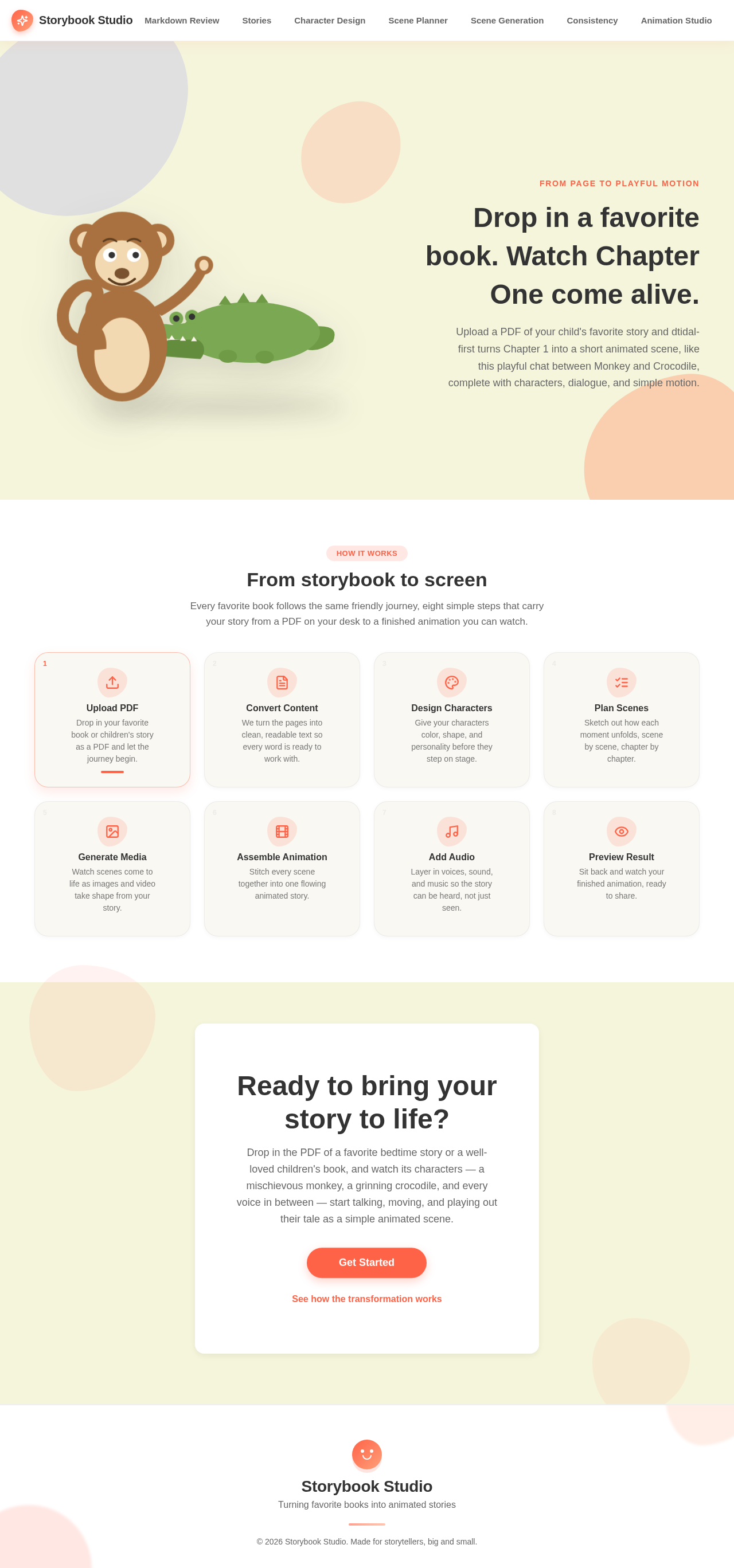
A large, colorful illustration of a story scene featuring oversized characters, such as a monkey and a crocodile, interacting. The background is a soft cream with playful vector elements adding depth. Pill buttons with animated hover effects and blob-shaped background elements enhance visual interest. Text interacts with user actions, and story chapters are displayed as soft-shadowed cards.
8. Interaction Model & Motion Direction
- Interaction Model: Animated
- Motion Tempo: Expressive
- Hero Dimensionality: Layered_2d
- Landing Hero Motion Brief:
- Focal Subject: Illustration of a monkey and crocodile
- Input→Transformation→Outcome: User uploads PDF → Characters and scenes are designed and generated → Animation preview
- Motion Vocabulary: Springy micro-interactions, playful hover states
- First Frame: Characters in a playful interaction scene
- Reduced-motion State: Static illustration with minimal animations
9. Non-Functional Requirements
- The system must handle PDF files up to 50MB in size. (required_inference)
- The system should process PDF to markdown conversion within 2 minutes. (required_inference)
- The animation preview should load within 5 seconds. (required_inference)
10. Tech Stack
- Frontend: React
- Backend: Python/FastAPI
- Storage: AWS S3 for media storage
- Containerization: Docker/docker-compose
- Deployment: Kubernetes for scalable deployment
11. Assumptions and Constraints
- The system assumes users have basic knowledge of uploading files and navigating web applications.
- The system is constrained to work with PDF files of favorite books or children's books.
- The animation output is limited to simple animations with character dialogues.
12. Glossary
- PDF: Portable Document Format, a file format for capturing and sending electronic documents.
- Markdown: A lightweight markup language for creating formatted text using a plain-text editor.
- LLM: Large Language Model, used for planning scenes based on story content.
- Animation: A sequence of images or videos that create the illusion of movement when played in succession.
FROM PAGE TO PLAYFUL MOTION
Drop in a favorite book. Watch Chapter One come alive.
Upload a PDF of your child's favorite story and dtidal-first turns Chapter 1 into a short animated scene, like this playful chat between Monkey and Crocodile, complete with characters, dialogue, and simple motion.
From storybook to screen
Every favorite book follows the same friendly journey, eight simple steps that carry your story from a PDF on your desk to a finished animation you can watch.
Ready to bring your story to life?
Drop in the PDF of a favorite bedtime story or a well-loved children's book, and watch its characters — a mischievous monkey, a grinning crocodile, and every voice in between — start talking, moving, and playing out their tale as a simple animated scene.
See how the transformation worksFROM PAGE TO PLAYFUL MOTION
Drop in a favorite book. Watch Chapter One come alive.
Upload a PDF of your child's favorite story and dtidal-first turns Chapter 1 into a short animated scene, like this playful chat between Monkey and Crocodile, complete with characters, dialogue, and simple motion.
From storybook to screen
Every favorite book follows the same friendly journey, eight simple steps that carry your story from a PDF on your desk to a finished animation you can watch.
Ready to bring your story to life?
Drop in the PDF of a favorite bedtime story or a well-loved children's book, and watch its characters — a mischievous monkey, a grinning crocodile, and every voice in between — start talking, moving, and playing out their tale as a simple animated scene.
See how the transformation works
No comments yet. Be the first!