de-frente
 Alfredo aguilar
Quiero que la pongas de frente

Comments (0)
Sign in to leave a comment
System Requirements
System Requirements Document for de-frente
1. Introduction
de-frente is an anonymous Spanish-language photo-editing tool. It lets a user provide a photo containing a person and receive an edited version in which the person faces directly toward the camera. The edit must preserve the original outfit, background, and full-body pose.
The intended audience is a person who wants this specific portrait-orientation change without changing the other elements of the photo. The product’s tone is direct and reassuring: make one requested transformation while protecting what the user wants to keep.
2. System Overview
The current product consists of two custom pages, in the supplied order: Landing and Editor. Both are accessible without login. Landing introduces the specific edit and provides entry to the Editor. In the Editor, the user supplies a photo containing a person, requests the edit, and views the result.
The accepted active human persona is Usuario que edita una foto. The user initiates and receives the edit; no other human participant is required. The application processes the supplied photo and presents the resulting image. The edit is limited to orienting the person toward the camera while preserving the original outfit, background, and full-body pose.
The product does not require login for either planned page. No account, saved history, or additional editing capability is established by the current scope.
2a. Product Interpretation and Delivery Boundary
de-frente is a first-party, custom-UI experience with an anonymous entry on Landing and an anonymous editing experience on Editor. The user’s supplied photo and the resulting edit are the central content. The application must make the requested transformation available while preserving the specified parts of the original image.
The current boundary is the two-page photo-editing journey and its necessary processing. It does not include account access, additional editing tools, or other product outcomes. No future requirements are specified.
2c. Page Content and Component Coverage
Landing
- Information and state
- Introduces de-frente as a tool for turning a person in a photo to face the camera.
- Communicates the preservation commitments: same outfit, same background, and same full-body pose.
- Provides anonymous entry to the Editor.
- Primary action
- A clear Spanish-language link or CTA opens the Editor.
- Supporting components
- Compact wordmark and concise explanation.
- Editorial portrait stage. Use the user’s photo when one is available in the product context; do not substitute unrelated stock people or invented photo URLs.
- A fine magenta rule may connect the headline to the portrait stage.
- States
- Loading: no special loading state is required for the static entry content.
- Empty: if no user photo is available for the portrait stage, retain the explanatory content and Editor entry without implying that an example photo is the user’s result.
- Success: the user can proceed to the Editor.
- Error and recovery: if the Editor cannot be opened, keep the entry content available and allow the user to retry the link.
Editor
- Information and state
- Accepts the user’s photo containing a person.
- Shows the supplied source image and, after processing, the generated image in clearly labeled panes.
- Presents the result as a full-body image, preserving the original outfit, background, and full-body pose while orienting the person toward the camera.
- Primary actions
- Provide a photo for editing.
- Request the front-facing edit.
- Supporting components
- A compact dark-navy upload panel with a pale hairline border.
- One vivid magenta primary action.
- A short checklist stating that outfit, background, and full-body pose are to remain the same.
- Before/after comparison with a magenta divider or toggle that does not cover the subject’s face or controls.
- States
- Loading: indicate that the requested edit is being processed; keep the source image and controls readable.
- Empty: explain that a photo containing a person is needed before the edit can be requested.
- Success: show the source and generated images with clear labels; the generated image faces the camera and preserves the specified elements.
- Error and recovery: if the photo cannot be used or processing does not produce a result, show a clear error, retain the user’s ability to provide a photo or retry, and do not present an unsuccessful edit as complete.
- Reduced motion: provide a static, usable comparison.
3. Functional Requirements
FR-1 — Introduce the photo edit
As a Usuario que edita una foto, I should be able to understand the specific edit and its preservation constraints on Landing.
- Provenance:
explicitfor the requested front-facing transformation and preservation of outfit, background, and full-body pose;basic_defaultfor concise Spanish explanatory copy. - Trigger/input: The user opens Landing anonymously.
- Observable result: Landing explains that de-frente turns the person in a photo toward the camera while keeping the same outfit, background, and full-body pose, and provides a clear route to Editor.
- Access: No login is required.
- Failure and recovery: If navigation to Editor fails, Landing remains available and the user can retry.
- Continuation: The user may open Editor to provide a photo.
FR-2 — Provide a photo containing a person
As a Usuario que edita una foto, I should be able to provide the photo to edit.
- Provenance:
explicitfor the user providing the photo;required_inferencefor requiring that the photo contain a person, which is necessary to perform the accepted edit. - Trigger/input: The user opens Editor and supplies a photo containing a person.
- Observable result: The Editor accepts the photo for the requested edit and makes the source image available for review.
- Access: No login is required.
- Failure and recovery: If no photo is supplied or the supplied photo cannot be used for the accepted edit, the Editor communicates that a usable photo containing a person is needed and allows the user to provide or retry with a photo.
- Continuation: Once a usable photo is available, the user can request the edit.
FR-3 — Generate the front-facing edit while preserving specified elements
As a Usuario que edita una foto, I should be able to request an edit that turns the person toward the camera while keeping the same outfit, background, and full-body pose.
- Provenance:
explicitfor the requested transformation and preservation constraints;required_inferencefor the minimum processing step needed to produce the requested result. - Trigger/input: The user requests the edit for a supplied photo containing a person.
- Observable result: The application produces an edited version in which the person faces directly toward the camera, while the outfit, background, and full-body pose remain the same as in the original.
- Access: No login is required.
- Failure and recovery: If processing fails or cannot produce the requested result, the Editor communicates that no successful result is available and lets the user retry the edit. It must not represent a failed or incomplete edit as successful.
- Continuation: When processing succeeds, the Editor presents the source and generated images for review.
FR-4 — View and compare the result
As a Usuario que edita una foto, I should be able to view the edited result alongside the original photo.
- Provenance:
explicitfor the user obtaining the result;basic_defaultfor presenting source and result as clearly labeled comparison panes. - Trigger/input: The requested edit completes successfully.
- Observable result: The Editor shows the original and generated images with clear labels. The generated image shows the person facing the camera and preserves the same outfit, background, and full-body pose.
- Access: No login is required.
- Failure and recovery: If the result cannot be displayed, the Editor communicates the display failure and allows the user to retry the edit.
- Continuation: The user can review the displayed comparison. No further editing, export, or saved-history behavior is specified.
4. User Personas
Usuario que edita una foto
- Product context: Uses de-frente anonymously to make one specific change to a photo containing a person.
- Primary goal: Obtain a version of the photo in which the person faces directly toward the camera.
- Distinct responsibilities: Provides the photo, requests the edit, and reviews the resulting image.
- Relevant inputs and decisions: Supplies a photo containing a person and initiates the requested transformation.
- Interaction with other participants: No other human participant is required. The application processes the photo and presents the result to this user.
- Observable success: Receives and can view an edited version with the person facing the camera while the original outfit, background, and full-body pose remain the same.
- Access constraint: No login is required for Landing or Editor.
5. Core User Flows
Flow 1 — Understand the service and enter the Editor
- The Usuario que edita una foto opens Landing without logging in.
- The user reads that de-frente turns the person in a photo toward the camera while keeping the same outfit, background, and full-body pose.
- The user selects the clear Editor link or CTA.
- Editor opens. If navigation fails, the user remains on Landing and can retry.
Flow 2 — Provide a photo and request the edit
- The Usuario que edita una foto opens Editor anonymously.
- The user provides a photo containing a person.
- If no photo is supplied, or the photo cannot be used for the requested edit, Editor explains that a usable photo containing a person is needed. The user can provide or retry with a photo.
- With a usable photo available, the user requests the edit.
- The application processes the photo to orient the person toward the camera while preserving the same outfit, background, and full-body pose.
- While processing, Editor indicates that the edit is in progress and keeps the source image and controls readable.
- If processing fails or cannot produce the requested result, Editor communicates the failure and allows the user to retry. No unsuccessful edit is presented as complete.
- When processing succeeds, Editor displays the original and generated images in clearly labeled panes. The user can review the result and compare it with the original.
6. Visuals Colors and Theme
Creative direction: Editorial confidence, with the photograph in front. Muse: Tobias van Schneider.
Use the supplied portrait as the visual reference for the requested transformation and the interface’s editorial mood. The reference is optional visual context, not a source of product copy, branding, or additional capabilities. The product must edit the user’s supplied photo; it must not recreate the reference image or its event branding. The photo itself remains the focus, and the requested edit must preserve its original background, outfit, and full-body pose.
Color tokens
- Page background:
#071A3D— deep event-backdrop navy. - Surface:
#0D2858— lighter navy for Editor surfaces. - Text:
#F7F5FA— near-white for readable text. - Primary action:
#F7F5FA— near-white primary text and controls where appropriate. - Accent:
#F22B83— vivid magenta for the main action, progress, and small emphasis details. - Muted text:
#AAB8D8— secondary information. - Use thin pale rules and magenta marker lines as graphic punctuation. Do not use a bright blue or indigo CTA.
Typography and scale
- Headings: Oswald, sentence case, condensed and flush-left.
- Body and controls: DM Sans, medium weight, comfortable line spacing.
- Responsive scale: display 48–104px; section headings 32–56px; lead 18–20px; body 16px; labels 13–14px.
- Clamp sizes and wrap text to fit at 375px, 768px, and 1280px. Keep all readable text and controls fully within the viewport and their containers.
Layout, imagery, and shape
- Use an image-led, asymmetric editorial composition rather than a centered SaaS hero.
- On Landing, use a full-height deep-navy field, a left-aligned headline and short Spanish explanation, and a magenta Editor CTA. On desktop, the portrait occupies the right two-thirds; at 375px, place headline and CTA above a full-width portrait that shows the complete figure. At 768px and 1280px, let the portrait dominate without covering text or controls.
- In Editor, give the source and generated full-body images generous, equal-status viewing space. Stack them on narrow screens and keep controls within the viewport.
- Use mostly sharp-edged framing, with restrained 4–8px radii on functional controls. Do not place decorative shapes, text, or controls over the portrait’s face or body.
- Do not use unrelated stock people, emoji, invented photo URLs, gradient blobs, or grids of identical hover-lift cards. Do not copy event branding, logos, or the reference page composition.
Responsive and accessibility constraints
At 375px, 768px, and 1280px, headlines, wordmarks, labels, numbers, and controls must remain fully visible and readable, wrapping or scaling as needed. Imagery and decoration may be cropped or bleed off an edge only as directed, and must not cover readable text or controls. Any moving or scrollable content must allow each item to become fully readable through its intended motion or scrolling. With reduced motion, provide a usable static arrangement; scrollable rows may remain scrollable.
7. Signature Design Concept
Build Landing as an editorial portrait stage: a deep-navy field, a flush-left Oswald headline, one short Spanish explanation, and a vivid magenta Editor CTA. A fine magenta rule points from the headline toward the portrait stage. On wide screens, the user’s full-body portrait occupies the right side while the text remains clear on the left; on mobile, the headline and CTA sit above a full-width image that shows the complete figure.
The concept uses only the accepted entry content and Editor destination. It does not add a sample-photo workflow, new editing behavior, or another destination.
8. Interaction Model & Motion Direction
Interaction Model: Animated
Motion Tempo: restrained
Hero Dimensionality: flat
Landing Hero Motion Brief
- Focal subject: The user’s full-body portrait, shown without overlays and with the complete figure visible.
- Input → transformation → outcome thesis: The user enters the Editor and provides a photo; de-frente turns the person toward the camera while preserving the outfit, background, and full-body pose; the user sees the resulting image.
- Motion vocabulary: Restrained, purposeful transitions only. Use a slow crossfade when the generated image is ready and a subtle image swap for before/after comparison. No bounce, continuous motion, or animation that obscures the person or controls.
- Composed first frame: A still, image-led editorial layout with the portrait stage, flush-left headline, short Spanish explanation, and magenta Editor CTA. Keep all text and controls unobscured.
- Reduced-motion state: Present a static, usable comparison and static entry layout.
9. Non-Functional Requirements
NFR-1 — Preserve the requested image content
- Provenance:
explicit. - The edit must orient the person toward the camera while preserving the same outfit, background, and full-body pose as the original photo.
- Rationale: These are explicit constraints on the requested transformation.
NFR-2 — Keep the experience anonymous
- Provenance:
explicit. - Landing and Editor must be usable without login.
- Rationale: The accepted access constraint explicitly excludes a login requirement for both planned pages.
NFR-3 — Keep text and controls readable across specified viewports
- Provenance:
explicitin the creative direction. - At 375px, 768px, and 1280px, readable text and controls must remain fully within the viewport and their containers. They must wrap or scale to fit, and no other element may cover them.
- Rationale: This is a stated presentation constraint.
NFR-4 — Respect reduced-motion preferences
- Provenance:
explicitin the creative direction. - With reduced motion, provide a static, usable comparison and entry arrangement.
- Rationale: The direction specifies a reduced-motion state for the comparison and readable content.
10. Tech Stack
- Frontend: React
[Default — not specified by user]. - Backend: One shared backend for the photo-processing API and required server-side behavior
[Default — not specified by user]. - Image processing implementation: Not specified by the user; select an implementation capable of producing the accepted transformation while preserving the specified image elements.
- Storage: No persistent storage requirement is specified. Do not add saved photo history as a product capability.
- Deployment: Docker Compose
[Default — not specified by user].
11. Assumptions and Constraints
- Explicit: The product is named de-frente.
- Explicit: The user supplies the photo and obtains the edited result.
- Explicit: The person must face directly toward the camera in the edited version.
- Explicit: The same outfit, background, and full-body pose must be preserved.
- Explicit: Landing and Editor do not require login.
- Required inference: The supplied photo must contain a person for the requested transformation to be performed.
- Required inference: The application must process the supplied photo and present the resulting edit; these are the minimum mechanics needed to deliver the accepted outcome.
- No account, saved history, additional editing controls, or future capabilities are specified.
12. Glossary
- Front-facing edit: The requested change that orients the person in the photo toward the camera.
- Source image: The photo supplied by the user for editing.
- Generated image: The edited version presented to the user after successful processing.
- Full-body pose: The person’s full-body pose in the original photo, which the edit must preserve.
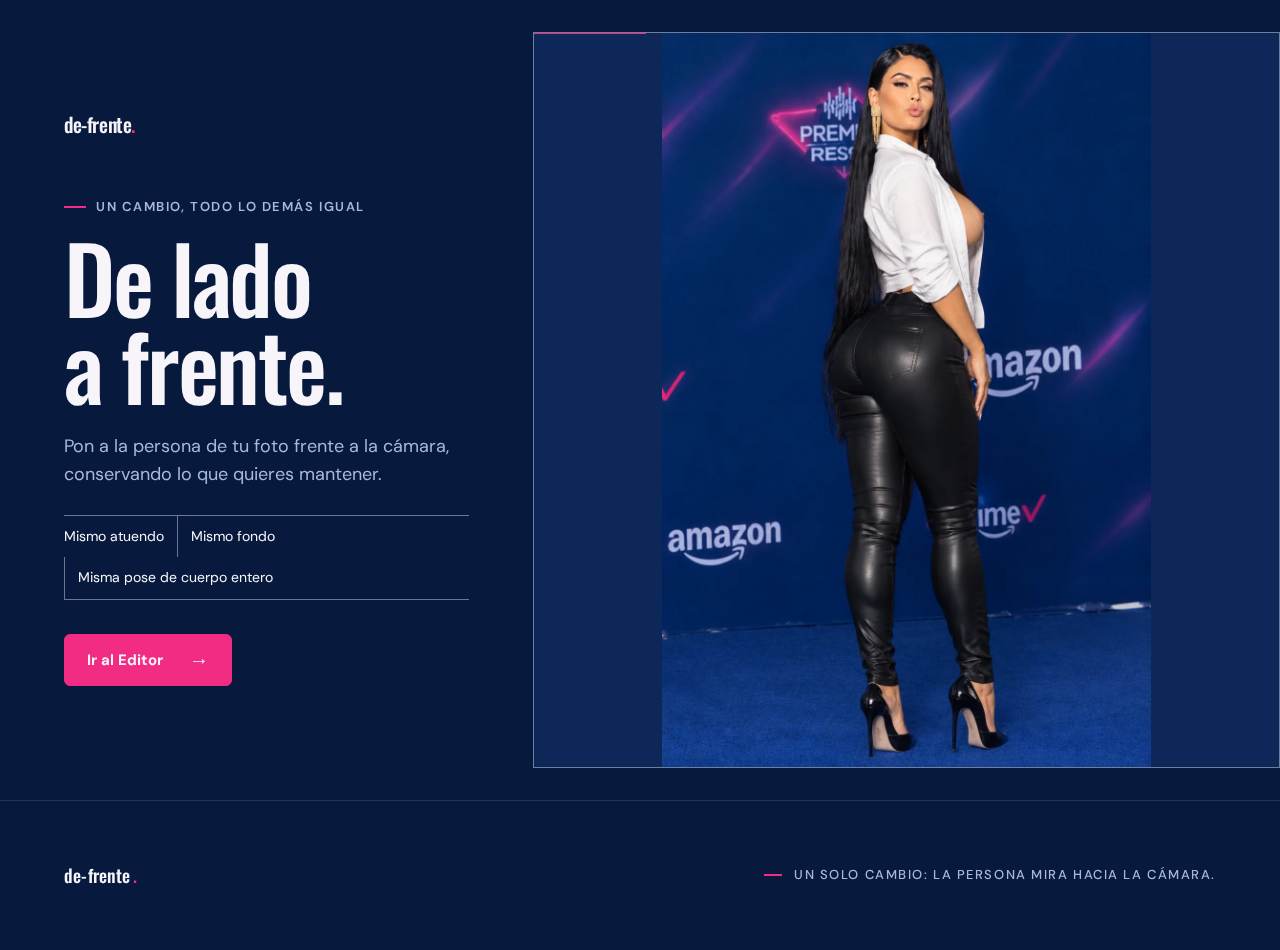
Un cambio, todo lo demás igual
De lado a frente.
Pon a la persona de tu foto frente a la cámara, conservando lo que quieres mantener.

Proporciona tu foto en el Editor para empezar.
Un cambio, todo lo demás igual
De lado a frente.
Pon a la persona de tu foto frente a la cámara, conservando lo que quieres mantener.
Proporciona tu foto en el Editor para empezar.
No comments yet. Be the first!