crimson-image
 madan mohan behera
create a image generation model . use default free image generation model
Comments (0)
Sign in to leave a comment
System Requirements
System Requirements Document (SRD)
Project Name: crimson-image
1. Introduction
The crimson-image project aims to create an innovative image generation platform that combines prompt-based generation with reference image input. Designed for users in Japan, this system will provide flexibility and creative control, enabling users to generate high-quality images tailored to their needs. By incorporating style options and aspect ratio selection, the platform ensures a personalized and user-friendly experience.
This document outlines the system requirements for crimson-image, detailing its functional and non-functional aspects, user personas, design concepts, and technical specifications.
2. System Overview
The crimson-image platform is a dual-input image generation system that allows users to create images based on textual prompts or reference images. The system will leverage advanced AI models for image generation and provide customization options such as style selection and aspect ratio presets.
Key features include:
- Prompt-based image generation.
- Reference image-based generation.
- Style selection (e.g., realistic, cartoonish, abstract).
- Aspect ratio presets (e.g., 1:1, 16:9, 9:16).
The platform will cater to both casual users and professionals, offering intuitive controls and high-quality outputs.
3. Functional Requirements
As User:
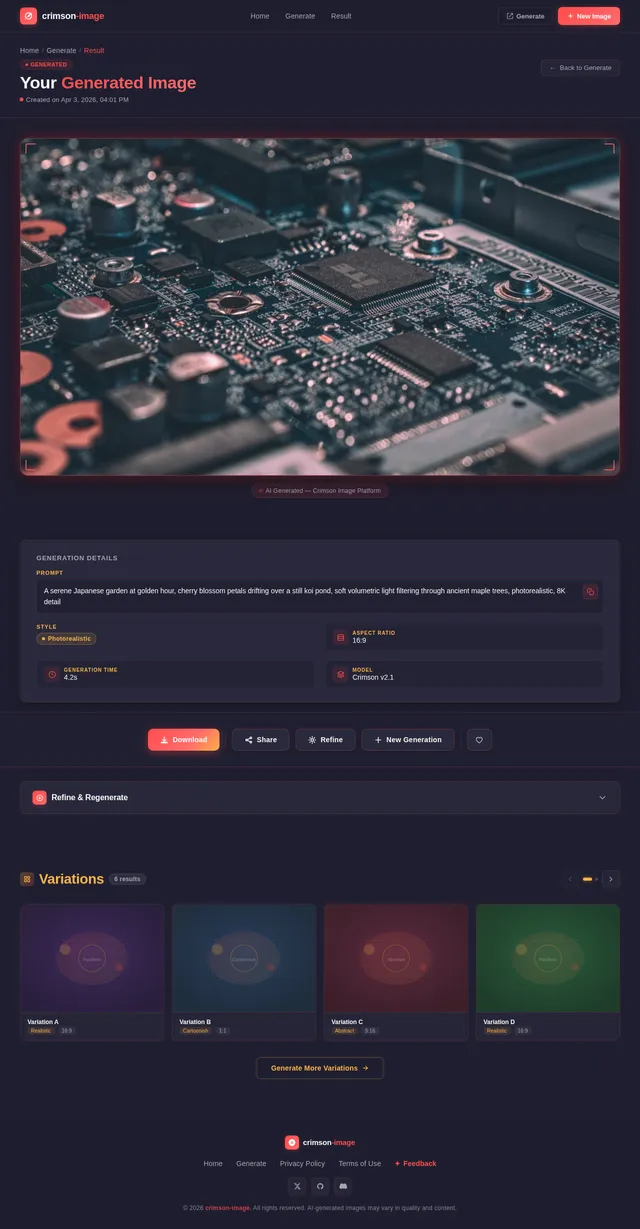
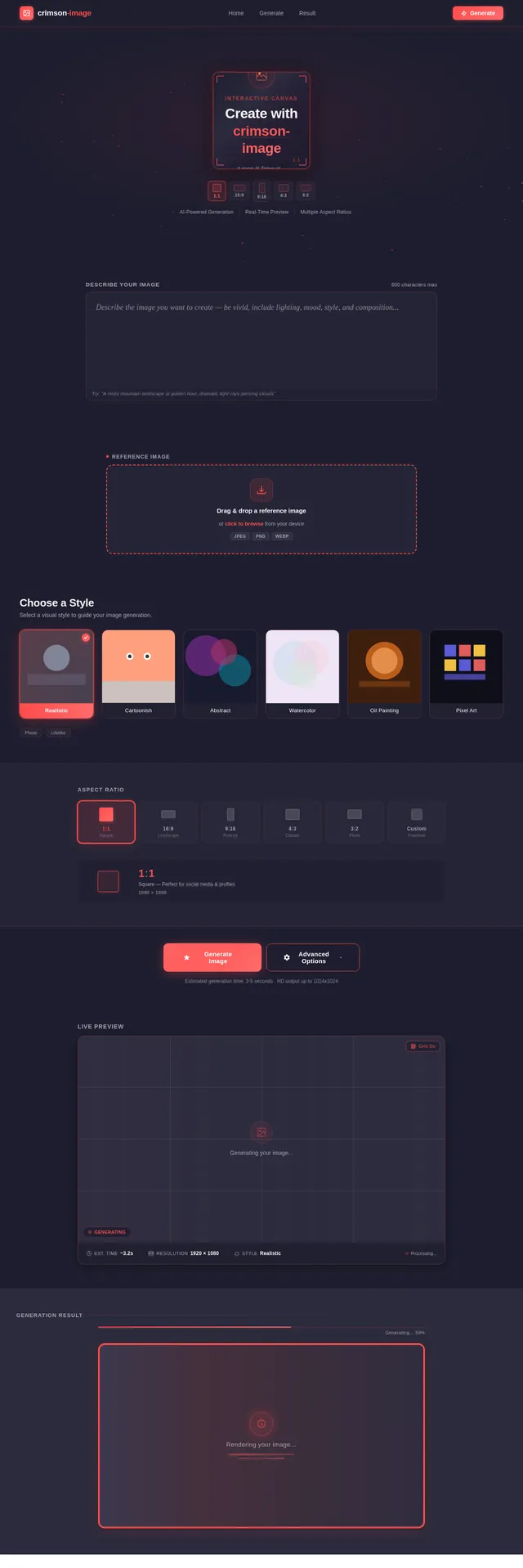
- I should be able to generate images based on textual prompts.
- I should be able to upload a reference image to guide the generation process.
- I should be able to select a style option (e.g., realistic, cartoonish, abstract) before generating an image.
- I should be able to choose an aspect ratio (e.g., 1:1, 16:9, 9:16) before generating an image.
4. User Personas
Persona 1: Casual User
- Description: Individuals looking for quick and creative image generation for personal use, social media, or hobby projects.
- Needs: Simple interface, predefined styles, and aspect ratios for easy customization.
Persona 2: Professional Designer
- Description: Designers and artists seeking advanced tools for generating high-quality images for commercial or creative projects.
- Needs: Flexibility in style and aspect ratio selection, high-resolution outputs, and reference image support.
Persona 3: Content Creator
- Description: Bloggers, influencers, and marketers who need visually appealing images to enhance their content.
- Needs: Prompt-based generation with customizable styles and aspect ratios to match branding requirements.
5. Visuals Colors and Theme
Color Palette:
The crimson-image platform will use a unique, vibrant color palette inspired by creativity and innovation:
- Background: #1E1E2F (Deep Indigo)
- Surface: #2C2C3E (Charcoal Gray)
- Text: #F5F5F5 (Soft White)
- Accent: #FF4C4C (Crimson Red)
- Muted Tones: #A6A6B3 (Muted Lavender)
This palette reflects the project's identity, blending sophistication with boldness to inspire creativity.
6. Signature Design Concept
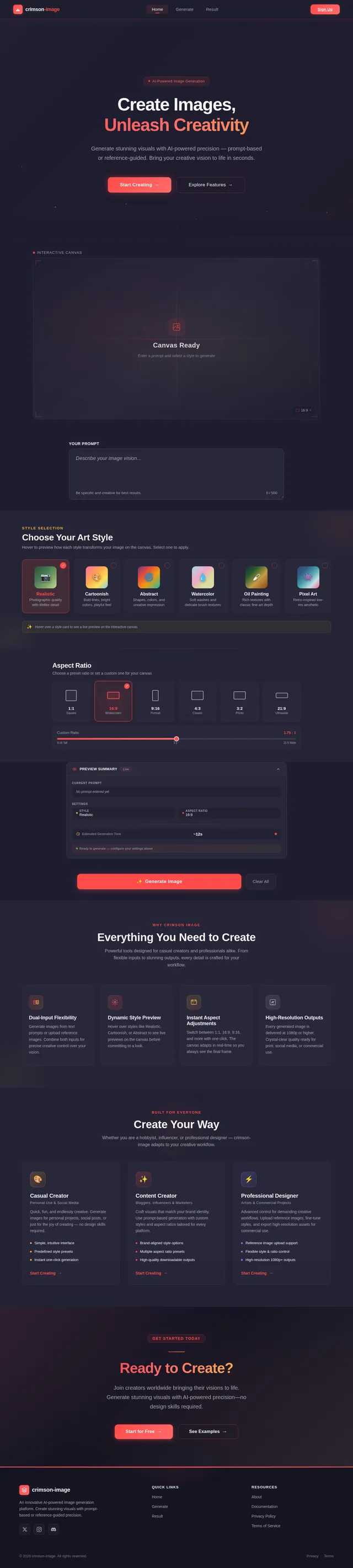
Concept: Interactive Canvas with Dynamic Style Preview
The crimson-image homepage will feature an interactive canvas that allows users to preview styles and aspect ratios dynamically before generating images.
Key Features:
- Dynamic Style Preview: Users can hover over style options (realistic, cartoonish, abstract, etc.) to see live previews of how their image might look.
- Aspect Ratio Selector: A draggable slider or clickable presets (e.g., 1:1, 16:9, 9:16) will instantly adjust the canvas dimensions.
- Animated Transitions: Smooth animations will highlight changes in style and aspect ratio, creating a visually engaging experience.
- Interactive Prompt Input: Text prompts will appear as live previews on the canvas, giving users immediate feedback on their input.
This bold design ensures the homepage is not only functional but also unforgettable, making users feel like they are actively shaping their creations.
7. Non-Functional Requirements
- The system must generate images within 5 seconds for prompt-based inputs.
- The platform must support high-resolution outputs (minimum 1080p).
- The interface must be responsive and accessible across devices (desktop, tablet, mobile).
- The system must ensure data security for uploaded reference images.
- The platform must comply with Japan's data protection regulations.
8. Tech Stack
Frontend:
- React for Web
Backend:
- Python
- FastAPI
Database:
- MySQL (preferred) or MariaDB for structured data.
- MongoDB for unstructured data.
AI Models:
- Google Nano Banana for image generation.
AI Tools:
- Litellm for LLM Routing
- Langchain
Local Orchestration:
- Docker
- docker-compose
Server-Side Orchestration:
- Kubernetes
9. Assumptions and Constraints
Assumptions:
- Users will primarily access the platform from Japan, with a focus on local timezone (JST) and language preferences.
- Free image generation models will be used, ensuring cost-effectiveness.
Constraints:
- The system must operate within the limitations of free image generation models.
- The platform must support a maximum of 10 concurrent image generation requests.
10. Glossary
- Prompt-Based Generation: Creating images based on textual descriptions provided by users.
- Reference Image Input: Using an uploaded image as a guide for generating new visuals.
- Aspect Ratio: The proportional relationship between the width and height of an image.
- Style Options: Predefined visual styles (e.g., realistic, cartoonish, abstract) that users can select for image generation.
- Interactive Canvas: A dynamic interface element that allows users to preview and customize their image generation settings.
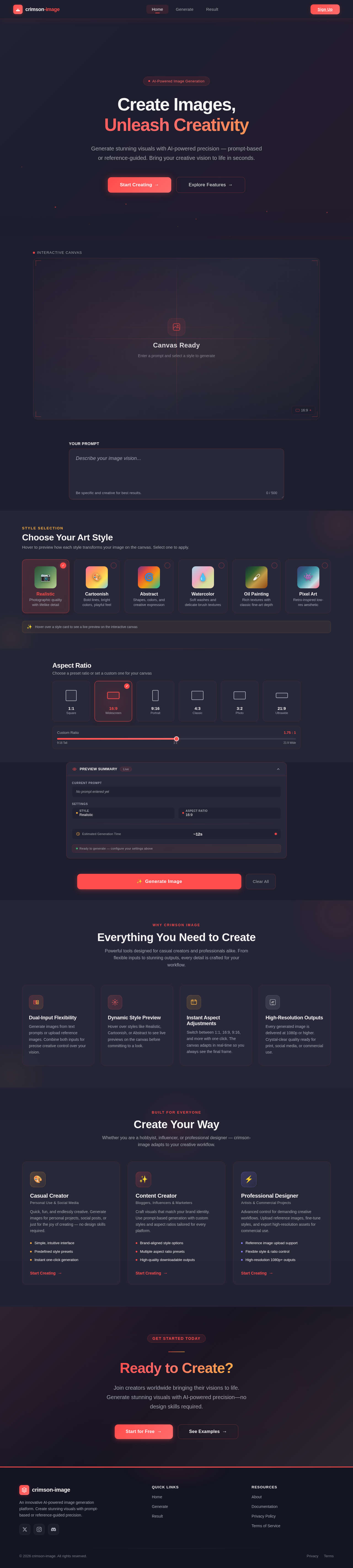
Create Images,
Unleash Creativity
Generate stunning visuals with AI-powered precision — prompt-based or reference-guided. Bring your creative vision to life in seconds.
Style Selection
Choose Your Art Style
Hover to preview how each style transforms your image on the canvas. Select one to apply.
Realistic
Photographic quality with lifelike detail
Cartoonish
Bold lines, bright colors, playful feel
Abstract
Shapes, colors, and creative expression
Watercolor
Soft washes and delicate brush textures
Oil Painting
Rich textures with classic fine-art depth
Pixel Art
Retro-inspired low-res aesthetic
Hover over a style card to see a live preview on the interactive canvas
Aspect Ratio
Choose a preset ratio or set a custom one for your canvas
Everything You Need to Create
Powerful tools designed for casual creators and professionals alike. From flexible inputs to stunning outputs, every detail is crafted for your workflow.
Dual-Input Flexibility
Generate images from text prompts or upload reference images. Combine both inputs for precise creative control over your vision.
Dynamic Style Preview
Hover over styles like Realistic, Cartoonish, or Abstract to see live previews on the canvas before committing to a look.
Instant Aspect Adjustments
Switch between 1:1, 16:9, 9:16, and more with one click. The canvas adapts in real-time so you always see the final frame.
High-Resolution Outputs
Every generated image is delivered at 1080p or higher. Crystal-clear quality ready for print, social media, or commercial use.
Create Your Way
Whether you are a hobbyist, influencer, or professional designer — crimson-image adapts to your creative workflow.
Casual Creator
Personal Use & Social Media
Quick, fun, and endlessly creative. Generate images for personal projects, social posts, or just for the joy of creating — no design skills required.
- Simple, intuitive interface
- Predefined style presets
- Instant one-click generation
Content Creator
Bloggers, Influencers & Marketers
Craft visuals that match your brand identity. Use prompt-based generation with custom styles and aspect ratios tailored for every platform.
- Brand-aligned style options
- Multiple aspect ratio presets
- High-quality downloadable outputs
Professional Designer
Artists & Commercial Projects
Advanced control for demanding creative workflows. Upload reference images, fine-tune styles, and export high-resolution assets for commercial use.
- Reference image upload support
- Flexible style & ratio control
- High-resolution 1080p+ outputs
Ready to Create?
Join creators worldwide bringing their visions to life. Generate stunning visuals with AI-powered precision—no design skills required.
No comments yet. Be the first!