crimson-document
build app as per document
Comments (0)
Sign in to leave a comment
System Requirements
System Requirements Document (SRD) for crimson-document
1. Introduction
This document outlines the System Requirements for the crimson-document project. The purpose of this document is to provide a comprehensive overview of the system's functionality, design, and technical specifications to ensure alignment with the project's goals. The project is tailored for users in India (IN), considering locale-specific defaults such as currency (INR) and timezone (IST).
2. System Overview
The crimson-document project is designed to provide a seamless and efficient document management system. It aims to cater to a diverse user base, offering intuitive features for creating, editing, organizing, and sharing documents. The system will prioritize user-friendly interfaces, robust performance, and secure data handling.
3. Functional Requirements
- As a User, I should be able to create new documents.
- As a User, I should be able to edit existing documents.
- As a User, I should be able to organize documents into folders.
- As a User, I should be able to share documents with other users.
- As an Admin, I should be able to manage user accounts.
- As an Admin, I should be able to monitor system usage and generate reports.
- As a Guest, I should be able to view publicly shared documents.
4. User Personas
-
User:
- Primary user of the system.
- Can create, edit, organize, and share documents.
- Requires a simple and intuitive interface.
-
Admin:
- Responsible for managing user accounts and monitoring system usage.
- Needs access to advanced tools for reporting and analytics.
-
Guest:
- Limited access to view publicly shared documents.
- Does not require login credentials.
5. Visuals Colors and Theme
The crimson-document project will adopt a professional yet vibrant color scheme to enhance user experience. The proposed theme includes:
- Primary Color: Crimson Red (#DC143C) to represent the project name and evoke energy and focus.
- Secondary Color: Soft Gray (#F5F5F5) for backgrounds and neutral areas.
- Accent Color: Deep Blue (#1E90FF) for interactive elements like buttons and links.
- Typography: Clean and modern sans-serif fonts such as "Roboto" or "Open Sans."
6. Signature Design Concept
"Interactive Origami Landing Page"
The homepage of crimson-document will feature an interactive origami-inspired design. Upon landing, users will see a dynamic 3D animation of a crimson-colored paper folding and unfolding into various shapes, symbolizing the creation and transformation of documents.
-
Animation Details: The origami folds will transition smoothly, revealing different sections of the homepage as users scroll or interact. For example:
- A folded paper crane morphs into a document icon to introduce the "Create Document" feature.
- A paper folder unfolds to showcase the "Organize Documents" section.
- A paper airplane flies across the screen to highlight the "Share Documents" functionality.
-
Micro-interactions: Hover effects will make the paper shapes ripple slightly, adding a tactile feel. Clicking on any shape will smoothly transition the user to the relevant section.
-
Background: A subtle gradient of crimson red fading into soft gray, with faint paper texture patterns.
This design will make the homepage visually striking and memorable, leaving a lasting impression on users.
7. Non-Functional Requirements
- Performance: The system should load pages within 2 seconds under normal usage conditions.
- Scalability: The system must support up to 10,000 concurrent users.
- Security: All data must be encrypted in transit and at rest.
- Availability: The system should maintain 99.9% uptime.
- Localization: The system should support Indian locale settings, including INR currency and IST timezone.
8. Tech Stack
- Frontend: React for Web
- Backend: Python with FastAPI
- Database (RDBMS): MySQL with Alembic for migrations
- AI Models:
- GPT 5.2 for user-friendly responses
- Claude 4.5 Opas for academic or coding work
- AI Tools:
- Litellm for LLM Routing
- Langchain
- Local Orchestration:
- Docker
- docker-compose
- Server-side Orchestration:
- Kubernetes
9. Assumptions and Constraints
- The system will primarily target users in India, so all features must comply with Indian regulations and standards.
- The system will be accessed via web browsers and mobile devices.
- The initial deployment will focus on English language support, with potential for multilingual support in future phases.
- The system will not support offline functionality in the initial release.
10. Glossary
- Document: A digital file created, edited, or shared within the system.
- Admin: A user with elevated privileges to manage the system and other users.
- Guest: A user with limited access to view publicly shared content.
- Origami Design: A design concept inspired by the art of paper folding, used to create a dynamic and interactive user interface.
End of Document
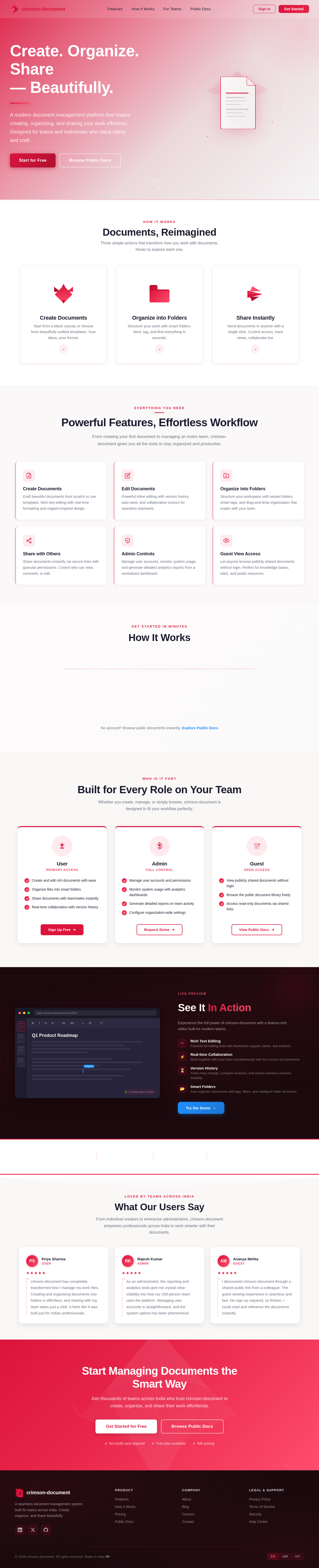
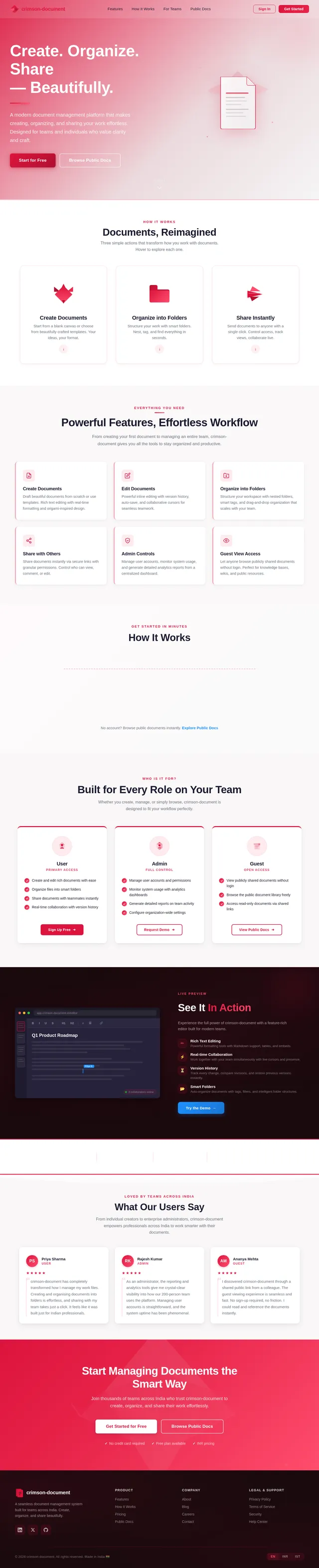
Create. Organize. Share
— Beautifully.
A modern document management platform that makes creating, organizing, and sharing your work effortless. Designed for teams and individuals who value clarity and craft.
How It Works
Documents, Reimagined
Three simple actions that transform how you work with documents. Hover to explore each one.
Create Documents
Start from a blank canvas or choose from beautifully crafted templates. Your ideas, your format.
Organize into Folders
Structure your work with smart folders. Nest, tag, and find everything in seconds.
Share Instantly
Send documents to anyone with a single click. Control access, track views, collaborate live.
Powerful Features, Effortless Workflow
From creating your first document to managing an entire team, crimson-document gives you all the tools to stay organized and productive.
Create Documents
Draft beautiful documents from scratch or use templates. Rich text editing with real-time formatting and origami-inspired design.
Edit Documents
Powerful inline editing with version history, auto-save, and collaborative cursors for seamless teamwork.
Organize into Folders
Structure your workspace with nested folders, smart tags, and drag-and-drop organization that scales with your team.
Share with Others
Share documents instantly via secure links with granular permissions. Control who can view, comment, or edit.
Admin Controls
Manage user accounts, monitor system usage, and generate detailed analytics reports from a centralized dashboard.
Guest View Access
Let anyone browse publicly shared documents without login. Perfect for knowledge bases, wikis, and public resources.
Get Started in Minutes
How It Works
Sign Up
Create your free account in seconds. No credit card required — just your email and you are ready to go.
Create Your First Document
Use our rich text editor to craft beautiful documents with formatting, images, and smart templates.
Organize & Collaborate
Sort documents into folders, invite team members, and collaborate in real time with version history.
Share with the World
Publish documents publicly or share privately via secure links. Control access at every level.
No account? Browse public documents instantly. Explore Public Docs
Who Is It For?
Built for Every Role on Your Team
Whether you create, manage, or simply browse, crimson-document is designed to fit your workflow perfectly.
User
Primary Access- Create and edit rich documents with ease
- Organize files into smart folders
- Share documents with teammates instantly
- Real-time collaboration with version history
Admin
Full Control- Manage user accounts and permissions
- Monitor system usage with analytics dashboards
- Generate detailed reports on team activity
- Configure organization-wide settings
Guest
Open Access- View publicly shared documents without login
- Browse the public document library freely
- Access read-only documents via shared links
See It In Action
Experience the full power of crimson-document with a feature-rich editor built for modern teams.
Loved by Teams Across India
What Our Users Say
From individual creators to enterprise administrators, crimson-document empowers professionals across India to work smarter with their documents.
“crimson-document has completely transformed how I manage my work files. Creating and organising documents into folders is effortless, and sharing with my team takes just a click. It feels like it was built just for Indian professionals.
“As an administrator, the reporting and analytics tools give me crystal-clear visibility into how our 200-person team uses the platform. Managing user accounts is straightforward, and the system uptime has been phenomenal.
“I discovered crimson-document through a shared public link from a colleague. The guest viewing experience is seamless and fast. No sign-up required, no friction. I could read and reference the documents instantly.
Start Managing Documents the Smart Way
Join thousands of teams across India who trust crimson-document to create, organize, and share their work effortlessly.
No comments yet. Be the first!