crimson-app
todo app
Comments (0)
Sign in to leave a comment
System Requirements
System Requirements Document (SRD)
1. Introduction
This document outlines the system requirements for a Todo App designed to help users track their daily tasks and monitor their progress. The application aims to provide a simple and intuitive interface for task management while offering visual insights into task completion progress through static bar charts.
2. System Overview
The Todo App will allow users to create, manage, and track their daily tasks. The application will provide visual progress tracking through static bar charts, enabling users to view their task completion rates on a daily, weekly, and overall basis. The system will be accessible via a web interface and will focus on simplicity, usability, and motivating users to stay productive.
3. Functional Requirements as Story Points
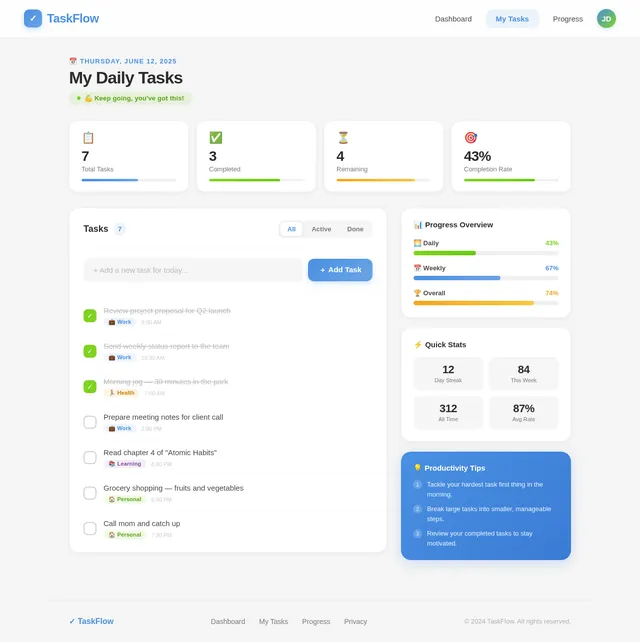
- As a User, I should be able to add new tasks to my daily task list.
- As a User, I should be able to mark tasks as completed.
- As a User, I should be able to delete tasks from my list.
- As a User, I should be able to view my daily tasks in a list format.
- As a User, I should be able to view my task completion progress using static bar charts for daily, weekly, and overall progress.
4. User Personas
- User: The primary user of the application who creates and manages tasks and views progress.
5. Visuals Colors and Theme
The Todo App will feature a clean and minimalistic design with the following color scheme:
- Primary Color: Soft Blue (#4A90E2) for buttons and highlights.
- Secondary Color: Light Gray (#F5F5F5) for backgrounds.
- Accent Color: Green (#7ED321) for completed tasks and progress bars.
- Text Color: Dark Gray (#4A4A4A) for readability.
- Error Color: Red (#D0021B) for error messages.
The theme will focus on simplicity and clarity, ensuring that users can easily navigate and interact with the app.
6. Signature Design Concept
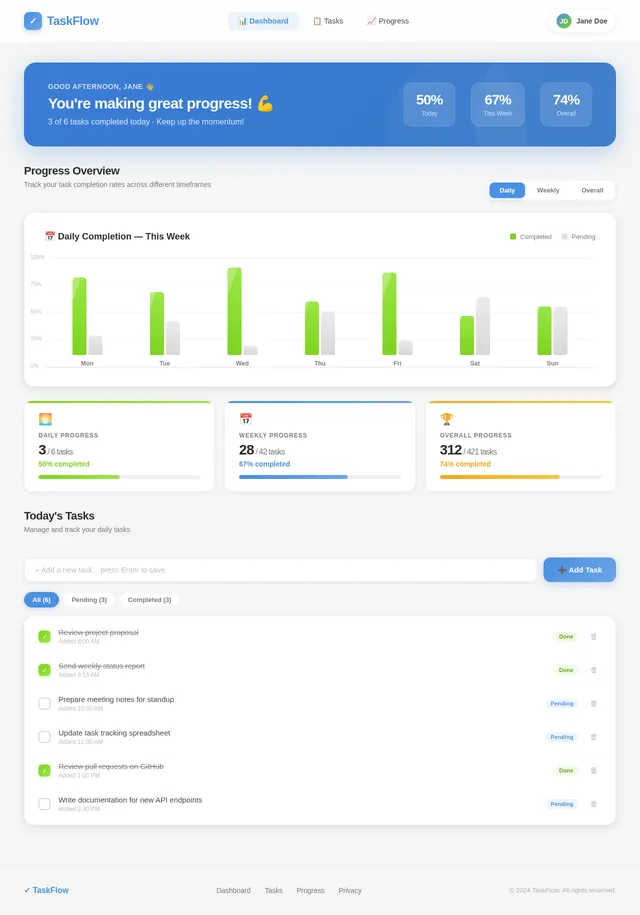
The homepage of the Todo App will feature a dynamic progress dashboard as its centerpiece. Upon logging in, users will be greeted with a visually striking "Progress Overview" panel that displays their task completion rates for the day, week, and overall in a clean, static bar chart format.
Key Features:
- Static Bar Charts: The bar charts will be prominently displayed in the center of the screen, with three distinct sections for daily, weekly, and overall progress. Each bar will be color-coded (e.g., green for completed tasks, gray for pending tasks).
- Subtle Animations: While the charts are static, subtle animations will highlight the bars when the user hovers over them, providing a tactile and engaging experience.
- Motivational Header: Above the charts, a motivational message like "You're making great progress!" will dynamically update based on the user's completion rate.
- Task Summary Below Charts: Below the charts, a concise summary will list the number of tasks completed versus total tasks for each time frame.
- Clean Layout: The dashboard will use a card-based design with rounded edges and soft shadows, ensuring a modern and professional look.
This design will make the homepage both functional and visually appealing, creating a memorable first impression for users.
7. Non-Functional Requirements
- The system should load the homepage, including the progress dashboard, within 2 seconds.
- The application should be responsive and accessible on both desktop and mobile devices.
- The system should ensure data integrity and prevent loss of task data.
- The system should be able to handle up to 10,000 users simultaneously.
8. Tech Stack
- Frontend: React for Web
- Backend: Python with FastAPI
- Database: MySQL with Alembic for migrations
- Local Orchestration: Docker, docker-compose
9. Assumptions and Constraints
- The application will primarily target individual users rather than teams or organizations.
- The progress tracking feature will use static bar charts and will not include interactive or dynamic charting capabilities.
- The application will not include advanced features like reminders or notifications in the initial release.
- The system will be deployed on a cloud-based infrastructure for scalability.
10. Glossary
- Task: An item added by the user to their daily task list.
- Progress Dashboard: The section of the application that displays task completion rates using static bar charts.
- Static Bar Charts: Non-interactive visual representations of data in bar format.
- Daily Progress: Task completion rate for the current day.
- Weekly Progress: Task completion rate for the current week.
- Overall Progress: Task completion rate for all tasks added to the system.
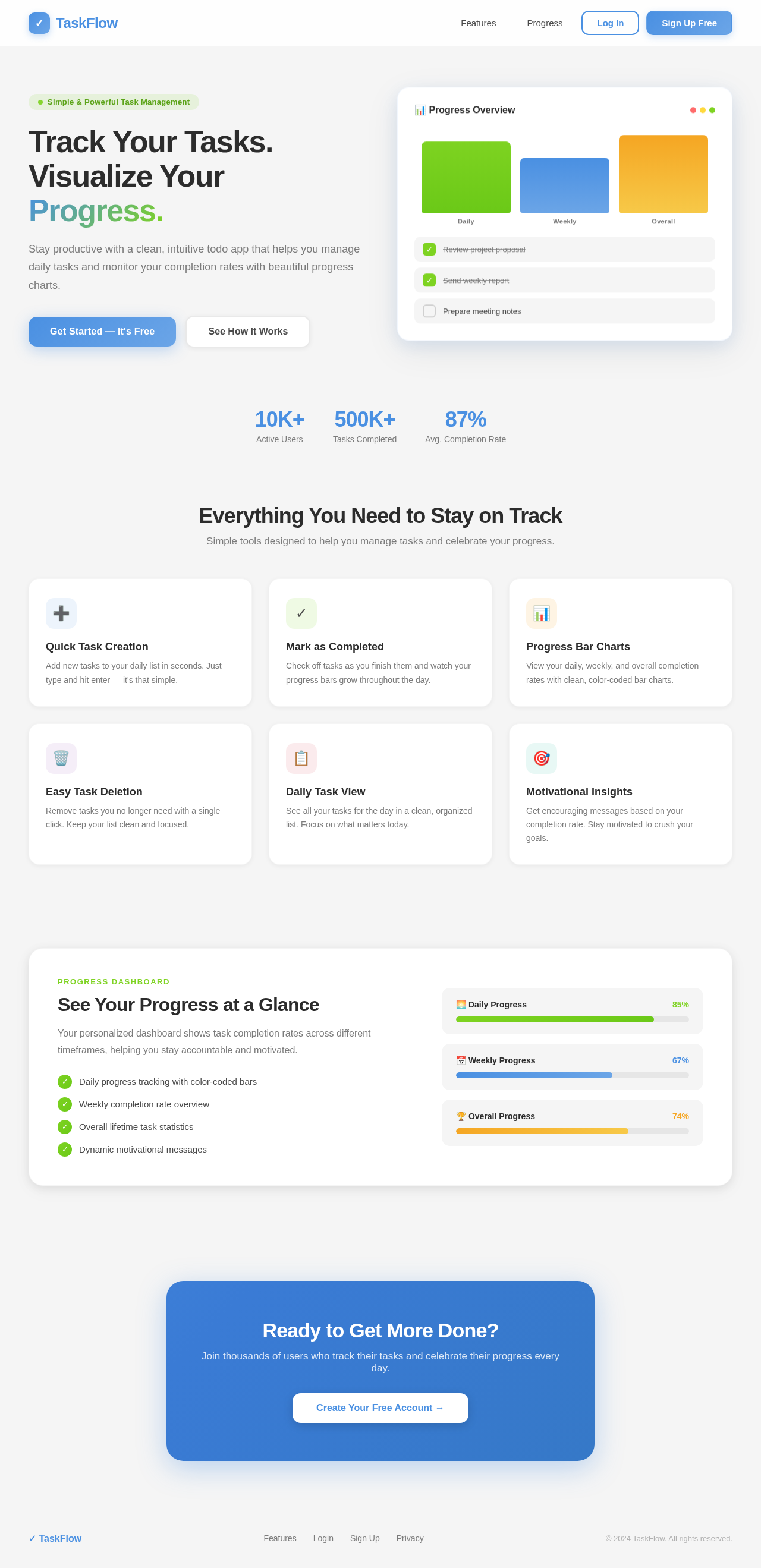
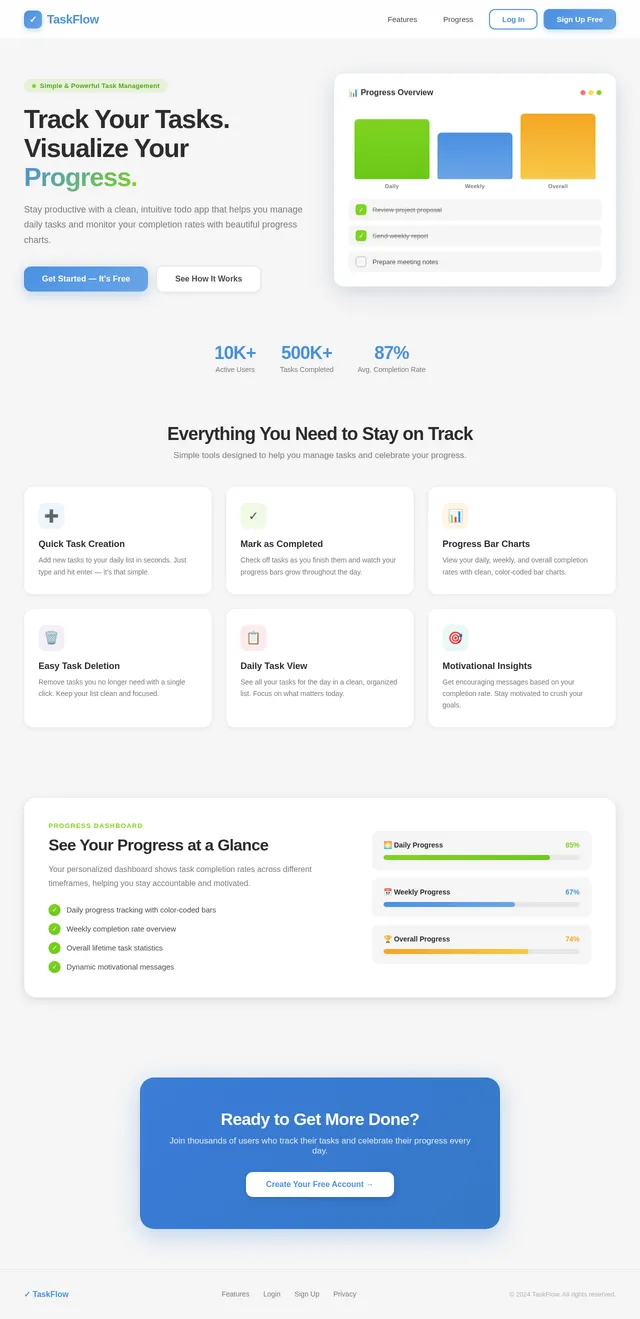
Track Your Tasks.
Visualize Your Progress.
Stay productive with a clean, intuitive todo app that helps you manage daily tasks and monitor your completion rates with beautiful progress charts.
Everything You Need to Stay on Track
Simple tools designed to help you manage tasks and celebrate your progress.
Quick Task Creation
Add new tasks to your daily list in seconds. Just type and hit enter — it's that simple.
Mark as Completed
Check off tasks as you finish them and watch your progress bars grow throughout the day.
Progress Bar Charts
View your daily, weekly, and overall completion rates with clean, color-coded bar charts.
Easy Task Deletion
Remove tasks you no longer need with a single click. Keep your list clean and focused.
Daily Task View
See all your tasks for the day in a clean, organized list. Focus on what matters today.
Motivational Insights
Get encouraging messages based on your completion rate. Stay motivated to crush your goals.
Progress Dashboard
See Your Progress at a Glance
Your personalized dashboard shows task completion rates across different timeframes, helping you stay accountable and motivated.
- ✓Daily progress tracking with color-coded bars
- ✓Weekly completion rate overview
- ✓Overall lifetime task statistics
- ✓Dynamic motivational messages
Ready to Get More Done?
Join thousands of users who track their tasks and celebrate their progress every day.
No comments yet. Be the first!