
coral-you

bysasaimpex

You are an expert SaaS product team consisting of: - Product Manager - UI/UX Designer - Frontend Engineer - Backend Engineer - Database Architect - DevOps Engineer - QA Engineer Build a production-ready Micro SaaS. Idea: ISO and SOP Documentation Generation Requirements: Create: - Dashboard - User authentication - Google Login - Email Login - - Pricing page - Admin dashboard - Database - REST APIs - Responsive design - Dark mode - User settings - SEO - Error handling - Loading states Generate: - Frontend - Backend - Database schema - APIs - Authentication - Deployment configuration - Environment variables - README - Sample data Use a modern design similar to Linear, Notion or Vercel. Everything should be production-ready.

Landing
Landing

Comments (0)

No comments yet. Be the first!

System Requirements

System Requirement Document

System Requirements Document for Coral-You

Introduction

Coral-You is a Micro SaaS project focused on generating ISO and SOP documentation. The goal is to create a production-ready platform with a modern design similar to Linear, Notion, or Vercel. This document outlines the system requirements for Coral-You, ensuring a comprehensive and user-friendly experience.

System Overview

Coral-You aims to streamline the process of ISO and SOP documentation generation by providing a robust platform with essential features such as dashboards, user authentication, and responsive design. The system will cater to various user personas, including administrators and end-users, ensuring seamless interaction and efficient management of documentation processes.

Page 1 of 5

Functional Requirements as Story Points

  • As a User, I should be able to access a dashboard to manage my documentation tasks.
  • As a User, I should be able to authenticate using Google Login.
  • As a User, I should be able to authenticate using Email Login.
  • As an Admin, I should be able to access an admin dashboard to manage users and settings.
  • As a User, I should be able to view a pricing page to understand the service offerings.
  • As a User, I should be able to adjust user settings to personalize my experience.
  • As a User, I should be able to experience the platform in dark mode.
  • As a User, I should be able to interact with a responsive design across devices.
  • As a User, I should be able to benefit from SEO-optimized content for better visibility.
  • As a User, I should be able to see loading states to understand the system's processing status.
  • As a User, I should be able to receive error handling messages to understand issues and resolutions.

User Personas

  • Admin: Manages the platform, oversees user activities, and configures system settings.
  • User: Engages with the platform to generate and manage ISO and SOP documentation.
Page 2 of 5

Core User Flows

  • User logs in via Google or Email -> Accesses dashboard -> Manages documentation tasks.
  • Admin logs in -> Accesses admin dashboard -> Manages users and system settings.

Visuals Colors and Theme

  • primary: #1F2937 (Dark Slate)
  • primary_light: #374151 (Slate)
  • secondary: #4B5563 (Gray)
  • accent: #10B981 (Emerald)
  • highlight: #3B82F6 (Blue)
  • bg: #F9FAFB (Light Gray)
  • surface: #FFFFFF (White)
  • text: #111827 (Black)
  • text_muted: #6B7280 (Muted Gray)
  • border: #D1D5DB (Light Gray)

Signature Design Concept

Page 3 of 5

Interactive Documentation Workflow

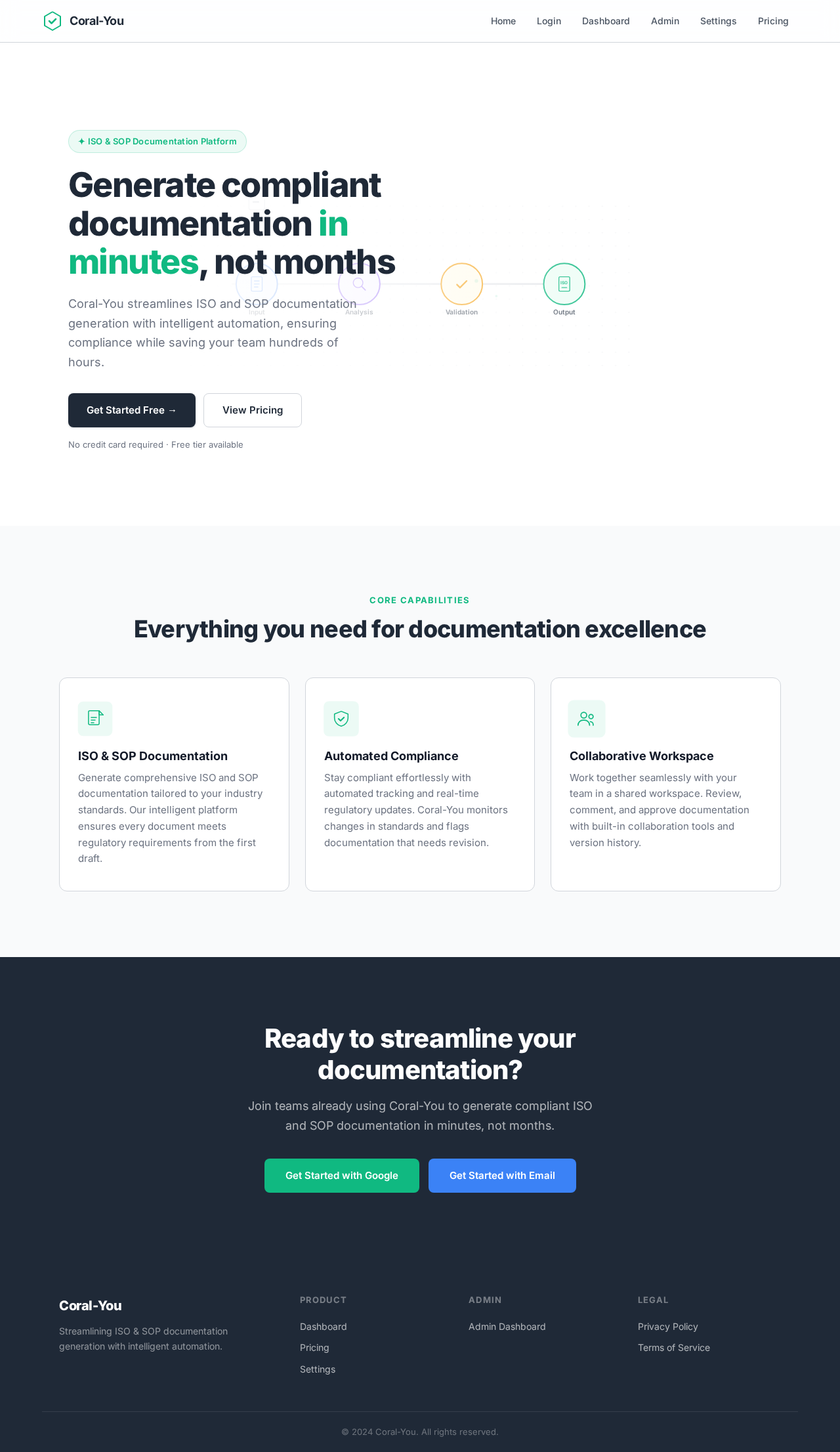
The homepage will feature an interactive documentation workflow animation. Users will see a dynamic flowchart where documents move through various stages of ISO and SOP generation. Each stage will be interactive, allowing users to click and explore more details. The flowchart will animate continuously, showing documents being processed and finalized, providing a clear visual representation of the platform's capabilities.

Landing Hero Motion Brief

The landing page will feature a polished, continuously moving 2D composition built with accessible DOM, inline SVG, CSS, and motion/react. The animation will depict documents being transformed through the platform's processes, showcasing the ease and efficiency of generating ISO and SOP documentation. The animation will loop every 10 seconds, with interactive elements allowing users to explore specific features.

Interaction Model & Motion Direction

  • Interaction Model: Animated
  • The landing page will feature moderate scroll-triggered reveals, hover transitions, and spring physics on interactive elements, providing a polished and engaging user experience.
Page 4 of 5

Non-Functional Requirements

  • The system must be scalable to accommodate increasing user loads.
  • The platform should maintain high availability and reliability.
  • Security measures must be in place to protect user data and privacy.

Tech Stack

  • Frontend: React for Web
  • Backend: Python, FastAPI
  • Database: MySQL or MariaDB, using Alembic for migrations
  • DevOps: Docker, docker-compose, Kubernetes

Assumptions and Constraints

  • The system will operate primarily in the Indian timezone.
  • The platform will support English as the primary language.
  • The design will adhere to modern UI/UX standards similar to Linear, Notion, or Vercel.

Glossary

  • ISO: International Organization for Standardization
  • SOP: Standard Operating Procedure
  • Micro SaaS: A small-scale Software as a Service product focused on a specific niche or function.
Page 5 of 5
Landing design preview
Login: Sign In Google
Login: Sign In Email
Dashboard: View Stats
AdminDashboard: Manage Users
AdminDashboard: Configure Settings
Settings: Update Profile
Settings: Toggle Dark Mode
Pricing: View Plans
Landing design preview
Login: Sign In Google
Login: Sign In Email
Dashboard: View Stats
AdminDashboard: Manage Users
AdminDashboard: Configure Settings
Settings: Update Profile
Settings: Toggle Dark Mode
Pricing: View Plans