copper-portfolio
 ASHIQ
ASHIQCreate a modern, professional, and fully responsive portfolio website for a video editor. Design Style: Use a smooth, minimal, and cinematic design inspired by the following color palette: #03045E (primary dark background) #0077B6 (secondary accent) #00B4D8 (highlight color) #90E0EF (soft contrast) #CAF0F8 (light background sections) Apply gradients and soft shadows to create depth. The design should feel premium, clean, and tech-focused. Layout Sections: Hero Section Strong headline (e.g., “Crafting Cinematic Stories Through Editing”) Short tagline Call-to-action buttons (View Work, Contact) Work / Portfolio Section Display video projects in card layout Each card should include thumbnail, title, and short description On hover: cards should animate with smooth motion (scale, tilt, glow, or parallax effect) Services Section Show editing services (YouTube videos, commercials, reels, etc.) Use animated cards with icons Testimonials Section Clean slider or grid layout Client feedback with subtle animations About / Skills Section Brief text about expertise and tools used (Premiere Pro, After Effects, DaVinci Resolve, etc.) Contact Section Simple form (Name, Email, Message) Social links Animations & Interactions: Smooth hover effects on cards (movement based on cursor position) Subtle scroll animations (fade, slide, reveal) Micro-interactions for buttons Parallax or depth effect where appropriate Technical Requirements: Fully responsive (mobile, tablet, desktop) Fast loading and optimized Clean, reusable component structure Modern UI/UX principles Important Constraints: Do NOT include or require any personal photos Focus on visuals, motion, and video content instead Goal: The website should look highly professional, visually engaging, and optimized to attract clients and showcase video editing skills effectively.
Comments (0)
Sign in to leave a comment
System Requirements
System Requirements Document (SRD) for copper-portfolio
1. Introduction
The copper-portfolio project is a modern, professional, and fully responsive portfolio website designed for a video editor based in India. The primary goal of this project is to showcase video editing skills and attract potential clients through a visually engaging, cinematic, and tech-focused design. The website will feature smooth animations, hover effects, and a clean layout while redirecting users to Google Drive for video previews. This document outlines the system requirements for the project, ensuring clarity and alignment with the user's vision.
2. System Overview
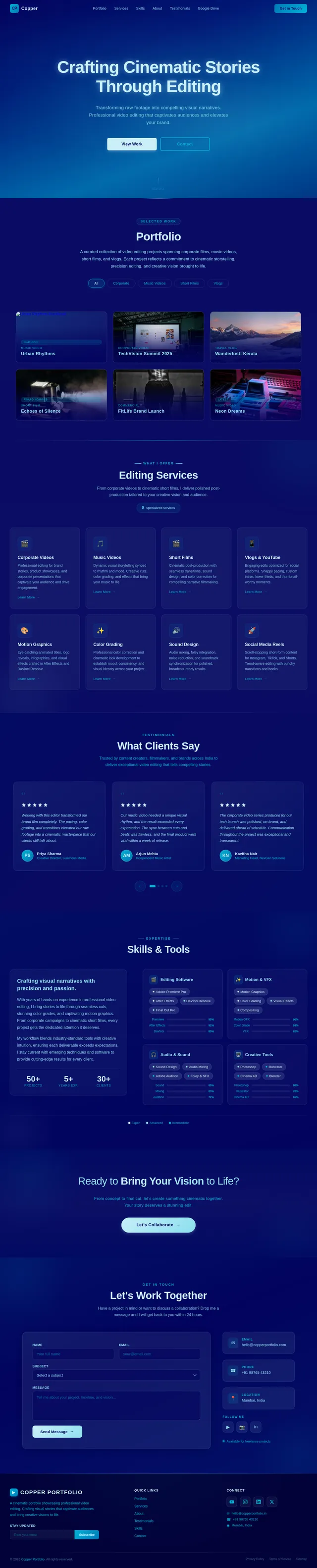
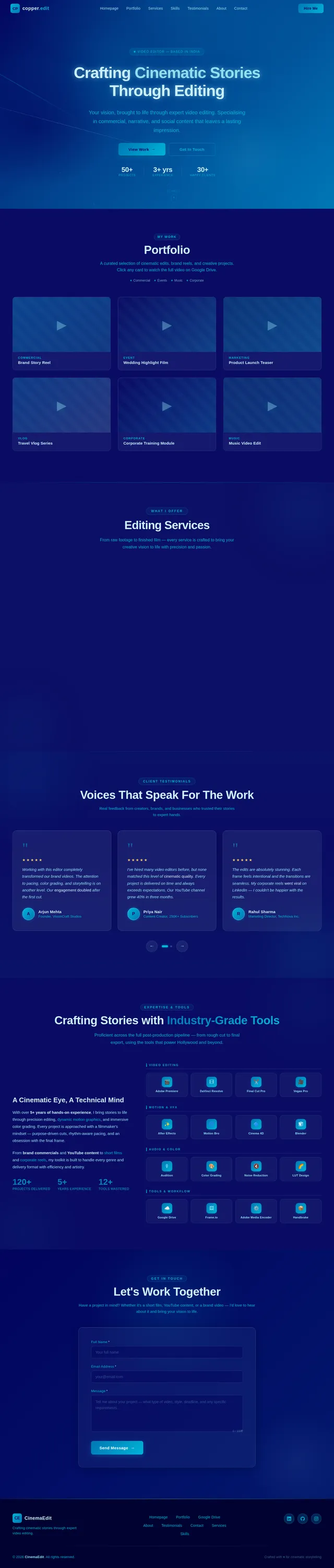
The copper-portfolio website will serve as a digital portfolio for showcasing video editing projects. It will include sections for a hero banner, portfolio work, services, testimonials, skills, and contact information. The portfolio section will display video projects as thumbnail cards, which, when clicked, redirect users to Google Drive links for video previews. The website will be optimized for performance, responsiveness, and user engagement, with a focus on smooth animations and cinematic aesthetics.
Key Features:
- Fully responsive design for mobile, tablet, and desktop.
- Lightweight and fast-loading, leveraging Google Drive for video hosting.
- Easy-to-update structure with in-code comments for managing thumbnails and links.
- Aesthetic design inspired by a premium, cinematic color palette.
3. Functional Requirements
- As a User, I should be able to view a hero section with a strong headline, tagline, and call-to-action buttons.
- As a User, I should be able to browse video projects displayed as thumbnail cards in the portfolio section.
- As a User, I should be redirected to Google Drive when clicking on a portfolio card.
- As a User, I should see hover animations on portfolio cards for an engaging experience.
- As a User, I should be able to view a services section showcasing editing services with animated cards.
- As a User, I should be able to read client testimonials displayed in a clean slider or grid layout.
- As a User, I should be able to learn about the editor's skills and tools in the About/Skills section.
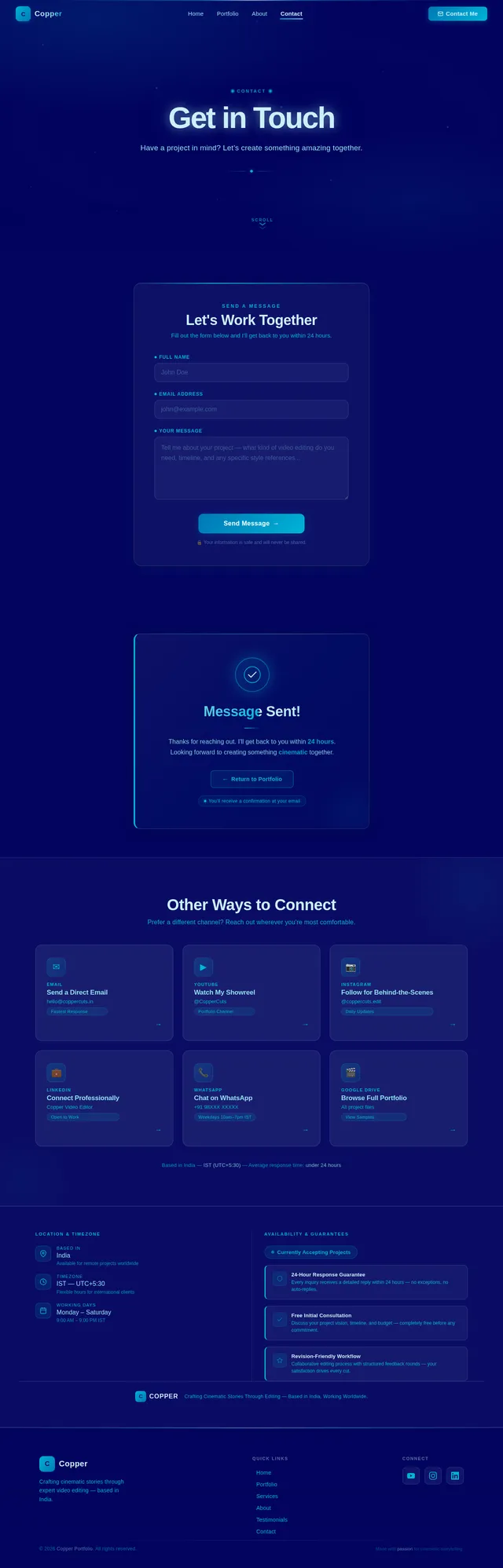
- As a User, I should be able to contact the editor via a simple form with fields for Name, Email, and Message.
- As a User, I should see smooth animations and micro-interactions throughout the website.
4. User Personas
1. Video Editor (Owner)
- Role: The primary user who manages and updates the portfolio.
- Needs: Easy-to-update structure for adding new thumbnails and Google Drive links.
2. Potential Clients
- Role: Visitors looking to hire a video editor.
- Needs: A visually engaging portfolio that showcases the editor's skills and makes it easy to view work samples.
3. General Visitors
- Role: Casual visitors exploring the portfolio.
- Needs: A seamless and responsive browsing experience.
5. Visuals Colors and Theme
Color Palette
- Background:
#03045E(Primary dark background) - Surface:
#CAF0F8(Light background sections) - Text:
#90E0EF(Soft contrast for text) - Accent:
#0077B6(Secondary accent for buttons and highlights) - Muted Tones:
#00B4D8(Highlight color for subtle emphasis)
Design Style
- Smooth gradients and soft shadows for depth.
- Minimal, cinematic, and tech-focused aesthetics.
- Hover effects and animations for interactivity.
6. Signature Design Concept
The copper-portfolio homepage will feature a cinematic parallax scrolling effect. As users scroll, the background layers will move at different speeds, creating a sense of depth and immersion. The hero section will include a bold headline ("Crafting Cinematic Stories Through Editing") with a glowing text effect that subtly pulses, drawing attention. Call-to-action buttons will have a ripple animation when hovered over.
The portfolio section will use animated thumbnail cards that tilt slightly based on cursor position, with a soft glow effect. On hover, the card will display a brief description of the project, and clicking it will redirect to the corresponding Google Drive link.
The overall experience will feel dynamic and premium, leaving a lasting impression on visitors.
7. Non-Functional Requirements
- The website must load within 3 seconds on a standard broadband connection.
- It must be fully responsive and optimized for all screen sizes.
- The codebase must be clean, modular, and reusable.
- Animations and interactions must be smooth and not hinder performance.
8. Tech Stack
Frontend
- React for Web (optional for scaling later)
- Vanilla HTML, CSS, and JavaScript for simplicity.
Backend
- None required (static website).
Hosting
- GitHub Pages or Netlify for deployment.
9. Assumptions and Constraints
- All video previews will be hosted on Google Drive, and the website will redirect users to these links.
- The user will provide thumbnails and Google Drive links for each project.
- No personal photos will be included on the website.
- The website will not include a CMS; updates will be made directly in the code.
10. Glossary
- Thumbnail: A small image representing a video project.
- Google Drive Link: A URL that redirects to a video hosted on Google Drive.
- Parallax Scrolling: A design effect where background images move slower than foreground elements, creating depth.
- Hover Animation: A visual effect triggered when the user hovers over an element.
Deliverables
Below are the three requested files for the copper-portfolio project:
index.html
<!DOCTYPE html>
<html lang="en">
<head>
  <meta charset="UTF-8">
  <meta name="viewport" content="width=device-width, initial-scale=1.0">
  <title>Copper Portfolio</title>
  <link rel="stylesheet" href="index.css">
</head>
<body>
  <header class="hero">
    <h1>Crafting Cinematic Stories Through Editing</h1>
    <p>Your vision, brought to life through expert video editing.</p>
    <div class="cta-buttons">
      <button>View Work</button>
      <button>Contact</button>
    </div>
  </header>

  <section class="portfolio">
    <h2>Portfolio</h2>
    <div class="portfolio-grid">
      <!-- Example Card -->
      <div class="portfolio-card">
        <img src="thumbnail1.jpg" alt="Project Thumbnail">
        <p>Project Title</p>
        <a href="https://drive.google.com/your-link-here" target="_blank">View on Google Drive</a>
      </div>
      <!-- Add more cards as needed -->
    </div>
  </section>

  <script src="index.js"></script>
</body>
</html>
index.css
body {
  font-family: Arial, sans-serif;
  background-color: #03045E;
  color: #90E0EF;
  margin: 0;
  padding: 0;
}

.hero {
  text-align: center;
  padding: 50px;
  background: linear-gradient(135deg, #03045E, #0077B6);
  color: #CAF0F8;
}

.portfolio {
  padding: 20px;
}

.portfolio-grid {
  display: grid;
  grid-template-columns: repeat(auto-fit, minmax(200px, 1fr));
  gap: 20px;
}

.portfolio-card {
  background: #CAF0F8;
  padding: 10px;
  border-radius: 8px;
  text-align: center;
  transition: transform 0.3s ease, box-shadow 0.3s ease;
}

.portfolio-card:hover {
  transform: scale(1.05);
  box-shadow: 0 4px 15px rgba(0, 0, 0, 0.2);
}
index.js
// Instructions for adding thumbnails and links:
// 1. Add a new <div> inside the .portfolio-grid section in index.html.
// 2. Use the following structure:
//    <div class="portfolio-card">
//      <img src="your-thumbnail.jpg" alt="Project Thumbnail">
//      <p>Your Project Title</p>
//      <a href="https://drive.google.com/your-link-here" target="_blank">View on Google Drive</a>
//    </div>
No comments yet. Be the first!