copper-dashboard
 Jay Solanki
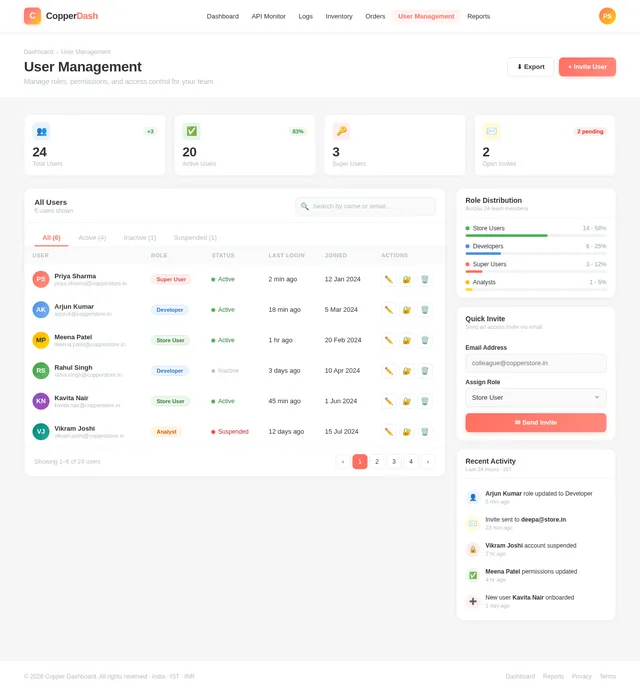
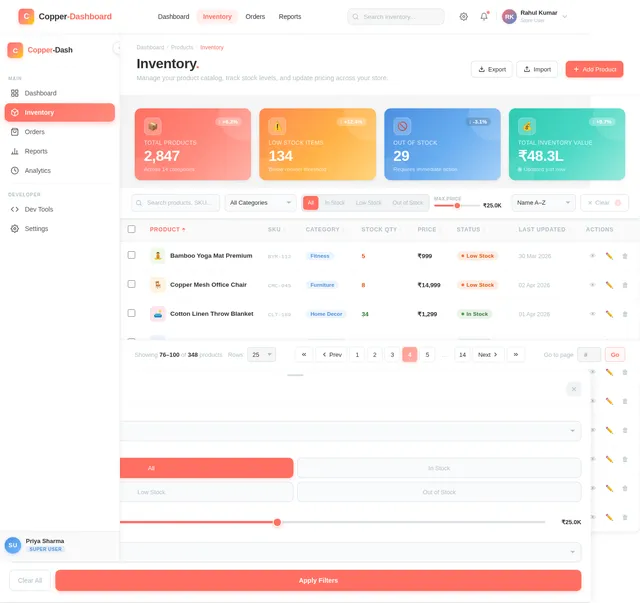
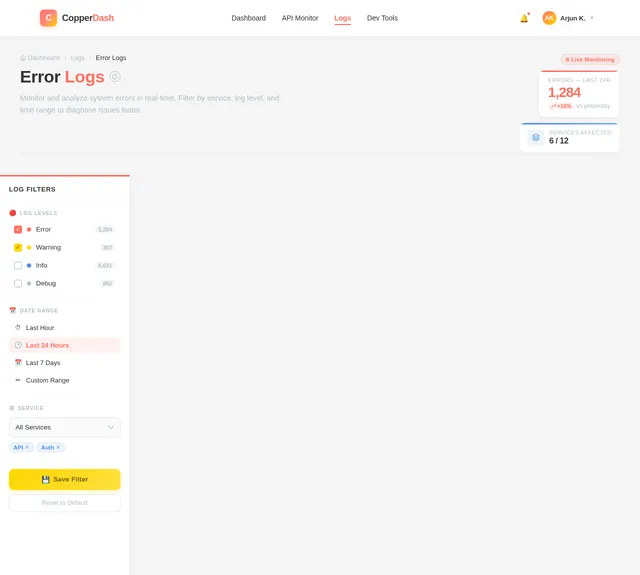
Create a E-commerce dashboard in React js with tailwindcss css which looks more attractive

Comments (0)
Sign in to leave a comment
System Requirements
System Requirements Document (SRD) for Copper-Dashboard
1. Introduction
The Copper-Dashboard is a modern, visually appealing e-commerce dashboard designed to provide store users, developers, and super users with actionable insights and tools to manage their operations effectively. Built using React.js and TailwindCSS, the dashboard emphasizes responsiveness, usability, and aesthetics. This document outlines the system requirements to ensure the successful development and deployment of the Copper-Dashboard.
This project is tailored for users in India (IN), with locale-specific defaults such as INR currency, IST timezone, and other regional considerations.
2. System Overview
The Copper-Dashboard is an e-commerce management platform that consolidates critical business metrics, operational tools, and system monitoring into a single interface. It is designed to cater to three distinct user roles:
- Store Users: Focused on sales, inventory, and order management.
- Developers: Tools for debugging, API monitoring, and system health checks.
- Super Users: Administrative controls, detailed analytics, and user role management.
The dashboard will feature:
- Interactive visualizations for key metrics like revenue, orders, and traffic sources.
- Role-based access control to ensure users only see and interact with relevant features.
- Micro-animations and transitions for an engaging user experience.
3. Functional Requirements
As User I should be able to:
- View sales metrics, including revenue, orders, and traffic sources.
- Manage inventory, including adding, updating, and removing products.
- Track order statuses and view detailed order information.
As Developer I should be able to:
- Monitor API performance and debug issues.
- View system health metrics, including server uptime and error logs.
- Access developer-specific tools for integration and testing.
As Super User I should be able to:
- Manage user roles and permissions.
- Generate detailed reports on sales, inventory, and user activity.
- Access all features available to store users and developers.
4. User Personas
1. Store User
- Role: Focused on day-to-day operations like sales, inventory, and order management.
- Needs: Clear and concise metrics, easy-to-use inventory tools, and order tracking.
- Skill Level: Basic to intermediate technical knowledge.
2. Developer
- Role: Responsible for maintaining the technical health of the system.
- Needs: Debugging tools, API monitoring, and system performance metrics.
- Skill Level: Advanced technical knowledge.
3. Super User
- Role: Oversees the entire system, manages users, and generates reports.
- Needs: Administrative controls, detailed analytics, and access to all features.
- Skill Level: Advanced technical and managerial knowledge.
5. Visuals Colors and Theme
Unique Color Palette for Copper-Dashboard:
- Background:
#F5F5F5(Soft light gray for a clean, modern look) - Surface:
#FFFFFF(Pure white for cards and panels) - Text:
#333333(Dark gray for high readability) - Accent:
#FF6F61(Vibrant coral for buttons and highlights) - Muted Tones:
#B0BEC5(Muted blue-gray for secondary elements)
This palette ensures a professional yet visually appealing interface, with a focus on clarity and usability.
6. Signature Design Concept
Dynamic Data Universe Landing Page
The Copper-Dashboard's homepage will feature an interactive "data universe" visualization. Users will see a 3D galaxy-like interface where each "star" represents a key metric or feature (e.g., revenue, orders, inventory).
- Interaction: Hovering over a star will display a tooltip with real-time data. Clicking on a star will zoom into a detailed view of that metric or feature.
- Animation: Stars will gently pulse and rotate, creating a sense of dynamism. Transitions between sections will feel like navigating through space.
- Color Shifts: The galaxy's background will subtly change based on the time of day (e.g., warm tones in the morning, cool tones at night).
- Micro-interactions: Smooth transitions, hover effects, and responsive animations will make the interface feel alive.
This bold concept ensures the Copper-Dashboard leaves a lasting impression while maintaining usability.
7. Non-Functional Requirements
- Performance: The dashboard should load within 2 seconds for all users on a standard broadband connection.
- Scalability: The system must support up to 10,000 concurrent users.
- Security: Implement role-based access control (RBAC) and secure all API endpoints with OAuth 2.0.
- Localization: Default to INR currency and IST timezone, with options for customization.
- Accessibility: Ensure WCAG 2.1 compliance for users with disabilities.
8. Tech Stack
Frontend
- React.js for web development.
- TailwindCSS for styling.
Backend
- Python with FastAPI for API development.
Database
- RDBMS: MySQL with Alembic for migrations.
AI Models (if applicable)
- GPT 5.4 for user-friendly responses.
- Claude 4.6 Opas for coding-related tasks.
AI Tools
- Langchain for AI workflow integration.
- Litellm for LLM routing.
Orchestration
- Docker and docker-compose for local development.
- Kubernetes for server-side orchestration.
9. Assumptions and Constraints
- The system will primarily serve users in India, with regional defaults for currency and timezone.
- The dashboard must be compatible with modern browsers (Chrome, Firefox, Edge) and mobile devices.
- Development will prioritize features for the three defined user roles.
10. Glossary
- RBAC: Role-Based Access Control.
- API: Application Programming Interface.
- WCAG: Web Content Accessibility Guidelines.
- IST: Indian Standard Time.
- INR: Indian Rupee.
No comments yet. Be the first!