construction-contractor
I am a construction contractor. I need agents for each of the following specific tasks:


Comments (0)
Sign in to leave a comment
System Requirements
System Requirements Document for construction-contractor
1. Introduction
Product intent. construction-contractor is a takeoff tool for construction contractors. Its first and currently only agent performs takeoffs of architectural and structural plans that the contractor uploads, producing both material takeoffs and labor estimates. The product exists so that a contractor can hand off recurring estimating work — reading a plan set, counting and measuring quantities, and pricing the labor behind them — instead of performing the takeoff manually.
Audience. The single accepted active human role is the Construction Contractor: an owner or estimator running a small-to-mid estimating operation who works both in the field and at a desk, and who is currently drowning in plan sets, spreadsheets and phone calls. The product is built for that person's trust, precision and speed requirements, not for a general SaaS audience.
Scope of this document. This SRD covers the current delivery horizon only: uploading architectural and structural plans, running the takeoff agent on them, and reading the resulting material takeoffs and labor estimates. The contractor has stated an intent to define additional agents for further specific tasks; that task list has not been supplied, so no additional agent is specified here.
2. System Overview
construction-contractor is a first-party web application with application-owned identity and custom UI. A contractor creates an account, verifies on return, uploads architectural and structural plan files, runs the takeoff agent against those uploads, and reads the resulting takeoffs — material quantities and labor estimates — in a revisitable overview and a focused detail view.
Actors.
- Construction Contractor (accepted active human persona) — the only human actor. Initiates enrollment, uploads plans, runs the takeoff agent, and reads results.
- Takeoff agent (system actor) — the product's automated takeoff capability. It consumes uploaded architectural and structural plans and produces material takeoffs and labor estimates. It is not a persona and has no independent goals.
- Application identity and storage (system actor) — holds the contractor's account, uploaded plan files, and durable takeoff results so they can be resumed and revisited.
Accepted behavior in one line. Upload architectural and structural plans → run the takeoff agent → read material takeoffs and labor estimates.
Ownership. All accepted human-facing behavior is owned by first-party custom pages. There is no provider-owned or external-destination surface in the current scope, and no headless-only delivery.
Narrow exclusions. Takeoff scope is limited to architectural and structural plans; no other drawing types are named or supported by this specification. No additional agent beyond the takeoff agent is specified, because the contractor's further task list has not been supplied. No adjacent estimating, bidding, purchasing, scheduling, or project-management capability is specified.
2a. Product Interpretation and Delivery Boundary
The contractor's request is a working tool, not a demo: they upload real architectural and structural plan sets and expect real takeoff output — material quantities and labor estimates — back. That means the product must hold durable, contractor-specific state: the uploaded plan files themselves, and the takeoff results derived from them. Because that state must remain bound to the correct contractor and be resumable across sessions, the application owns identity. A contractor self-enrolls on first use and completes returning verification before reaching protected plans and takeoffs.
The anonymous entry boundary is the public Landing page, which explains the plan-takeoff product and routes to enrollment or returning verification. Sign Up and Login are themselves anonymously reachable, because a protected destination cannot own the interaction that establishes access to itself. Everything that touches a contractor's plans or takeoffs — Plan Upload, Takeoff Run, Takeoffs, Takeoff Details — requires an established, verified session.
Current horizon. Plan upload, takeoff run, takeoff results (material and labor), and revisiting past takeoffs.
Future horizon (not current). Additional agents for further specific contracting tasks. The contractor has stated this intent but has not supplied the task list; nothing in this document specifies, pages, or accepts such an agent. When that list arrives it will be specified separately.
2b. Source Content Inventory
Not applicable. No reference directive in this project declares content_source; no external factual content collection is supplied or required.
2c. Page Content and Component Coverage
Landing
- Information and state. Anonymous public entry. States the product's purpose for construction contractors: takeoffs of architectural and structural plans the contractor uploads, producing material takeoffs and labor estimates. No contractor-specific data is shown.
- Primary action. Begin enrollment (to Sign Up). Supporting action. Go to returning verification (to Login).
- Domain entities. None owned; presents product intent only.
- Component responsibilities. Full-width warm paper ground; flush-left display headline; a single horizontal band of three numbered stations (01 Upload plans, 02 Run takeoff, 03 Read quantities) separated by 1px rules, each with a red square numeral badge; a tall white framed panel showing a real plan crop in ink duotone with a red dimension line overlay and a small-caps sheet caption; a solid signal-red rectangular primary CTA with 2px corners, flush-left under the headline.
- States. Loading: static content, no data fetch. Empty: not applicable. Success: page renders and both entry actions are operable. Error: if the entry action cannot be reached, the CTA remains visible and the failure is stated in text. Recovery: the contractor can retry the entry action or navigate directly to Login.
Sign Up
- Information and state. Anonymous. Collects the minimum identity information needed to establish a contractor-owned account. States plainly that an account is required to upload plans and keep takeoffs.
- Primary action. Create the account and establish the first verified session. Supporting action. Go to Login if the contractor already has an account.
- Domain entities. Contractor account (created here).
- Component responsibilities. Numbered step badge; labeled inputs with 2px radius and hairline rules; inline validation messages; submit control in signal red; link to Login.
- States. Loading: submit control shows an in-progress state while the account is created. Empty: form presented with no values. Success: account created, session established, contractor continues to Plan Upload. Error: missing or invalid required input is reported inline against the offending field; an account that cannot be created is reported with a retry path. Recovery: entered values are retained so the contractor can correct and resubmit without re-entering everything.
Login
- Information and state. Anonymous. Returning verification for a contractor who already has an account and needs to reach their uploaded plans and durable takeoff results.
- Primary action. Verify and establish the session. Supporting action. Go to Sign Up if the contractor has no account.
- Domain entities. Contractor account (verified here).
- Component responsibilities. Labeled credential inputs; submit control in signal red; inline error region; link to Sign Up.
- States. Loading: submit control shows an in-progress state during verification. Empty: form presented with no values. Success: session established; the contractor continues to Takeoffs (or to the destination they were reaching for). Error: failed verification is reported without disclosing which credential was wrong; repeated failure keeps the form usable. Recovery: the contractor can correct and resubmit, or move to Sign Up.
Plan Upload
- Information and state. Protected. Shows the contractor's uploaded architectural and structural plan files for the current plan set, with file name, sheet identifier where available, and upload status. States that takeoff scope is limited to architectural and structural plans.
- Primary action. Upload architectural and structural plan files. Supporting actions. Remove a file that was uploaded in error; continue to Takeoff Run once at least one plan file is present.
- Domain entities. Plan file (created here); plan set (the collection of uploaded files the takeoff will run against).
- Component responsibilities. Upload control and drop target; per-file rows with 1px hairline rules and a status indicator; small-caps micro-labels with two-digit numbering; a framed duotone plan crop preview with a small-caps sheet caption for uploaded files; a continue control that is unavailable until at least one plan file is present.
- States. Loading: upload progress per file, shown as a live count rather than a spinner. Empty: no plans uploaded yet — an explicit empty state instructing the contractor to upload architectural and structural plans. Success: each file listed with a confirmed status; the continue control becomes available. Error: an unsupported or failed file is marked on its own row with the reason and a retry affordance; other files are unaffected. Recovery: the contractor can retry the failed file or remove it and continue with the files that succeeded.
Takeoff Run
- Information and state. Protected. Shows the uploaded plan set selected for this run and the takeoff agent's progress through it as a sequence of numbered checkpoints with live counts (for example sheets read, and lines identified per category). States that the agent produces both material takeoffs and labor estimates.
- Primary action. Run the takeoff agent on the uploaded architectural and structural plans. Supporting action. Return to Plan Upload to add or correct files before running.
- Domain entities. Takeoff run (created here); plan set (consumed); takeoff result (produced on success).
- Component responsibilities. Numbered checkpoint list, each turning from grey to red as it finishes; live count readouts in tabular figures; the left rail's numbered stations filling in sequence on completion; a run control in signal red; a link to the resulting Takeoff Details on success.
- States. Loading: checkpoints advance with live counts; no spinner and no progress bar. Empty: no plan set available to run — the contractor is directed to Plan Upload. Success: the run completes, the rail's stations fill in sequence, and the contractor is offered the resulting takeoff. Error: a run that cannot complete is reported with the failing checkpoint named and a retry path; the uploaded plan set is preserved. Recovery: the contractor can retry the run, or return to Plan Upload to replace a problematic file and run again.
Takeoffs
- Information and state. Protected, revisitable overview of the contractor's generated takeoffs. Each entry identifies the plan set it came from, when it was produced, and its status. Material takeoff and labor estimate are both represented for each completed takeoff.
- Primary action. Open a takeoff to read its details. Supporting actions. Start a new takeoff (to Plan Upload); return to a run that did not complete.
- Domain entities. Takeoff result (listed); plan set (referenced).
- Component responsibilities. Dense tabular list with small-caps column headers over 1px rules; a coloured square category tag per row (red = structural, yellow = architectural, blue = labour); a 1px red left rule revealed on row hover; numbered square badges; an explicit empty state.
- States. Loading: list skeleton with column rules held in place. Empty: no takeoffs yet — an explicit empty state directing the contractor to upload plans and run a takeoff. Success: completed takeoffs listed with their plan set, date, and status. Error: a takeoff that failed to produce results is listed with its failure status and a path back to the run. Recovery: the contractor can reopen the failed run or start a new takeoff from Plan Upload.
Takeoff Details
- Information and state. Protected. The full result of one takeoff run against one uploaded plan set: the material takeoff (quantities by material category) and the labor estimate (labor hours and estimate by category). Identifies the source plan set and the sheets read.
- Primary action. Read the material takeoff and labor estimate. Supporting actions. Return to Takeoffs; start another takeoff from Plan Upload.
- Domain entities. Takeoff result (read here); material takeoff line; labor estimate line; plan set and source sheets (referenced).
- Component responsibilities. Two dense tabular columns — quantities and labor — each with small-caps column headers over 1px rules and tabular figures so quantities align; a coloured square category tag per row (red = structural, yellow = architectural, blue = labour); framed duotone plan crops with small-caps sheet captions and red dimension line overlays for the sheets read; numbered square badges on takeoff lines; stacked label/value rows with the number badge on the left at 375px.
- States. Loading: table structure with column rules held in place while lines resolve. Empty: not reachable without a completed run; if a run produced no lines, the page states that plainly and offers a return to the run. Success: material takeoff and labor estimate both rendered with their categories and totals. Error: a takeoff whose details cannot be loaded is reported with a retry path back to Takeoffs. Recovery: the contractor can retry loading, or return to Takeoffs and reopen the entry.
3. Functional Requirements
FR-1 — Dedicated takeoff agent for architectural and structural plans (explicit) As a Construction Contractor, I should have a dedicated agent that performs takeoffs of architectural and structural plans, so that I do not have to perform the takeoff manually.
- Trigger/input: the contractor runs the takeoff agent against an uploaded plan set.
- Observable result: a takeoff result exists for that plan set.
- Access state: protected; requires an established, verified session.
- Failure/recovery: if the agent cannot complete, the failing checkpoint is named and the run can be retried without re-uploading the plan set.
- Continuation: the contractor reads the result on Takeoff Details, or returns to Takeoffs.
- Acceptance: a completed run against an uploaded architectural and structural plan set yields a takeoff result attributable to that plan set.
FR-2 — Upload architectural and structural plans as takeoff input (explicit) As a Construction Contractor, I should upload architectural and structural plans, so that the takeoff agent has the drawings it needs.
- Trigger/input: the contractor selects or drops plan files on Plan Upload.
- Observable result: each file appears as a row with a confirmed upload status, and the plan set is available to the takeoff agent.
- Access state: protected; requires an established, verified session.
- Failure/recovery: a file that fails to upload is marked on its own row with the reason and a retry affordance; other files are unaffected.
- Continuation: the contractor continues to Takeoff Run once at least one plan file is present.
- Acceptance: uploaded architectural and structural plan files persist and are selectable as takeoff input.
FR-3 — Produce material takeoffs from the uploaded plans (explicit) As a Construction Contractor, I should receive a material takeoff from my uploaded architectural and structural plans, so that I know the quantities the job requires.
- Trigger/input: a completed takeoff run over an uploaded plan set.
- Observable result: material quantities are presented by material category, with the source sheets identified.
- Access state: protected; requires an established, verified session.
- Failure/recovery: if material lines cannot be produced or loaded, the failure is stated on the takeoff and the run can be retried.
- Continuation: the contractor reads the material takeoff on Takeoff Details and can revisit it from Takeoffs.
- Acceptance: a completed takeoff presents material quantities derived from the uploaded architectural and structural plans.
FR-4 — Produce labor estimates from the uploaded plans (explicit) As a Construction Contractor, I should receive a labor estimate from my uploaded architectural and structural plans, so that I know the labor the job requires.
- Trigger/input: a completed takeoff run over an uploaded plan set.
- Observable result: labor hours and estimate are presented by category, alongside the material takeoff.
- Access state: protected; requires an established, verified session.
- Failure/recovery: if labor lines cannot be produced or loaded, the failure is stated on the takeoff and the run can be retried.
- Continuation: the contractor reads the labor estimate on Takeoff Details and can revisit it from Takeoffs.
- Acceptance: a completed takeoff presents a labor estimate derived from the uploaded architectural and structural plans.
FR-5 — Run the takeoff agent on an uploaded plan set (required_inference) As a Construction Contractor, I should run the takeoff agent against the plans I uploaded, so that a takeoff is produced on demand rather than automatically.
- Trigger/input: the contractor starts a run on Takeoff Run with an uploaded plan set selected.
- Observable result: numbered checkpoints advance with live counts, and on completion the run yields a takeoff result.
- Access state: protected; requires an established, verified session.
- Failure/recovery: a run that cannot complete names the failing checkpoint and preserves the uploaded plan set for a retry.
- Continuation: on success the contractor opens the resulting takeoff; on failure they retry or return to Plan Upload.
- Acceptance: a run cannot start without at least one uploaded plan file, and a completed run produces a takeoff result.
FR-6 — View resulting takeoff details (required_inference) As a Construction Contractor, I should view the details of a takeoff produced from my uploaded plans, so that I can read the quantities and labor behind the result.
- Trigger/input: the contractor opens a takeoff from Takeoffs, or follows the link from a completed run.
- Observable result: the material takeoff and labor estimate for that plan set are rendered with their categories, totals, and source sheets.
- Access state: protected; requires an established, verified session.
- Failure/recovery: details that cannot be loaded are reported with a retry path back to Takeoffs.
- Continuation: the contractor returns to Takeoffs or starts another takeoff from Plan Upload.
- Acceptance: takeoff details are viewable only after a takeoff run has completed successfully.
FR-7 — Revisit previously generated takeoffs (required_inference) As a Construction Contractor, I should revisit the takeoffs I have already generated, so that I can return to a result without re-running the agent.
- Trigger/input: the contractor opens Takeoffs.
- Observable result: generated takeoffs are listed with their source plan set, date, and status, and each opens its details.
- Access state: protected; requires an established, verified session.
- Failure/recovery: a takeoff that failed to produce results is listed with its failure status and a path back to the run.
- Continuation: the contractor opens a takeoff's details or starts a new takeoff from Plan Upload.
- Acceptance: previously generated takeoffs remain listed and openable across sessions.
FR-8 — Self-enroll before first use (required_inference) As a Construction Contractor, I should create my own account on first use, so that my uploaded plans and takeoffs are bound to me and resumable.
- Trigger/input: the contractor chooses to begin from Landing and completes the Sign Up form.
- Observable result: an account exists and a verified session is established.
- Access state: anonymous entry; the account is created here.
- Failure/recovery: invalid or missing required input is reported inline against the offending field, and entered values are retained for correction.
- Continuation: the contractor continues to Plan Upload.
- Acceptance: a contractor with no account can create one without any provisioning step, and reaches protected pages afterward.
FR-9 — Complete returning verification before accessing protected plans and takeoffs (required_inference) As a Construction Contractor, I should verify myself on return, so that I can reach my uploaded plans and durable takeoff results.
- Trigger/input: the contractor completes the Login form.
- Observable result: a verified session is established and protected pages become reachable.
- Access state: anonymous entry; verification happens here.
- Failure/recovery: failed verification is reported without disclosing which credential was wrong, and the form stays usable for correction.
- Continuation: the contractor continues to Takeoffs, or to the protected destination they were reaching for.
- Acceptance: Plan Upload, Takeoff Run, Takeoffs, and Takeoff Details are unreachable without a verified session.
FR-10 — Additional agents for further specific tasks (explicit, future horizon) As a Construction Contractor, I intend to define additional agents for further specific tasks beyond takeoffs.
- Status: future — not current. The task list has not been supplied. No page, requirement, or acceptance criterion in this document specifies such an agent. This entry records the stated intent only.
4. User Personas
Construction Contractor
Product context. The contractor runs a small-to-mid estimating operation and works in two places: in the field and at a desk. Their working reality is plan sets, spreadsheets and phone calls, and the recurring estimating work of reading a set and counting and measuring what it contains. They are not looking for a delightful SaaS experience; they are looking for trust, precision, speed, and the relief of a job that finally gets done. They need to know where they are in a process, what has been measured, and what it costs.
Primary goal. Offload recurring estimating work — beginning with takeoffs of architectural and structural plans they upload — so they obtain quantity takeoff results without performing the takeoff manually.
Distinct accepted responsibilities.
- Establish their own access: self-enroll on first use, and complete returning verification thereafter, so their plans and takeoffs stay bound to them and resumable.
- Upload architectural and structural plans as the input to the takeoff agent.
- Run the takeoff agent against an uploaded plan set, watching it progress through the set.
- Read the resulting takeoff: both the material takeoff and the labor estimate.
- Revisit previously generated takeoffs rather than re-running the agent.
Relevant inputs and decisions. Which plan files constitute the set for a given takeoff; whether an uploaded file is the right one or should be removed and replaced; whether to run the agent now or add more files first; which past takeoff to reopen.
Interactions with other accepted participants. The contractor is the only human actor. Their counterpart in the work is the takeoff agent, which consumes the plan set they upload and returns material quantities and labor estimates. The contractor initiates every run and reads every result; the agent never acts on its own initiative and has no goals of its own. The contractor's account and stored results are held by the application so that the agent's output survives across sessions.
Observable success. A completed takeoff exists for an uploaded architectural and structural plan set, showing material quantities and a labor estimate by category, with the source sheets identified — and it is still there, openable, the next time the contractor returns.
What makes this role distinct. The contractor is simultaneously the buyer, the operator, and the consumer of the output. There is no separate estimator, reviewer, or approver in the accepted scope, and no one else's work depends on the result inside this product. Every accepted capability is initiated and consumed by this one person, which is why the product's access boundary is simply "this contractor's own plans and takeoffs" rather than any differentiated permission structure.
5. Core User Flows
Flow A — First use: enroll, upload plans, run the takeoff, read the result
- Starting context. The contractor has architectural and structural plans to take off and no account. They arrive at Landing anonymously.
- On Landing, the contractor reads the product's purpose — takeoffs of architectural and structural plans they upload, producing material takeoffs and labor estimates — and the three numbered stations (01 Upload plans, 02 Run takeoff, 03 Read quantities). They choose the primary signal-red CTA to begin.
- Sign Up opens anonymously. The contractor enters the required identity information and submits. The submit control shows an in-progress state while the account is created.
- Observable result. The account is created and a verified session is established. If a required field is missing or invalid, the error is reported inline against that field and the contractor's entered values are retained so they can correct and resubmit.
- Continuation. The contractor lands on Plan Upload.
- On Plan Upload, the contractor uploads their architectural and structural plan files. Each file appears as a row with a confirmed status; the page states that takeoff scope is limited to architectural and structural plans.
- Failure/recovery. If a file fails to upload, that row is marked with the reason and a retry affordance while the other files are unaffected. The contractor retries the file, or removes it and continues with the files that succeeded.
- Observable result. At least one plan file is present, and the continue control becomes available.
- Continuation. The contractor continues to Takeoff Run.
- On Takeoff Run, the contractor confirms the uploaded plan set and starts the run. The agent's progress appears as numbered checkpoints with live counts (for example sheets read, and lines identified per category), each turning from grey to red as it finishes — no spinner, no progress bar.
- Observable result. The run completes. The numbered stations in the left rail fill with signal red in sequence, like a route being drawn, and the contractor is offered the resulting takeoff.
- Failure/recovery. If the run cannot complete, the failing checkpoint is named and the uploaded plan set is preserved. The contractor retries the run, or returns to Plan Upload to replace a problematic file and runs again.
- Continuation. The contractor opens Takeoff Details for the completed run.
- On Takeoff Details, the contractor reads the material takeoff — quantities by material category, each row carrying a coloured square category tag (red = structural, yellow = architectural, blue = labour) — and the labor estimate — labor hours and estimate by category — with the source sheets identified by small-caps sheet captions on framed duotone plan crops.
- Observable result and completion. The contractor has both the material quantities and the labor estimate for the uploaded plan set, derived from their own drawings.
Flow B — Returning use: verify, revisit a past takeoff, start another
- Starting context. The contractor has an account and at least one previously generated takeoff. They return to the product.
- On Landing, the contractor chooses the returning-verification path.
- Login opens anonymously. The contractor submits their credentials. The submit control shows an in-progress state during verification.
- Observable result. A verified session is established and protected pages become reachable.
- Failure/recovery. If verification fails, the failure is reported without disclosing which credential was wrong, and the form stays usable. The contractor corrects and resubmits, or moves to Sign Up if they have no account.
- Continuation. The contractor lands on Takeoffs.
- On Takeoffs, the contractor sees their generated takeoffs listed with the plan set each came from, its date, and its status. Hovering a row reveals a 1px red left rule.
- Observable result. The contractor identifies the takeoff they want. If no takeoffs exist yet, an explicit empty state directs them to upload plans and run a takeoff.
- Continuation. The contractor opens the takeoff, landing on Takeoff Details.
- On Takeoff Details, the contractor re-reads the material takeoff and labor estimate for that plan set, with its categories, totals, and source sheets.
- Failure/recovery. If the details cannot be loaded, the failure is reported with a retry path back to Takeoffs; the contractor retries or reopens the entry.
- Observable result and completion. The contractor has the past result in front of them without re-running the agent.
- Continuation (independent goal). If the contractor instead wants a new takeoff, they start from Plan Upload, upload the new architectural and structural plans, and proceed through Takeoff Run as in Flow A. Starting a new takeoff does not require reopening a past one.
Flow C — Recovering a takeoff that did not complete
- Starting context. The contractor has an uploaded plan set and a takeoff run that did not produce results.
- On Takeoffs, the contractor sees the failed takeoff listed with its failure status.
- The contractor opens the path back to the run and lands on Takeoff Run, where the failing checkpoint is named.
- Observable result. The uploaded plan set is still present and intact.
- Continuation. The contractor either retries the run directly, or returns to Plan Upload to remove or replace the problematic file and then runs again.
- Observable result and completion. A completed run produces a takeoff result, which the contractor reads on Takeoff Details as in Flow A.
6. Visuals, Colors and Theme
Muse and headline. Erik Spiekermann — typographic infrastructure for the jobsite: takeoffs as wayfinding. The product should read like a well-signed building: you always know where you are, what is measured, and what it costs. Documentary and engineered, never "delightful SaaS."
Colour tokens (light mode).
| Role | Hex | Use |
|---|---|---|
| Background | #F2EEE6 | Warm paper ground across the app |
| Surface | #FFFFFF | Pure white panels for plan and table surfaces |
| Text | #1A1714 | Ink for all text |
| Primary | #B3241C | Signal red — the takeoff action, the active rail line, the "line 1" of the navigation system |
| Accent | #E8B21A | Signal yellow — warnings, in-progress states, highlighted quantities |
| Muted | #6E6659 | Secondary text, inactive rail, captions |
| Rule | #D8D2C4 | Hairline 1px rules separating every data row |
| Category — structural | #B3241C | Small coded tag only |
| Category — architectural | #E8B21A | Small coded tag only |
| Category — labour | #1C5C8A | Small coded tag only |
| Category — green | #2E6B3E | Small coded tag only |
Tertiary transit-line blue #1C5C8A and green #2E6B3E exist only as small coded category tags — never as large fields, never as the primary. Red on paper and white on red both clear 4.5:1 at body size. No blue–indigo primary or accent on a white/near-white ground; no gradient-blob backgrounds.
Typography.
- Headings: Fira Sans, 600–700 weight, tracking
-0.01em, sentence case for headlines. ALL CAPS with+0.08emtracking only for micro-labels and section numbers. Headlines large and flush-left. - Body: Fira Sans.
- Numbers: Fira Sans Condensed or tabular Fira Sans, so quantities align in columns.
- Scale: 1.25 modular — 56 / 44 / 32 / 24 / 18 / 16 / 14 / 12.
- Display headline:
clamp(40px, 8vw, 88px)on Landing. Workspace headlines:clamp(24px, 3.5vw, 36px). Body: 16px. Small labels: 12px caps. - Inter, Roboto, Arial, Helvetica, Open Sans, Lato, Poppins and
system-uiare excluded for headings and body.
Shape language. Rectilinear and honest. 2px radius on inputs and buttons — operable, not soft. Hairline 1px rules in #D8D2C4 separate every data row. Numbered square badges (24×24, signal red or yellow ground, white numeral) mark each step and each takeoff line. No blobs, no pills, no drop shadows except a single 1px bottom rule for sticky bars. No 16px+ radii, no glassmorphism.
Layout. A visible 12-column grid with a persistent left rail that works like a transit map: numbered stations (01 Plans, 02 Takeoff Run, 03 Takeoffs, 04 Details) connected by a vertical rule in signal red when active, grey when not. Content lives in a wide single column for reading and a dense tabular column for quantities. At 375px the rail collapses to a horizontal numbered strip under the header, and tables become stacked label/value rows with the number badge on the left. Everything flush-left, ragged-right. Margins 24–40px at desktop, 16px at mobile.
Imagery. Documentary and diagrammatic. Plan crops and blueprint details appear as real, high-contrast duotone images (ink on paper) inside white frames with a 1px rule and a small-caps caption naming the sheet (A-101, S-201). Pictograms for material categories — rebar, studs, concrete, drywall — are simple 2px-stroke line icons in ink, not filled illustrations. No stock photography of smiling people in hard hats.
Viewport integrity. Headlines, wordmarks, labels, numbers, item images, cards and controls stay entirely inside the viewport and their container at 375px, 768px and 1280px, wrapping or scaling (for example font-size: clamp(...) with its mobile size) to fit, with no other element covering any part of them. Crops, bleeds and off-edge placement are for decoration only — shapes, textures, rules and background art. Moving and scrollable content may cross the viewport or container edge by design, judged by whether it actually moves and whether every item becomes fully readable as it passes; with prefers-reduced-motion it stops and shows whole items, wrapping into rows or sitting in a horizontally scrollable row (overflow-x: auto).
7. Signature Design Concept
The signed drawing set. The public entry is composed as a drawing sheet, not a marketing page.
A full-width warm paper ground (#F2EEE6) carries a 9-column flush-left display headline in Fira Sans 700 at clamp(40px, 8vw, 88px): "Take off the whole set. Not the whole weekend." It is not centred and there is no blue button.
Below the headline sits a single horizontal band of three numbered stations — 01 Upload plans · 02 Run takeoff · 03 Read quantities — separated by 1px rules, each with a red square numeral badge. The band is the product's whole promise in the same visual grammar the workspace rail will use, so the contractor recognises the route before they ever sign in.
To the right, a tall white panel holds a real plan crop in ink duotone with a red dimension line drawn across it and a small-caps caption reading A-101 · 1/4" = 1'-0". The panel is framed with a 1px rule — a document on a desk, not a hero illustration.
The primary CTA is a solid signal-red rectangle with sharp-ish 2px corners and white Fira Sans caps, sitting flush-left under the headline. Not centred, not rounded, not glowing.
Every element here recomposes accepted content only: the product's purpose, its three-step route, and the plan material it operates on. Nothing on this page promises a capability the product does not have.
8. Interaction Model & Motion Direction
Interaction Model: Static Motion Tempo: restrained Hero Dimensionality: flat
Landing Hero Motion Brief.
- Focal subject. The framed duotone plan crop with its red dimension line overlay and small-caps sheet caption — the drawing itself, presented as a document.
- Input → transformation → outcome thesis. The contractor's attention moves across the three numbered stations (01 Upload plans → 02 Run takeoff → 03 Read quantities); each station's red square numeral badge and its connecting 1px rule resolve from grey to signal red in sequence, so the outcome the page communicates is the route itself: a set goes in, a takeoff comes out.
- Motion vocabulary. Functional and short — 120–180ms ease-out on state changes, no bounce. The one expressive gesture belongs to the workspace, not the hero: when a takeoff run completes, the numbered stations in the left rail fill with signal red one after another in a 400ms sequence, like a route being drawn. Hover on a takeoff row reveals a 1px red left rule. No parallax, no floating cards, no decorative motion on data tables.
- Composed first frame. Warm paper ground; flush-left display headline occupying nine columns; the three-station band beneath it with all three badges at rest in grey and the rules hairline-thin; the white framed plan panel to the right with its red dimension line already drawn; the solid red CTA flush-left under the headline. The frame is complete and legible before any motion runs.
- Reduced-motion state. With
prefers-reduced-motion, the station sequence does not animate: all three stations render in their final signal-red state simultaneously, the rail's completion fill appears at once, and every headline, label, number, image and control remains whole and fully readable at 375px, 768px and 1280px.
9. Non-Functional Requirements
NFR-1 — Takeoff scope is limited to architectural and structural plans (explicit) The takeoff agent's scope is architectural and structural plans. The source names no other drawing types, and none are specified here. Rationale: explicit hard constraint in the authoritative user evidence.
NFR-2 — Uploaded plans and takeoff results are durable and contractor-bound (required_inference) Uploaded plan files and generated takeoff results persist and remain bound to the contractor who created them, so they can be resumed and revisited across sessions. Rationale: the contractor's stated goal is to offload recurring estimating work, which is only meaningful if the work survives the session.
NFR-3 — Protected pages require an established, verified session (required_inference) Plan Upload, Takeoff Run, Takeoffs, and Takeoff Details are reachable only with an established, verified session. Landing, Sign Up, and Login are anonymously reachable. Rationale: a protected destination cannot own the interaction that establishes access to itself, and the contractor's plans and takeoffs must remain bound to the correct participant.
NFR-4 — No differentiated permissions (required_inference) The accepted scope establishes no differentiated control or visibility over shared product state. There is one human role, and access is simply "this contractor's own plans and takeoffs." No role-based visibility or permission control is specified. Rationale: no authoritative source or accepted Planning Scope establishes differentiated control.
NFR-5 — Readability and layout integrity at 375px, 768px, and 1280px (explicit, from the creative direction) Headlines, wordmarks, labels, numbers, item images, cards and controls stay entirely inside the viewport and their container at all three widths, wrapping or scaling to fit, with no other element covering any part of them. Dense quantity tables become stacked label/value rows with the number badge on the left at 375px. Rationale: the contractor works in the field as well as at a desk.
NFR-6 — Legible contrast (explicit, from the creative direction) Red on paper and white on red both clear 4.5:1 at body size. Rationale: stated in the creative direction as a hard readability floor.
NFR-7 — No spinner or progress bar for the takeoff run (explicit, from the creative direction) The takeoff run is presented as a sequence of numbered checkpoints with live counts, each turning from grey to red as it finishes. Rationale: the contractor needs to know what has been measured, not merely that something is happening.
NFR-8 — Reduced-motion support (explicit, from the creative direction)
With prefers-reduced-motion, motion stops and all content shows whole: stations render in their final state, and any moving or scrollable content wraps into rows or becomes a horizontally scrollable row whose further items are reached by scrolling. Rationale: stated accessibility requirement in the creative direction.
10. Tech Stack
No technology choices were specified by the user. The following are coherent defaults for this product's accepted scope.
- Frontend: React (web), single-page application.
[Default — not specified by user] - Backend: Python with FastAPI, exposing the plan upload, takeoff run, and takeoff result endpoints.
[Default — not specified by user] - Storage: Relational database for contractor accounts, plan sets, takeoff runs, and takeoff result lines; object storage for uploaded plan files.
[Default — not specified by user] - Takeoff agent execution: a backend service invoked by a takeoff run, consuming the uploaded plan set and writing material and labor result lines.
[Default — not specified by user] - Packaging and local run: Docker with docker-compose.
[Default — not specified by user] - Deployment: Kubernetes is not required by any accepted requirement and is not specified.
[Default — not specified by user]
11. Assumptions and Constraints
Constraints (binding).
- Takeoff scope is limited to architectural and structural plans; the source names no other drawing types. (explicit)
- The product must not adopt a blue–indigo primary or accent on a white/near-white ground, and must not use Inter, Roboto, Arial, Helvetica, Open Sans, Lato, Poppins or
system-uifor headings or body. (explicit, creative direction) - Tertiary blue
#1C5C8Aand green#2E6B3Eare tag-only; they must never appear as large colour fields or as the primary. (explicit, creative direction) - No centred hero with subtext and a rounded blue button, no gradient-blob background, no grid of identical hover-lift cards with soft shadows, no pill buttons or 16px+ radii, no glassmorphism, no stock photography of people in hard hats, and no parallax on data tables. (explicit, creative direction)
Assumptions (narrow, labeled).
- A-1. The contractor uploads plan files as documents (for example PDF or image files). The source says "plans I upload" without naming a format; no format restriction is imposed here. (assumption)
- A-2. A takeoff run operates on one plan set at a time — the set of architectural and structural plan files the contractor has uploaded for that takeoff. (assumption)
- A-3. Material takeoff and labor estimate are both produced by the same takeoff agent from the same uploaded plan set, since the contractor asked for both from the same upload. (assumption)
- A-4. Self-service enrollment is the correct bootstrap because the contractor independently begins using the product and no provisioning or invitation boundary is established. (required_inference)
- A-5. The contractor's further agent task list will be supplied later and specified separately; nothing in the current scope anticipates its content. (explicit future horizon)
12. Glossary
- Takeoff — the act and the result of measuring a plan set: the quantities and labor a job requires, derived from architectural and structural plans.
- Takeoff agent — the product's automated capability that performs takeoffs. It consumes uploaded architectural and structural plans and produces material takeoffs and labor estimates. It is a system actor, not a persona.
- Material takeoff — the quantity output of a takeoff: materials by category, with the source sheets identified.
- Labor estimate — the labor output of a takeoff: labor hours and estimate by category.
- Plan set — the collection of architectural and structural plan files the contractor has uploaded as the input to a takeoff run.
- Plan file — a single uploaded architectural or structural drawing document.
- Takeoff run — one execution of the takeoff agent against one uploaded plan set, progressing through numbered checkpoints and producing a takeoff result.
- Takeoff result — the durable output of a completed takeoff run: its material takeoff lines and labor estimate lines, attributable to the plan set it came from.
- Sheet — an individual drawing within a plan set, identified by a sheet number such as A-101 (architectural) or S-201 (structural).
- Construction Contractor — the single accepted active human persona: the owner or estimator who uploads plans, runs takeoffs, and reads the results.
- Station — a numbered step in the product's left-rail navigation (01 Plans, 02 Takeoff Run, 03 Takeoffs, 04 Details), rendered like a transit-map stop.
01 · Purpose
Take off the whole set.Not the whole weekend.
construction-contractor takes off the architectural and structural plans you upload, then returns the material takeoffs and the labor estimates behind them, so the measuring and counting is done before you sit down with it.
02 · Route
Upload plans
Drop in the architectural and structural set you already have.
Run takeoff
The agent reads the sheets and measures every line it can.
Read quantities
Material takeoffs and labor estimates, ready to price.
The drawing is the input.
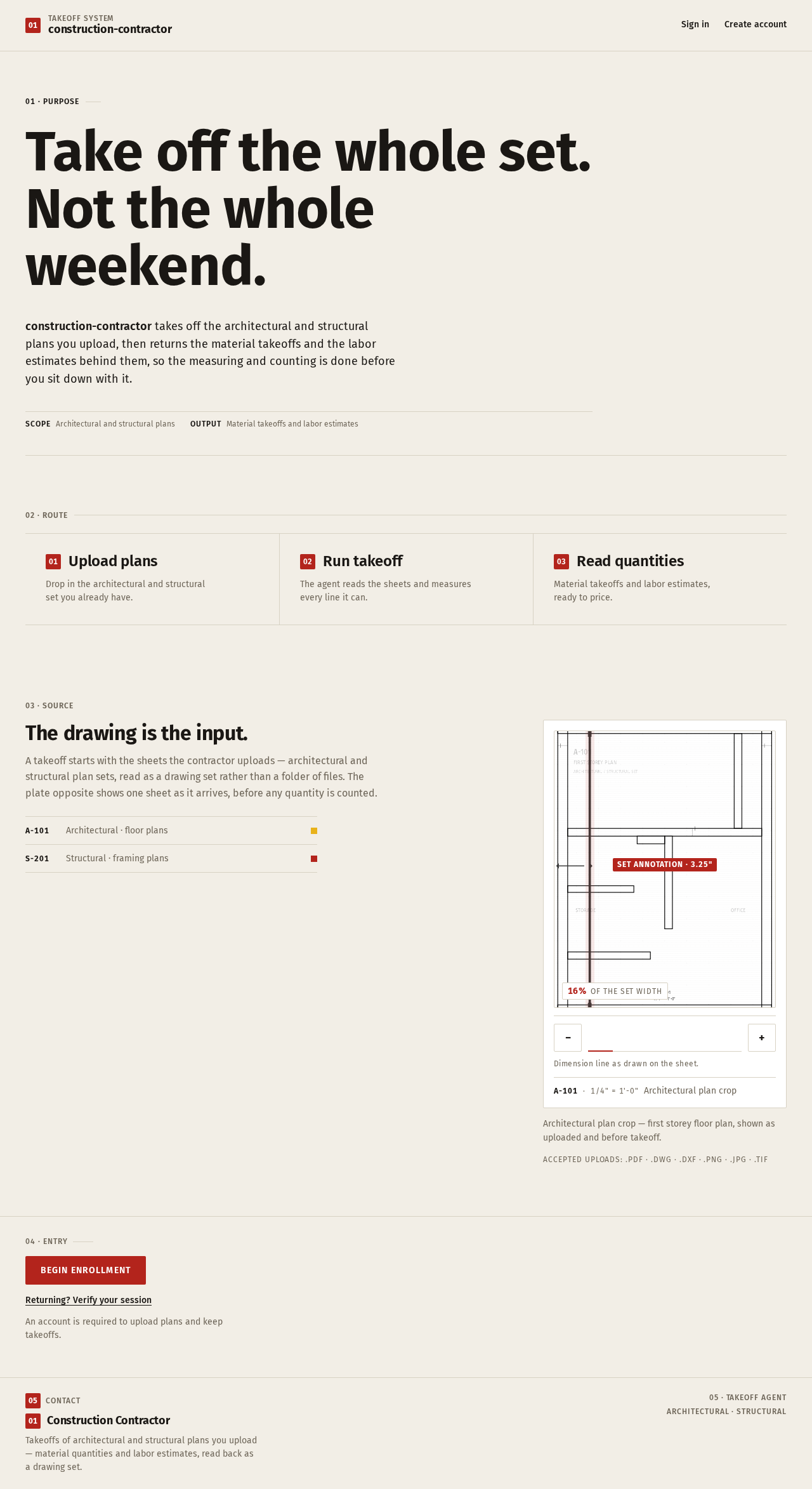
A takeoff starts with the sheets the contractor uploads — architectural and structural plan sets, read as a drawing set rather than a folder of files. The plate opposite shows one sheet as it arrives, before any quantity is counted.
- A-101Architectural · floor plans
- S-201Structural · framing plans
16%of the set width
Dimension line as drawn on the sheet.
Architectural plan crop — first storey floor plan, shown as uploaded and before takeoff.
Accepted uploads: .pdf · .dwg · .dxf · .png · .jpg · .tif
04 · ENTRY
Begin enrollmentReturning? Verify your sessionAn account is required to upload plans and keep takeoffs.
01 · Purpose
Take off the whole set.Not the whole weekend.
construction-contractor takes off the architectural and structural plans you upload, then returns the material takeoffs and the labor estimates behind them, so the measuring and counting is done before you sit down with it.
02 · Route
Upload plans
Drop in the architectural and structural set you already have.
Run takeoff
The agent reads the sheets and measures every line it can.
Read quantities
Material takeoffs and labor estimates, ready to price.
The drawing is the input.
A takeoff starts with the sheets the contractor uploads — architectural and structural plan sets, read as a drawing set rather than a folder of files. The plate opposite shows one sheet as it arrives, before any quantity is counted.
- A-101Architectural · floor plans
- S-201Structural · framing plans
16%of the set width
Dimension line as drawn on the sheet.
Architectural plan crop — first storey floor plan, shown as uploaded and before takeoff.
Accepted uploads: .pdf · .dwg · .dxf · .png · .jpg · .tif
04 · ENTRY
Begin enrollmentReturning? Verify your sessionAn account is required to upload plans and keep takeoffs.
No comments yet. Be the first!